
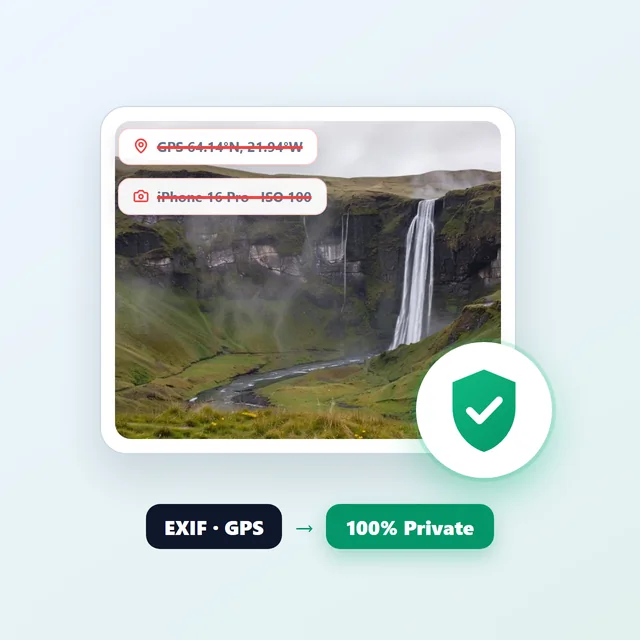
Smartphone travel photo with GPS coordinates
Exposes embedded latitude, longitude, altitude, capture timestamp, and phone model hidden inside JPEG APP1 EXIF headers so you can wipe location data cleanly.
Inspect and remove metadata from photo files free inside your browser with zero server uploads. Strip GPS coordinates, camera tags, and XMP losslessly while keeping original image quality.
Drop photos here to inspect and remove EXIF metadata
Batch up to 30 JPG, PNG, or WebP images. Inspects GPS, camera, and software tags and strips them losslessly.
Processed locally in your browser. Zero server uploads.
Open any sample below in this exif remover to see real hidden GPS coordinates, camera serial tags, software footprints, and PNG text chunks parsed live before stripping them byte-for-byte.
Exposes embedded latitude, longitude, altitude, capture timestamp, and phone model hidden inside JPEG APP1 EXIF headers so you can wipe location data cleanly.

Reveals camera serial number, lens specs, exposure details, editing software history, and IPTC author records while stripping metadata without re-compressing JPEG pixels.

Detects hidden PNG eXIf, tEXt, iTXt, zTXt, and tIME chunks left behind by design apps and removes them losslessly while keeping IDAT pixels and ICC color intact.
Audit hidden location and device fingerprints, then scrub them losslessly right inside your browser.
Drag JPEG, PNG, WebP, or other image files onto the workspace, or click Choose image. Before changing a single byte, the local binary parser scans EXIF, GPS, XMP, IPTC, comments, and PNG text chunks so you see exactly what is hidden inside.
GPS coordinates, altitude, camera owner names, and device serial numbers are highlighted at the top for immediate privacy review. Keep ICC color profiles checked by default so wide-gamut colors stay accurate, and optionally retain a tiny orientation-only tag if needed.
Click clean and save to download your scrubbed photo or bundle an entire batch into a single ZIP archive. The studio verifies zero remaining metadata after cleaning and reports exact bytes removed.
Deep binary inspection, zero pixel re-compression, color-profile safety, and true local execution with zero uploads.
Never scrub blindly. Our pure-browser parser reads TIFF IFD0, ExifIFD, and GPSInfoIFD in both Little-Endian and Big-Endian formats alongside XMP XML packets, 8BIM IPTC records, JPEG COM comments, WebP RIFF chunks, and PNG eXIf/tEXt/iTXt/zTXt/tIME headers to show every tag clearly before you strip photo metadata online.
Many browser tools strip EXIF by drawing your image onto a canvas and re-saving it, which quietly degrades JPEG sharpness and inflates PNG sizes. Instead, our binary engine removes metadata segments at the container level while copying JPEG SOS entropy data, PNG IDAT pixel chunks, and WebP VP8/VP8L/ALPH payloads verbatim for zero quality loss.
When you need to clear gps data from image captures taken at home, a school, or a private studio, this browser inspector surfaces latitude, longitude, altitude, GPS date, IPTC city or country tags, camera owner fields, and body serial numbers right at the top of the report so nothing sensitive slips past notice.
Stripping every header indiscriminately can wash out vibrant Display P3 smartphone photos or flip vertical portraits sideways. Keep Color Profile enabled (on by default) to retain harmless ICC color-space chunks while scrubbing all personal metadata, and toggle Orientation preservation if older viewers need a minimal 36-byte rotation flag.
Every cleaned image is automatically re-inspected immediately after stripping so you see confirmed zero metadata tags alongside the exact number of hidden kilobytes removed. Removing bloated XMP edit histories and embedded EXIF thumbnails often makes photos noticeably lighter for web uploads too.

Uploading a GPS-tagged private photograph to a remote server just to remove exif data defeats the purpose of privacy. On ImageToPsd.AI, every binary parse, chunk strip, verification pass, and batch ZIP archive runs entirely in local browser memory with zero network transfer.
Five essential practices for understanding hidden camera headers, protecting location privacy, and preserving true color fidelity.
Every unedited photo straight from a phone or mirrorless camera carries far more than visible pixels. Hidden EXIF, XMP, and IPTC blocks can record precise GPS latitude and longitude down to a street address, exact capture timestamps, camera make and model, lens details, serial numbers, editing app history, and even embedded preview thumbnails that still show uncropped backgrounds. Inspecting files first reveals exactly what your image would disclose.
While some major social platforms strip EXIF on upload, messaging apps sending files as documents, forums, classified ads, email attachments, cloud shares, and portfolio galleries frequently serve your untouched original file to anyone who saves it. Taking two seconds to remove metadata from photo files locally before attaching or publishing eliminates guesswork and keeps your home address and daily routines strictly private.
Re-encoding a JPEG through a standard image editor or canvas tool runs lossy DCT quantization all over again, introducing subtle mosquito noise around sharp edges and bloating carefully optimized files. A true binary exif remover operates strictly on wrapper segments and chunks, discarding EXIF, XMP, IPTC, and comment payloads while leaving compressed pixel streams untouched byte-for-byte so visual fidelity stays 100% identical.
Modern phones shoot in wide-gamut Display P3 color spaces stored inside an ICC profile segment rather than standard sRGB. Deleting that harmless color profile alongside personal EXIF tags causes browsers and image viewers to misread saturated reds and greens as muted sRGB. Leaving Keep Color Profile enabled lets you remove exif data and clear gps data from image headers completely while keeping colors true to your screen.
Hidden headers are only half of sharing photos safely online. After cleaning hidden camera headers locally, check the visible frame for license plates, address labels, or bystanders: black out private text cleanly with Redact Image or anonymize people in the background using Blur Face. Publishing photos to a website or print listing afterward? Optimize file weight with Compress JPG or set print headers in Change Image DPI.
Everyday privacy, publishing, and compliance workflows where lossless metadata scrubbing protects people and shrinks files.
Clear GPS coordinates and timestamps from listing photos taken inside your home or driveway before posting items to classifieds and local marketplaces.
Audit and remove exif data from photo evidence, field reports, and personal snapshots locally without ever trusting a remote upload server.
Strip lens settings, camera serial numbers, internal software versions, and bloated XMP edit histories from client proofs and portfolio previews losslessly.
Scrub bulky PNG text chunks, EXIF thumbnails, and author footprints across batches of site assets while keeping ICC color profiles and lossless pixels intact.
Clear answers about lossless binary stripping, GPS deletion, ICC color profiles, supported formats, and browser-only privacy.
No. For JPEG, PNG, and WebP files, the engine strips metadata segments and chunks directly at the binary container level without decoding or re-encoding pixels. JPEG scan entropy, PNG IDAT chunks, and WebP image payloads are copied byte-for-byte with zero quality loss.
The inspector reads and removes EXIF camera and exposure tags, GPS coordinates, altitude, timestamps, camera owner and serial numbers, XMP XML blocks, IPTC author and location records, JPEG comments, WebP EXIF/XMP chunks, and PNG eXIf, tEXt, iTXt, zTXt, and tIME chunks.
Sending a photo containing your exact GPS coordinates to an unknown cloud server exposes the very data you want to protect. Here on ImageToPsd.AI, every binary inspection and strip pass executes completely inside local browser memory so your files never leave your device.
Not when Keep Color Profile stays enabled, which is the default setting. The binary stripper retains harmless ICC color-space segments (such as wide-gamut Display P3 or sRGB) while scrubbing all identifying EXIF, GPS, XMP, and IPTC metadata so colors stay rich and accurate.
Smartphones often save upright photos sideways in raw pixels and rely on an EXIF Orientation tag to rotate them on display. If a file has a non-normal orientation, enable the optional Keep Orientation toggle to preserve only a minimal 36-byte rotation header while wiping every other tag.
Yes. Both PNG and WebP containers can carry hidden eXIf, XMP, and text metadata chunks left by cameras, screenshots, and creative apps. Our binary stripper removes those chunks losslessly from JPEG, PNG, and WebP, and cleans BMP, AVIF, or GIF via a fresh local PNG export.
Yes. Drop an entire folder selection of photos into the workspace to inspect every file's GPS flag and metadata byte count individually, then strip every queued picture losslessly in one click and download the full batch neatly bundled inside a single ZIP archive.
Immediately after stripping each image, our browser engine runs the binary inspector a second time on the finished output bytes to confirm zero remaining EXIF, XMP, IPTC, or GPS segments, displaying your exact before-and-after byte savings before you share the file.
Drop any JPG, PNG, or WebP into our free browser exif remover on ImageToPsd.AI to inspect hidden GPS tags and strip metadata losslessly in seconds.
Choose photo