Text to Image AI
Describe a picture and turn your text to image with 12 leading models. The price of each image is on the button before you run, and nothing is watermarked.
Made with these models
- 12 models, price per image shown
- From 1 credit per image
- Up to 4 images a run, 1K to 4K
- No watermark, commercial use
How to Turn Text to Image in 3 Steps
Write what you want to see, choose a model, and the text to image generator does the rest.
- 1
Describe the picture
Write the subject, the setting, the light and the style in a sentence or two, or start from an example.
- 2
Choose model and shape
Pick one of 12 models, the aspect ratio and 1 to 4 images. The credits are shown before you run.
- 3
Download or keep editing
Results appear on your canvas within a minute. Download them, reuse the prompt, or split a result into editable layers.
Text to Image Examples: Same Prompt, Four Models
We ran the same prompts through every model on this page. Pick the look you like and use that prompt and model in one click.
PromptA street food stall in Tokyo at night, steam rising from the grill, warm lanterns and neon reflections on wet pavement, cinematic photo
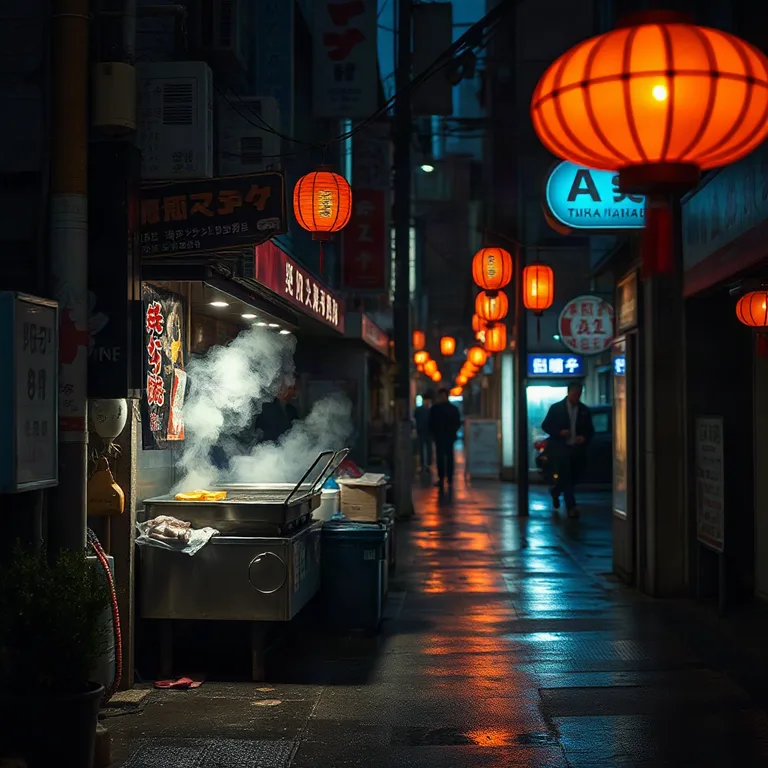 FLUX Schnell1 credit
The fastest and cheapest: a moody scene with less detail.
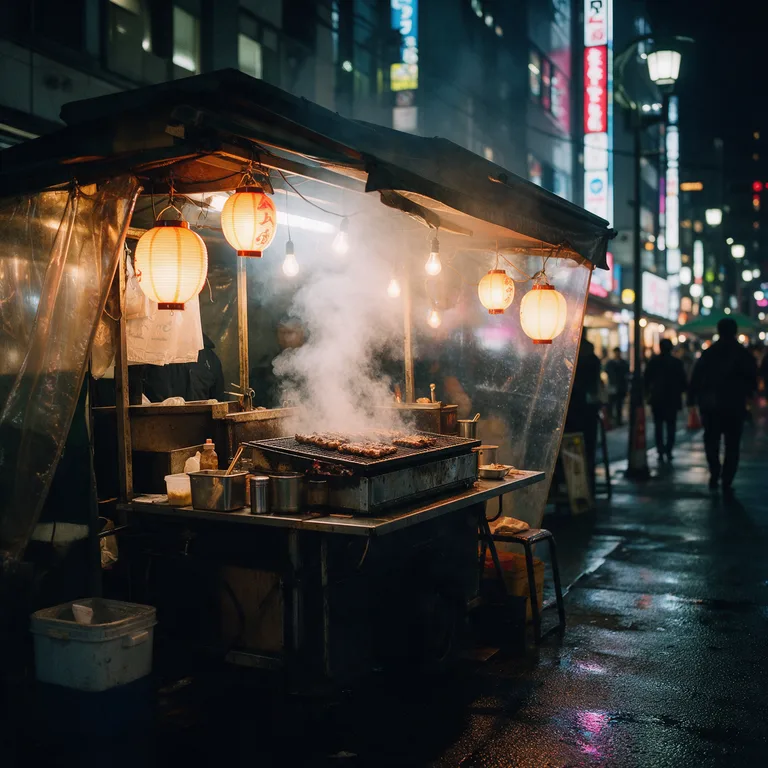 Seedream 5.0 Pro3 credits
Clean, cinematic light; the stall looks staged and quiet.
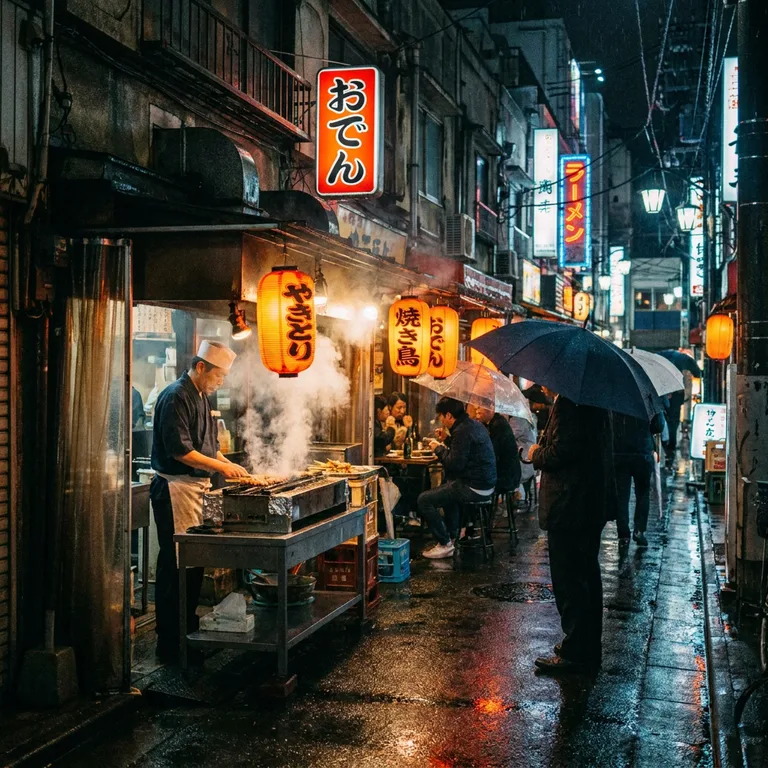 Nano Banana Pro7 credits
The most lived-in scene: a cook, diners, umbrellas and signs.
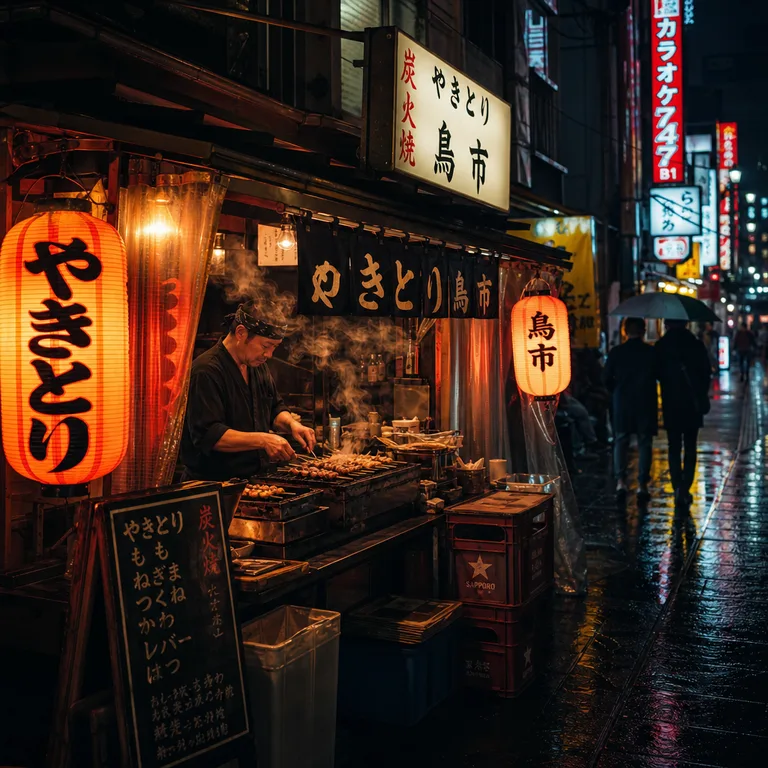 GPT Image 23 credits
Rich color and readable signs, close on the cook.
What Text to Image AI Does Well
Most ideas come out well on the first try. A few kinds of pictures are harder; here is what to expect.
Works well
- Photos, products, interiors and landscapes with a clear description.
- Posters and signs with a few words, on Nano Banana Pro or GPT Image 2.
- Illustrations, 3D renders and styles you name, such as watercolor or isometric.
- Several takes at once: 1 to 4 images per run.
Harder
- Long or small text, and any text on FLUX Schnell, which often misspells words.
- Exact counts and positions, such as seven people standing in a row.
- Real people, brands and logos: some are blocked by the safety check, and you need the rights to use them.
- Hands and fine mechanical parts can still come out wrong; make a few and keep the best.
Tip: describe the subject, setting, light and style in one or two sentences. If you only have a few words, turn on prompt help.
Why Use ImageToPsd.AI as Your AI Image Generator
An AI image generator that tells you which model runs, what it costs, and gives the credits back when it fails.
12 models, clear prices
Nano Banana 2 and Pro, Seedream, FLUX, GPT Image 2 and Ideogram, each with its price per image on the button before you run.
From 1 credit per image
FLUX Schnell costs 1 credit, Seedream and Nano Banana from 2, GPT Image 2 at medium quality 3, Nano Banana Pro 7. Higher resolution and quality cost more and say so.
10 shapes, up to 4K
Choose from 10 aspect ratios, square to 21:9 (GPT Image 2 and Ideogram take the five classic ones), and 1 to 4 images a run. Seedream and FLUX 3 reach 2K, Nano Banana Pro 4K.
Prompt help you can see
Turn on prompt help and a text model rewrites your idea into a detailed prompt. The rewritten prompt is shown with the result, ready to reuse and edit.
Private, no watermark
Images are not posted to a public feed and carry no watermark. Every model here is licensed for commercial use.
Split into layers
Send any result to image to layers and get a layered PSD you can keep editing in Photoshop, priced separately.
Text to Image Prompt Guide
Five tips for prompts that give you the picture you had in mind.
Describe the picture, not the idea
Say what is in the frame: the subject, where it is, the time of day, the light and the style. "A red bicycle against a white wall, morning sun, film photo" beats "something nostalgic".
Pick the model for the job
Use FLUX Schnell for fast, cheap drafts, Seedream 5.0 Pro for photographic looks, Nano Banana Pro for busy scenes and lettering, and GPT Image 2 for posters and layouts with text.
Choose the shape before you write
1:1 suits feed posts, 3:4 and 9:16 suit portraits and stories, 16:9 suits slides and video thumbnails. The model composes for the shape, so set it first rather than cropping later.
Put words in quotes
For text in the picture, write the exact words in quotes and keep them short, such as the word "LISBON" at the top. Use Nano Banana Pro or GPT Image 2, which spell far more reliably.
Keep the prompt that worked
Open any result to see the exact prompt, reuse it with another model or edit it. Your canvases keep every run, so you can come back and continue later.
Who Uses a Text to Image Generator
A text to image maker saves a search for stock photos or a day of drawing.
Marketing and social
Post images, ad concepts and campaign visuals in any size.
Design and illustration
Mood boards, concept art and starting points for illustrations.
Online stores
Lifestyle scenes and backgrounds for product photos.
Slides and blogs
Header images and pictures that explain an idea.
Text to Image AI FAQ
Answers about price, models, commercial use and privacy.
Turn Your Text to Image Now
Describe a picture, pick a model and see the price before you run.