Image to Video AI

Upload a photo and our image to video AI turns it into a cinematic clip, or write a prompt with no picture at all. Sixteen video models, including Seedance 2.0, Veo 3.1 and Kling 3.0, the price on the button before you run, and no watermark.

Made with these models

  • 16 video models, credits shown first
  • From 2 credits per clip
  • 3 to 30 seconds, up to 1080p
  • No watermark, commercial use

How to Turn an Image to Video in 3 Steps

Add a picture, say how it should move, and the image to video model makes the clip.

  1. 1

    Add your picture

    Drop a photo, a product shot or artwork in as the start frame. Some models also take an end frame and move between two pictures.

  2. 2

    Describe the motion

    Say what moves and how the camera moves, such as a slow push in or an orbit. Pick the model, length and resolution; the credits update as you choose.

  3. 3

    Watch and download

    Most clips are ready in one to five minutes, depending on the model. Play them on your canvas, download the MP4, or reuse the prompt with another model.

Made on this page

Image to Video AI Examples from the Top Models

Twelve original clips, each made from one start frame with the model named on it. Turn on the sound, read the full prompt, or press Use this example to load the same picture, prompt and settings into the generator.

Seedance 2.0
Start frame
Start frame

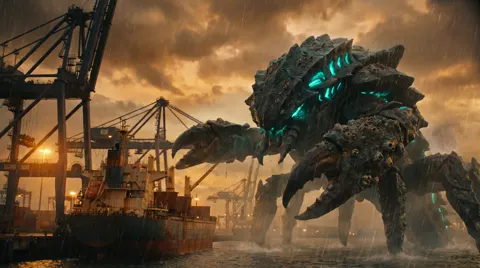
Kaiju in the harbor

5s · 720p · 62 credits

The sea creature rises out of the harbor as sheets of water pour off its shell. The camera slowly pushes in and shudders each time a wave slams the quay. A gantry crane buckles and gulls scatter across the frame. One continuous shot, photoreal blockbuster. Sound effects only: rain, roaring water, a deep growl, groaning steel. No music, no text, no logos.
Seedance 2.0
Start frame
Start frame

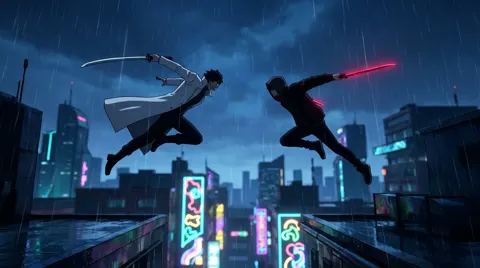
Anime rooftop duel

5s · 720p · 62 credits

Their blades clash in mid-air and the shockwave blasts the rain outward in a ring. The camera orbits ninety degrees around them as sparks spray, then both land on opposite rooftops and turn to face each other. Stylized anime action, one continuous shot. Sound effects only: ringing steel, rain, whooshes. No blood, no music, no text.

Gemini Omni Flash 1.1
Start frame
Start frame

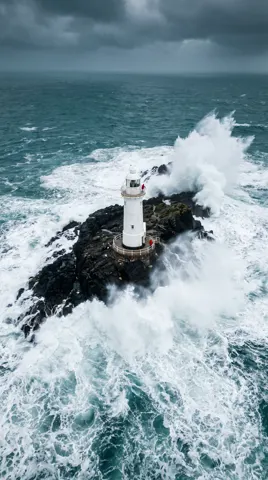
Zoom out to space

5s · 720p · 21 credits

One continuous pull-back: the camera rises straight up from the lighthouse, the island shrinks into the coastline, the coastline vanishes under clouds and the curve of the Earth with the day-night line comes into view. Smooth and accelerating, no cuts. Sound: wind and waves fading into silence. No music, no text.

Kling 3.0 Pro
Start frame
Start frame

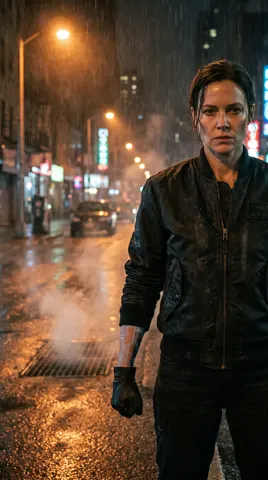
Armor-up transformation

5s · 1080p · 34 credits

Glowing lines race across her body and matte-black armor plates snap onto her one by one over her jacket, each lock throwing sparks. A helmet visor slides over her face and the eye slit lights up blue. The camera slowly circles her. One continuous shot. Sound effects only: mechanical clicks, servo whine, rain. No music, no text.

MiniMax H3 Max
Start frame
Start frame

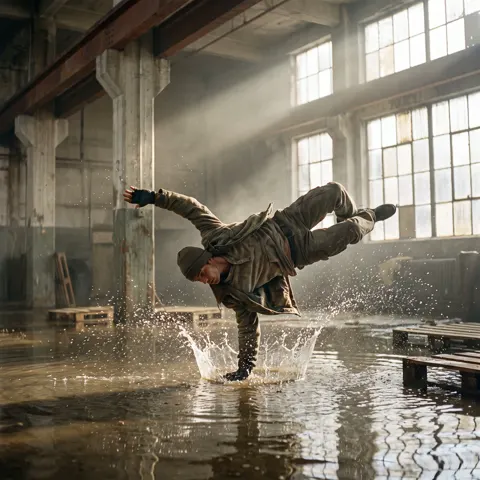
Bullet time

5s · 768p · 19 credits

Time is frozen: water droplets hang in the air while the camera orbits about 120 degrees around the dancer with strong parallax. Then time resumes, the dancer lands and the water crashes outward. One continuous shot. Sound effects: a low whoosh, then a splash. No music, no text.

Veo 3.1
Start frame
Start frame

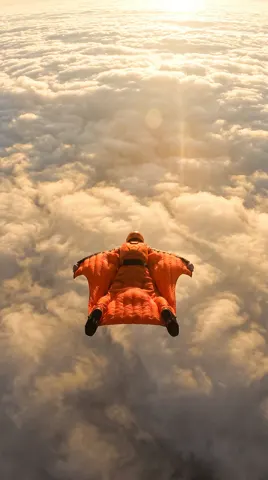
Skydive through the clouds

6s · 720p · 97 credits

The camera falls with the skydiver. She spreads her arms and time slows into a weightless slow-motion beat, then snaps back to full speed as she punches through the cloud layer into open sky. One continuous shot. Sound: rushing wind and fluttering fabric. No music, no text.

Seedance 2.0
Start frame
Start frame

Kung fu cat

5s · 720p · 62 credits

The cat throws a rapid flurry of paw punches that burst the falling petals, spins into a high kick that blows the petals outward, then the camera snaps into a close-up of its deadpan face. One continuous shot, comedic martial-arts movie style. Sound effects: whooshes, a tiny battle cry, petals. No music, no text.

HappyHorse 1.1
Start frame
Start frame

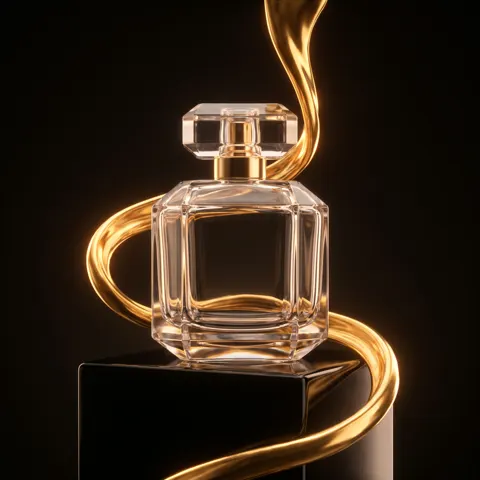
Liquid gold perfume ad

5s · 1080p · 37 credits

A slow macro orbit of about ninety degrees around the bottle as the molten gold wraps around it and splashes into a crown on the plinth, then settles into a glossy hero shot. Premium commercial look, one continuous shot. Sound: a soft liquid pour and a low shimmer. No music, no text, no logos.

Seedance 2.5
Start frame
Start frame

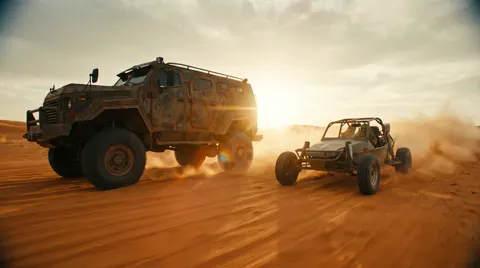
Desert chase

5s · 720p · 96 credits

The camera tracks alongside the truck at full speed. It hits the crest of a dune and launches into the air, hangs for a slow-motion beat, then slams down in an explosion of sand that sprays across the lens as the buggy swerves past. One continuous shot. Sound effects only: roaring engines, wind, the heavy landing. No music, no text.

Grok Imagine 1.5
Start frame
Start frame

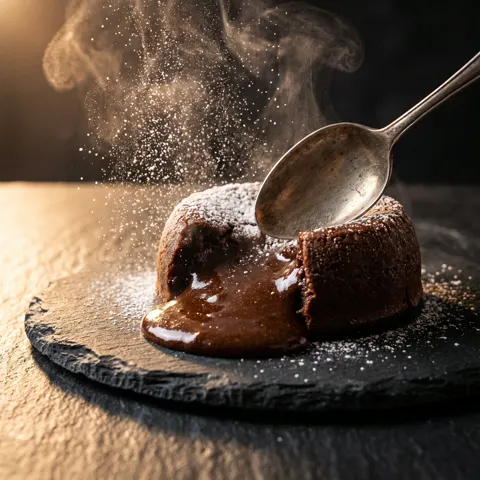
Molten chocolate cake

5s · 720p · 29 credits

The spoon cuts through the crust and molten chocolate flows out in slow motion while steam curls up; the camera slowly pushes in and settles on the glossy pool. One continuous shot, food commercial style. Sound: a soft crack and a slow pour. No music, no text.

Seedance 2.5
Start frame
Start frame

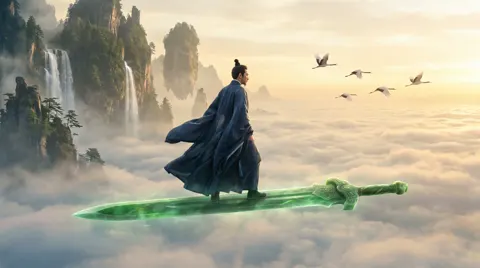
Flying on a sword

5s · 720p · 96 credits

The cultivator banks hard and the sword leaves a glowing trail as they dive between two floating peaks, the camera chasing like a drone. Waterfall mist bursts around them and the cranes scatter. One continuous shot. Sound: rushing wind, a humming blade, waterfall roar, crane calls. No music, no text.

FLUX 3
Start frame
Start frame

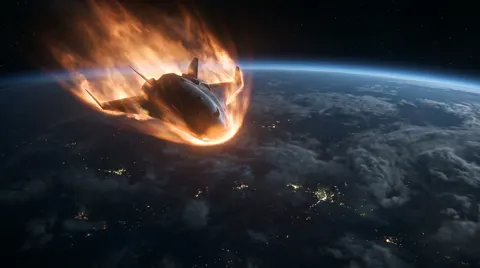
Atmospheric re-entry

5s · 720p · 35 credits

The camera stays locked to the side of the ship as the plasma trail grows violent and the hull shakes. It breaks through the cloud deck into a thunderstorm and lightning flashes across the frame. One continuous shot. Sound: roaring plasma, rattling hull, thunder. No music, no text.

What Image to Video AI Does Well

Most photos animate well on the first try. Some motion is still hard for every model; here is what to expect.

Works well

  • Portraits with small moves: a smile, a turn of the head, hair in the wind.
  • Products and objects with a slow camera move, such as an orbit or a push in.
  • Landscapes and rooms with gentle motion: water, clouds, leaves and light.
  • Moving between two pictures with start and end frames, on the models that take both.

Harder

  • Very fast action and sports: limbs can still bend or blur, less so on Seedance 2.0 and MiniMax H3 Max.
  • Hands, small text and logos can change from frame to frame.
  • Long stories: each clip is one shot, up to 30 seconds on Seedance 2.5 and 15 on most top models.
  • Real people, brands and anything unsafe: some requests are blocked (Seedance 2.0 and 2.5 do not take photos of real people), and you need the rights to the photo.

Tip: describe one clear motion and one camera move. Run two models on the same photo and keep the better clip.

Why Use ImageToPsd.AI as Your Image to Video Generator

An image to video generator that tells you which model runs, what each clip costs and about how long it takes.

01

16 models in one place

Seedance 2.5, 2.0 and 1.5 Pro, Veo 3.1, Gemini Omni Flash, Kling 3.0 Pro, MiniMax H3 Max, HappyHorse, Wan, Grok Imagine and FLUX 3, each with its credits, resolution and wait time in the model picker.

02

Credits before you run

A 5 second clip at 720p is 6 credits on Seedance 1.5 Pro and 62 on Seedance 2.0. Length, resolution, sound and the number of clips change the price on the button before you run.

03

Start and end frames

Animate one picture, or give Seedance, Veo 3.1, Kling 3.0 Pro, MiniMax H3 Max, Gemini Omni Flash or Wan a second picture and the clip moves from one to the other.

04

Text or photo, one composer

Write a prompt with no picture for text to video, or add a start frame. Switch between image and video in the same box without leaving the page.

05

Private, no watermark

Clips are not posted to a public feed and carry no watermark. Every model here is licensed for commercial use.

06

Sound when you want it

Turn on sound for Seedance, Veo, Kling 3.0 Pro, FLUX 3 or Wan; on Seedance 2.0, 2.5, Wan and FLUX 3 it costs nothing extra. MiniMax H3 Max, Gemini Omni Flash, HappyHorse, Grok and Kling 3.0 Turbo always add sound.

Image to Video AI Prompt Guide

Five tips for prompts that make your clips move the way you want.

Describe the motion, not the picture

The model already sees your photo, so write what changes: she turns toward the camera and smiles, steam rises from the cup, waves roll in. One or two motions per clip work best.

Name the camera move

Add one camera move: a slow push in, a pull back, an orbit around the subject, a pan, or a static camera. Image to video models follow a named move far better than a vague one.

Pick the model for the shot

Seedance 2.0 and 2.5 for big action and camera work (they do not take photos of real people), MiniMax H3 Max and Kling 3.0 Pro for people and faces, Veo 3.1 for natural light, Gemini Omni Flash for real-world physics, and Seedance 1.5 Pro for a good clip at the fewest credits.

Start from a clean picture

Use a sharp photo in the shape the video should have. If it needs it, first extend it to 16:9 or 9:16 with the AI image extender or cut the subject out with the background remover, then animate it.

Keep the prompt that worked

Open any clip to see the exact prompt, reuse it with another model or turn on prompt help. Your video canvases keep every run until you delete it.

Who Uses an Image to Video AI Generator

Turning a still image to video gives a post, a product page or a pitch more life than a photo alone.

  • Social posts and ads

    Short clips for posts, reels and ad tests from photos you already have.

  • Online stores

    Product shots that turn and catch the light on a product page.

  • Designers and artists

    Bring artwork, illustrations and concepts to life for a portfolio.

  • Memories and portraits

    Add a gentle smile or a breeze to a favorite photo.

Image to Video AI FAQ

Answers about price, models, length, commercial use and privacy.


Turn Your Image to Video Now

Add a photo, describe the motion and see the credits before you run.