AI Image Extender
Pick a new shape and the AI image extender continues the scene beyond the frame. Your original stays exactly as it was, and every run gives you two results to choose from in high resolution.
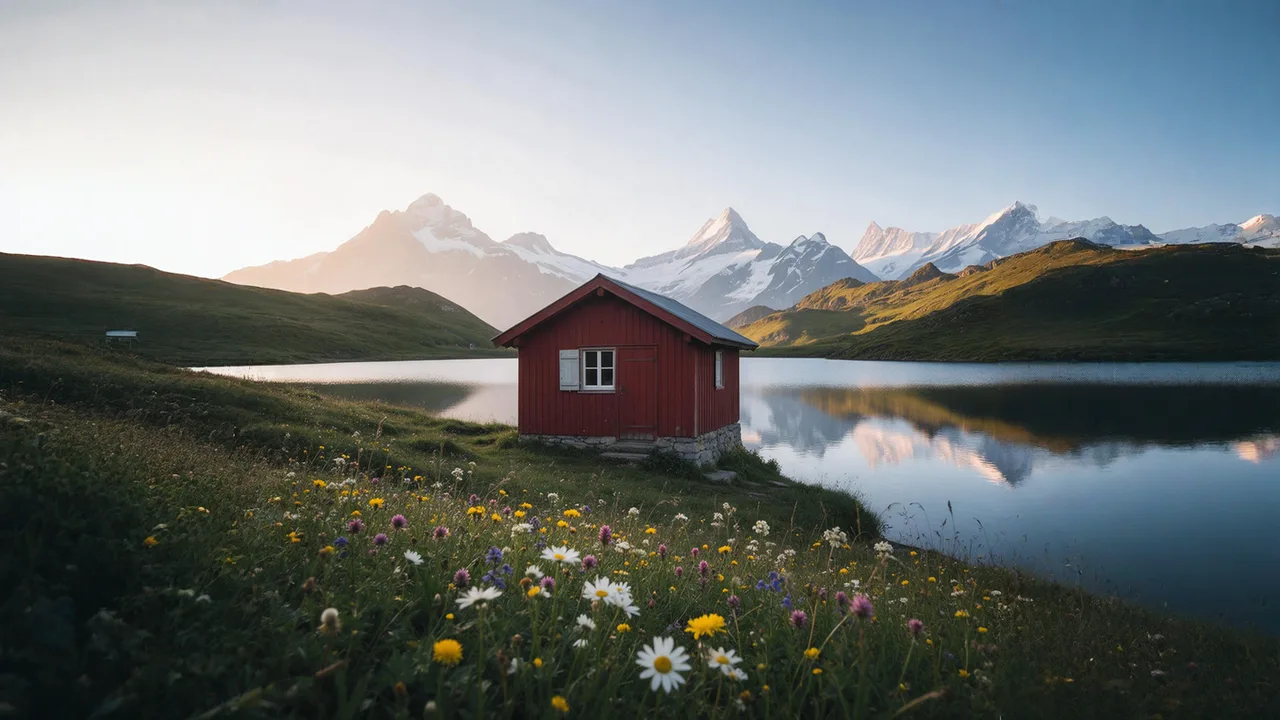
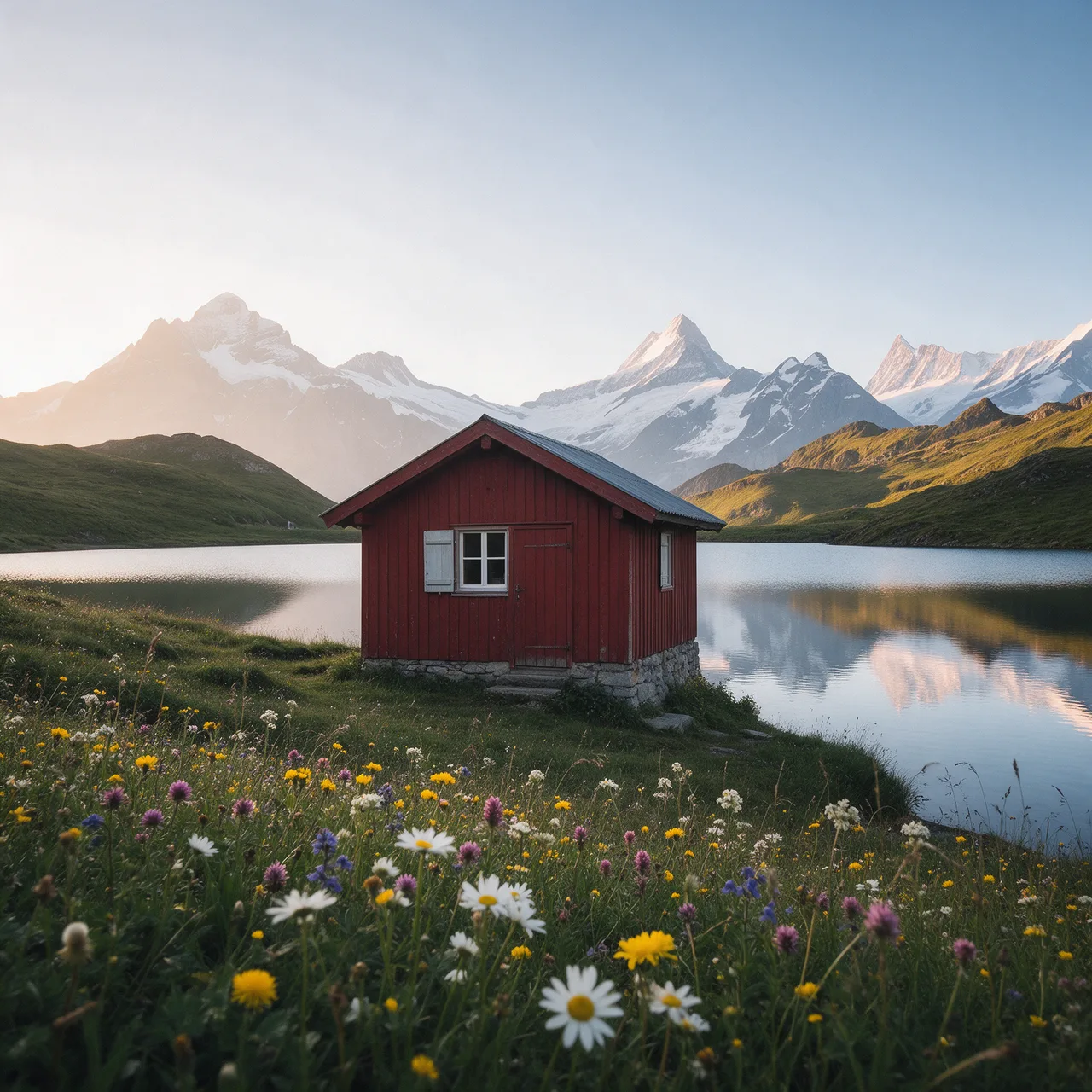
A real result from this tool. The dashed frame marks the original photo.
- Original never redrawn
- 2 results per run
- 2K or larger for most photos
- Layered PSD, original on its own layer
How to Extend an Image with AI in 3 Steps
No masks and no prompt needed: choose a shape and the image extender fills in the rest.
- 1
Upload a photo
Drop, paste or choose a JPG, PNG or WebP up to 10 MB.
- 2
Choose a shape
Pick 16:9, 9:16, 4:5, a 3:1 banner and more. Add a short direction if you want something specific in the new area.
- 3
Pick a result and download
Two results come back in about half a minute. Keep the one you like as a PNG, or as a layered PSD with your original on its own layer.
AI Image Extender Examples
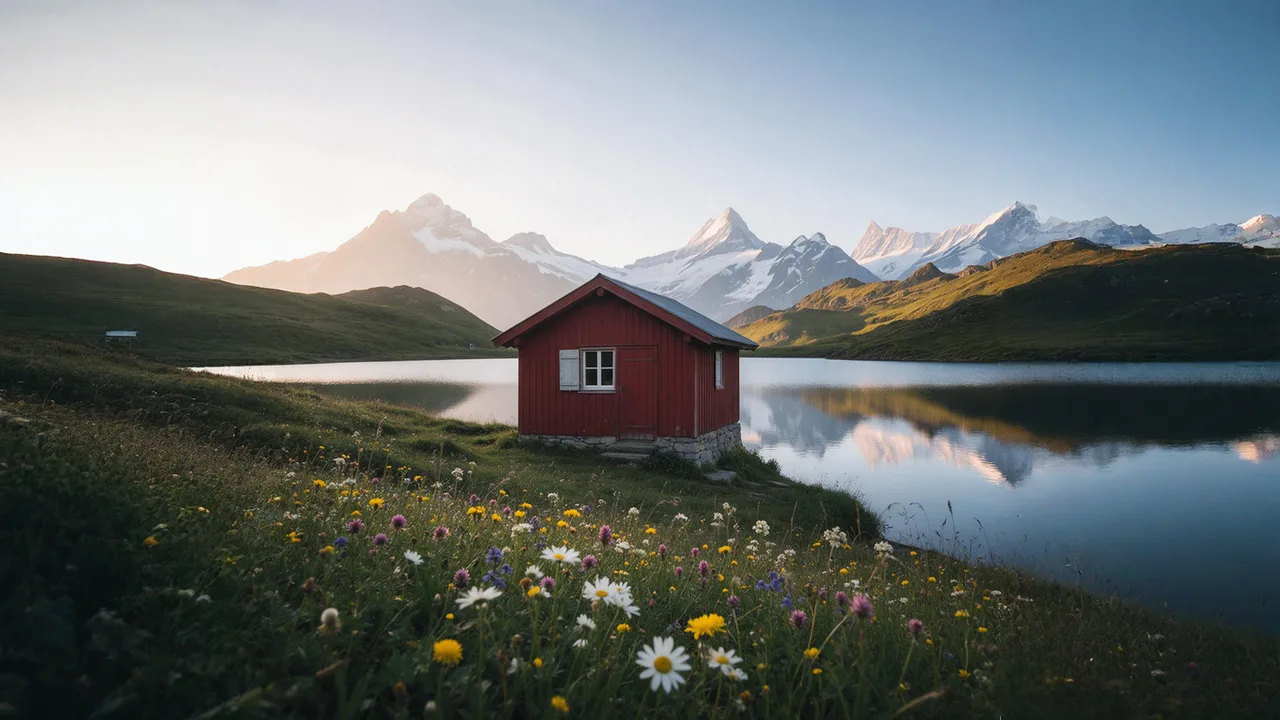
Real results from this tool. The dashed frame marks the original photo; everything outside it was generated.
 Original
One photo, every shape
A square lake photo extended to a 16:9 desktop picture, a 9:16 story and a 3:1 banner. The cabin and the lake inside the frame are the original pixels.
Original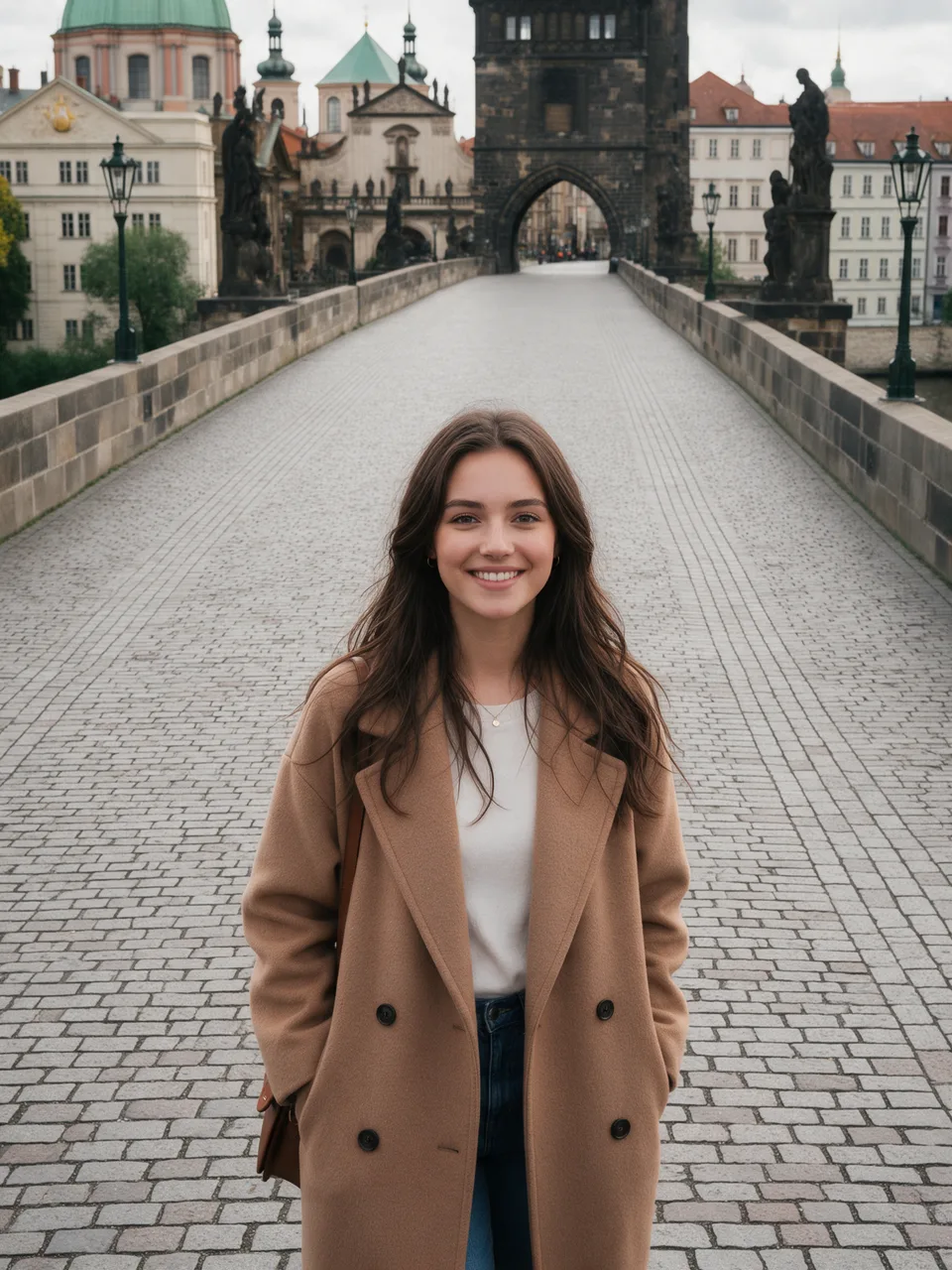
Two results to choose from
A portrait on a stone bridge turned into a 16:9 cover. One run gave these two different extensions; keep the one that fits your design.
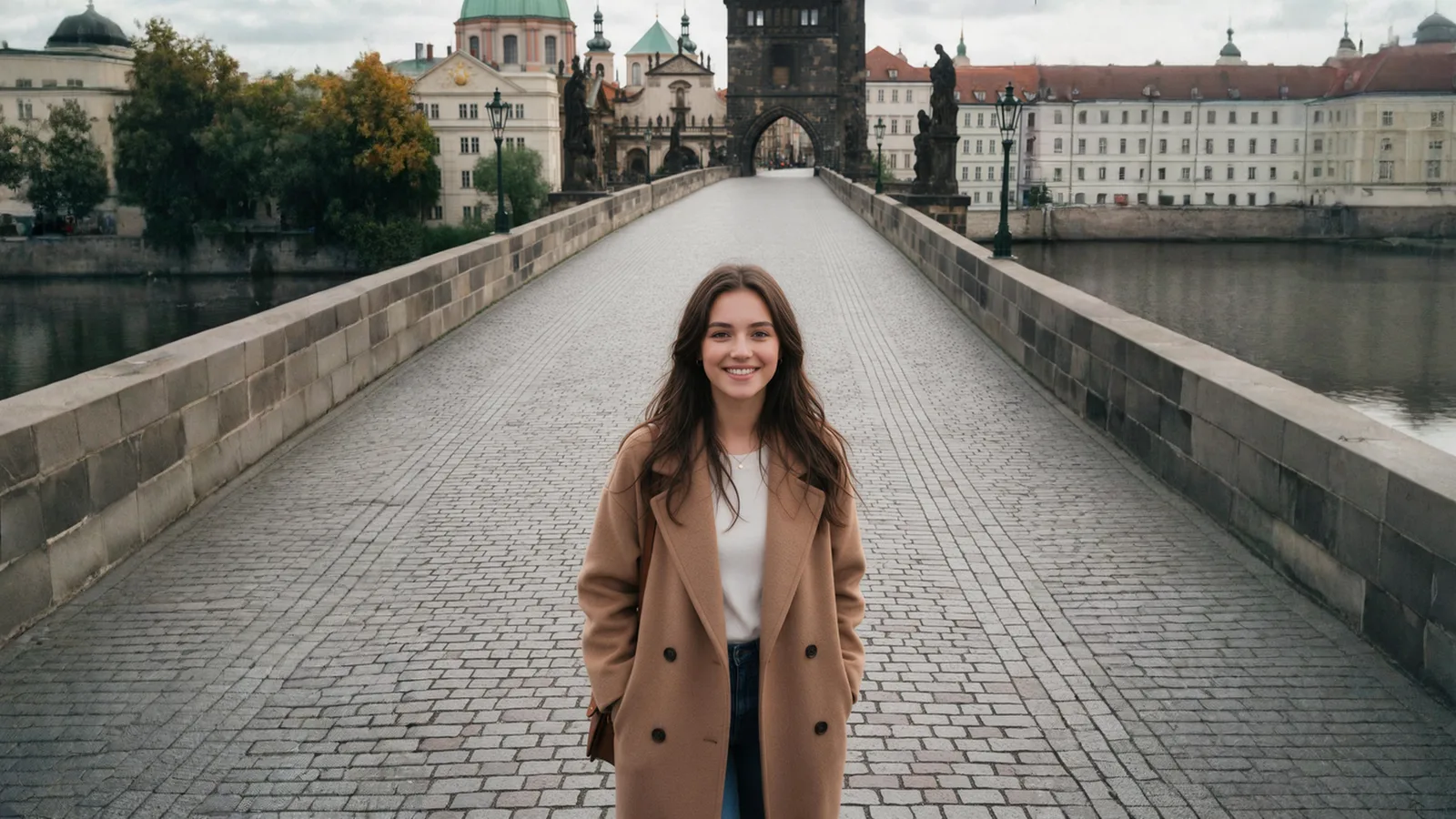
Result 1 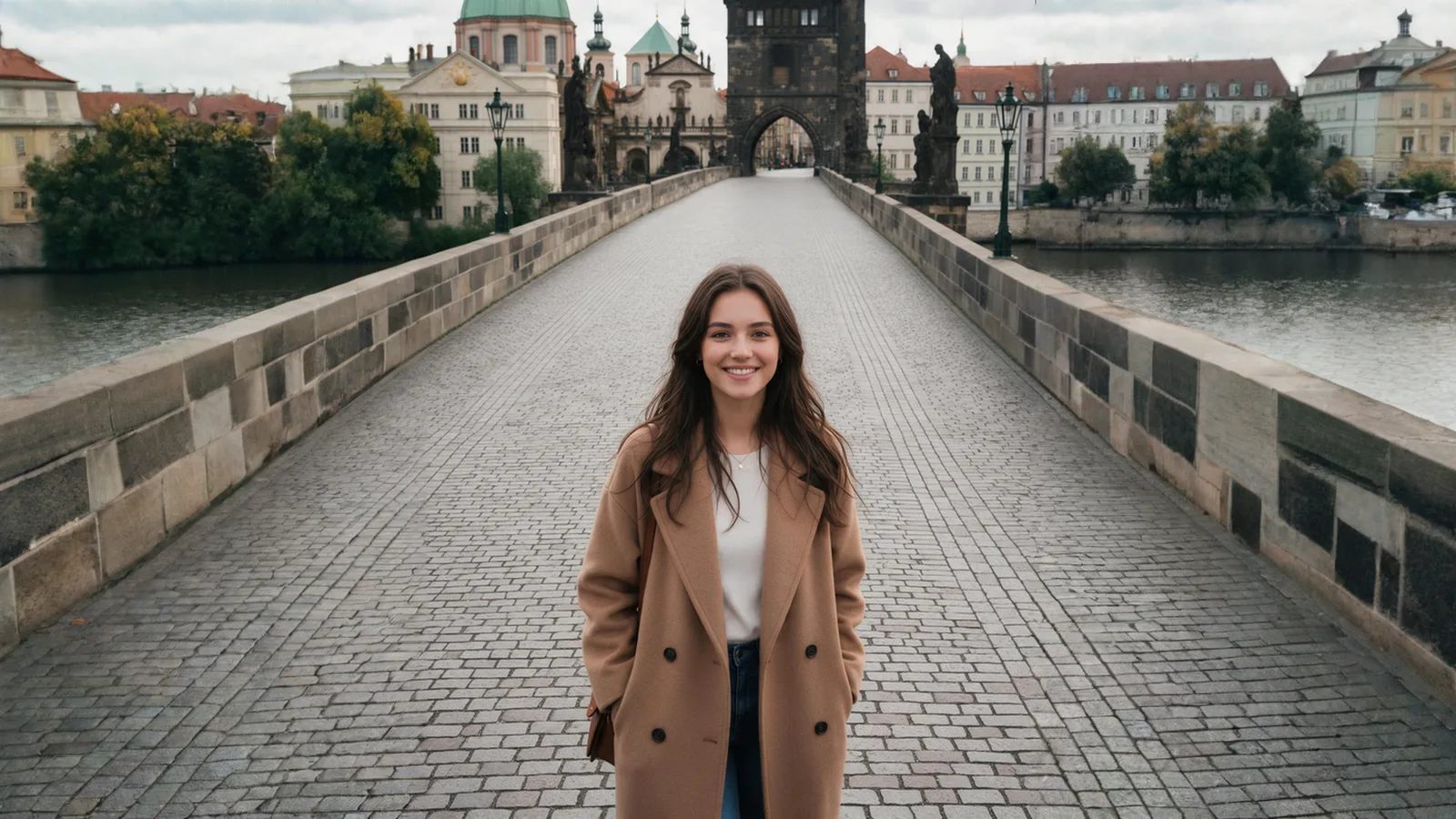
Result 2
What an AI Image Extender Does Well
Most scenes extend naturally with an AI image extender. Some pictures are harder; here is what to expect.
Works well
- Landscapes, skies, water, walls and floors that simply continue.
- Products and portraits that need room for text or a wider frame.
- Turning one photo into post, story, cover and banner sizes.
- Small photos, which are enlarged so the result reaches about 2K.
Harder
- People or objects cut off at the edge: the AI has to invent the missing part, and it may not match.
- Text, logos and signs that cross the border.
- Very wide stretches, such as a 3:1 banner from a tall portrait, where most of the picture is new.
- Tiny or blurry photos; unblur them first for a sharper result.
Tip: if a result is not right, run it again. Every run gives new variations, and the direction box lets you say what belongs in the new area.
Why Use the ImageToPsd.AI Image Extender
Built around one promise: the image extender changes the new area, never your photo.
Your original stays untouched
Expand models redraw the whole picture and soften the original. Here the original is laid back over its area after generation, so only the new parts are AI.
Two results per run
Every run gives two different extensions to choose from, or pick 1 to 4. Each result costs 2 credits, shown on the button before you start.
2K or larger
Results are at least 2048 px on the long side for most photos and up to 5000 px, ready for slides, banners and print.
Every common shape
1:1, 4:5, 16:9, 9:16, 3:2, 2:3 and a 3:1 banner. The new size is shown before you run.
PNG or layered PSD
Download a PNG, or a PSD with the generated picture and your original on its own masked layer for Photoshop.
Private by default
Pictures sit behind unguessable links, appear only in your own history and are not used to train AI models.
Image Extender Guide: Results That Look Real
Five short tips for extended pictures that look like they were shot that way.
Leave the subject whole
The AI continues what it can see. A person cut off at the knees gets invented legs, while a scene with some space around the subject extends far more convincingly.
Choose the shape for where it goes
Use 9:16 for stories and Reels, 4:5 for feed posts, 16:9 for YouTube and slides, and 3:1 for website and Twitter/X headers. The tool centers your photo and fills both sides evenly.
Say what belongs in the new area
The direction box is optional. A few words such as "more beach and sky" or "plain wall for text" steer the new area, and you can type in any language.
Generate more than one
Each result is a different guess. Two results per run usually give one that fits; run again for new variations. Your original is never touched, however many times you extend an image.
Keep editing in Photoshop
The layered PSD keeps your original on its own layer, with a mask over the generated picture. Paint the mask to show more or less of either and blend the seam exactly as you like.
Who Uses an AI Image Extender
Wherever one photo has to fit many sizes, an image extender beats cropping.
Social media
One photo as a feed post, a story and a cover without cropping the subject.
Online stores
Product shots with room for prices, badges and banner text.
Slides and video
Wide 16:9 backgrounds for presentations and YouTube thumbnails.
Websites and print
Hero banners, headers and posters from photos that were cropped too tight.
AI Image Extender FAQ
Answers about price, size, shapes, your original and privacy.
Extend Your Image with AI Now
Upload a photo, pick a shape and choose from two results with your original kept as it is.