Turn Photo into Painting with AI
Upload a portrait, a pet or a place and turn the photo into a painting in about a minute. Pick oil, watercolor, pencil sketch or five more styles, and the face, pose and framing stay as they are.
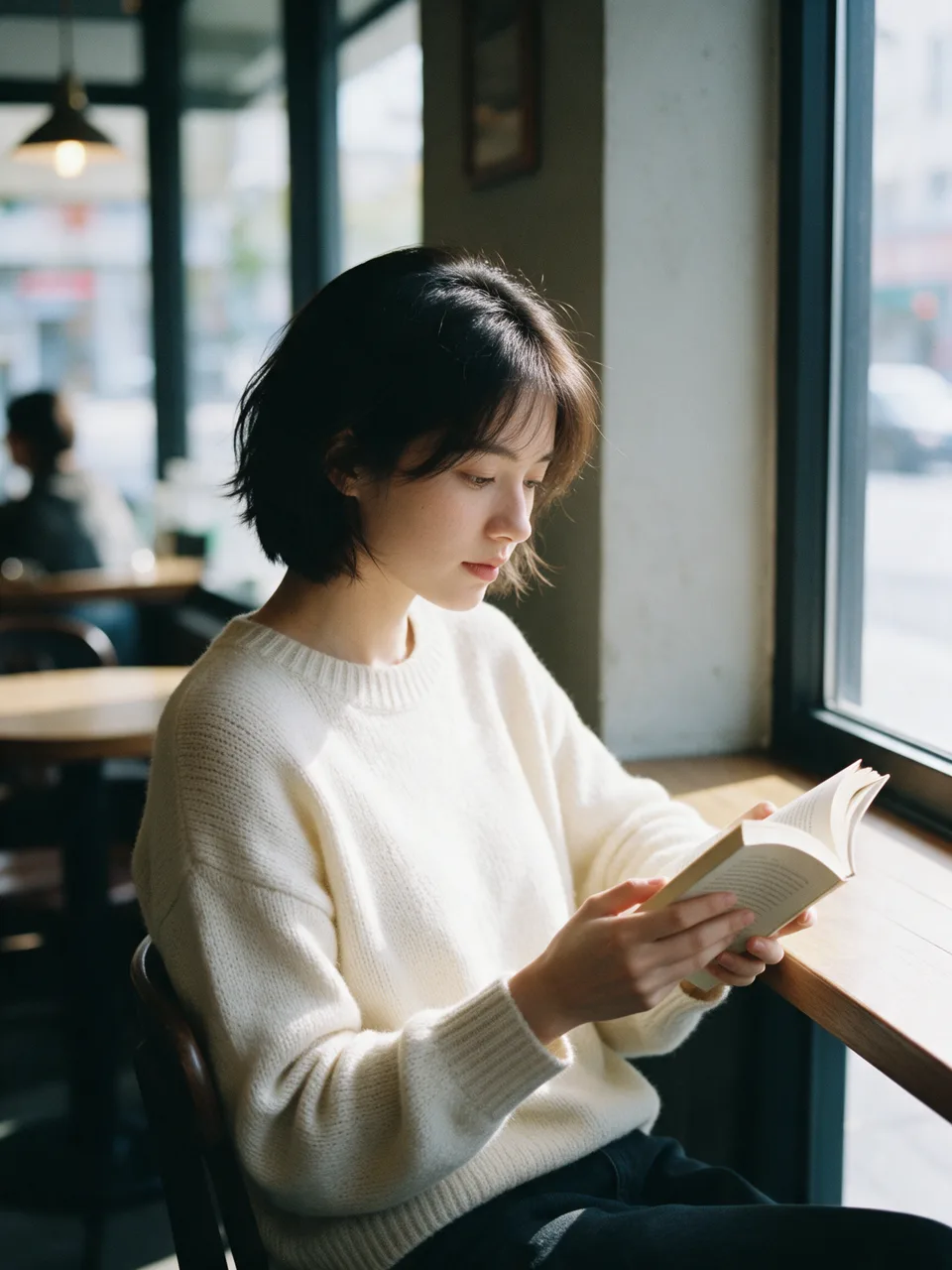
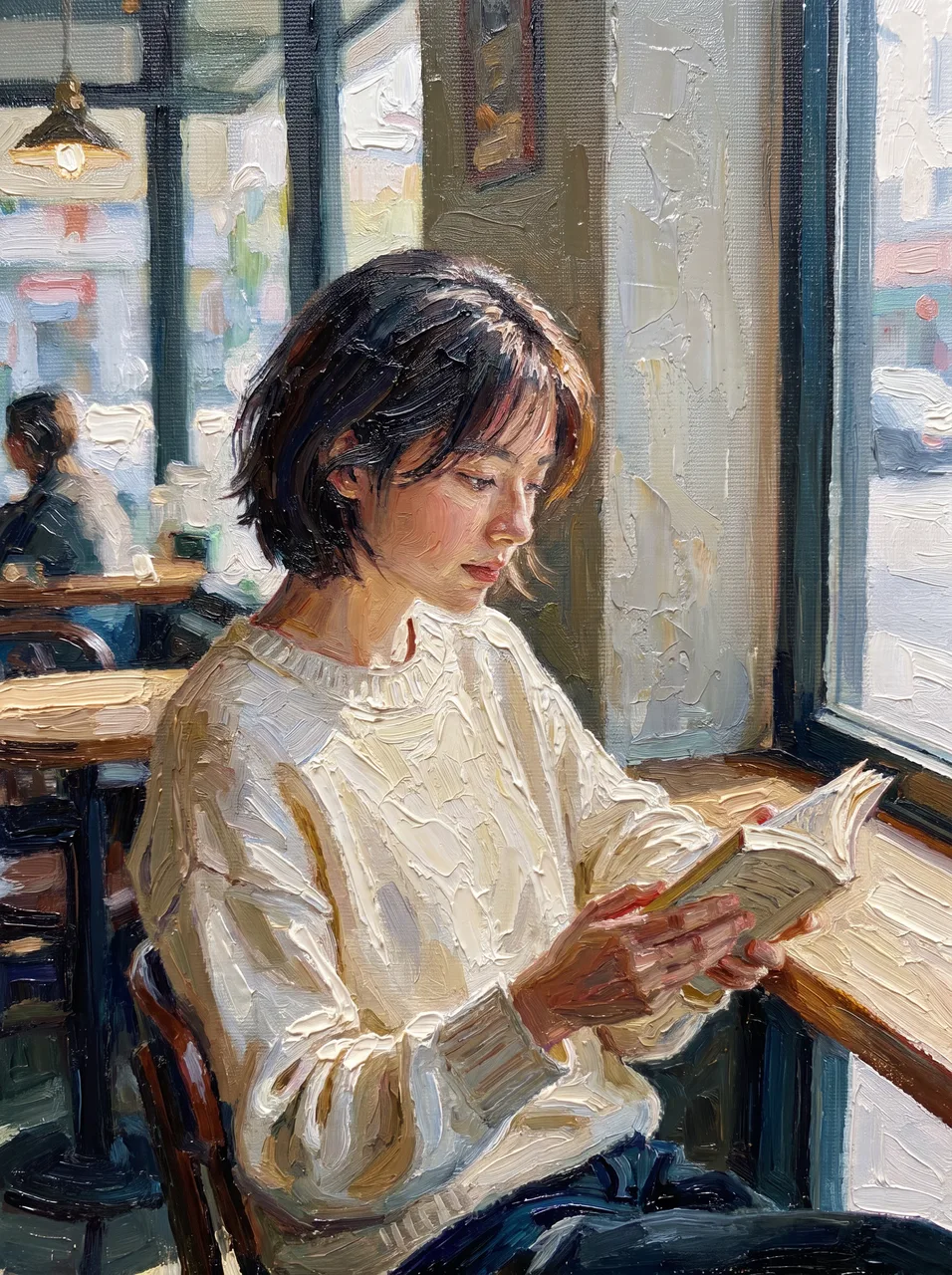
A real result from this tool. Drag the handle to compare.
- 8 painting styles, oil by default
- Faces, pose and framing kept
- 2K output, ready to print
- 7 credits a painting
How to Turn a Photo into a Painting in 3 Steps
No brushes, layers or art skills needed. You choose the look, and the AI does the repainting.
- 1
Upload a photo
Drop, paste or choose a JPG, PNG or WebP up to 10 MB. A sharp, well lit photo gives the painting the most detail to work with.
- 2
Choose a painting style and strength
Pick oil painting, watercolor, pencil sketch, impressionist, pop art, illustration, anime or 3D, then subtle, balanced or strong. Add an optional note such as warm sunset colors.
- 3
Compare and download
The AI repaints the whole picture in about a minute. Drag the slider to compare photo and painting, download the file, or try another style on the same photo.
One Portrait, Eight Painting Styles
We ran the same portrait through every style this tool offers, at balanced strength and with no retouching. Click a style to load it into the tool.
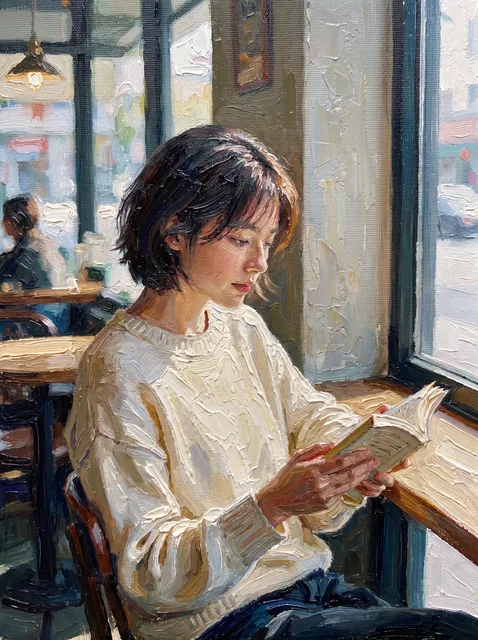
Visible brushstrokes and rich, layered color. The classic photo to oil painting look for gifts and wall art.
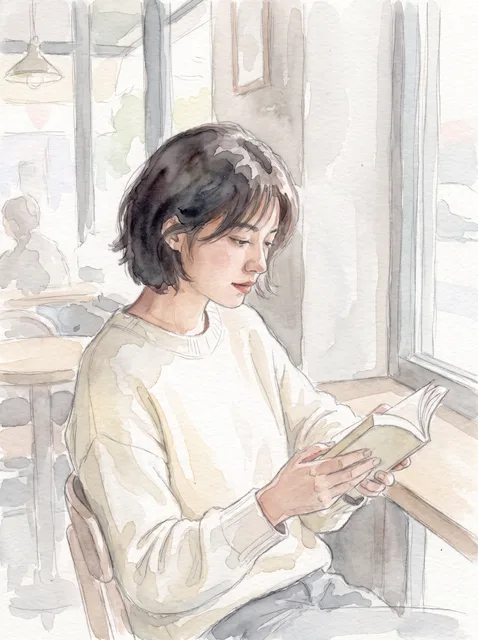
Soft washes, paper grain and loose edges. A light photo to watercolor result for cards and travel pictures.
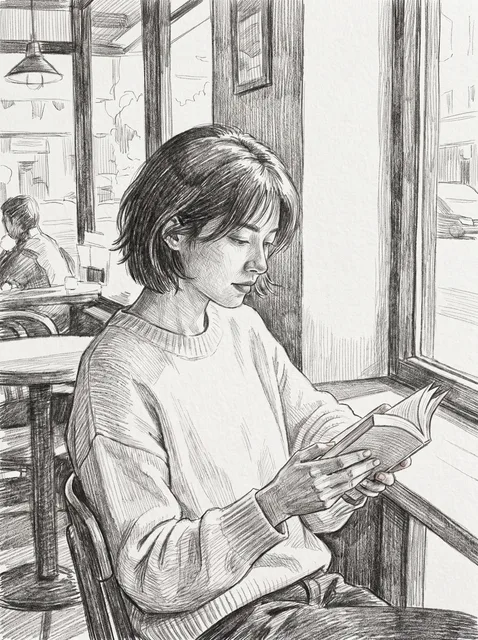
Graphite lines and hatching on white paper. A clean photo to pencil sketch that keeps the likeness.
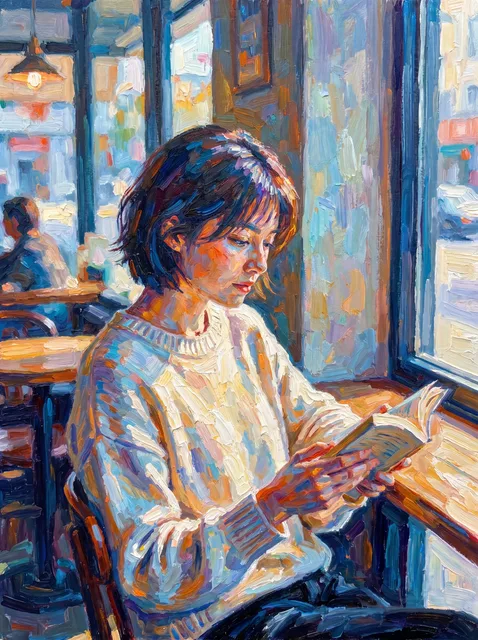
Broken color and dabs of light, in the spirit of Monet and Renoir.
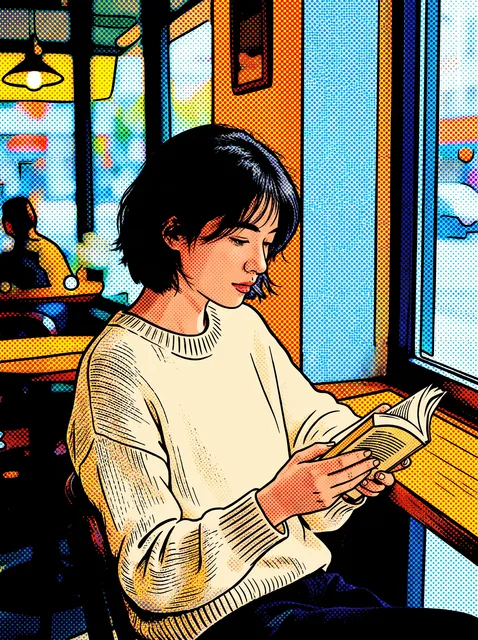
Flat bold colors, halftone dots and strong outlines for posters and profile pictures.
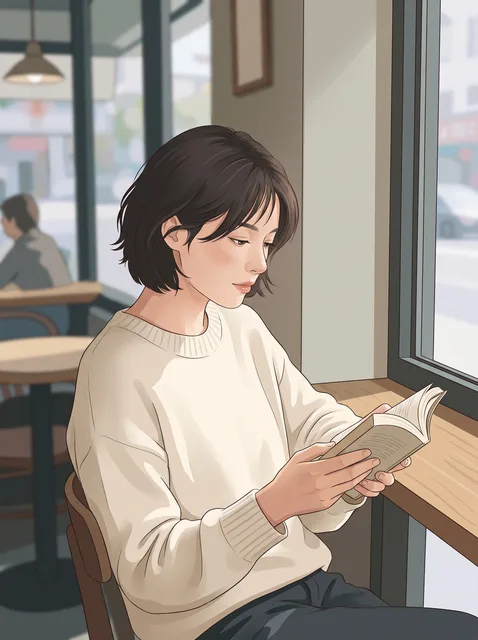
Clean shapes and gentle texture, like a drawing in a magazine.
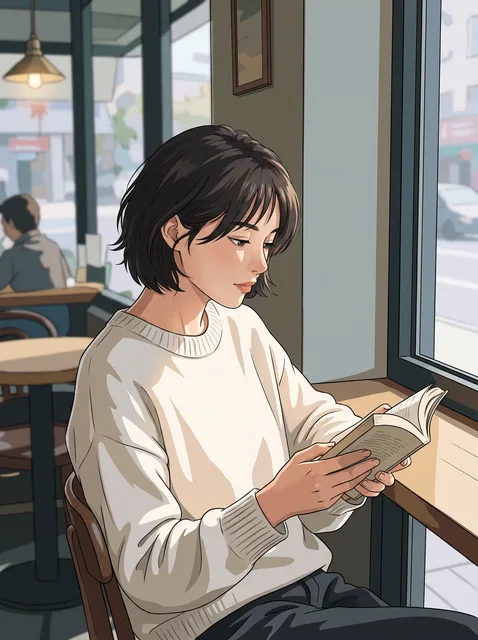
Cel shading, crisp lines and bright eyes, with the pose kept from the photo.
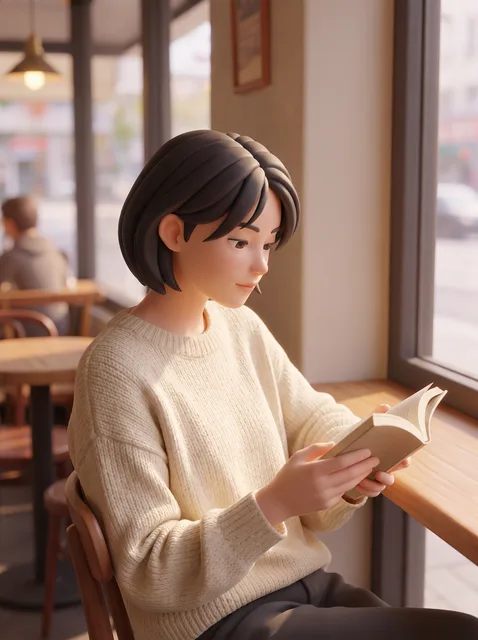
A soft, animated film character built from the same face and pose.
What to Expect from AI Photo to Painting
AI repainting is fast and convincing, but it is not a portrait artist. Here is what works and what does not, before you spend credits.
Works well
- Portraits, couples, pets and family photos where each face is clear and reasonably large.
- Landscapes, city streets and travel photos, which suit oil painting and watercolor especially well.
- Keeping the composition: subjects stay in place, so the painting lines up with the photo.
- Comparing looks: every run is a new painting, so you can try oil, watercolor and sketch on one photo.
Harder
- Tiny faces in large group shots; small features can drift, most of all at strong.
- Exact text, logos and fine patterns; painting styles simplify them on purpose.
- Very dark, blurry or heavily filtered photos; the painting can only use detail the photo has.
- Copying one named artist exactly; the styles here are painting techniques, not a living artist's hand.
For a close likeness, use a sharp, front facing photo and balanced strength. If your photo is small or soft, run it through the image upscaler first.
Why Turn Photos into Paintings with ImageToPsd.AI
Built for results you can keep, print and edit, with the price shown before you start.
Likeness kept by default
When you turn a photo into a painting here, every style tells the model to keep the face, expression, pose and framing. You change the medium, not the person.
Real painting techniques
Oil, watercolor, pencil and impressionist styles copy how each medium looks: brushstrokes, washes, graphite and broken color, not a color filter.
Three honest strength levels
Subtle keeps most of the photo, balanced makes a true painting, strong moves furthest from the photo. Each level is its own instruction to the model.
Big enough to print
Each painting comes out at about 2K pixels on the long side, good for an 8 × 10 inch print, and the upscaler can take it further.
One clear price
Each painting costs 7 credits, shown on the button before you start.
Private by default
Photos and paintings sit behind unguessable links, appear only in your own history and are not used to train AI models.
Photo to Painting Guide: Get a Painting Worth Keeping
Five short tips for a painting that looks hand made, from choosing the photo to printing it.
Start with the right photo
The AI paints over what it can see, so the photo sets the ceiling. Choose a sharp photo with even light and a face that fills a good part of the frame. Phone portraits work well; screenshots and heavily filtered selfies do not. Crop away clutter at the edges before you upload, because the painting keeps the same framing as the photo.
Match the painting style to the photo
Oil painting flatters portraits, pets and dramatic light. Watercolor suits landscapes, flowers and bright travel photos. Pencil sketch is best for clear faces and buildings with strong lines. Impressionist loves gardens, water and sunlight; pop art needs bold shapes and a simple background. When unsure, start with oil painting, then compare one other style.
Pick subtle, balanced or strong
Strength decides how far the painting moves from the photo. Subtle keeps nearly every detail and adds the texture of the medium, good for a close likeness. Balanced is a convincing painting and the right default. Strong gives the most painterly result but may simplify small features, so use it for landscapes or when the look matters more than an exact likeness.
Add a short note, not a new prompt
The optional note steers color and mood: warm sunset colors, a muted palette, a dark background. Keep it short and about the look. Asking for new objects or a different pose fights the likeness lock; for changes like that, use image to image first, then paint the result.
Print and frame your painting
At about 2K pixels the painting prints sharply at 8 × 10 inches. For a larger canvas, run it through the image upscaler at 2× or 4× before you send it to a print shop. Matte paper or canvas texture hides AI smoothness and makes the print look more like the real thing.
Ideas for Your Painted Photos
From gifts to wall art, here is what people make with this tool.
Personal gifts
Turn a wedding, anniversary or family photo into an oil painting for a framed gift that feels personal, at a fraction of a hand painted commission.
Pet portraits
Dogs, cats and horses make great subjects. A watercolor or oil pet portrait from a photo keeps their markings and expression.
Home and travel art
Turn photos into paintings for the living room or a hallway: holiday shots, your city or your house as a matching set.
Covers, posts and profile pictures
Make a painted profile picture, a book or album cover, or a social post that stands out from regular photos.
Turn Photo into Painting FAQ
Answers about styles, price, likeness, print size and privacy.
Turn Your Photo into a Painting Today
Upload a photo, pick oil, watercolor or sketch, and get a print ready painting in about a minute.