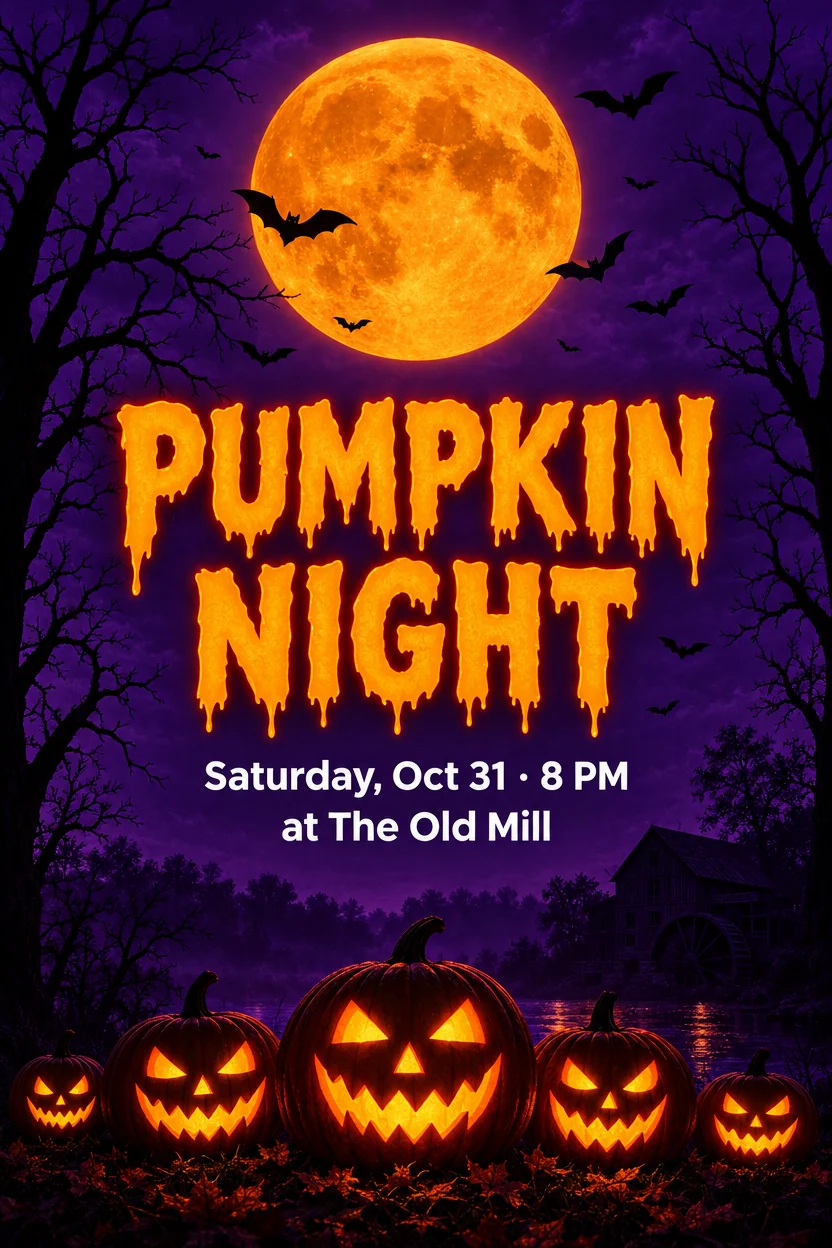
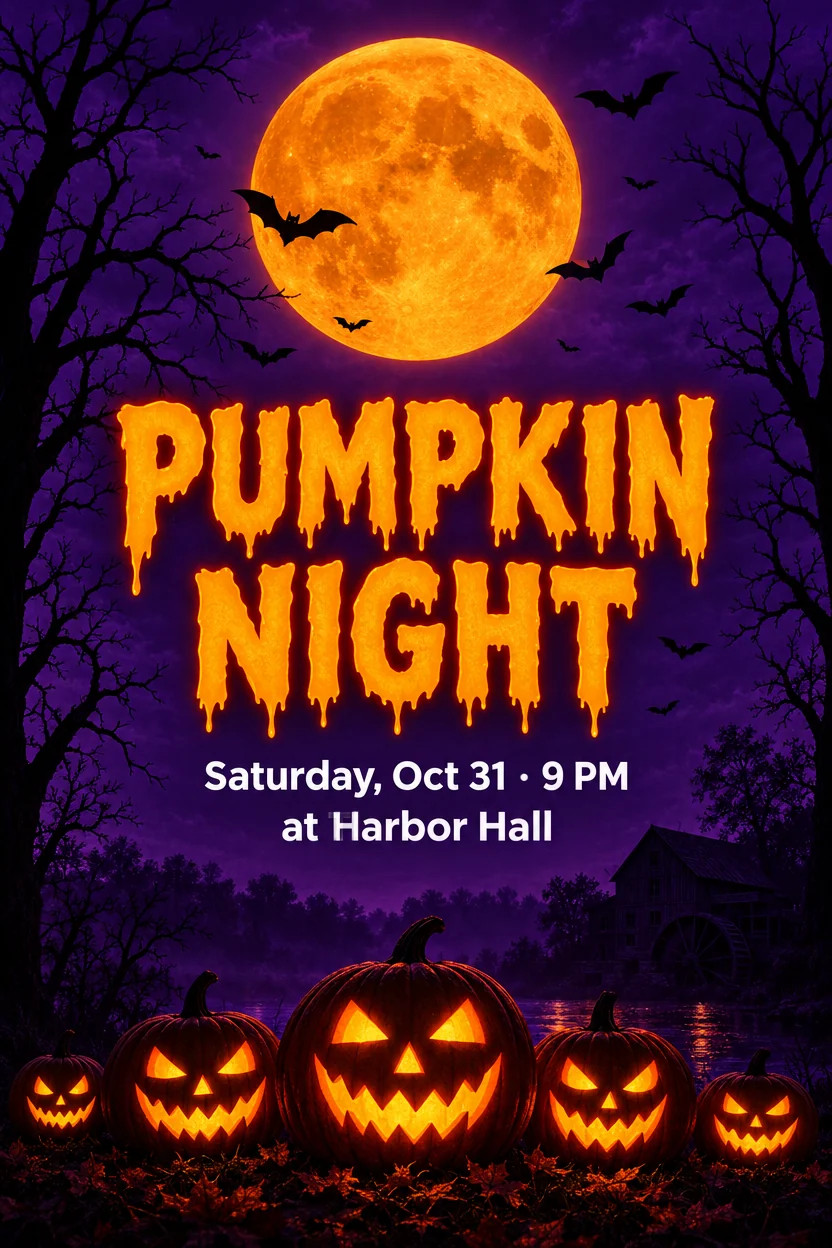
Halloween poster: new venue and time
The Old Mill → Harbor Hall8 PM → 9 PM
Two changes in one run: the venue and the time, set in the poster's own clean white type.
Edit text in image files the way you edit a document: type the words as they read and what they should say. The AI rewrites them in the same font, and every other pixel stays exactly as it was.
Type the text exactly as it is written. Empty new text removes it.
Try one of these
No design file, no font hunting: change the words in under a minute.
Upload or paste a poster, label, sign, menu or screenshot as JPG, PNG or WebP.
Write each text exactly as it appears and the new words next to it. Up to 8 changes in one run; leave the new text empty to remove a word.
In about 20 seconds the new text is in, in the same font. Download a PNG at the original size or a layered PSD.
Every picture here was made with our own image model, then changed with this tool: Latin letters, Chinese characters, Japanese kana and handwriting. Load one to run the same changes.
The Old Mill → Harbor Hall8 PM → 9 PM
Two changes in one run: the venue and the time, set in the poster's own clean white type.
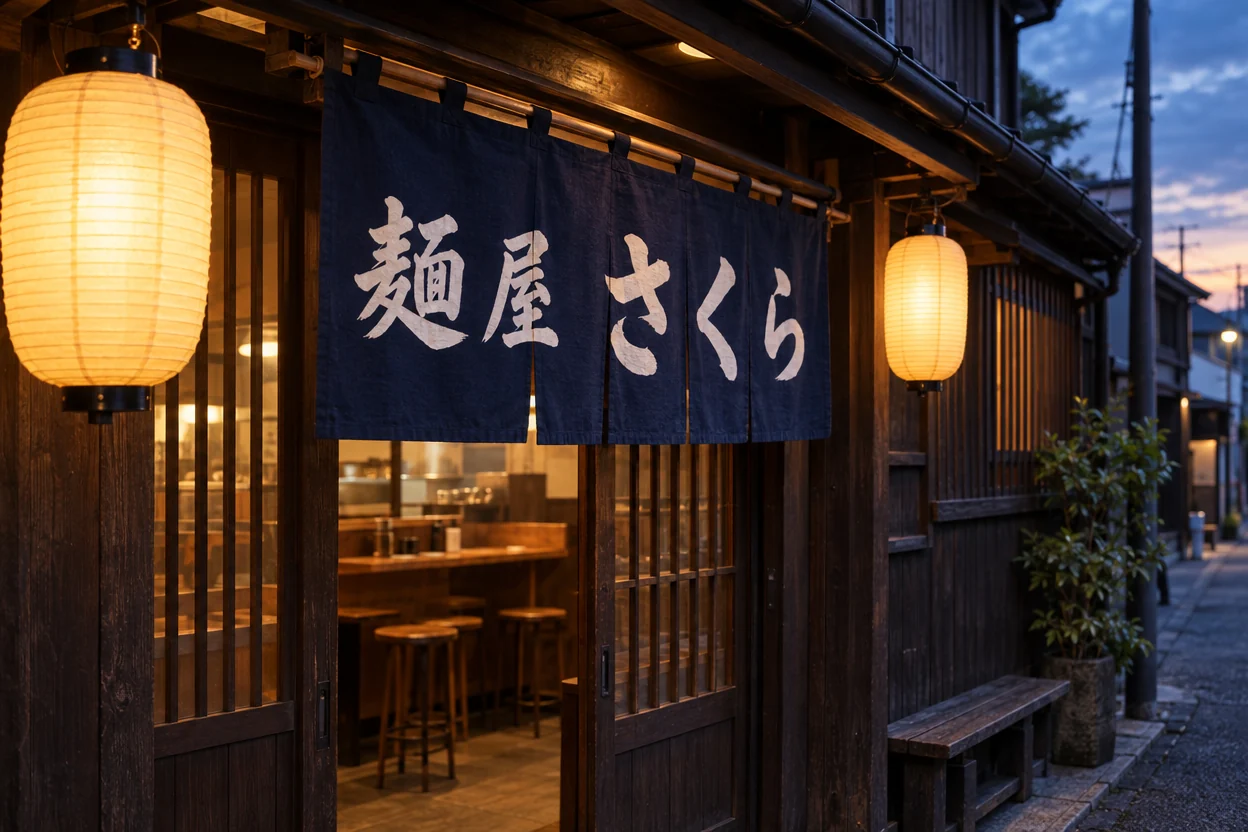
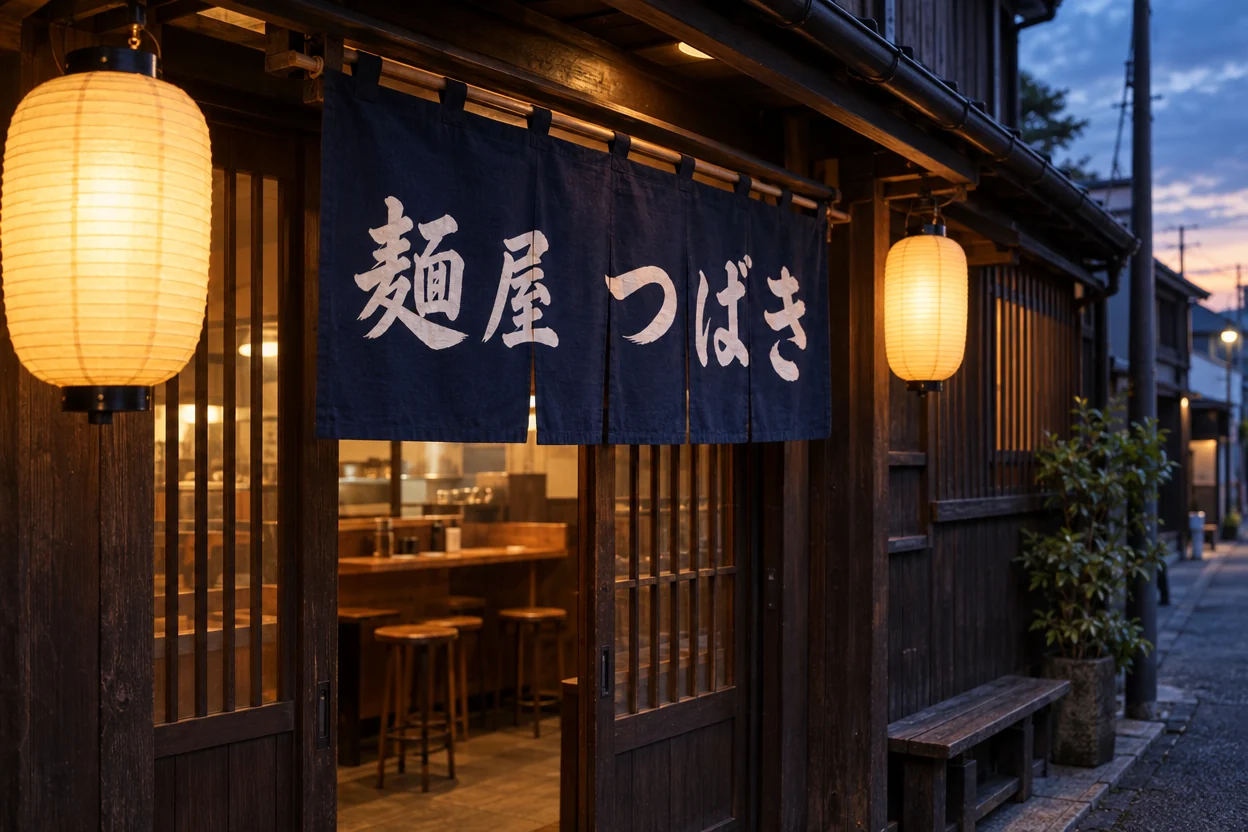
さくら → つばき
The shop name changes on a sign photographed from the side; the brush strokes follow its perspective.
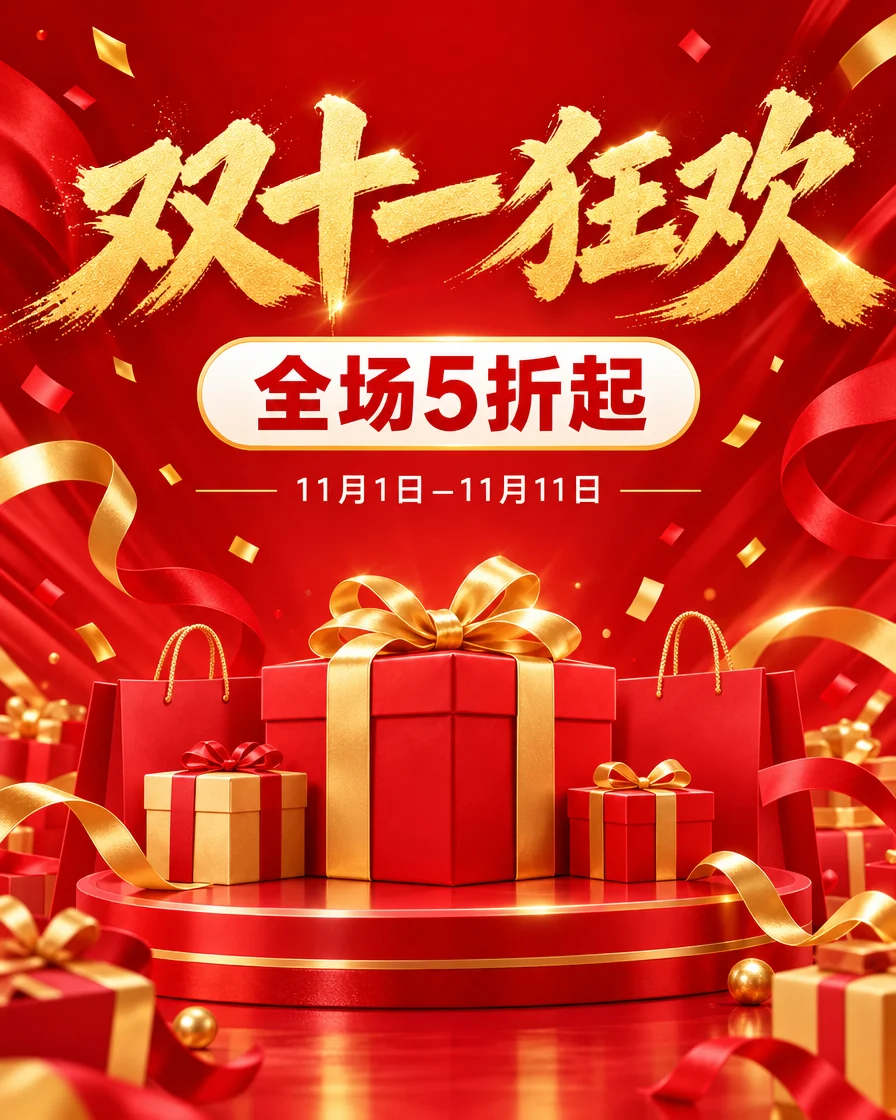
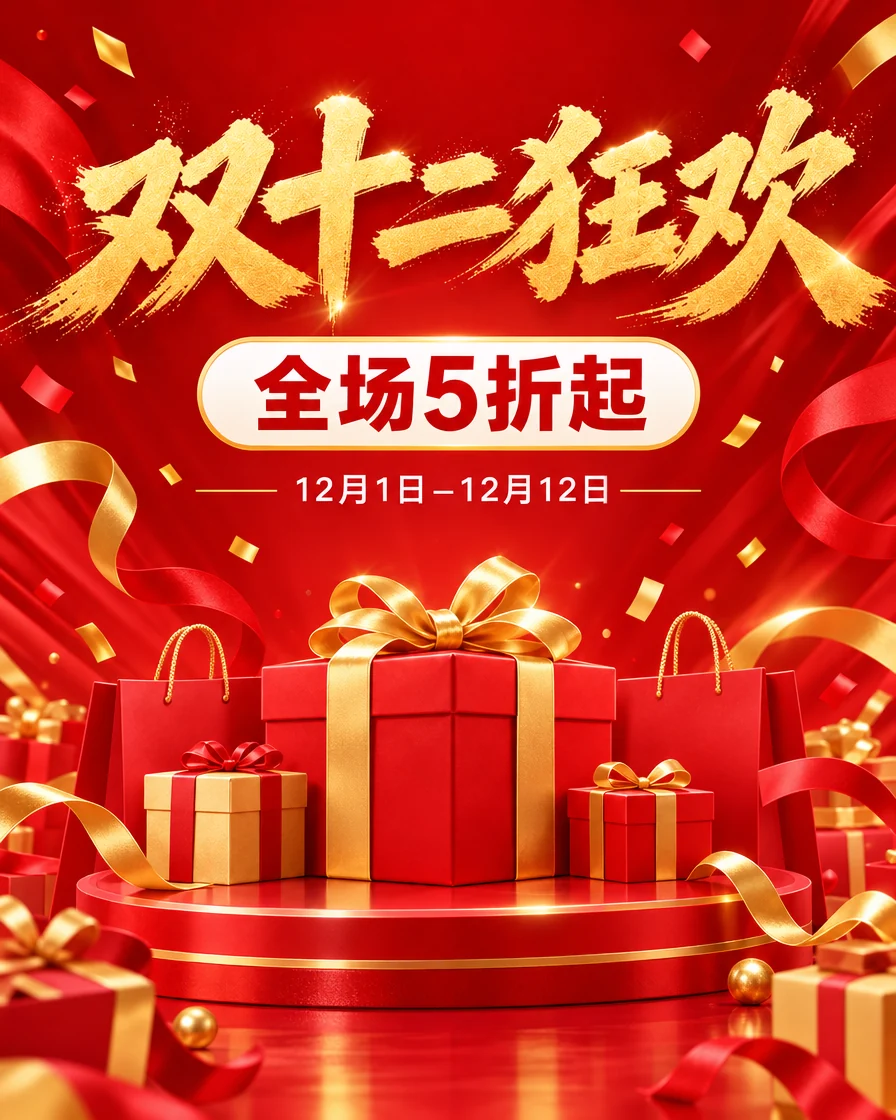
双十一狂欢 → 双十二狂欢11月1日–11月11日 → 12月1日–12月12日
The brush title and the small date line both change, in the same Chinese lettering.
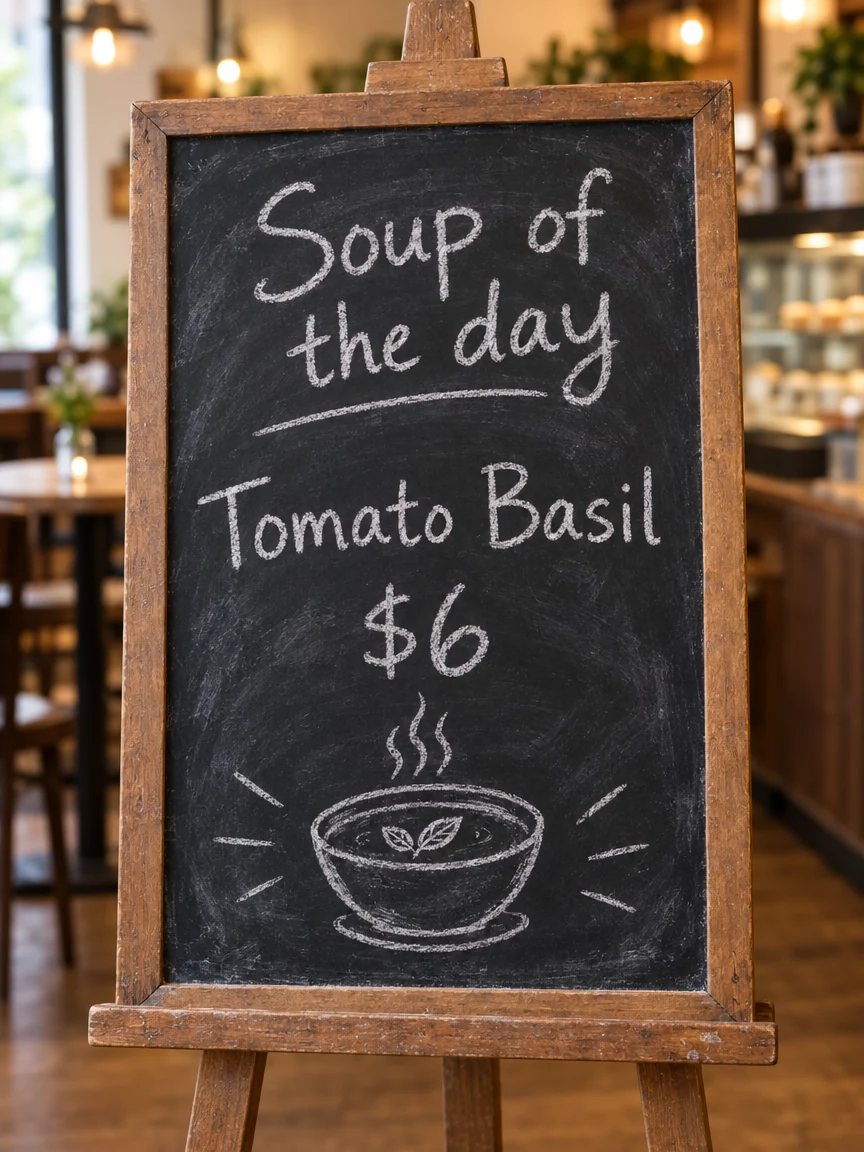
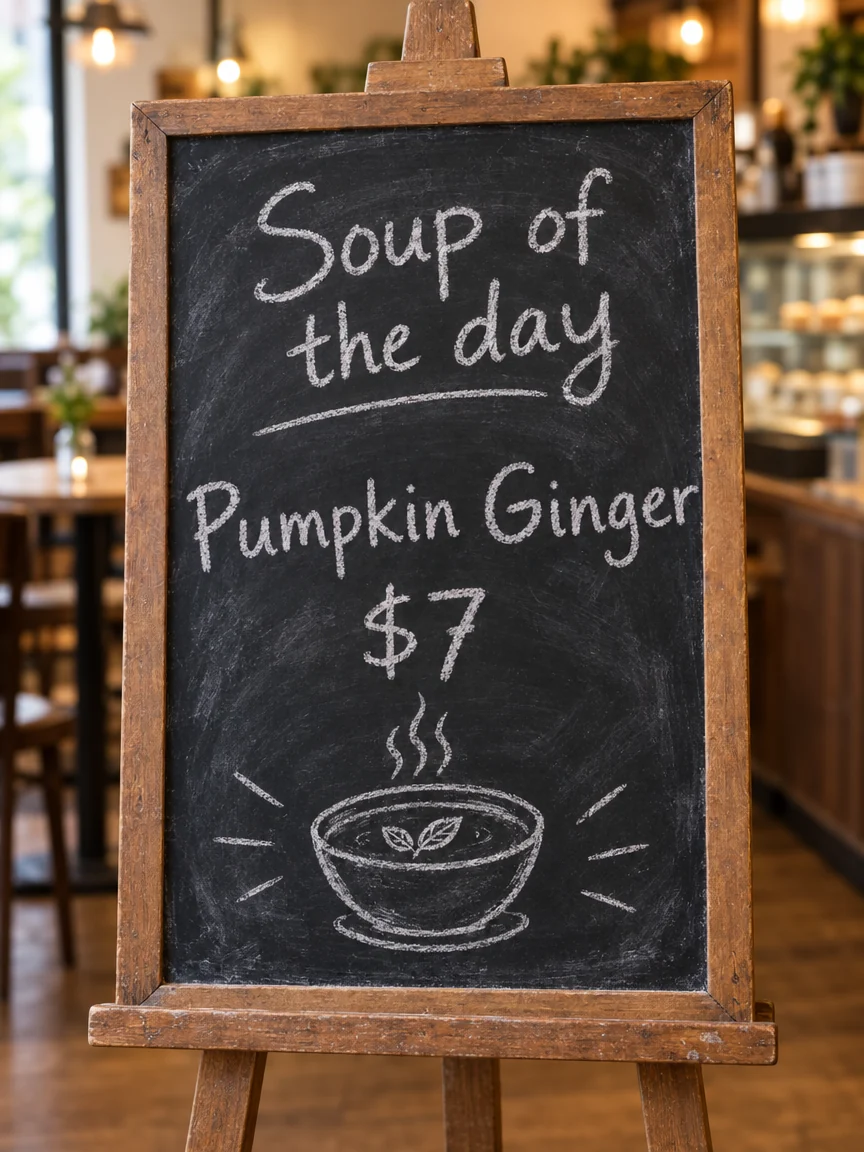
Tomato Basil → Pumpkin Ginger$6 → $7
A new soup and price in the same chalk hand, with the board's smudges around them.
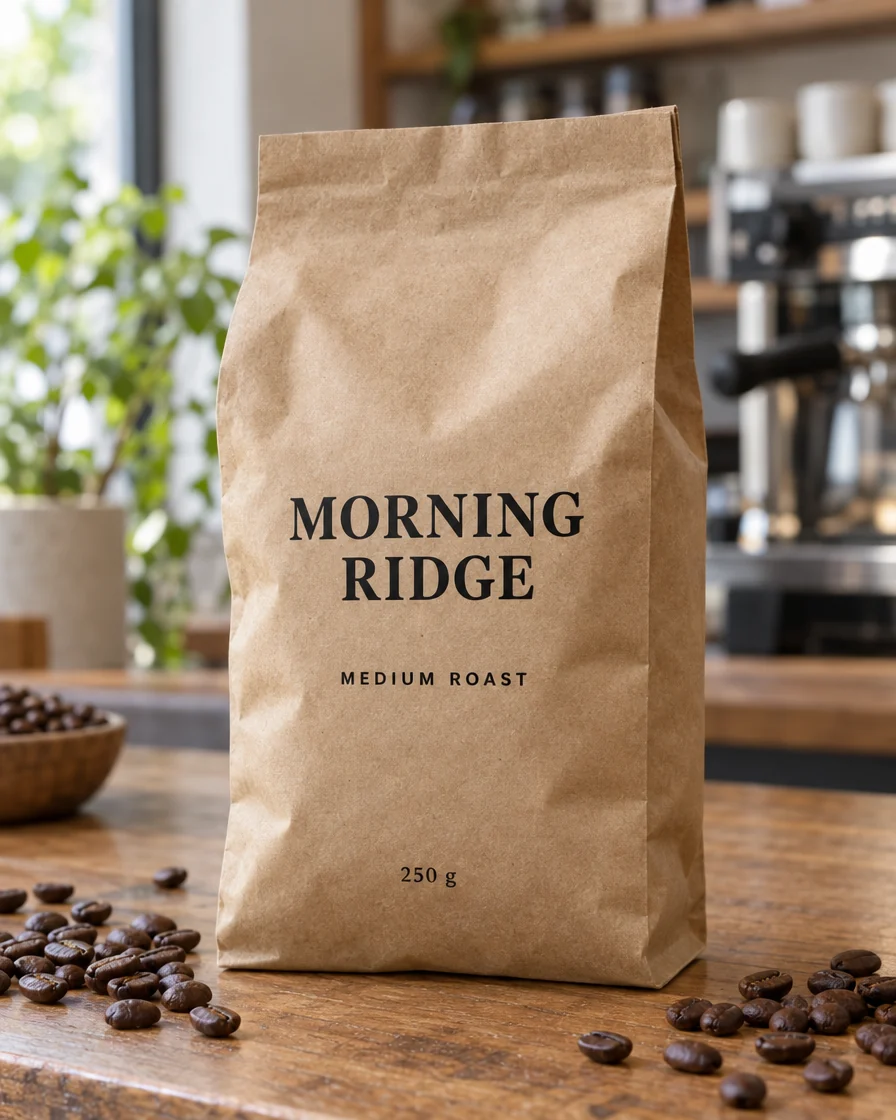
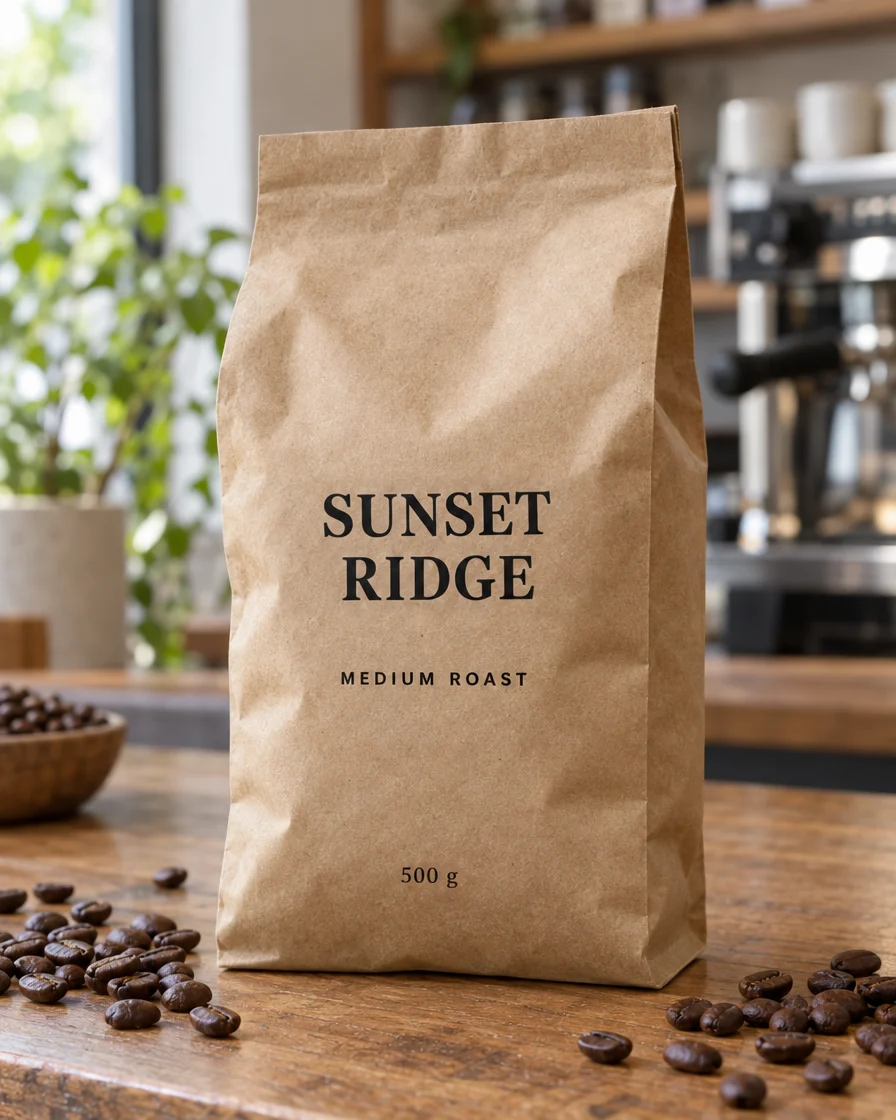
MORNING RIDGE → SUNSET RIDGE250 g → 500 g
Printed on a curved, crinkled pouch, the new name follows the folds of the bag.
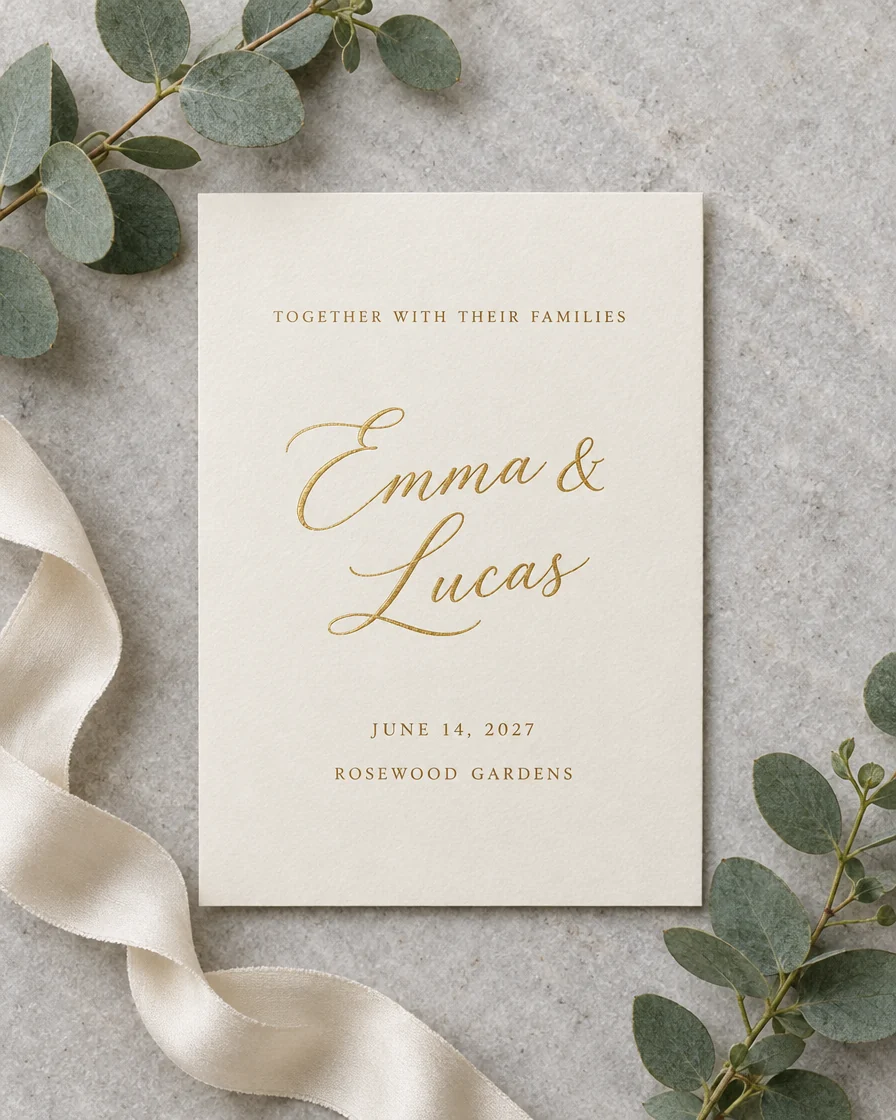
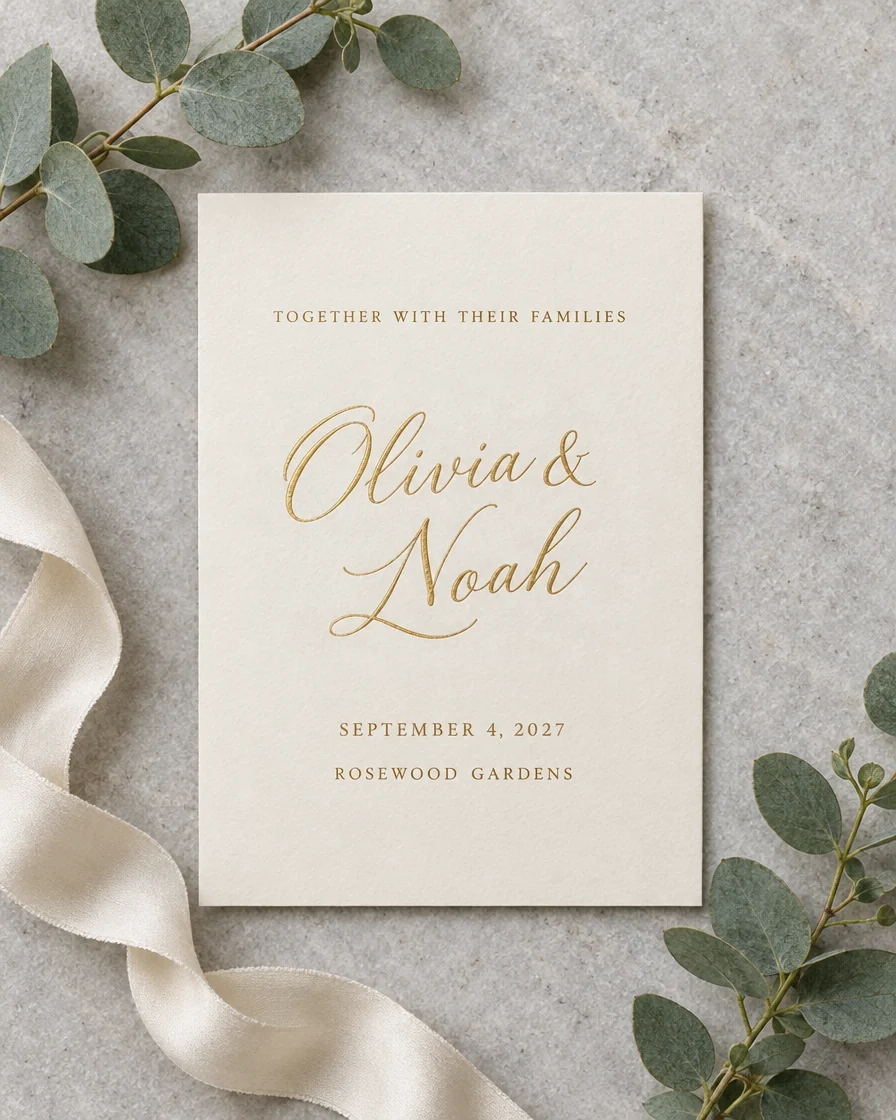
Emma & Lucas → Olivia & NoahJUNE 14, 2027 → SEPTEMBER 4, 2027
Script names and a long date line, changed together on fine paper.
Like any AI text editing, it is strongest on clear, sharp text. Here is what to expect.
Each run reads the picture fresh, so if one change is off, run it again or adjust the words.
An image text editor that changes only the words, in the lettering that was there.
Other AI tools redraw the whole picture. We lay the result back over your original and keep the new pixels only where words changed, so faces, products and backgrounds stay exactly as they were.
Each new word is written in the lettering it replaces: weight, spacing, color, perspective and texture, on flat posters and curved labels alike.
Change Chinese, Japanese or Korean text as easily as English, from brush calligraphy to small print.
Change a name, a date and a price together: up to 8 changes go in one run for one price.
Download a Photoshop file with your original at the bottom and every change on its own layer, ready to hide, compare or touch up.
GPT Image 2.5 keeps the original font best and is the default. Nano Banana 2.1 writes crisper small text at 2K.
Five things that make every change come out right.
If you still have the PSD, Figma or Canva file, change the text layer there. If you only have a JPG, PNG or screenshot, the text is part of the pixels: this tool reads the picture, rewrites the words you name in the original lettering and leaves the rest alone.
Copy capitals, spaces and punctuation as you see them (SUMMER, not Summer). The closer a change matches the picture, the more surely the right words are found and replaced.
A new word about as long as the old one fits best. Much longer text is set smaller or on two lines; for a long sentence, change one part at a time.
Leave the new text empty to remove a word and fill its place with the background. To fix a misspelling an AI image model left on a sign, type the wrong word and the right one.
The PNG is the finished picture at its original size. The PSD keeps your original as one layer and each change as another, so you can edit text in photo files further in Photoshop or Photopea.
From shop banners to localized packaging, people need to change the words on pictures every day.
Change prices, dates and offers on banners and product photos without waiting for a designer.
Reuse last year's poster with this year's date, venue and lineup.
Swap English text for Chinese or Japanese on packaging and ads, in the same style.
Correct the misspelled words AI image models leave on signs, menus and posters.
Quick answers about changing the words in a picture.
Add a picture, type what to change and get the new words in the original lettering in about 20 seconds.