ImageToPsd.AI vs Adobe Express: Photo to Video to GIF
ImageToPsd.AI is the all-in-one AI image editor that turns any image into a layered PSD, a new style or a video: animate a photo, then make a GIF of it free.
 ImageToPsd.AIPublished Oct 15, 2026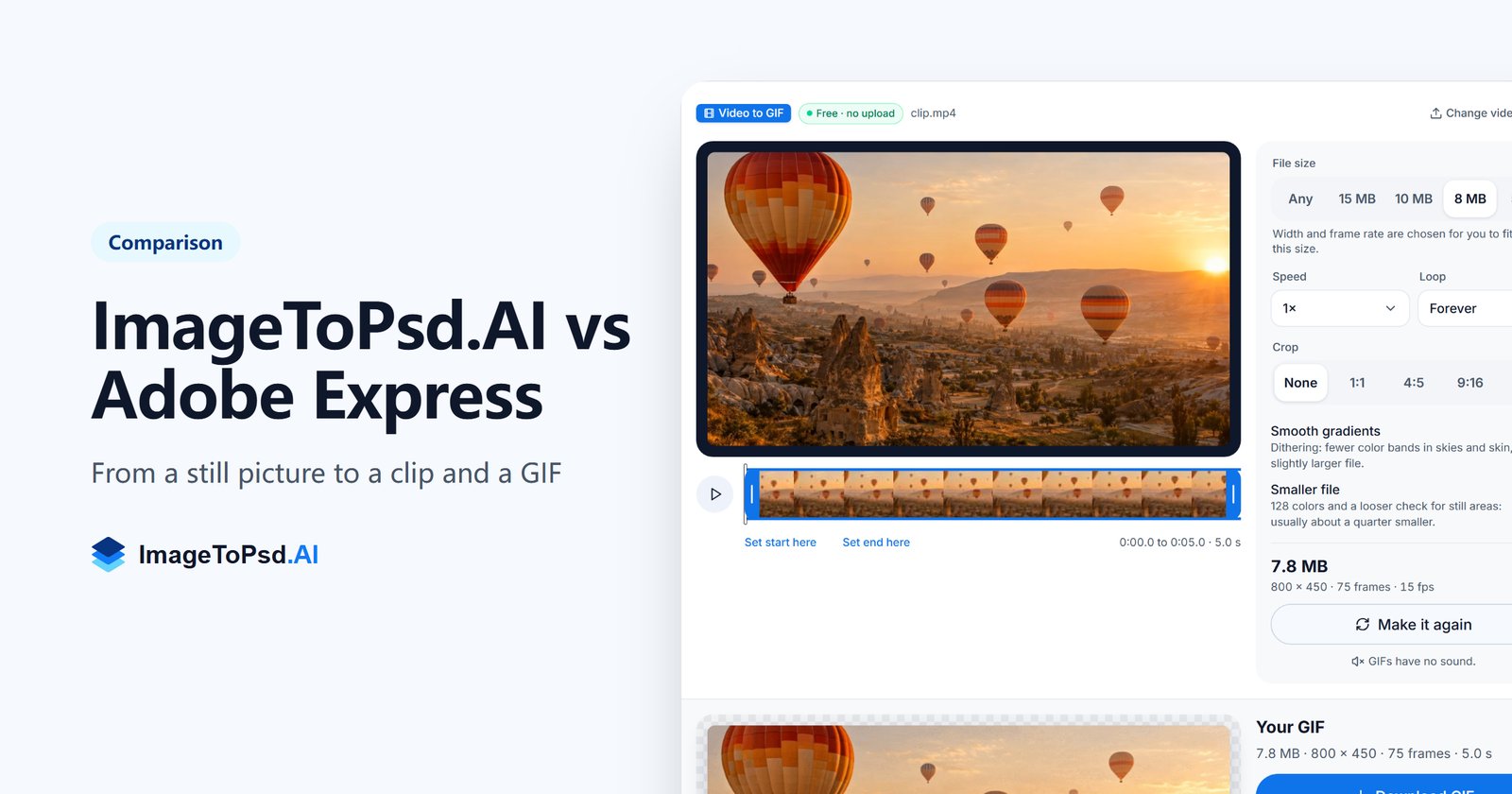
ImageToPsd.AI vs Adobe Express is a question of what you start from. ImageToPsd.AI is the all-in-one AI image editor that turns any image into a layered PSD, a new style or a video: one picture becomes a 1080p clip that moves the way you describe it, and the clip becomes a GIF that fits the size you pick, free and on your own device. Adobe Express is a design, photo and video app built around templates.
ImageToPsd.AI vs Adobe Express at a glance
| What we compare | ImageToPsd.AI | Adobe Express |
|---|---|---|
| What it is | An AI image editor in which image to video and video to GIF are two of 32 tools | An all-in-one design, photo and video app with templates for social posts, videos, logos and more |
| Where it works | Any modern browser, on a computer or a phone; video to GIF converts on your device | Desktop browsers and phones |
| Price | Video to GIF is free; a 5 second 1080p clip is 23 credits; plans from $9.90 a month | Free plan; Premium US$9.99 a month, billed monthly, with 250 generative credits a month |
One picture, set in motion
Every picture made on the site carries two ways forward: an Animate button on the picture itself, and the Next menu with the other tools that can take it.
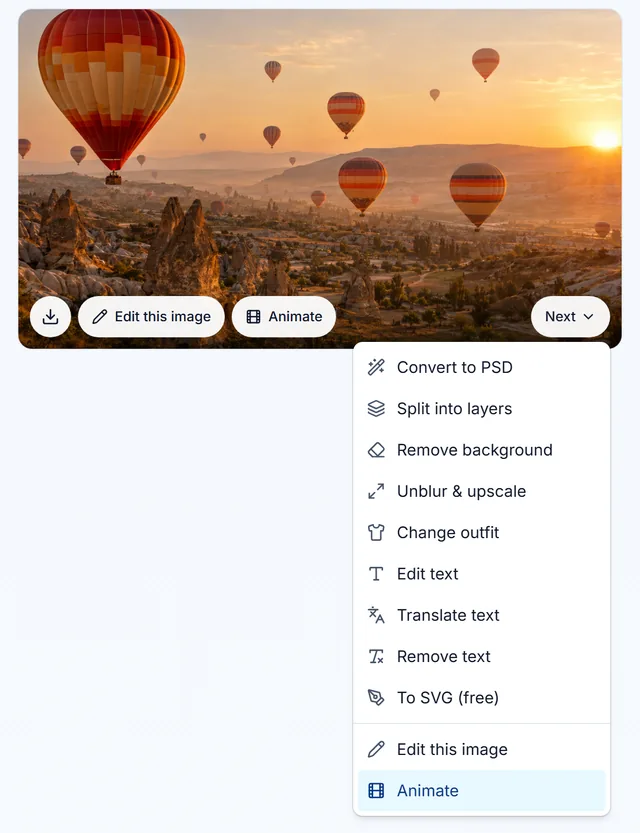
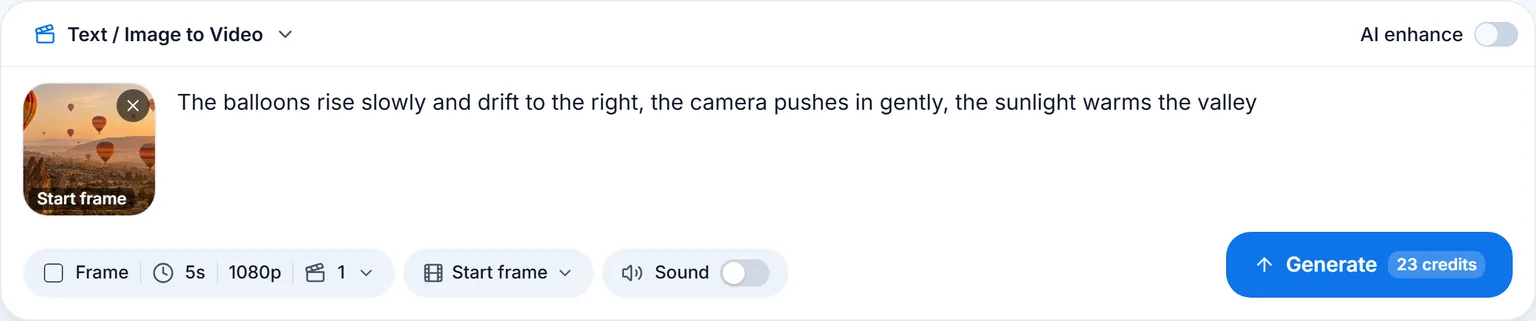
Animate opens the video tool with the picture already in place as the start frame. All that is left is to say how it should move:
What came back
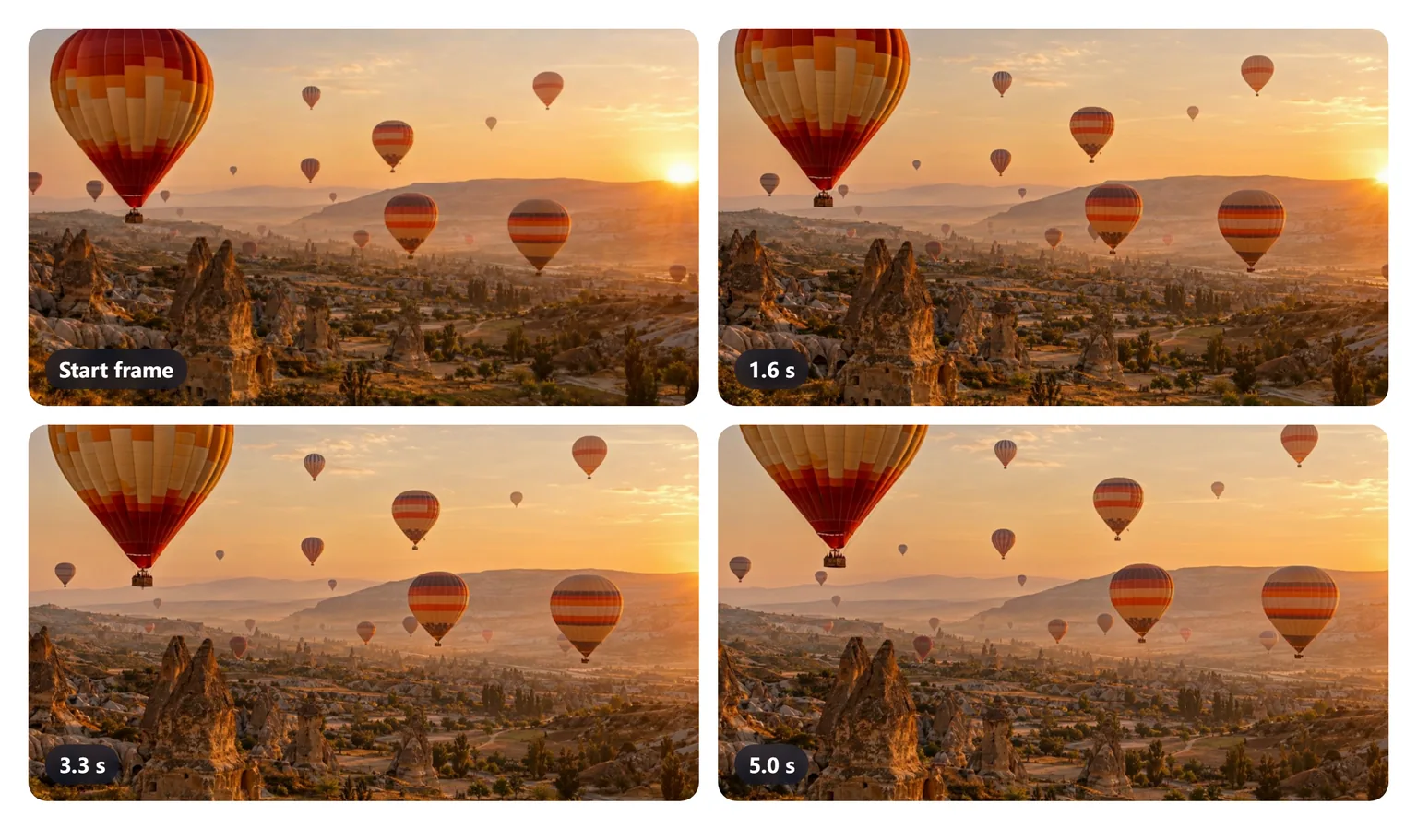
After 146 seconds and 23 credits, the picture was a 5 second 1080p clip at 24 frames a second. The balloons climb and drift right, the camera moves in, and the fairy chimneys, the haze and the sunlight stay the same from the first frame to the last.
The video tool takes clips from 3 to 15 seconds. A start frame keeps your picture's shape; text alone comes in 16:9, 9:16 or 1:1. A second picture can be the end frame the clip lands on, and sound can come in the same run, at 29 credits for the same 5 seconds. Clips carry no watermark.
A GIF that fits, free
A GIF plays by itself anywhere a picture can go: an email, a chat, a README or a forum post. Video to GIF turns the clip into one in your browser, and the file never leaves your device. Pick a file size, 5, 8, 10 or 15 MB, and the converter chooses the widest picture and the smoothest frame rate that fit, then checks the finished file.
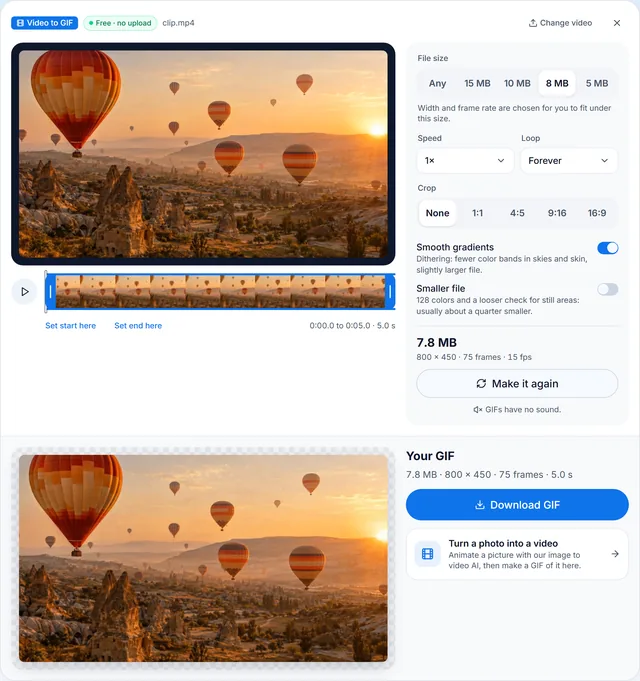
With 8 MB picked, the GIF came out in 17 seconds at 7.8 MB: 800 × 450 pixels, 75 frames at 15 fps, the full clip on a loop. The same panel trims the start and end, crops to 1:1, 4:5, 9:16 or 16:9, plays at half to double speed and loops forever, once or three times, with no account and no watermark.
Everything stays together
- Find it again: the picture and the clip stay in your history and in My creations, each with what it was made from.
- Reuse a run: open the clip again with its start frame, prompt and settings, change one thing and make another.
- Keep the picture working: the same Next menu turns it into a layered PSD, removes the background or upscales it.
- Go back and forth: the GIF converter links to Image to video, so a clip is always one step from a GIF and the other way round.
Standard files
- MP4. The clip is an MP4 file, the MPEG-4 format the Library of Congress describes in its MPEG-4 File Format, Version 2 entry.
- GIF. The converter writes standard GIF89a files with a loop, the format of the GIF89a specification hosted by the W3C.
Who ImageToPsd.AI is for
- Social media managers who turn one campaign picture into a moving post.
- Online sellers who want a product shot to turn, glow or pour on the store page.
- Travel and food creators who bring a still back to life for reels and stories.
- Email and community teams who need a moving picture inside an email or a forum post.
- Anyone with one good picture and no video editor at hand.
Pricing
Every clip shows its credits on the button before it runs: 23 for 5 seconds in 1080p, 29 with sound. Video to GIF costs nothing, with no limit on how many GIFs you make. Plans start at $9.90 a month with 200 credits; see pricing.
FAQ
ImageToPsd.AI vs Adobe Express: what is the difference?
ImageToPsd.AI starts from one picture and its AI tools take it further: a moving clip, a GIF, a layered PSD or a new style. Adobe Express is a design, photo and video app built around templates.
Can ImageToPsd.AI turn a photo into a video?
Yes. Put the photo in Image to video as the start frame, describe the motion and pick a length from 3 to 15 seconds. The clip comes back in 1080p in your picture's shape.
How do I make a GIF from that video?
Open Video to GIF, add the MP4 and pick a file size. The converter fits the GIF under it in your browser, free, without uploading the clip.
Can I keep a GIF under 5 MB?
Yes. Pick 5 MB and the converter lowers the width and the frame rate until the GIF fits, then checks the finished file.
Is there a watermark on the clip or the GIF?
No. Neither the clip from Image to video nor the GIF from Video to GIF carries a watermark.
Can a clip end on a picture I choose?
Yes. Add a second picture as the end frame and the clip lands exactly on it.
Keep going
- Animate a picture: Image to video
- Make a GIF of any clip, free: Video to GIF
- Other comparisons: ImageToPsd.AI vs Canva, ImageToPsd.AI vs LayerPSD
Animate your first picture and make a GIF of it.