ImageToPsd.AI vs Canva: AI Flyers, Posters and Stickers
ImageToPsd.AI is the all-in-one AI image editor that turns any image into a layered PSD, a new style or a video: flyers, posters and stickers from one sentence.
 ImageToPsd.AIPublished Oct 15, 2026
ImageToPsd.AI vs Canva comes down to where a design starts. ImageToPsd.AI is the all-in-one AI image editor that turns any image into a layered PSD, a new style or a video: describe a flyer, a poster or a sticker in one sentence and it comes back finished, every quoted word printed as you typed it, sized for paper and ready as a PDF. Canva is an online design platform built around templates.
ImageToPsd.AI and Canva side by side
| What we compare | ImageToPsd.AI | Canva |
|---|---|---|
| What it is | An AI image editor with 32 focused tools, from flyers to layered PSDs | An online design platform with templates and a drag-and-drop editor |
| A design from a description | Poster, flyer, movie poster and sticker generators, from 3 credits a design | Canva AI generates designs within a monthly AI allowance |
| Files you take away | PNG, JPG, PDF, layered PSD, SVG and transparent stickers | PDF, JPG and PNG |
| Price | Free browser tools; AI by credits, plans from $9.90 a month | Free; Pro from US$144 a year for one person |
A print-ready flyer from one sentence
The AI flyer generator turns a description into a finished flyer. Put every word that must appear in quotes, the date, the time, the address and the phone number, and each one is printed character for character. Pick what the flyer is for (an event, a party, a sale, a business, a lost pet, a yard sale, an open house, a fundraiser or a menu) and the paper: Letter, A4 or half letter, drawn in that page's shape.
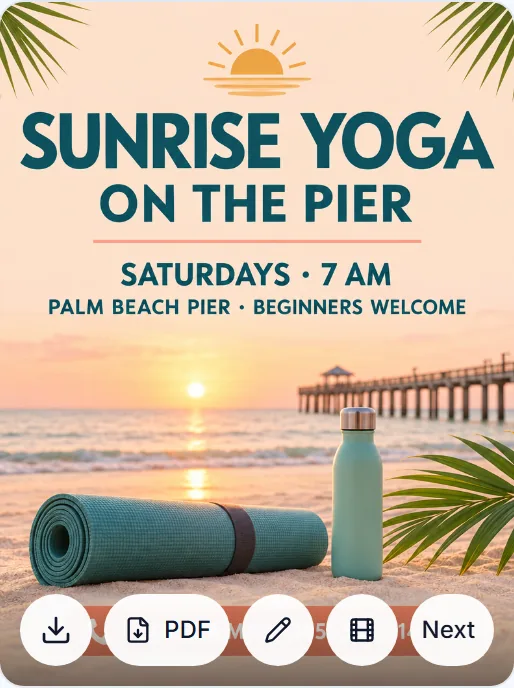
This was the whole request for a beach yoga class:
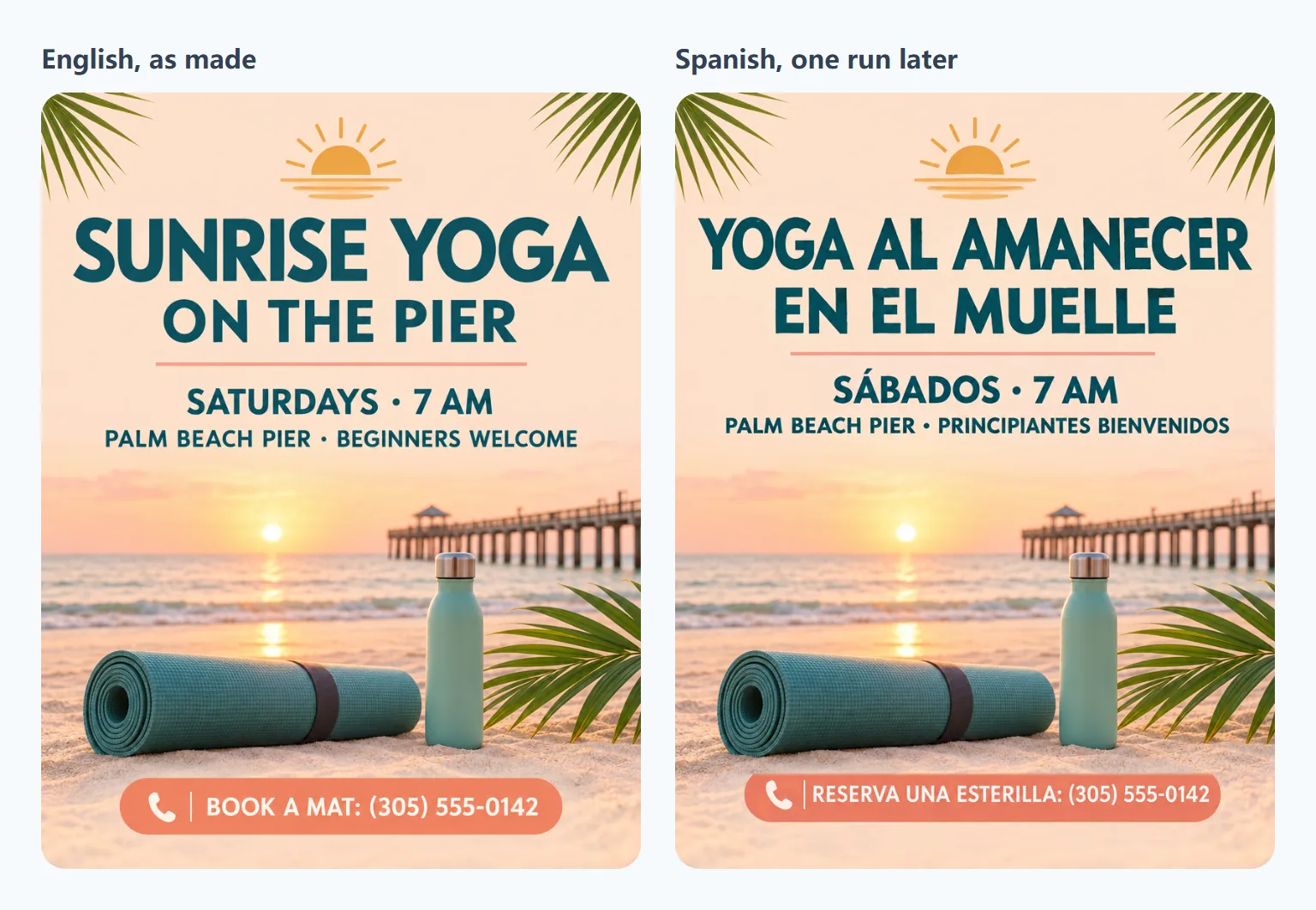
A sunrise yoga class on the beach: a rolled yoga mat, a water bottle and palm leaves on a soft peach background, calm and airy. "SUNRISE YOGA ON THE PIER" "SATURDAYS · 7 AM" "PALM BEACH PIER · BEGINNERS WELCOME" "BOOK A MAT: (305) 555-0142"
It came back in 33 seconds for 3 credits, at 816 × 1056 px, the shape of a Letter page, with all four quoted lines spelled as typed. The PDF button under the result saves it as a one-page 8.5 × 11 inch PDF, ready for the printer. For larger prints, 2K and 4K draw the same page at a bigger size.
Posters work the same way. The AI poster generator has types for events, concerts, sales, travel and minimal designs, and the movie poster generator adds a genre and a 2:3 one sheet with the title and credits spelled out.
Stickers with a true transparent background
The AI sticker generator draws the character on transparency itself, so there is nothing to cut out afterwards. A cheerful axolotl in a chef hat took 36 seconds for 3 credits and came back as a 1024 × 1024 PNG with a real alpha channel.
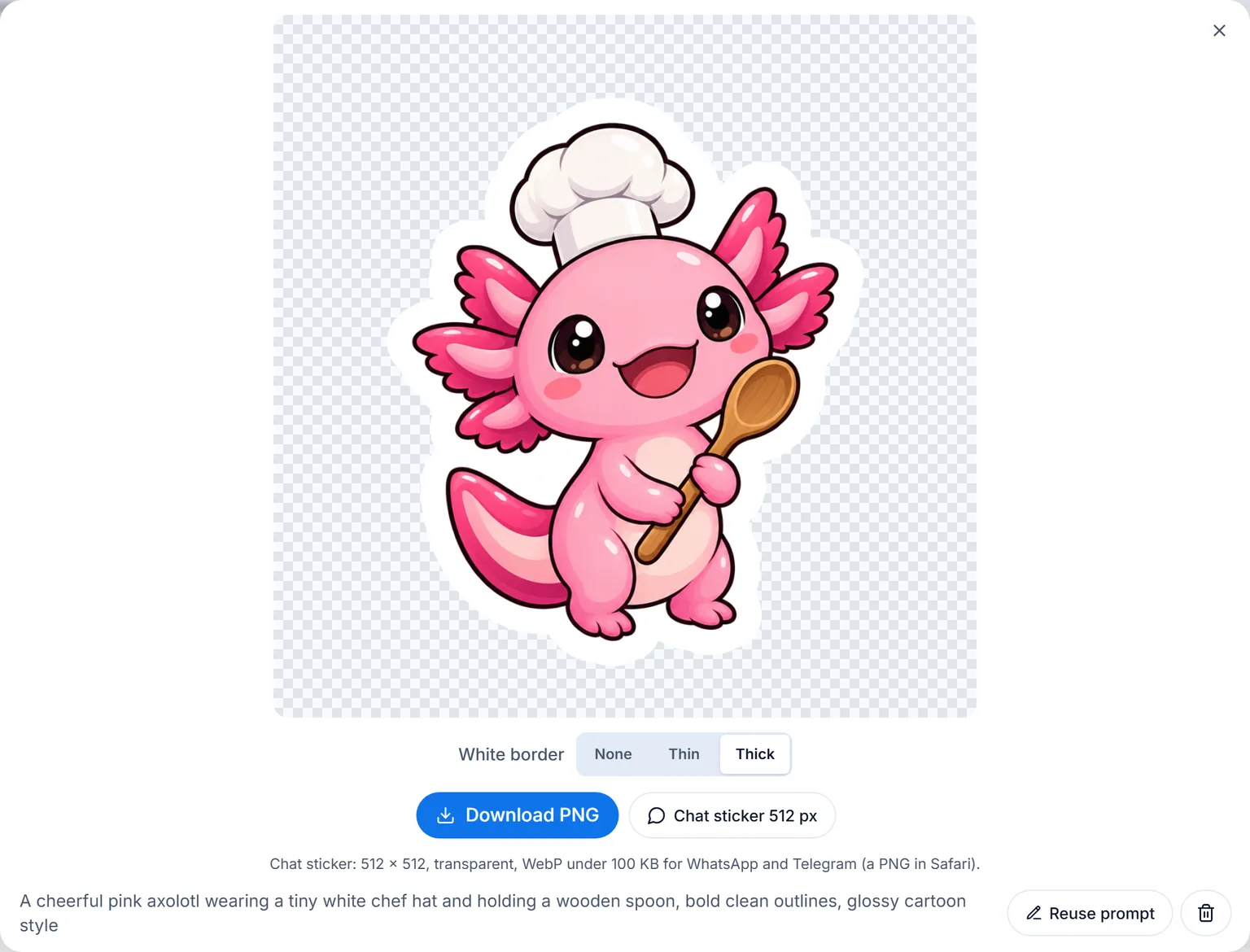
The white die-cut border is drawn along the character's outline in your browser, none, thin or thick, and changes without a new run. Download PNG keeps the border and the transparency for printing or for Cricut and Silhouette cutting, and Chat sticker saves a 512 × 512 WebP under 100 KB for WhatsApp and Telegram.
One flyer, every market
A finished flyer goes to Translate text in image with Next → Translate text. Pick the language and every line is rewritten in place, in the flyer's own lettering; brand names, places and numbers stay as they are. There are 19 languages to choose from.
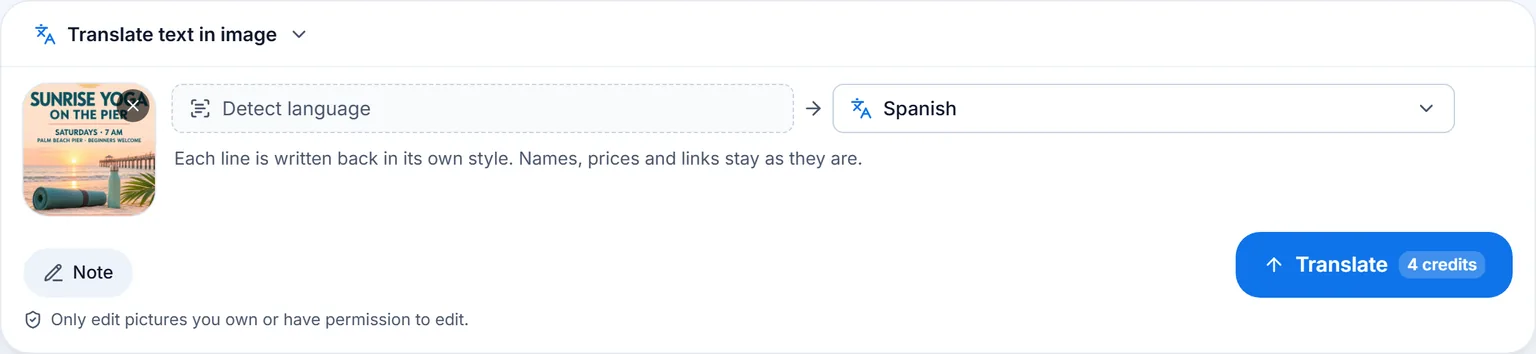
The yoga flyer took 55 seconds and 4 credits in Spanish. Five lines changed, from YOGA AL AMANECER to RESERVA UNA ESTERILLA, while PALM BEACH PIER and the phone number stayed exactly where they were.
To change a single word instead, a date or a price, Edit text in image rewrites just that word in the same lettering.
Layers when a designer takes over
Any flyer, poster or sticker can go on to Convert to PSD from the same Next menu, and Image to PSD splits it into named layers with the background painted in behind them, ready for Photoshop. The full walkthrough, with timings, is in ImageToPsd.AI vs Photopea.
Made to print and share
- Paper. A4 and the other A sizes follow ISO 216; an A4 flyer is drawn in the A4 shape and saved as an A4 PDF page.
- PDF. The flyer's PDF opens in any reader and goes straight to a print shop: PDF is the format of ISO 32000.
- Transparency. Stickers are PNG files with an alpha channel, as the W3C PNG Specification defines it.
- Chat stickers. The 512 px chat sticker is WebP, the image format of RFC 9649.
Who ImageToPsd.AI is for
- Event organizers, studios and clubs who need a flyer this week, with the date, place and number exactly right.
- Shops and restaurants making sale posters and menus, then the same flyer for customers in another language.
- Creators and small brands selling stickers, printed or cut, and sharing them in chats.
- Designers who start from a generated draft and finish it as a layered PSD.
- Any budget and any experience: no templates to learn, the browser tools are free, and each AI design shows its price before you start.
Pricing
The 13 browser tools are free. A flyer, a poster or a sticker is 3 credits at 1K, a translation 4 and a text change 3, each shown on the button before you run it. Plans start at $9.90 a month for 200 credits; see pricing.
FAQ
Can I print the flyers from ImageToPsd.AI?
Yes. Choose Letter, A4 or half letter and the flyer is drawn in that page's shape; the PDF button saves a one-page PDF of that size. 2K and 4K make the same page bigger for sharper prints.
Will my phone number and address be spelled right?
Put them in quotes and they are printed character for character. If something needs changing later, Edit text in image rewrites that line in the same lettering.
Do the stickers have a transparent background?
Yes. The sticker generator draws on transparency, so the PNG has a real alpha channel, and the white border is added along the outline in your browser.
Can I translate a flyer I made somewhere else?
Yes. Translate text in image works on any picture you upload: every line is translated in place, in its own lettering.
Do I need design skills?
No. You describe the design and quote the words; the type and paper choices do the rest. Designers can still take any result further as a layered PSD.
Keep going
- Make a flyer: AI flyer generator
- Make a sticker: AI sticker generator
- Translate a picture: Translate text in image
- The PSD side of the editor: ImageToPsd.AI vs Photopea; text removal and wider frames: ImageToPsd.AI vs Photoshop; a picture turned into a clip and a GIF: ImageToPsd.AI vs Adobe Express
Make your first flyer and download it as a PDF.