ImageToPsd.AI vs LayerPSD: Layers Split by Purpose
ImageToPsd.AI is the all-in-one AI image editor that turns any image into a layered PSD, a new style or a video: presets for characters, posters and products.
 ImageToPsd.AIPublished Oct 15, 2026
ImageToPsd.AI vs LayerPSD comes down to how a picture is taken apart and what happens next. ImageToPsd.AI is the all-in-one AI image editor that turns any image into a layered PSD, a new style or a video: it splits a picture by what it is, a character into hair, face, arms and clothes, a poster into its words and product, and stacks the layers in the picture's own order, with the rest of the editor ready for the next step. LayerPSD is an AI layer splitter for layered PSD files.
The two side by side
| What we compare | ImageToPsd.AI | LayerPSD |
|---|---|---|
| What it is | An AI image editor in which the layered PSD is one of 32 tools | An AI layer splitter that turns one image into a layered PSD |
| How a picture is split | Auto or a preset (Poster or ad, Logo, Character, Product, Photo depth), or Basic for exactly 2 to 8 layers | Auto, or 3, 4, 6 or 8 layers |
| Price | Pro is 20 credits a run whatever it finds; plans from $9.90 a month | Credit packs, billed per output image, from $0.071 a layer; no subscription |
Split by what the picture is
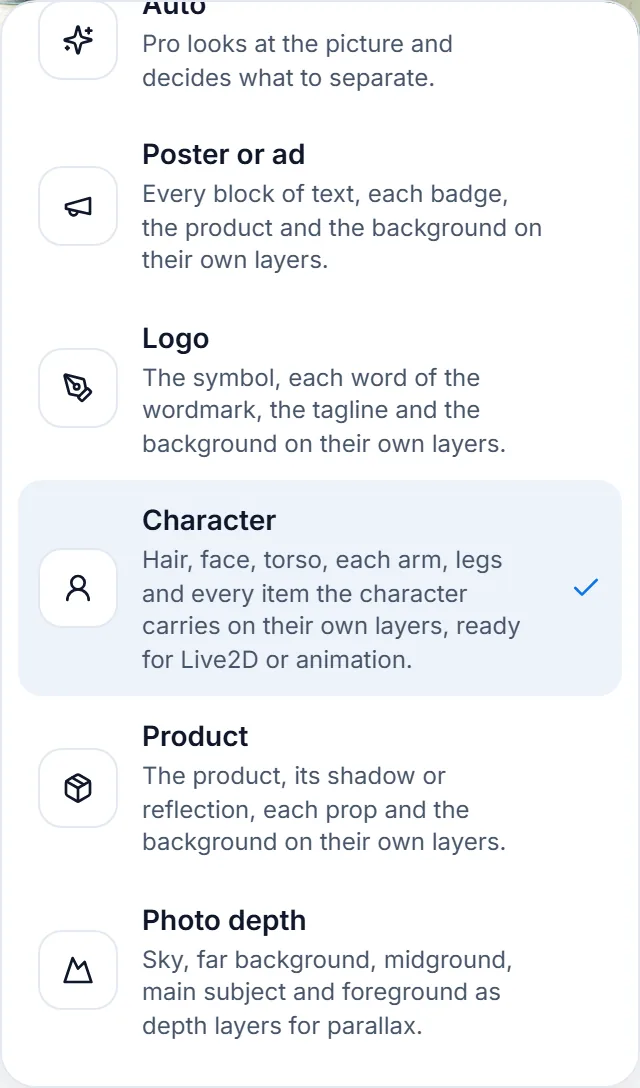
Image to PSD can find the layers by itself, or follow a preset that knows what the picture is:
- Poster or ad: every block of text, each badge, the product and the background.
- Logo: the symbol, each word of the wordmark, the tagline and the background.
- Character: hair, face, torso, each arm, the legs and every item the character carries, ready for Live2D or animation.
- Product: the product, its shadow or reflection, each prop and the background.
- Photo depth: sky, far background, midground, subject and foreground, for parallax.
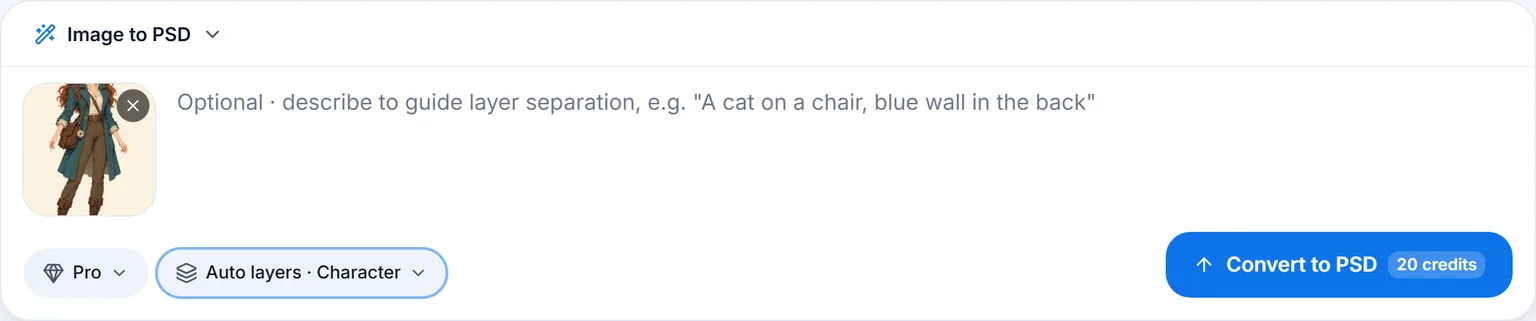
An illustrated adventurer in a teal coat went in with the Character preset at the default Pro setting:
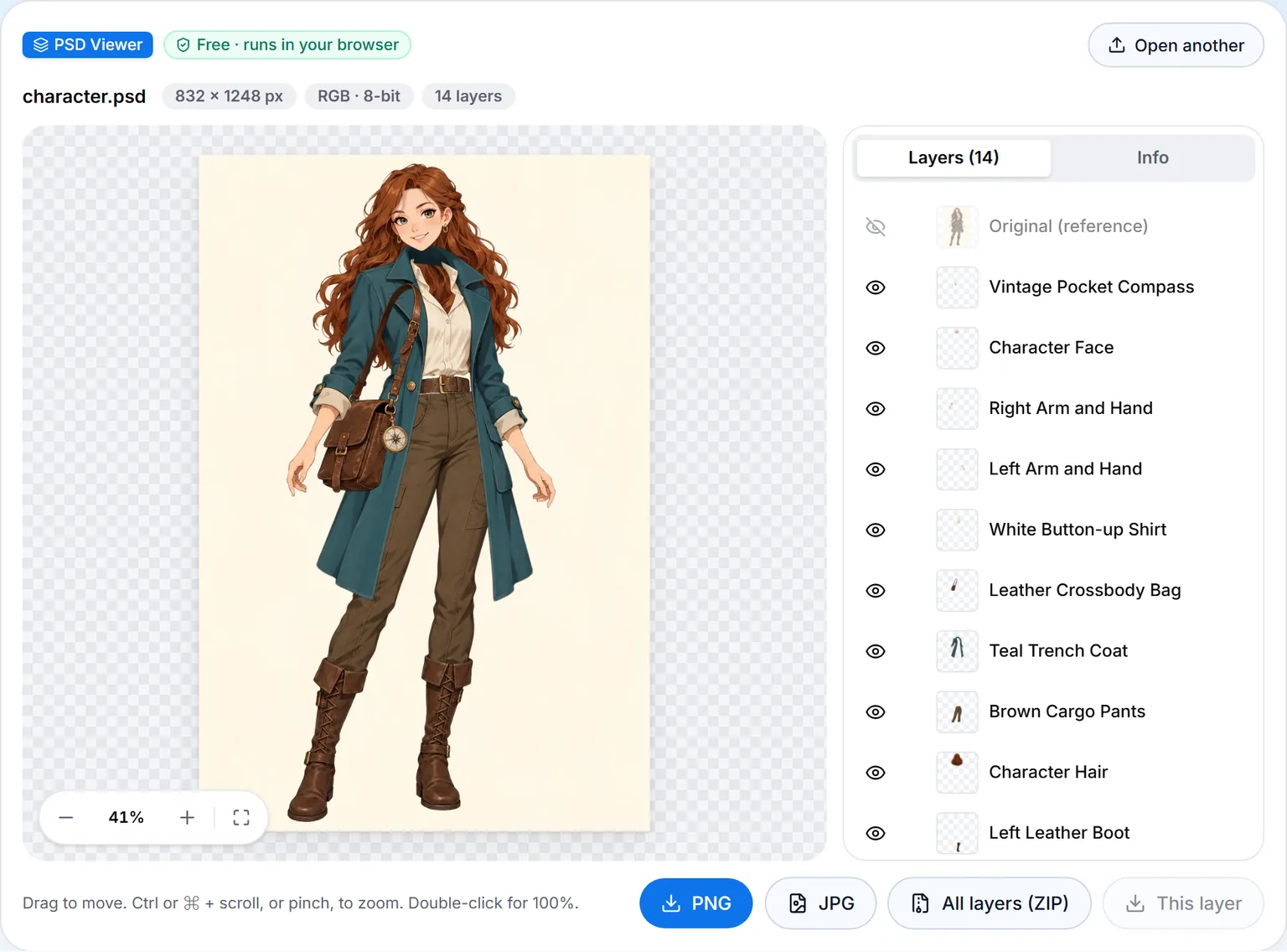
In 133 seconds, for 20 credits, she came back as 13 named layers: her hair, her face, each arm with its hand, the trench coat, the shirt, the trousers, the belt, each boot, the satchel, the brass compass and the background. Each piece is whole, the parts hidden behind other pieces painted in, so an arm can swing or the hair can sway without leaving a hole.
Stacked the way the picture is
Painting every element whole means a piece also holds what was behind something else: the full head of hair, the part of the coat under the satchel. On Pro, before the layers are shown or saved, your browser compares the stack with the original picture and puts each layer where it belongs, the face over the hair and the bag over the coat, so the PSD opens looking like the picture you started from. The original also rides along as a hidden reference layer on top.
Pro or Basic
Pro finds up to 16 named layers by itself and costs 20 credits whatever number it finds. Basic gives exactly the number you pick, from 2 to 8, as full-canvas layers, from 6 credits: 2 layers suit a subject and its background, and the larger counts a busy scene. Both download as a layered PSD and as a ZIP of transparent PNGs named by depth.
Everything after the PSD
The layered PSD is one stop on the way:
- Check it free: the PSD viewer opens any PSD or PSB in the browser, with every layer and font listed.
- Change the words: Edit text in image, Translate text in image and Remove text from image work on the same picture through the Next menu.
- Export: PSD to PNG and PSD to PDF convert many files at once, free.
- Find it again: every conversion stays in your history and in My creations with its original.
Those steps are covered in ImageToPsd.AI vs Photopea and ImageToPsd.AI vs Photoshop.
Standard files
- PSD. The PSD is a normal layered Photoshop document, a format the Library of Congress documents in its Photoshop family description.
- PNG layers. The ZIP's layers are PNG files with an alpha channel, the transparency of the W3C PNG Specification.
Who ImageToPsd.AI is for
- VTubers and Live2D artists who need a character in parts before rigging.
- Animators and motion designers who move a character's limbs or a scene's depth layers.
- Illustrators and designers who get a flat file and need it editable.
- Marketers and sellers who change a poster's words or a product's background after the fact.
- Anyone without a layered original: a flat JPG or PNG is enough.
Pricing
Every PSD shows its cost before it runs: 20 credits on Pro, from 6 on Basic. A single-layer PSD is free with PNG to PSD, as are the viewer and the converters. Monthly plans begin at $9.90 for 200 credits (pricing).
FAQ
Can ImageToPsd.AI split a character for Live2D?
Yes. Pick the Character preset and the hair, face, torso, arms, legs and carried items come out on their own named layers, with the hidden parts painted in.
Do the layers line up with my picture?
Yes. Every layer sits on one canvas in its original place, and on Pro the stack is checked against your picture so each element is in front of or behind the right neighbours.
Can I choose how many layers I get?
Yes. Basic gives exactly 2 to 8 layers; Pro decides by itself, up to 16.
What happens to the parts hidden behind other elements?
They are painted in on each layer, so moving or hiding a layer shows a complete picture underneath.
Is there a free way to make a PSD?
Yes. PNG to PSD wraps PNG, JPG or WebP pictures in single-layer PSD files in your browser, up to 50 at once.
Keep going
- Split a picture: Image to PSD
- Look inside any PSD at no cost: PSD viewer
- Other comparisons: ImageToPsd.AI vs Canva, ImageToPsd.AI vs Photopea
Split your first character into layers with the Character preset.