
UI icon pack with extra path decimals
Trims long floating-point coordinates, default attributes, and unused group wrappers from crisp 24 px interface icons while keeping every stroke sharp.
Use this free browser SVG optimizer to compress SVG markup losslessly with zero uploads. Strip editor bloat, adjust coordinate decimals, and export clean SVG files or one ZIP.
Load any sample graphic below into our SVG optimizer to compare before-and-after byte savings, inspect minified XML output, and test precision controls before dropping your own vectors.
Trims long floating-point coordinates, default attributes, and unused group wrappers from crisp 24 px interface icons while keeping every stroke sharp.

Strips XML comments, authoring namespaces, generator headers, and redundant IDs left behind by desktop vector editors for dramatic kilobyte savings.

Compacts whitespace, shortens hex values, and collapses empty containers while keeping referenced linear gradient defs and clip paths completely intact.
Clean up heavy vector exports and minify SVG code locally without installing command-line tooling or uploading client graphics to an external server.
Drag a single logo or an entire folder of SVG and SVGZ assets into the workspace, or click Choose SVG files. Every vector parses immediately inside browser memory and displays its starting byte size.
Choose Safe, Balanced, or Max savings, then fine-tune coordinate decimals and individual toggles to strip comments, remove metadata, collapse groups, shorten colors, drop defaults, and minify whitespace.
Review exact percentage savings on every card, open the code inspector to verify the output markup, and copy inline SVG to your clipboard or download single files and batch ZIP archives.
Purpose-built for front-end developers and brand designers who want predictable, lossless vector compression with live visual checks.
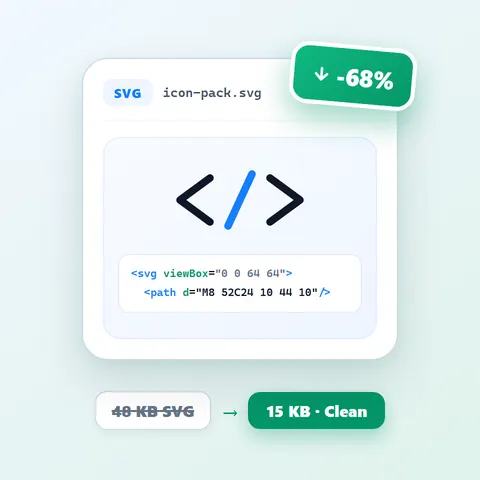
Start immediately with Safe, Balanced, or Max savings presets, or toggle individual passes for XML comments, authoring metadata, empty groups, color shorthand, default attributes, whitespace, and unused IDs. Every switch recalculates file weight in real time.
Desktop illustration suites often export six or more trailing digits on every Bezier point, inflating path strings with sub-pixel noise. This SVG optimizer lets you dial coordinate precision down cleanly while previewing the live graphic side by side.
Aggressive minifiers break gradients, masks, and clip paths when they blindly delete identifiers. Our SVG compressor parses internal url(#...) and href references first, dropping only unreferenced IDs so complex badges and illustrations render identically.
When embedding icons inside HTML, JSX, or CSS data URIs, saving a file to disk adds extra friction. Toggle Inspect minified code to verify clean tag structure, then click Copy SVG to paste production-ready markup straight into your editor.

Drop a full icon library or marketing illustration set into one session to compress SVG assets together. Each card tracks individual percentage reductions alongside cumulative bytes saved, and one click bundles the cleaned set into a tidy ZIP.

Unreleased product logos, proprietary UI systems, and client diagrams stay strictly on your own device. Because our SVG optimizer executes inside local tab memory, no vector file or markup string is ever transmitted to a remote server.
Five technical habits to compress SVG payloads safely while protecting sharp geometry, gradients, and CSS hooks.
When Illustrator, Inkscape, or Figma saves an editable SVG, it writes generous XML declarations, editor namespaces, timestamp comments, layer IDs, and authoring metadata so the file reopens smoothly in the original design app. That extra scaffolding can account for 30% to 70% of a small icon's byte weight without changing a single rendered pixel. Running an SVG optimizer strips non-visual overhead immediately while leaving every Bezier curve and fill untouched.
Coordinate rounding delivers the biggest repeatable wins when you compress SVG paths. On a large 800 px or 1200 px viewBox, rounding coordinates to 1 decimal place keeps curves visually indistinguishable while cutting path strings sharply. On compact 16 px or 24 px UI icons, stick with 2 decimals so tight arcs, rounded corners, and thin diagonal strokes stay smooth at Retina zoom. Previewing the live card lets you confirm crisp geometry before saving.
Exported artboards often wrap single shapes inside three or four nested <g> containers created during drafting. Collapsing empty or single-purpose groups flattens the DOM tree, which speeds up browser parsing and trims tag bytes. A dependable SVG compressor only unwraps containers that do not carry active transforms, opacity values, clip paths, or referenced IDs, keeping stacked lighting effects and layered icons structurally intact.
SVG inherits specific defaults from the W3C specification, such as fill-opacity="1", stroke="none", and fill-rule="nonzero". Writing those defaults explicitly on every path bloats markup unnecessarily. Converting six-digit hex codes like #ffffff into #fff, normalizing rgb() syntax, removing explicit defaults, and collapsing indentation lets you minify SVG files into compact single-line strings that also compress even further under server Brotli and gzip.
Clean vector assets shine across every downstream step. Before running a final pass to optimize SVG online, you can audit fonts and raw layer structure in SVG Viewer, trim excess artboard margins in Crop SVG, or standardize canvas bounds with SVG Resizer. Need quick dark-mode variants or brand palette swaps afterward? Recolor the clean paths in SVG Color Changer, or deliver print-ready vectors via SVG to EPS.
Practical web, product, and design workflows where smaller, cleaner vector files make pages load faster and repositories stay tidy.
Shrink inline hero illustrations, navigation icons, and custom badges before committing to React, Vue, or static sites to cut HTML payload and DOM node count.
Run exported Figma or Illustrator icon batches through one consistent SVG optimizer so every component ships with uniform decimal precision and clean attributes.
Strip private editor metadata, stray layer names, and bloated comments from client logo packages before handing off web-ready vector archives.
Use this lightweight browser tool to minify SVG diagrams and inline marks for faster WordPress uploads, knowledge bases, and technical docs.
Clear answers about our lossless SVG optimizer, decimal precision, gradient safety, SVGZ inputs, and local browser privacy.
It cleans non-visual XML overhead such as editor metadata, comments, redundant default attributes, empty <g> wrappers, extra whitespace, and unnecessary coordinate decimals. Because vector paths remain true mathematical curves rather than compressed pixels, the rendered graphic stays crisp at every zoom level.
Safe removes comments, metadata, and extra whitespace while keeping generous coordinate precision and existing IDs. Balanced adds default-attribute pruning, color shortening, and moderate decimal rounding to minify SVG graphics for the web. Max savings applies tighter coordinate rounding, group collapsing, and unused-ID cleanup for the smallest byte count.
Most icons drawn on a 24 px or 48 px grid stay clean at 2 decimal places, while larger 500 px illustrations often tolerate 1 decimal place with no visible shift. If fine typography or tiny arcs ever look subtly altered in the live preview, bump the Decimals control up by one notch immediately.
Internal gradient, mask, and clipPath references using url(#...) stay protected automatically. If external stylesheets or JavaScript code target specific element IDs inside your SVG, simply uncheck Drop unused IDs or select the Safe preset before downloading.
No. Our SVG optimizer runs parsing, XML cleanup, live preview rendering, and ZIP packaging entirely inside your local browser tab. Your brand logos and unpublished UI assets never leave your computer or phone.
Yes. Drop multiple SVG or compressed SVGZ files into the studio at once, adjust your cleanup rules across the entire queue, review individual savings badges plus total bytes saved, and click Download all as ZIP to save the whole set in one archive.
Yes. Once you minify SVG markup, click Inspect minified code on any card to review the cleaned output, or click Copy SVG to place the optimized XML string straight onto your clipboard for immediate pasting into code editors.
Yes. Both plain .svg files and gzip-compressed .svgz files are decoded locally in the browser so you can compress SVG markup with your chosen XML cleanup settings and export clean, universally supported .svg files.
Drop your SVG or SVGZ assets into this free SVG optimizer to strip editor bloat, inspect minified code, and download clean files or a batch ZIP locally.
Choose SVG files