
Commercial print logo (SVG)
Translates sharp brand geometry and nested compound paths into clean PostScript curveto operators ready for commercial signage and stationery.
Convert SVG to EPS free right inside your browser with zero uploads. Translate scalable SVG paths directly into genuine PostScript vector curves with exact bounding boxes and RGB or CMYK print colors.
Load any sample vector below into this SVG to EPS studio to inspect PostScript curve fidelity, bounding-box dimensions, and CMYK or RGB print output before converting your own artwork.
Translates sharp brand geometry and nested compound paths into clean PostScript curveto operators ready for commercial signage and stationery.
Exports multi-color vector shapes and crisp borders with CMYK color values and tight bounding-box coordinates for die-cut packaging layouts.

Converts overlapping strokes, arcs, and transforms into resolution-independent EPS vector curves with zero bitmap rasterization.
Generate authentic print-ready PostScript EPS files straight from browser-standard SVG graphics without opening heavy desktop suites.
Drag your .svg artwork onto the drop zone, or load one of the built-in print samples. Every path, polygon, circle, transform, and color attribute is parsed safely inside local browser memory.
Choose CMYK ink output for offset and commercial printing or RGB for digital and sign workflows, pick transparent or solid paper backing, and verify exact PostScript point dimensions in the live preview.
Inspect path counts and bounding-box dimensions, then click Download EPS for a single graphic or save multiple converted files together as one tidy ZIP archive.
Built as a genuine vector-to-vector PostScript encoder rather than a shortcut bitmap wrapper, keeping every curve editable in print and CAD software.
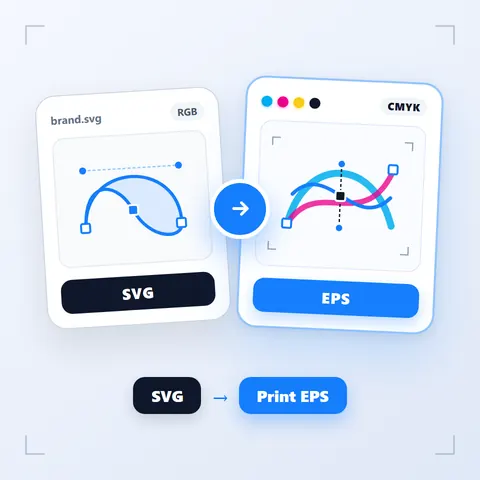
Many online tools silently render your SVG onto a pixel canvas and stuff a blurry bitmap inside an EPS shell. Our browser PostScript encoder translates `<path>`, `<rect>`, `<circle>`, `<ellipse>`, `<polygon>`, and `<polyline>` geometry directly into genuine PostScript `moveto`, `lineto`, and `curveto` commands.
SVG places its origin at the top-left corner while PostScript places coordinates at the bottom-left measured in 72 points per inch. Our encoder flips the vertical axis cleanly, flattens nested group transforms, and writes standards-compliant `%!PS-Adobe-3.0 EPSF-3.0` headers with exact bounding boxes.
Print presses separate ink into Cyan, Magenta, Yellow, and Black plates, whereas screen signage and stock portals often accept RGB vectors. Toggle directly between PostScript `setcmykcolor` and `setrgbcolor` output so your EPS matches each vendor's prepress sheet.
Donut icons, badge rings, and outlined letters depend on winding rules so inner cutouts stay open. Our encoder preserves both nonzero (`fill`) and even-odd (`eofill`) winding operators along with stroke width, line caps, and miter joins for faithful print reproduction.

Brand kits and icon packs rarely stop at one file. Queue multiple SVGs in the same browser session, preview each bounding box side by side, and download individual `.eps` graphics or a single cleanly named ZIP package.

Client packaging dielines, corporate trademarks, and unreleased merchandise graphics stay strictly on your own machine. Because the entire PostScript encoder runs inside local JavaScript, you can generate print-ready EPS files with zero server uploads.
Five essential PostScript and print-production details that prevent rejected artwork, missing curves, and color surprises at the print shop.
SVG dominates modern websites, Figma handoffs, and browser interfaces, yet decades of prepress infrastructure were engineered around Adobe PostScript. Offset presses, flexographic packaging RIPs, vinyl sign cutters, embroidery systems, and stock vector libraries continue to ask for Encapsulated PostScript because `.eps` defines strict physical bounding boxes, predictable curve math, and native CMYK color operators. When a vendor portal rejects your `.svg`, a clean SVG to EPS vector export bridges web design and physical production immediately.
Not every `.eps` file contains editable vector paths. Because PostScript can embed raw bitmap streams, low-grade converters often snapshot an SVG at 72 DPI and save a pixelated image wearing an `.eps` extension. Open that file in Illustrator or CorelDRAW and you cannot select a single curve or scale it cleanly for a banner. True SVG to EPS translation converts SVG quadratic arcs and splines mathematically into PostScript cubic Bézier segments so every shape remains crisp and editable forever.
Web SVGs store colors exclusively in sRGB hex values such as `#00A8FF`, which can exceed the printable gamut of physical ink on paper. Switching our encoder to CMYK translates every solid fill and stroke into device CMYK percentages using clean black generation, avoiding unexpected neon-to-dull shifts during press checks. Keep RGB active when submitting artwork to digital wide-format printers that manage ICC profiling internally, or when editing downstream in RGB-first apps.
Classic PostScript Level 2 EPS focuses on rock-solid opaque geometry and does not natively replicate CSS blur filters, SVG drop shadows, or missing system web fonts. Before you convert SVG to EPS for a critical print run, convert any `<text>` elements to outlined `<path>` shapes in your design app so font substitution can never shift letter spacing. Simplify overlapping gradients or heavy SVG markup first with SVG Optimizer to keep your PostScript stream lean and fast for print RIPs.
EPS excels for legacy prepress software, sign shops, and stock submissions. If your printer prefers modern multi-page sheets with live typography and transparency support, export directly through SVG to PDF instead. Cutting metal, acrylic, or wood on a laser or CNC router? Use SVG to DXF for real-world millimeter CAD arcs. Starting from a transparent raster graphic rather than an SVG? Jump straight to PNG to EPS to trace and encode PostScript curves in one move.
Print, packaging, signage, and licensing workflows that depend on clean Encapsulated PostScript vector exports.
Convert incoming client SVG logos and icons into reliable PostScript EPS files with tight bounding boxes and CMYK color values ready for plate output.
Deliver complete logo packages containing both modern web SVGs and print-ready EPS masters without switching desktop apps for every client request.
Change SVG to EPS geometry cleanly so wide-format RIPs, vinyl plotters, and embroidery digitizing suites import true closed curves on the first try.
Prepare clean, lightweight PostScript vector exports stripped of messy editor clutter for licensing libraries, print marketplaces, and client handoff folders.
Clear answers on PostScript vector paths, CMYK ink output, font handling, Illustrator compatibility, and local browser privacy.
Drop one or more `.svg` files into the workspace at the top of this page, choose RGB or CMYK color output, preview your bounding box, and click Download EPS. Everything runs free right inside your browser.
Yes. Every SVG path, circle, rectangle, and polygon is converted mathematically into genuine PostScript Bézier curves rather than an embedded raster screenshot, so all shapes stay editable and infinitely scalable.
Yes. Select CMYK mode in the toolbar to emit native PostScript `setcmykcolor` ink values for commercial print presses, or keep RGB selected for sign RIPs and digital workflows.
Yes. Output files follow the standard `%!PS-Adobe-3.0 EPSF-3.0` specification with accurate `%%BoundingBox` headers and standard path operators, opening cleanly in Adobe Illustrator, CorelDRAW, Affinity Designer, Inkscape, and print RIP software.
No. SVG parsing, transform flattening, coordinate conversion, and PostScript encoding happen entirely inside local browser memory. Your private vector artwork never leaves your computer.
Elliptical SVG arcs, circles, rounded rectangles, and quadratic curves are converted mathematically into cubic Bézier segments, while nested `translate`, `scale`, `rotate`, and `matrix` transforms are applied cleanly into final PostScript coordinates.
Because PostScript print workflows cannot rely on external web fonts, convert live text into outlined `<path>` shapes before exporting whenever exact typography matters for commercial printing or sign cutting.
Yes. Drop multiple SVG files together into the workspace to convert the whole set locally, inspect each output card, and download individual EPS files or one organized ZIP archive.
Drop your SVG files, choose CMYK or RGB print output, verify exact bounding boxes, and download true PostScript EPS vectors free in your browser.
Choose SVG files