Thin line icon
256 × 256 px · ICO · 16, 24, 32, 48, 256
A 24 px line icon drawn again at each size; at 24 and 48 px every line lands on whole pixels.
Convert SVG to ICO with every size drawn sharp from the vector, 16 px up to 256 px, transparent or on a color shape. One click more gives you the whole favicon set with the HTML. Free, on your device.
·No SVG at hand?
Converted on your device; files aren't uploaded to our servers. Web fonts and linked images in an SVG are downloaded by your browser from their own servers, so the file looks right.
Add, choose, download.
Drop up to 50 files, .svg or .svgz, 20 MB each, or paste SVG code.
16, 32, 48 and 256 px by default. Keep it transparent or set a color in a square, rounded or circle shape.
Check every size in the list, then save the ICO, a ZIP, or the favicon set.
Original icons we drew for this page, each an SVG to ICO case that often goes wrong.
256 × 256 px · ICO · 16, 24, 32, 48, 256
A 24 px line icon drawn again at each size; at 24 and 48 px every line lands on whole pixels.
256 × 256 px · ICO · 16, 32, 48, 256
The favicon set keeps the SVG's dark mode colors in icon.svg.
256 × 256 px · ICO · 16, 32, 48, 256
Circle background with 10% padding; the corners stay transparent.
256 × 256 px · ICO · 16, 32, 48, 256
Transparent around the mark in every size, soft edges kept.
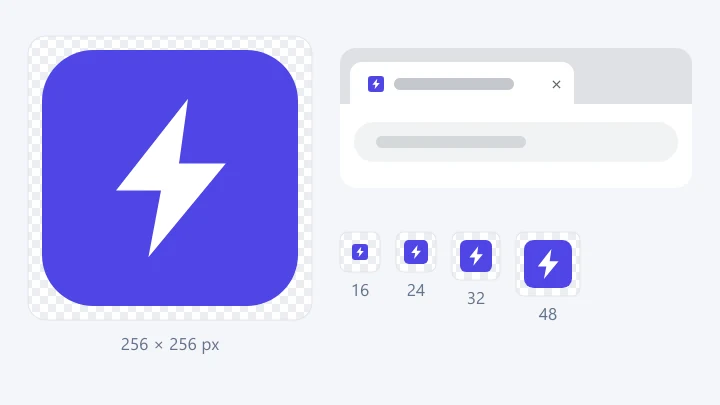
256 × 256 px · ICO · 16, 24, 32, 48, 128, 256
A white symbol on a rounded purple tile, six sizes up to 256 px.
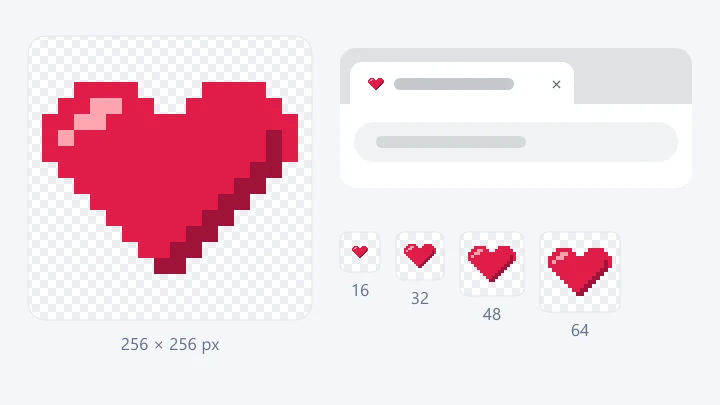
256 × 256 px · ICO · 16, 32, 48, 64, 256
16, 32, 48, 64 and 256 px: whole multiples, so every pixel stays square.
256 × 256 px · ICO · 16, 24, 32, 48, 256
A 24 px line icon drawn again at each size; at 24 and 48 px every line lands on whole pixels.
256 × 256 px · ICO · 16, 24, 32, 48, 128, 256
A white symbol on a rounded purple tile, six sizes up to 256 px.
256 × 256 px · ICO · 16, 32, 48, 256
Transparent around the mark in every size, soft edges kept.
256 × 256 px · ICO · 16, 32, 48, 256
Circle background with 10% padding; the corners stay transparent.
256 × 256 px · ICO · 16, 32, 48, 256
The favicon set keeps the SVG's dark mode colors in icon.svg.
256 × 256 px · ICO · 16, 32, 48, 64, 256
16, 32, 48, 64 and 256 px: whole multiples, so every pixel stays square.
An ICO is small and square, so some SVGs fit better than others.
Tip: need a large PNG for an app store or a profile picture? Open SVG to PNG.
Many SVG to ICO converters save one size, often on white, or shrink one big picture into every size.
Each size is drawn from the vector at that size, so the 16 px icon is a real 16 px drawing, not a shrunken 256.
Clear areas stay clear in every size. Small sizes go in as 32-bit BMP, 128 and 256 px as PNG, the way Windows stores its own icons.
favicon.ico, icon.svg with dark mode kept, apple-touch-icon, 192 and 512 px app icons and the manifest, plus the lines for your <head>.
Transparent, white, black or any color, as a square, rounded tile or circle, with 5% to 20% padding.
Each file shows its small sizes at their real pixels, so you see the 16 px icon before it goes on your site.
Up to 50 SVG files at once, saved as one ZIP. Everything runs on your device; nothing is uploaded.
What goes into an ICO file and where each size is used.
An ICO holds several square pictures, and each place picks the one it needs. 16 px shows in browser tabs and bookmarks, 32 px in tabs on sharp screens and the Windows taskbar, 48 px on the desktop and in Google results, and 256 px in large Windows views. For a favicon, 16, 32 and 48 px are enough; for a Windows app or shortcut, add 24, 64, 128 and 256 px.
Shrinking one 256 px picture to 16 px averages thin lines into grey blur. This SVG to ICO converter draws the SVG again at every size, so each size gets its own clean edges instead of a blurred copy of the big one. Check the 16 px icon in the list: if a detail is lost there, a simpler symbol works better than more pixels.
ICO files keep a full alpha channel, so clear areas and soft edges stay clear on any taskbar or tab. Choose a background color to place the mark on a square, rounded tile or circle; the corners around a rounded or circle shape stay transparent. Padding of 10% to 15% keeps marks that touch the edges from looking cramped.
Browsers still ask for /favicon.ico, so it stays the base. Modern browsers prefer icon.svg, which stays sharp at any size and keeps the SVG's dark mode colors. iPhones use apple-touch-icon.png at 180 px, on white when your SVG is transparent, since iOS shows transparency as black. Android and installed apps read the 192 and 512 px icons from the manifest. Put the files at your site's root and paste the four lines into <head>.
Pixel art stays square only at whole multiples of its grid: a 16 px design works at 16, 32, 48, 64, 128 and 256 px, while 24 px makes uneven pixels. Line icons drawn on a 24 px grid look best at 24 and 48 px; at 16 px they are drawn again, and lines thinner than one pixel turn soft.
Places that still want an ICO.
favicon.ico at the site root, plus the full set for phones and apps.
One ICO from 16 to 256 px for Electron, .NET or setup builders.
Custom icons for desktop shortcuts and folders in Windows.
192 and 512 px icons and a manifest for installable web apps.
Converting, favicon sizes, favicon.ico today, transparency, SVG favicons, Windows icons, blur and privacy.
Every size sharp, transparency kept, favicon set included. Free, on your device.