Multi-size Windows desktop icon
Packs all seven sizes (16, 24, 32, 48, 64, 128, and 256 px) with a rounded-square mask and 4% padding for crisp taskbar and Explorer views.
Convert PNG to ICO free directly inside your browser with crisp results at every resolution. Build multi-size Windows app icons from 16 to 256 px using premultiplied alpha downscaling that eliminates dark halos, inspect your mark live in a browser tab, and export a complete Favicon Kit ZIP with HTML tags.
Drop a PNG image here to create an ICO icon
Builds true multi-size Windows ICO files (16 to 256 px) plus a full favicon kit.
Runs locally in your browser. Nothing is uploaded.
Or try a sample icon
Load any sample icon into this PNG to ICO studio to compare square, rounded, and circular crops across every resolution from 16x16 to 256x256 px.
Packs all seven sizes (16, 24, 32, 48, 64, 128, and 256 px) with a rounded-square mask and 4% padding for crisp taskbar and Explorer views.

Combines 16, 32, and 48 px frames in a lightweight square favicon.ico built for sharp browser tabs and bookmark bars.
Applies an anti-aliased circular mask with 6% padding and clean transparency across every desktop and high-DPI icon slot.
Create crisp Windows icons and complete website favicon bundles without installing desktop utilities.
Drop a transparent PNG (or JPG, WebP, GIF, BMP, or AVIF up to 30 MB) onto the studio. Square artwork at 256x256 px or larger gives the sharpest detail for every smaller icon size.
Pick Windows Full (all 7 sizes), Web Favicon (16, 32, 48 px), or Single 256 px, or toggle individual pixel sizes. Refine Square, Rounded, or Circle shape, Contain or Cover fit, 0 to 25% padding, and transparent or solid fill.
Check the live browser tab preview and pixel-accurate size strip, then click Download ICO for your multi-frame .ico file, or Download Favicon Kit ZIP to grab website PNGs, webmanifest, and copyable HTML head tags.
Engineered for razor-sharp tiny icons, standards-compliant Windows ICO headers, and complete web deployment.
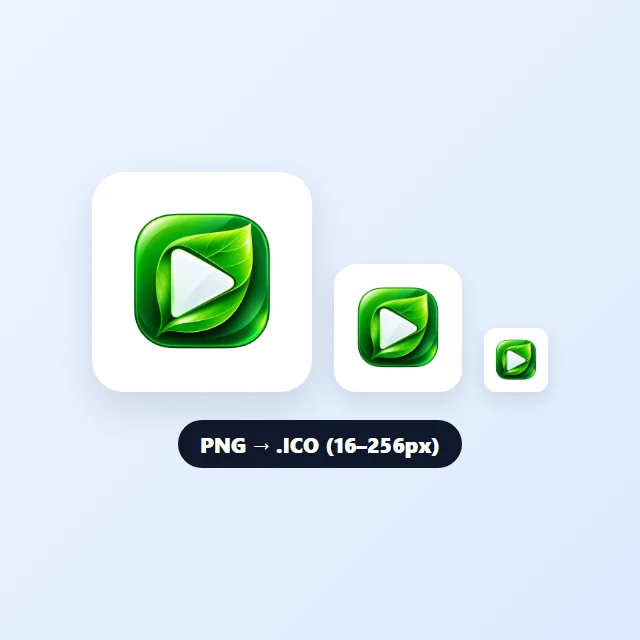
A proper Windows icon is not one resized PNG renamed to .ico. Our PNG to ICO converter packs 16, 24, 32, 48, and 64 px frames as 32-bit RGBA BMP bitmaps with alpha masks for universal Windows support, while embedding 128 and 256 px frames as compact lossless PNG entries for modern high-DPI displays.
Standard canvas resizing mixes RGB colors with hidden black pixels around transparent edges, leaving muddy grey outlines on 16x16 favicons. Our custom resampler integrates exact area coverage in premultiplied alpha space so thin strokes and semi-transparent shadows stay vivid at every size.
Turn raw square logos into polished app tiles in one click. Choose Square, Rounded Square (20% corner radius), or Circle using anti-aliased edge coverage, then balance Contain or Cover framing with a 0% to 25% padding slider and transparent, white, or custom color backdrops.
Icons that shine at 512 px often blur at 16 px. Before exporting, inspect a realistic browser tab mockup alongside every selected size rendered pixel-for-pixel on a transparency checkerboard so you can spot cramped padding or weak contrast right away.

Need a complete launch bundle? This favicon ICO converter builds a ready-to-deploy ZIP containing favicon.ico (16/32/48 px), favicon-16x16.png, favicon-32x32.png, apple-touch-icon.png (180x180), icon-192.png, icon-512.png, site.webmanifest, and head-tags.html, plus a one-click Copy HTML button.

Unreleased app icons, internal emblems, and client brand marks stay strictly on your device. Every pixel resample, shape mask, binary header, and ZIP package builds locally in JavaScript with zero server uploads, no sign-up, and zero watermarks.
Five practical principles for crisp Windows desktop icons and modern website favicons on every screen.
Windows pulls different frames by view mode and DPI scaling: 16x16 fills title bars and detail lists, 24x24 and 32x32 cover taskbars and 150% DPI views, 48x48 serves desktop shortcuts, 64x64 handles medium tiles, and 128x128 plus 256x256 power large File Explorer views and 4K screens. Picking Windows Full in this PNG to ICO converter bundles all seven inside one compact file.
At 16 pixels wide, taglines and hairline borders collapse into noise. When you convert PNG to ICO for a website tab, start from a simple emblem or monogram rather than a wide wordmark. Keep padding between 0% and 6% so the mark fills the tab cleanly, and verify legibility against light and dark browser chrome.
Transparent PNG pixels often store RGB values of (0, 0, 0) at zero opacity. Naive resizing averages those invisible black values into neighboring colored edges, creating dirty grey halos on white tabs or taskbars. Multiplying RGB by alpha before area averaging and un-premultiplying afterward preserves clean color right up to the anti-aliased edge.
Modern browsers still read favicon.ico, while mobile home screens and web apps look for dedicated PNG files: 180x180 for Apple Touch Icons plus 192x192 and 512x512 in site.webmanifest. Exporting from our favicon ICO converter delivers every required asset in the Favicon Kit ZIP alongside copyable HTML head tags.

If your logo starts as clean vector geometry, render directly with SVG to ICO for razor-sharp paths at every resolution. Designing a fresh icon from scratch? Draft concepts quickly with AI Icon Generator, then drop your favorite PNG into this PNG to ICO converter to pack every desktop and browser size.
Practical ways developers, designers, and Windows users convert PNG to ICO files every day.
Build a crisp favicon.ico, Apple Touch PNG, Android PWA icons, and copy-ready HTML head tags in seconds for every launch.
Pack all seven Windows icon frames (16 through 256 px) into one standards-compliant .ico file for installers, executables, and taskbar pins.
Turn custom PNG artwork or badges into sharp desktop folder icons and shortcut emblems that scale cleanly on high-DPI monitors.
Audit logo legibility at 16x16 and 32x32 inside a live browser tab preview, testing rounded masks, padding, and fills before handoff.
Answers about multi-size ICO encoding, transparency, favicon kits, and privacy.
Drop your PNG image onto the studio above, pick Windows Full or Web Favicon, tweak shape or padding if needed, and click Download ICO. No account or desktop software is required.
You can include any mix of 16, 24, 32, 48, 64, 128, and 256 px in one file. Windows Full packs all seven sizes, while Web Favicon packs 16, 32, and 48 px.
Yes. Transparency stays intact across every frame with 32-bit alpha channels and premultiplied downscaling so edges stay clean with zero dark halo. You can also select a white or custom backdrop.
The Favicon Kit ZIP includes favicon.ico (16, 32, and 48 px), favicon-16x16.png, favicon-32x32.png, apple-touch-icon.png (180x180), icon-192.png, icon-512.png, site.webmanifest, and head-tags.html.
Storing smaller frames as 32-bit RGBA BMP bitmaps guarantees compatibility with legacy Windows shell components, while PNG-compressed 128 and 256 px frames match the modern Windows spec and keep file size light.
Contain mode scales your entire image to sit cleanly inside the square canvas with zero cropping, while Cover mode zooms symmetrically to fill the square, rounded, or circular shape edge to edge.
No. Whenever you convert PNG to ICO here, every icon frame, shape mask, ICO binary, and Favicon Kit ZIP builds locally inside your browser so your artwork never leaves your computer.
Yes. Alongside PNG files, the studio reads JPG, WebP, GIF, BMP, and AVIF images up to 30 MB and lets you mask them into clean square, rounded, or circular icons.
Drop your PNG mark, preview every size from 16 to 256 px live, and download your multi-size ICO or full Favicon ZIP Kit free in your browser.
Choose a PNG image