Typographic wordmark logo
Traces clean lettering with sharp corner preservation and automatic cutout removal inside closed bowls such as O, A, and P.
Vectorize logo files locally in your browser with zero uploads. Convert low-resolution PNG, JPG, or WebP brand marks into sharp SVG and print-ready EPS vectors with automatic white background removal and exact palette matching.
Click any sample brand mark below to see how this logo vectorizer preserves crisp letter edges, punches out inner counters, and keeps clean spot colors before you load your own file.
Traces clean lettering with sharp corner preservation and automatic cutout removal inside closed bowls such as O, A, and P.
Reduces anti-aliased raster borders into crisp flat spot-color bands grouped cleanly for screen printing, signage, and web headers.

Converts a compact geometric mark into lightweight Bézier paths that stay razor-sharp from 16 px favicons up to storefront signs.
Rescue pixelated brand marks into editable vector master files in seconds without manual pen-tool redrawing.
Drag a PNG, JPG, WebP, GIF, BMP, or AVIF logo (up to 40 MB) onto the studio canvas, or pick a built-in brand mark sample to vectorize logo artwork inside your browser memory from start to finish.
Keep the Logo preset active for flat spot fills, set an exact color count between 2 and 16, and toggle Remove white background to drop box backgrounds cleanly. Click palette swatches to type exact brand HEX values or merge JPEG halo shades.
Drag the split preview slider over the checkerboard to verify clean edges and letter counters, then download your scalable SVG for web and design apps or a PostScript EPS for commercial printers.
Engineered specifically for brand marks, typography, and flat emblems where jagged edges, muddy colors, and trapped white boxes cannot pass inspection.
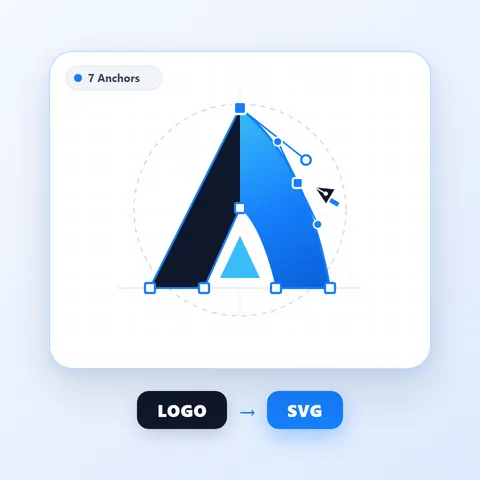
General photo tracers often round off crisp serif tips, star points, and rectangular stems into blobby ovals. Our logo vectorizer tunes corner thresholds so geometric brand marks hold crisp vertices while smooth circles and arcs stay fluid with minimal anchor clutter.

Client logos frequently arrive as flattened JPEGs sitting on solid white paper. Cutout tracing removes both the outer white rectangle and enclosed holes inside characters like O, B, R, and D, letting you drop your finished vector onto dark headers, apparel, or photos immediately.
Compressed raster logos pick up fuzzy fringe pixels where red meets white or navy meets gold. After you vectorize logo shapes, use the interactive palette editor to merge stray transition tones into their main color layer, then enter official brand HEX codes so every vector group matches your style guide.

Old email signatures and archived site headers are often under 400 pixels wide, which causes thin strokes to break apart during standard tracing. Before fitting curves, our engine intelligently enlarges compact images so thin stems, registration marks, and small taglines trace with cleaner continuity.
Different vendors ask for different master formats. Download clean color-grouped SVG code for websites, Figma, and Illustrator, export genuine PostScript EPS curves when print shops or embroiders demand legacy vector formats, or grab a sharp transparent PNG for instant mockups.
Unlaunched rebrands, client trademark drafts, and internal corporate seals should never sit on unknown third-party servers. Because every trace and palette edit executes inside your own browser tab, you can vectorize logo assets with complete client confidentiality.
Five practical standards for turning flat raster marks into reliable vector master files for web, packaging, apparel, and signage.
Even a 2000-pixel PNG breaks down into soft halos when printed on a trade-show backdrop, cut from sign vinyl, or laser-etched onto promotional drinkware. When you vectorize logo artwork into mathematical Bézier paths, every line and curve scales smoothly to any dimension without file bloat. Equally important, sign plotters, CNC routers, and embroidery digitizers rely on vector outlines rather than pixel grids to calculate physical blade paths and stitch boundaries.
Most professional logos use one to four intentional brand colors, yet a compressed JPEG can contain dozens of slightly shifted border shades. Setting the color selector to match your actual brand palette eliminates speckles and cuts node counts dramatically. If an extra edge tint still shows up after you turn logo into vector paths, click that swatch in the palette panel and merge it into the closest main color until only true spot fills remain.
Always inspect your traced wordmark over the transparency checkerboard before delivering it to a printer or developer. Look closely at enclosed shapes inside lowercase e, a, and g as well as tight gaps between script letters. If a thin stroke looks slightly pinched, switch Detail to High and Curves to Sharp; if your original file has a stubborn colored or noisy background rather than plain white, strip the backdrop cleanly first in Logo Background Remover.
Websites, React apps, and Figma libraries perform best with clean SVG files because browsers render SVG natively and developers can target named color groups directly. Print houses, promotional merch suppliers, and wide-format sign shops often prefer PostScript EPS files with explicit bounding boxes and spot-friendly geometry. Whenever a client asks for both digital and press deliverables, convert logo to vector once with this logo vectorizer and export both SVG and EPS from the same clean trace.
Once your brand mark lives as grouped vector paths, producing an all-white version for dark headers, an all-black stamp for invoices, or a seasonal color edition takes seconds. Click any swatch right inside this studio to recolor layers before saving, or fine-tune existing multi-color brand SVGs anytime in SVG Color Changer. Need direct PostScript output from a transparent raster asset or full artwork tracing? Try PNG to EPS or our general Image to Vector studio.
Real-world scenarios where fast local logo vectorization saves hours of manual redrawing.
Use this browser studio to vectorize logo files from an old PNG or JPG company mark when a printer, sign vendor, or website developer suddenly asks for an SVG or EPS master.
Turn customer-submitted email logos into clean, cut-ready vector paths for screen printing, heat-transfer vinyl, embroidered polos, and storefront lettering.
Use this logo to vector converter to digitize partner sponsor badges for event banners, slide decks, and press kits while matching exact brand HEX palettes.
Replace blurry raster header logos with lightweight inline SVG markup that stays tack-sharp across 4K monitors, mobile retina displays, and dark-mode layouts.
Practical answers about logo sharpness, white background cutouts, brand colors, print formats, and browser privacy.
Drag your PNG, JPG, or WebP logo into the workspace above, select the Logo preset, set the number of brand colors, and download your finished SVG or EPS vector file. Everything runs free inside your browser with no desktop software required.
Yes. Small or slightly soft JPG logos are automatically upscaled prior to tracing, and the interactive palette lets you merge blurry compression halos into solid brand colors. Starting from the sharpest copy you have always yields the cleanest corners.
Yes. Enable Remove white background in the toolbar to remove outer white borders, and use cutout tracing or delete the white swatch in the palette panel so interior letter holes in O, A, B, and P stay transparent.
Use SVG for websites, mobile apps, Figma, Illustrator, Inkscape, Affinity Designer, and vinyl cutters like Cricut. Use EPS when sending your mark to commercial print shops, sign makers, or embroidery services that request PostScript vectors.
Yes. Every traced color appears as an editable swatch in the Palette bar. Click any swatch to enter your official brand HEX code, combine two near-identical shades, or delete an unwanted color layer before exporting.
No. Tracing, color cleanup, and SVG or EPS generation all run locally in your browser's memory. Unreleased logos and proprietary brand marks never leave your device.
Vector tracing converts gradients into stepped flat color bands when you vectorize logo files with subtle shading. Try increasing the color count to 8 or 12, or simplify the mark to crisp flat spot colors for cleaner printing and cutting.
Yes. Each color layer is grouped cleanly with standard Bézier paths, so you can ungroup shapes, tweak individual anchor points, adjust typography spacing, or swap ink colors effortlessly in Illustrator, Figma, Inkscape, CorelDRAW, or Affinity Designer.
Drop your PNG or JPG mark, set crisp corners and exact brand HEX colors, and download clean SVG or EPS vectors free in your browser.
Choose a logo file