Expense receipt on US Letter Portrait
Centers a photographed store receipt onto a standard US Letter sheet with half-inch margins ready for accounting systems and clean office printing.
Convert HEIC to PDF free right inside your browser with zero uploads. Decode up to 60 iPhone HEIC or HEIF photos locally, reorder or rotate pages, pick A4 or Letter margins, and save one clean document.
Drop PNG images here to combine into a PDF
Add up to 60 PNG, JPG, or WebP images. Reorder pages, rotate, and set margins locally.
Runs locally in your browser. Files never leave your device.
Or try a sample set
Open any sample set below inside this HEIC to PDF studio to preview page ordering, paper sizes, margins, and compact document assembly before dropping your own phone photos.
Centers a photographed store receipt onto a standard US Letter sheet with half-inch margins ready for accounting systems and clean office printing.

Arranges mixed portrait and landscape trip photographs onto A4 pages with Auto orientation, Small margins, and compact photo streams.
Packages photographed lecture handouts onto Original-size PDF sheets with None margin so every slide matches its natural screen aspect ratio.
Turn a single iPhone snapshot or a full camera folder of paperwork into one tidy, printable PDF right on your device.
Drag up to 60 images (up to 40 MB each) onto the drop zone, or click Choose images to browse your folders. Drop .heic, .heif, and .hif captures alongside standard JPG, PNG, WebP, GIF, BMP, or AVIF files in the same PDF batch.
Put pages into exact reading order with the Move Up and Move Down controls and turn sideways phone scans clockwise in 90-degree increments. Choose A4, US Letter, or Original page geometry, pick Auto, Portrait, or Landscape orientation, select a margin width, and switch between Compact and Lossless encoding.
Click Download PDF to assemble a standards-compliant ISO 32000-1 document entirely inside browser memory. A single photo keeps its original filename stem, while multi-photo sets save together as one unified document with zero watermarks.
Built for clean print margins, dependable attachment sizes, and complete local privacy from one receipt scan to a sixty-page camera packet.
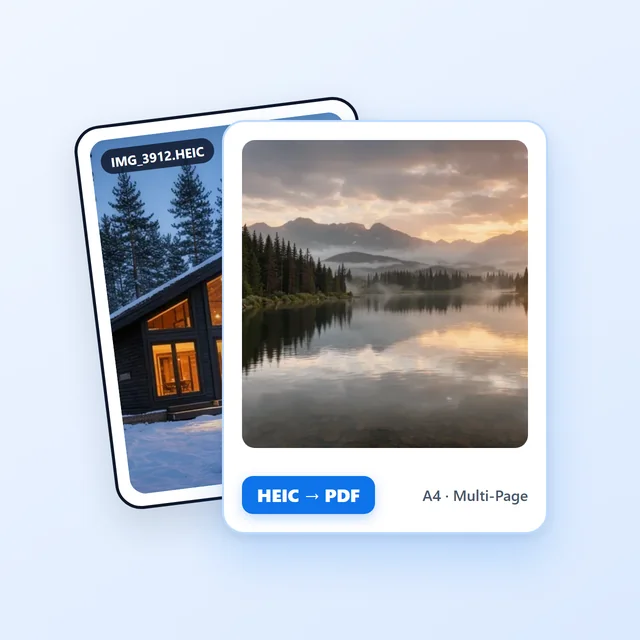
Skip the two-step hassle of turning Apple photos into JPEGs first and hunting for a separate document merger afterward. Our built-in WebAssembly decoder reads genuine .heic, .heif, and .hif streams inside your tab and feeds them straight into a clean multi-page PDF document.
Whether you are submitting a multi-page contract or archiving a field visit, you can combine HEIC to PDF in one pass with up to 60 files (up to 40 MB each). Live page counts, numbered cards, and Move Up and Move Down buttons keep every page properly ordered.
Choose international A4 (210 by 297 mm) or North American US Letter (8.5 by 11 in) when your file must print smoothly on standard office paper. Switch to Original size whenever you want each page frame to mirror the exact native aspect ratio of every photo.
Phone photos frequently mix vertical document scans with horizontal site pictures, or save rotated sideways. Spin any tilted thumbnail in 90-degree steps and leave orientation on Auto so each A4 or Letter sheet flips automatically between Portrait and Landscape.

Compact mode embeds crisp high-quality photo streams so multi-page packets stay light enough for strict email or portal size ceilings. Switch to Lossless mode whenever your batch includes transparent PNG diagrams, technical charts, or sharp interface screenshots.

Tax documents, signed leases, medical bills, and passport photos deserve real privacy. Every HEIC decode step, layout calculation, and PDF byte stream executes locally inside your browser tab, so personal files never leave your computer or phone.
Five practical techniques for turning mobile HEIC captures into crisp, lightweight, print-ready PDF documents.
Before turning Apple camera captures into a document, decide whether your recipient will print the packet or review it digitally. Expense claims, school submissions, rental applications, and signed paperwork belong on standardized A4 or US Letter sheets so desktop printers never crop corners or shrink pages unpredictably. Photo portfolios, visual inspection decks, and tall receipts look cleaner on Original pages with None margin, letting every image display cleanly edge to edge on screens.
Nearly every home inkjet and office laser printer leaves an unprintable border of 4 to 6 mm along all four edges of the sheet. Picking Small (18 pt) or Standard (36 pt, half an inch) margin settings keeps photographed dates, totals, and handwritten notes comfortably inside the printable area while leaving room for staples or binder rings. Reserve zero margins strictly for full-bleed screen presentations.
A single 12 MP or 48 MP iPhone snapshot contains millions of pixels, so bundling twenty pages into one document can quickly push past strict 10 MB upload caps on HR or visa portals. Compact compression inside this workspace balances clear photographic text with compact file weight. If you want smaller individual images first, convert and scale them down to 75% or 50% in our HEIC to JPG tool, then drop the lighter frames here.
Real paperwork rarely lives in one neat format: you might snap three physical pages on your iPhone in HEIC, save a digital confirmation as PNG, and grab an invoice screenshot as WebP. You can combine HEIC to PDF right alongside JPG, PNG, WebP, GIF, BMP, and AVIF files inside the exact same queue, reorder them visually, and rotate tilted scans before saving. Already working purely with standard camera JPEGs? Try our dedicated JPG to PDF studio.

When submitting ten small taxi or coffee receipts for reimbursement, placing two or four snapshots onto a single sheet makes review faster and saves paper. Arrange those photos into a neat multi-image grid first using Combine Images, then load each composite page here to wrap the finished document onto A4 or US Letter paper. Working primarily with transparent graphics instead of phone photos? Switch over to PNG to PDF.
Practical everyday scenarios where packaging iPhone camera photos into one orderly PDF saves hours of manual prep.
Turn iPhone photo to pdf packets for travel receipts, signed onboarding paperwork, and expense proofs on clean A4 or US Letter sheets while keeping private records strictly on your device.
Bundle photographed handwritten assignments, lab notebooks, and whiteboard notes into one ordered submission document that learning management portals accept immediately.
Use this local document builder to group walkthrough photos, maintenance checks, and site reports into a single chronologically ordered file ready to email or archive.
Combine HEIC to PDF for passport copies, medical forms, warranties, and visa supporting documents in seconds with zero server uploads and zero watermarks.
Clear answers about iPhone HEIF decoding, multi-page merging, paper geometry, file weight, and browser privacy.
Drag your iPhone .heic or .heif photos into the builder at the top of this page, arrange page order or rotate sideways shots, choose A4, US Letter, or Original paper with your preferred margin, and click Download PDF. Everything runs free locally with no signup.
You can add up to 60 images per PDF, with each individual file up to 40 MB. Use the numbered card grid along with Move Up and Move Down controls to verify your exact page sequence before saving one unified file.
No. Both the WebAssembly HEIF decoder and the ISO 32000-1 PDF assembler execute completely inside your browser's local memory. Your scanned receipts, signed contracts, and personal family photos stay strictly on your own computer or phone from start to finish.
Yes. Alongside .heic, .heif, and .hif captures, this browser document workspace accepts JPG, JPEG, PNG, WebP, GIF, BMP, and AVIF images inside the exact same queue, letting you assemble mixed-format packets in one quick pass.
Open this page in Chrome, Edge, or Firefox on Windows and drop your copied .heic files straight into the workspace. Because HEIF decoding happens via WebAssembly inside the browser, Windows users do not need extra codec packs or desktop utilities.
A4 (210 by 297 mm) and US Letter (8.5 by 11 in) scale and center each image cleanly inside standardized printing sheets with your chosen margin. Original sizes every PDF page to match each photograph's exact native dimensions and proportions.
Click the 90-degree clockwise rotate button on any thumbnail card until the photographed page stands upright. With Orientation set to Auto, the layout engine automatically switches that individual sheet between Portrait and Landscape to match your rotated frame cleanly.
Choose Compact for everyday camera photographs, scanned paperwork, and multi-page albums so your finished document stays sharp yet light enough for strict email limits. Choose Lossless whenever your batch includes transparent PNG graphics, vector charts, or crisp UI captures.
Drop up to 60 iPhone HEIC or HEIF photos, set your page order, paper size, and margins, and save a clean PDF privately in your browser.
Choose HEIC photos