Transparent UI web icon (WebP)
Traces a crisp web badge with full alpha preservation, producing minimal SVG paths that stay tack-sharp at any screen zoom.
Convert WebP to SVG free directly in your browser without uploading files. Trace transparent or opaque WebP icons, stickers, and flat illustrations into crisp SVG paths with live color layer controls.
Open any sample graphic below in our WebP to SVG workspace to test transparent cutout tracing, flat color presets, and live path inspection before dropping your own WebP files.
Traces a crisp web badge with full alpha preservation, producing minimal SVG paths that stay tack-sharp at any screen zoom.

Turns a colorful transparent WebP character sticker into clean color-grouped vector layers ready for vinyl cutting or merch print.

Applies multi-tone vectorization to convert a lightweight WebP web illustration into editable, CSS-friendly SVG shapes.
Decode modern WebP images directly into clean vector markup without converting to PNG first or installing desktop apps.
Drag a .webp file (up to 40 MB) onto the tracer, or click one of the built-in examples. Your browser decodes both lossy and lossless WebP bitstreams along with full alpha transparency locally.
Choose Logo and illustration, Line art, Photo poster, or Cutting machine, then dial in Colors, Detail, and Curves. Click any palette swatch to recolor a layer, merge compression twins, or delete an unwanted solid backdrop.
Drag the live compare slider to verify smooth outlines over transparency, check exact layer and kilobyte counts, and click Download SVG, Copy SVG code, or Download PNG.
Skip intermediate PNG steps and trace modern WebP web graphics straight into clean, standards-compliant SVG vectors inside your browser.
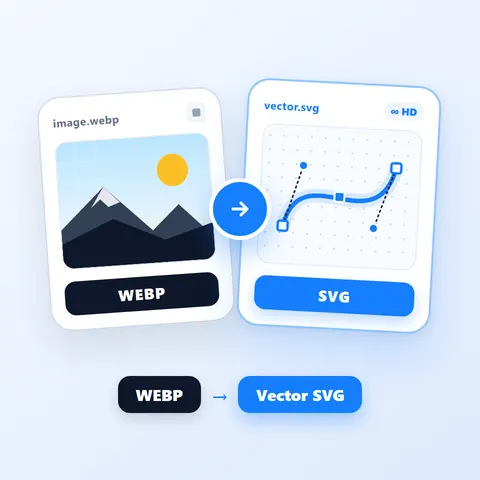
Websites serve millions of logos, icons, and stickers as WebP, yet many legacy vector tools refuse to open the format at all. Our studio decodes both lossless and lossy WebP images directly inside your browser while preserving every transparent pixel cleanly.
When you trace WebP to vector graphics here, transparent regions are never filled with opaque rectangles. Cutout mode constructs snug non-overlapping paths around your artwork, and if a WebP sits on a solid white backdrop, one click on Remove white background strips it away cleanly.

Aggressive web compression can introduce subtle color ringing along sharp icon edges, splitting one solid tint into two close hues. Use the interactive palette strip to recolor any group to an exact HEX code, merge similar swatches together, or remove stray tint layers before saving.

A simple two-color UI icon needs sharp geometric angles, whereas a die-cut mascot sticker needs smooth closed contours for vinyl plotters. Switch effortlessly between Logo and illustration, Line art, Photo poster, and Cutting machine to match your exact artwork style.

Verify every curve tweak against your original WebP pixels using the interactive before-and-after divider. Instant readouts show color layer count, path count, and output file weight in kilobytes so your finished SVG stays lean for fast web pages and craft cutters.

Proprietary UI icons, unpublished mascot art, and downloaded brand badges never pass through a remote server. Every step of the WebP to vector pipeline executes inside local browser memory, keeping your assets completely private.
Five practical techniques for getting clean paths, accurate colors, and compact SVG code from downloaded or exported WebP files.
Content delivery networks automatically transcode PNG and JPEG assets into WebP to shrink page bandwidth by 25 to 35 percent. While WebP loads fast in Chrome, Firefox, and Safari, it remains a fixed-resolution bitmap grid that turns fuzzy when enlarged for slide decks, print flyers, or vinyl stickers. Running a quick WebP to vector trace recovers crisp mathematical curves that stay sharp at any dimension and open smoothly in Illustrator, Figma, Inkscape, and Cricut Design Space.
Lossless WebP icons behave just like crisp PNGs and trace with razor-clean boundaries immediately. Lossy WebP images, however, use VP8 block compression that can soften contrast along thin outlines and add faint color fringes around dark text. When tracing a lossy file, pick a tight color count such as 3 to 6 shades and switch Detail to Medium so tiny compression specks are filtered out instead of becoming jagged micro-paths.
Transparent WebP stickers and UI badges carry an 8-bit alpha channel that our tracer honors automatically during cutout mode. Semi-transparent anti-aliased edge pixels are snapped cleanly to your artwork perimeter so dark backgrounds never reveal milky borders. If your downloaded WebP has a flat white background instead of alpha transparency, simply keep Remove white background toggled on to lift the artwork free in one step.
Before pasting a traced vector into React, Vue, or static HTML, check the live path count and KB badge above the canvas. Choosing Balanced or Smooth curves trims redundant anchor points without distorting clean geometric icons, and merging duplicate swatches reduces extra `<g>` groups. Want to squeeze every remaining byte out of your exported markup? Drop the finished file straight into SVG Optimizer to strip unnecessary decimals and whitespace.
Tracing WebP to vector paths works best on flat logos, badges, icons, stickers, silhouettes, and bold illustrations. If your WebP is a detailed real-world photograph meant for editing in Photoshop or sharing on older apps that still lack WebP support, convert it losslessly with WebP to PNG instead of vectorizing it. Working with other raster sources? Jump directly to PNG to SVG or JPG to SVG for format-tuned samples and workflows.
Everyday creative, engineering, and crafting tasks solved by direct WebP to vector tracing.
Convert saved WebP site icons, badges, and empty-state graphics into crisp inline SVG code that scales cleanly on retina screens and supports dynamic CSS colors.
Change WebP to SVG cut files directly without wrestling with unsupported file errors in Cricut Design Space or Silhouette Studio.
Turn small WebP brand marks and flat web diagrams into crisp vectors that stay sharp on large conference projectors and printed pitch decks.
Trace transparent WebP mascot art and line graphics into scalable color-separated SVG paths ready for hoodies, decals, and packaging.
Straight answers on WebP transparency, animated files, SVG editing, Cricut support, and local browser security.
Drop your .webp file into the tool above, select a tracing preset such as Logo, Line art, or Cutting machine, refine colors and curves if needed, and click Download SVG or Copy SVG code. Everything runs free locally in your browser.
Yes. Transparent areas stored in your WebP alpha channel are preserved automatically via cutout tracing, so your exported SVG floats cleanly over any colored background without a white box.
Yes. Every exported SVG contains pure mathematical `<path>` shapes grouped by color layer with clean viewBox dimensions, opening cleanly in Illustrator, Figma, Inkscape, Affinity Designer, Cricut Design Space, and Silhouette Studio.
No. Your browser decodes WebP pixel data and alpha channels natively inside this studio, letting you trace WebP to vector paths in a single step with zero quality loss from extra conversions.
No. Decoding, color clustering, curve fitting, and SVG export happen strictly inside your own browser tab. Your files never leave your computer or phone.
The browser decoder extracts the first static frame of an animated WebP and traces that frame into a crisp still SVG vector graphic.
Yes. The Palette panel displays every traced color layer. Click any swatch to enter a new HEX color, merge two close hues together, or delete a color layer completely to create transparency.
SVG describes shapes filled with solid colors rather than camera pixel grids. Icons, logos, stickers, and line drawings convert with high fidelity, while camera photos take on a bold, stylized poster look when converted into scalable vector paths.
Drop your transparent or opaque WebP graphic, inspect smooth vector paths live, adjust palette layers, and save clean SVG markup free in your browser.
Choose a WebP file