
Rounded Windows desktop app icon
Packs all seven sizes (16, 24, 32, 48, 64, 128, and 256 px) using Fill square framing and a 20% rounded mask with transparent outer corners.
Convert JPG to ICO free right inside your browser with zero uploads. Turn any JPEG photo or logo into a true multi-size Windows icon (16 to 256 px) with square, rounded, or circular framing and live tab previews.
Drop a PNG image here to create an ICO icon
Builds true multi-size Windows ICO files (16 to 256 px) plus a full favicon kit.
Runs locally in your browser. Nothing is uploaded.
Or try a sample icon
Load any sample image below into this JPG to ICO studio to compare square, rounded-corner, and circular crops across every Windows icon size from 16x16 to 256x256 px.
Packs all seven sizes (16, 24, 32, 48, 64, 128, and 256 px) using Fill square framing and a 20% rounded mask with transparent outer corners.

Crops a photograph or logo inside an anti-aliased circular mask with clean transparent edges so it floats smoothly on dark or light taskbars.

Centers rectangular artwork inside a crisp square canvas using Contain fit and gentle padding so nothing important gets clipped at small sizes.
Turn any JPEG picture, portrait, or square logo into a crisp multi-resolution Windows .ico file directly in your browser.
Drop a JPG or JPEG image (or PNG, WebP, GIF, BMP, or AVIF up to 30 MB) onto the drop zone. Starting from artwork at 256x256 px or larger ensures clean detail across every downscaled icon frame.
Choose the Windows preset (all 7 sizes from 16 to 256 px), Favicon (16, 32, 48 px), or 256 px, or toggle individual resolutions. Switch between Square, Rounded, and Circle shapes, Contain or Fill square fit, 0% to 25% padding, and transparent, white, or custom backdrops.
Preview your icon live inside a realistic browser tab and check the pixel-accurate strip from 16x16 up to 256x256 px. Click Download .ICO for your multi-frame icon file, or grab the complete Favicon Kit ZIP with matching PNGs and HTML tags.
Built specifically to make opaque rectangular JPEGs look like polished, sharp desktop and web icons at every pixel density.
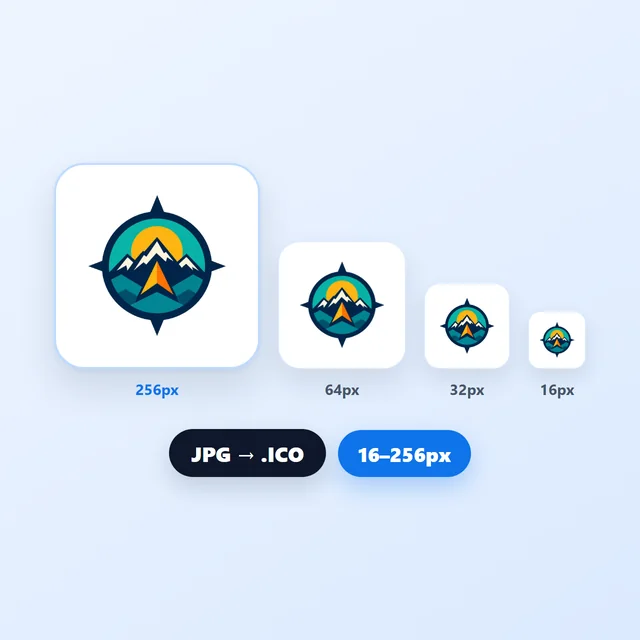
Simply renaming a JPEG extension to .ico breaks Windows Explorer and browser tabs. This jpg to ico converter builds a genuine multi-frame ICO binary packing any mix of 16, 24, 32, 48, 64, 128, and 256 px, using 32-bit RGBA BMP frames for legacy slots and PNG-compressed 128 and 256 px frames for modern high-DPI displays.
JPG photos never store transparency on their own, which often leaves harsh rectangular boxes on desktop shortcuts. Apply a smooth 20% rounded-square mask or crisp circle mask right inside the studio to carve genuine transparent outer corners directly into your finished .ico file.
Camera photos and banner logos are rarely 1:1 squares. Pick Fill square (Cover) to zoom symmetrically edge to edge for portraits and badges, or switch to Contain with optional padding and a white or custom color fill so wide graphics sit cleanly without cropping.
Shrinking a 2000 px photograph down to a tiny 16x16 icon with naive resizing blurs strokes and introduces muddy dark fringes around rounded corners. Our exact area-averaged premultiplied resampler keeps miniature taskbar and browser-tab icons crisp and halo-free.

See how your icon actually reads before you save it. The workspace renders a real-time browser tab mockup next to an actual-size strip of every selected resolution, plus a ready-to-copy HTML snippet and an optional multi-file Favicon Kit ZIP.
Unreleased software icons, personal portraits, and internal company emblems remain strictly on your machine. Every resampling pass, shape mask, and ICO binary writes locally inside browser memory with zero remote uploads.
Five practical details that turn flat JPEG photographs into clean, recognizable Windows and web icons.
Windows renders icons at dramatically different dimensions across the interface: 16x16 in Explorer detail lists, 24x24 and 32x32 on taskbars and shortcuts, 48x48 on desktop tiles, and up to 256x256 in extra-large folder views and HiDPI monitors. Packing all seven sizes into one file lets Windows pick an exact pre-sampled bitmap for every slot instead of crudely stretching a single image. That is why every serious jpg to windows icon workflow exports a multi-frame container.
Because JPEG does not support an alpha channel, a raw photo converted straight to a square icon can look boxy against colorful Windows wallpapers or dark browser toolbars. Switching the Shape control to Rounded (a balanced 20% corner radius) or Circle masks the outer corners to true 32-bit transparency inside the ICO frames. Combine that with Fill square framing so portraits or product photos fill the silhouette cleanly.
When you convert JPEG to ICO from a rectangular company badge or wide wordmark, edge-to-edge cropping cuts off letters. Switch Image fit to Contain so the full graphic scales proportionally inside the square frame, then add 4% to 10% padding and a matching white or custom hex background. Want to trim extra blank space around your JPEG before generating the icon? Frame it tightly first in Crop Image.
Busy photographic backgrounds and thin hairline text vanish completely once shrunk to a 16x16 pixel grid. Always inspect the 16x16 and 32x32 tiles inside the live preview strip and browser tab mockup before exporting. High-contrast central subjects, bold monograms, and clean color separation stay recognizable even across dozens of open tabs. Starting from a transparent cutout logo instead of a photo? Our PNG to ICO and SVG to ICO converters preserve native alpha and vector edges.

To apply your finished jpg to windows icon file on Windows 10 or 11, right-click any folder, open Properties, visit the Customize tab, click Change Icon, and browse to your saved .ico file (keep the .ico stored in a permanent folder so Windows always finds it). Building icons for a website instead of desktop shortcuts? Click Download Favicon Kit (ZIP) right here or visit our full Favicon Generator for Apple Touch, Android, and HTML head tags.
Practical desktop customization, app packaging, and web publishing tasks built around fast JPEG-to-ICO conversion.
Turn favorite cover art, family snapshots, or project artwork into custom Windows folder and shortcut icons that look sharp across taskbar, desktop, and File Explorer views.
Use this browser icon studio to package high-resolution JPEG emblem renders into compliant multi-size .ico application resources ready for Windows installers and executables.
Convert JPEG to ICO from an existing brand avatar or square photo to generate a crisp 16, 32, and 48 px favicon.ico plus copy-ready HTML tags in seconds.
Create crisp rounded or circular intranet shortcuts, desktop web-app launchers, and branded utility icons locally in the browser with zero external uploads.
Straight answers about multi-size Windows ICO standards, rounded transparency masks, framing rectangular photos, and browser privacy.
Drop your JPG or JPEG picture into the studio at the top of this page, pick Windows (all 7 sizes) or Favicon (16, 32, 48 px), adjust shape, fit, or padding while watching the live previews, and click Download .ICO. Everything runs free locally with no signup.
Yes. Even though JPG files never carry an alpha channel on their own, selecting Rounded or Circle under Icon shape applies an anti-aliased alpha mask around your photo, writing genuine 32-bit transparent outer corners directly into the exported .ico file.
You can pack any mix of 16, 24, 32, 48, 64, 128, and 256 px into one .ico container. The Windows preset selects all seven resolutions for full desktop coverage, Favicon selects 16, 32, and 48 px, and 256 px exports a single high-res frame.
Choose Fill square (Cover) to scale and center-crop your photograph symmetrically to fill the square, rounded, or circle mask edge to edge. Choose Contain to fit the entire rectangular image inside the canvas with zero cropping, optionally framed by padding and a solid background.
No. Every decoding step, premultiplied area-averaged resize, shape mask, and Windows ICO binary assembly executes completely inside your browser tab's local memory. Your private photographs, portraits, and unreleased logos stay strictly on your own computer from start to finish.
Windows expects a genuine ICO header directory pointing to 32-bit RGBA bitmap frames (16 to 64 px) and PNG-encoded high-resolution frames (128 and 256 px). Simply changing .jpg to .ico leaves raw JPEG data inside, which Windows cannot parse as a system icon.
Yes. Beyond standalone .ico export, clicking Download Favicon Kit (ZIP) packages a complete web bundle containing favicon.ico, 16x16 and 32x32 PNG icons, a 180x180 Apple Touch icon, 192x192 and 512x512 Android icons, site.webmanifest, and copy-ready head-tags.html.
Starting with a clean JPG of at least 256x256 px (or 512x512 px when you also want a complete website favicon kit) gives our premultiplied area-averaged resampler rich pixel data to downscale cleanly across every smaller frame down to 16x16 px.
Drop your JPG or JPEG image, preview every Windows icon size from 16 to 256 px live, and save a crisp multi-size .ico file privately in your browser.
Choose a JPG image