Brand emblem logo (JPG)
Traced with the Logo preset at 6 colors to turn a compressed JPEG emblem into clean flat vector paths ready for scaling.
Convert JPG to SVG free right inside your browser with live before-and-after inspection. Trace raster logos, ink sketches, and illustrations into editable vector paths with tuned presets, one-click white background removal, and an interactive palette editor that keeps every file private on your device.
Open any sample picture in this JPG to SVG studio to test Logo, Line art, and Photo poster presets, drag the compare slider, and edit vector colors live.
Traced with the Logo preset at 6 colors to turn a compressed JPEG emblem into clean flat vector paths ready for scaling.
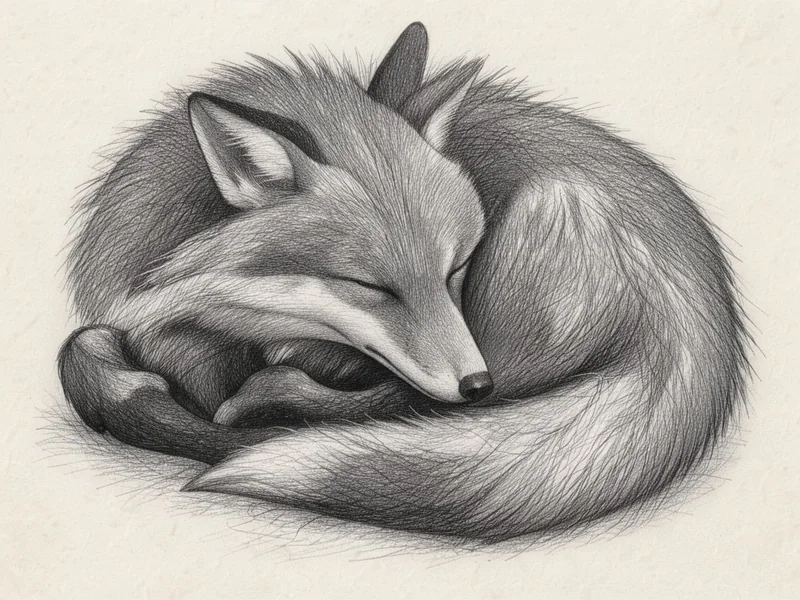
Uses the Line art preset with adjustable threshold to capture crisp monochrome strokes for decals, engraving, and prints.
Applies the Photo poster preset at 12 colors to transform a colorful JPEG artwork into layered, recolorable vector shapes.
Turn raster pixels into scalable vector paths without installing desktop suites.
Drag a JPG, JPEG, PNG, or WebP picture (up to 40 MB) onto the tracer, or load a built-in sample. Tracing begins immediately in your browser without uploading your artwork.
Select Logo & illustration, Line art, Photo poster, or Cutting machine, then dial in Colors, Detail, Curves, and Remove white background. Click palette swatches to recolor, merge similar tones, or delete background layers.
Drag the live before-and-after slider to check path accuracy, inspect color and path counts, and click Download SVG, Copy SVG code, or Download PNG.
Purpose-built vector tracing controls that tame JPEG compression noise and output lightweight, clean vector paths.
A monochrome sketch needs different tracing math than a six-color emblem or vinyl decal. Pick Logo & illustration for flat fills, Line art with a Line weight slider for ink strokes, Photo poster for multi-tone art, or Cutting machine for closed shapes ready for Cricut and plotters.
JPEG compression adds subtle color mottling around edges that can split one hue into two near-identical shades. Our palette lets you click any swatch to recolor a vector layer, merge close shades into their nearest neighbor, or delete a color completely to punch clean transparency.
Standard JPG files cannot store transparent backgrounds, leaving white boxes behind logos and stamps. When our tracer detects a white perimeter, toggle Remove white background in the toolbar to strip the backdrop out automatically so your vector floats cleanly anywhere.
Judge every tweak immediately over a transparency checkerboard with the draggable compare slider. Real-time stats display exact color layers, path count, file size in KB, and trace time so vectors stay lean for both websites and cutting machines.

Download a standards-compliant .svg file, copy raw markup to your clipboard, or export a crisp PNG. One click sends spot-color jobs straight to Color Separation, and for intricate images with tiny lettering you can optionally pass the file to our AI vectorizer for redrawn curves.
Every browser trace runs directly on your machine with zero uploads, no account required, and no watermarks. Client logos, craft templates, and unpublished brand marks remain strictly under your control from start to finish.
Five proven techniques for crisp, lightweight vectors from compressed raster graphics.
JPEG files compress gradients and sharp edges in 8x8 pixel blocks, leaving faint halo speckles around letters and shapes. When you turn JPG into SVG for a flat logo or badge, start with the Logo preset and set Colors to match the real ink count (often 2 to 6 colors). Fewer layers fold compression noise back into solid vector shapes with much smaller file sizes.
Scanned sketches, handwritten signatures, and rubber stamps rarely have pure black ink on pure white paper. Switching to Line art unlocks the Line weight threshold slider (20 to 235), pulling pale paper texture cleanly to white while thickening delicate strokes into solid, connected SVG paths that print and engrave cleanly.
Cutting machines follow every corner along a vector path; jagged nodes slow blades and lift vinyl edges. Choose the Cutting machine preset with Low or Medium detail and Balanced or Smooth curves when you convert JPG to SVG for decals, apparel, or laser cuts. For dedicated multi-layer craft prep, see our SVG for Cricut workflow too.
Because every JPEG begins opaque, turning on Remove white background deletes the outer paper box in one click without manual node editing. If a pale grey fringe remains around an edge, click its remove icon inside the Palette panel to clear that layer, or merge it into the neighboring brand color.
Local browser tracing shines on logos, icons, typography, cartoons, silhouettes, and flat art. If you already have a lossless transparent graphic, use PNG to SVG to avoid JPEG block noise altogether. Need transparent raster cutouts or spot-color print plates instead? Jump directly to JPG to PNG or Color Separation.
Creative, craft, and production workflows powered by fast JPEG to SVG tracing.
Build clean cut files for vinyl decals, iron-on shirts, paper stencils, and laser engraving with tidy closed paths and minimal stray nodes.
Use this JPG to SVG converter to rescue low-resolution client logos into scalable vectors for large banners, embroidery references, packaging labels, and screen-print artwork.
Turn flat badges and UI illustrations into lightweight inline SVG markup that stays razor-sharp on retina screens and recolors easily in CSS.
Scan ink drawings or hand-lettered phrases as JPG photos, trace them with Line art mode, and export crisp editable paths ready for refinement.
Answers about vector tracing quality, transparency, cutting machines, and privacy.
Drop your JPG or JPEG file into the studio above, choose a preset like Logo, Line art, Photo poster, or Cutting machine, adjust colors and curves, and click Download SVG. Everything runs free in your browser.
Yes. When your image has a white background, enable Remove white background in the toolbar, or remove the white swatch in the Palette panel to export a transparent SVG.
Yes. Choose the Cutting machine preset to build simplified, closed vector shapes grouped cleanly by color layer so vinyl cutters follow smooth paths without ragged micro-cuts.
Yes. JPG and JPEG are identical formats with different file extensions. Our JPG to SVG converter opens both alongside PNG, WebP, GIF, BMP, and AVIF.
No. Local JPEG to SVG tracing, palette edits, and SVG downloads run completely on your device. Nothing leaves your browser unless you click the optional AI vectorizer button for intricate artwork.
SVG builds pictures from mathematical shapes filled with flat colors rather than millions of pixels. Logos, sketches, icons, and cartoons vectorize sharply, while camera photos take on a stylized poster look.
Yes. The Palette panel lists every traced color. Click any swatch to pick a new hex color, merge close shades together, or delete a swatch to leave that area transparent.
Try High detail and Sharp curves first. If heavy compression still blurs tiny lettering or intricate lines, click Vectorize with AI to pass the picture to our server-side AI vectorizer for redrawn curves.
Drop your JPG file, preview crisp vector paths live, edit your palette, and download clean SVG code free in your browser.
Choose a JPG image