What Is a PSD File? PSD Format, Layers and How to Open It
What is a PSD file? Photoshop's layered file format explained: what a PSD holds, PSD vs PNG, JPG and PSB, and how to open, convert or make one for free.
 ImageToPsd.AIPublished Nov 8, 2026
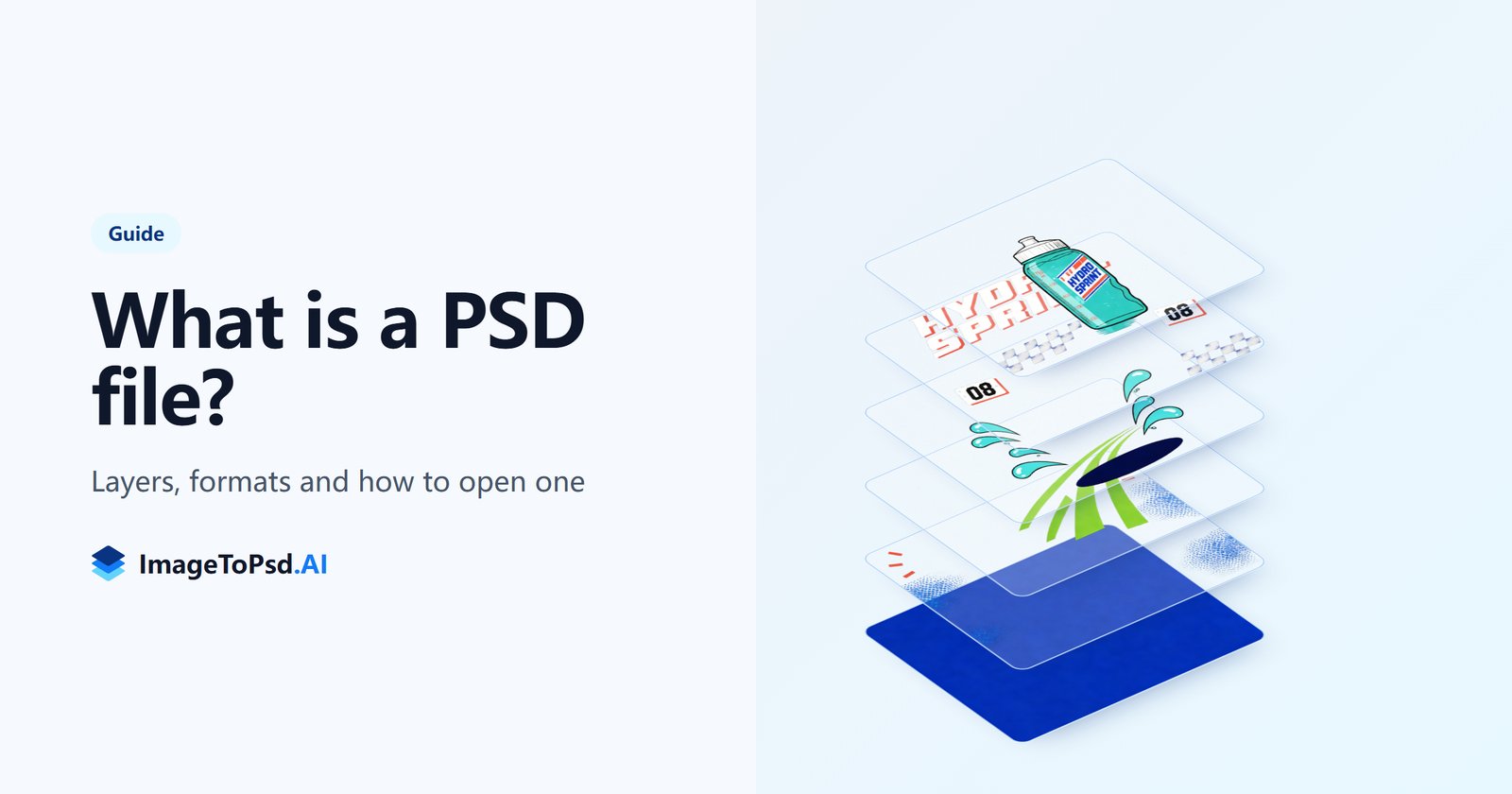
What is a PSD file? A PSD file is a Photoshop document: the layered file format Adobe Photoshop saves its work in. Instead of one flat picture, a PSD keeps every part of a design on its own layer, so text, photos, shapes and effects stay editable after you save. This guide explains what a PSD holds, how the PSD file format compares with PNG, JPG and PSB, and how to open, convert or make a PSD file without Photoshop.
Short answer: PSD stands for Photoshop Document. It is Photoshop's native file format (the .psd extension), used since the first version of Photoshop in 1990. A PSD stores layers, masks, text, adjustment layers and effects, plus a merged copy of the picture, so the design can be changed later. Browsers and social apps cannot show a PSD, so you share a PNG or JPG made from it. To look inside a PSD file without Photoshop, drop it into our free PSD viewer.
What does PSD stand for?
PSD stands for Photoshop Document. It is the file type Photoshop picks by default when you save, and the file name ends in .psd. The format began with Photoshop 1.0 in 1990 and has grown with every version since, which is why a PSD made today still opens in old and new versions of Photoshop alike, with newer features simplified in older ones.
A few technical facts about the PSD file type, useful when a system or a developer asks for them:
- Extension: .psd (and .psb for large documents).
- MIME type: image/vnd.adobe.photoshop.
- Signature: every PSD file starts with the four letters 8BPS.
- Kind of file: a raster image with layers; text, shapes and paths inside it stay vector.
What is inside a PSD file?
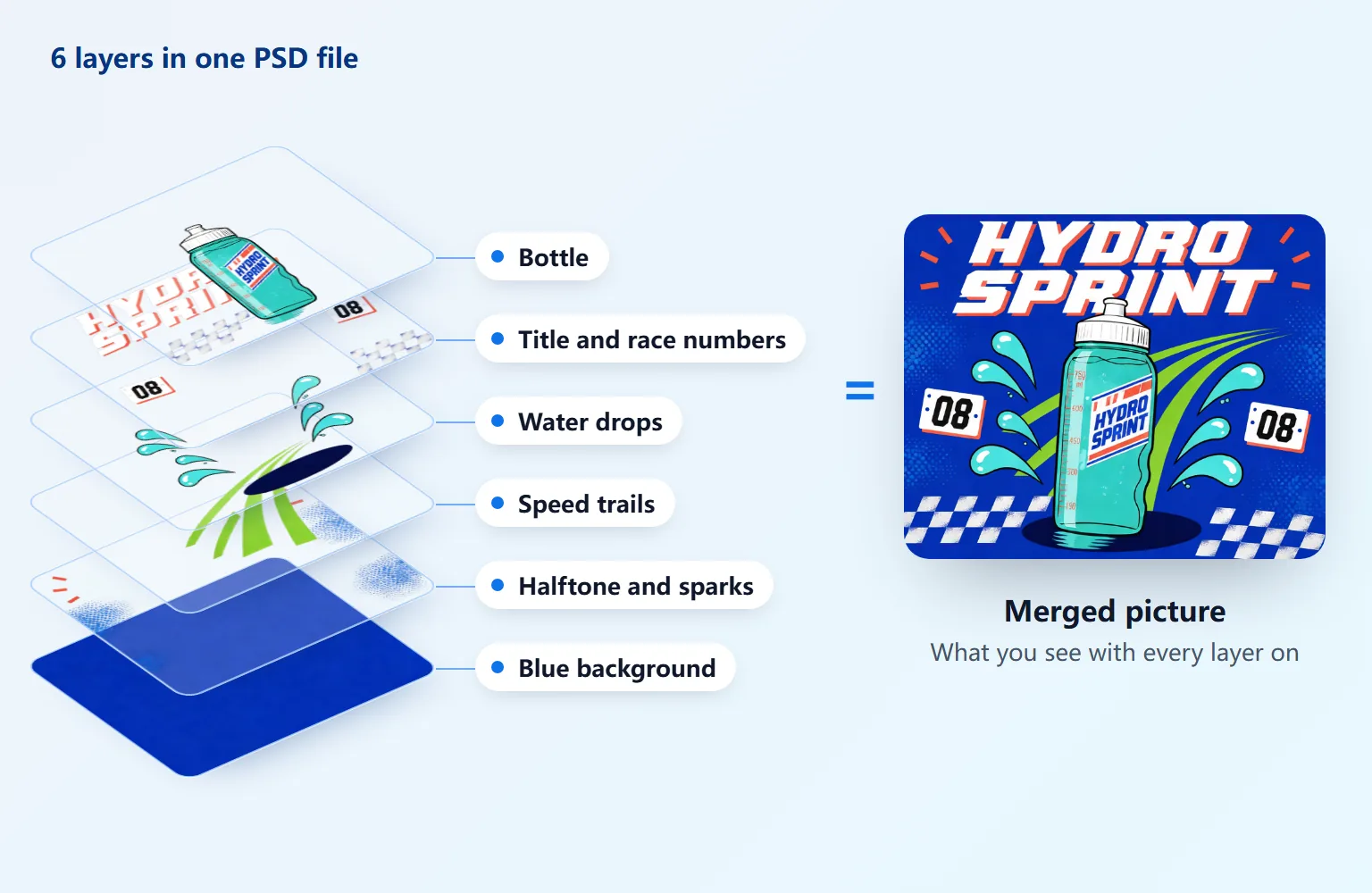
A PSD is a stack of layers. Photoshop draws them from the bottom up, and the merged picture is what you see when all of them are on. The poster above is a real PSD with six layers; hide the bottle layer and only the bottle disappears. Here is what a PSD file can hold:
- Pixel layers: photos, painted areas and cut-out objects, each on transparency.
- Type layers: live text with its font, size and spacing, editable at any time.
- Shape layers and paths: vector outlines that stay sharp at any size.
- Smart objects: an embedded or linked file (a photo, a vector logo, even another PSD) that can be resized without losing quality.
- Adjustment and fill layers: color, brightness or curves changes that sit on top of other layers without touching their pixels.
- Masks: layer masks and vector masks hide parts of a layer; clipping masks show one layer only inside another.
- Blend modes, opacity and layer styles: how layers mix (Multiply, Screen, Overlay and the rest), plus effects like drop shadows and strokes.
- Groups: folders that keep related layers together.
- Channels, guides and color profile: alpha and spot channels, the document's resolution, color mode and embedded profile.
- A merged picture: when Maximize Compatibility is on, the file also stores one flat copy of the whole design, which is what previews and other apps show.
That last point explains a common surprise: a PSD saved without Maximize Compatibility holds its layers but no ready picture, so system previews show it blank. Our PSD viewer rebuilds the picture from the layers when that happens.
What is a PSD file used for?
The PSD file format is a working file: the version of a design you keep so you can change it later.
- Design work: social posts, ads, posters, banners, packaging and app screens, where the text, prices and products change from one version to the next.
- Photo retouching: edits on separate layers and masks, so the original photo stays untouched underneath.
- Print: PSD files can be CMYK at 300 DPI or more, ready for a print shop.
- Templates and mockups: a PSD template lets anyone swap the text or drop a new picture into a smart object.
- Handoff: a designer sends the PSD so a developer, a printer or another designer can take each layer out.
When the work is finished, you export a copy for its destination: PNG or JPG for the web and social media, PDF or TIFF for print. The PSD stays as the editable original.
PSD file format specs
| PSD | PSB (Large Document Format) | |
|---|---|---|
| Extension | .psd | .psb |
| Largest size | 30,000 × 30,000 pixels | 300,000 × 300,000 pixels |
| File size | up to 2 GB | past 2 GB |
| Layers, masks, text, effects | All | All |
| Color modes | RGB, CMYK, Grayscale, Lab, Indexed, Bitmap, Duotone, Multichannel | The same |
| Bit depth | 1, 8, 16 or 32 bits per channel | The same |
| Compression | Lossless | Lossless |
PSD vs PNG, JPG and TIFF
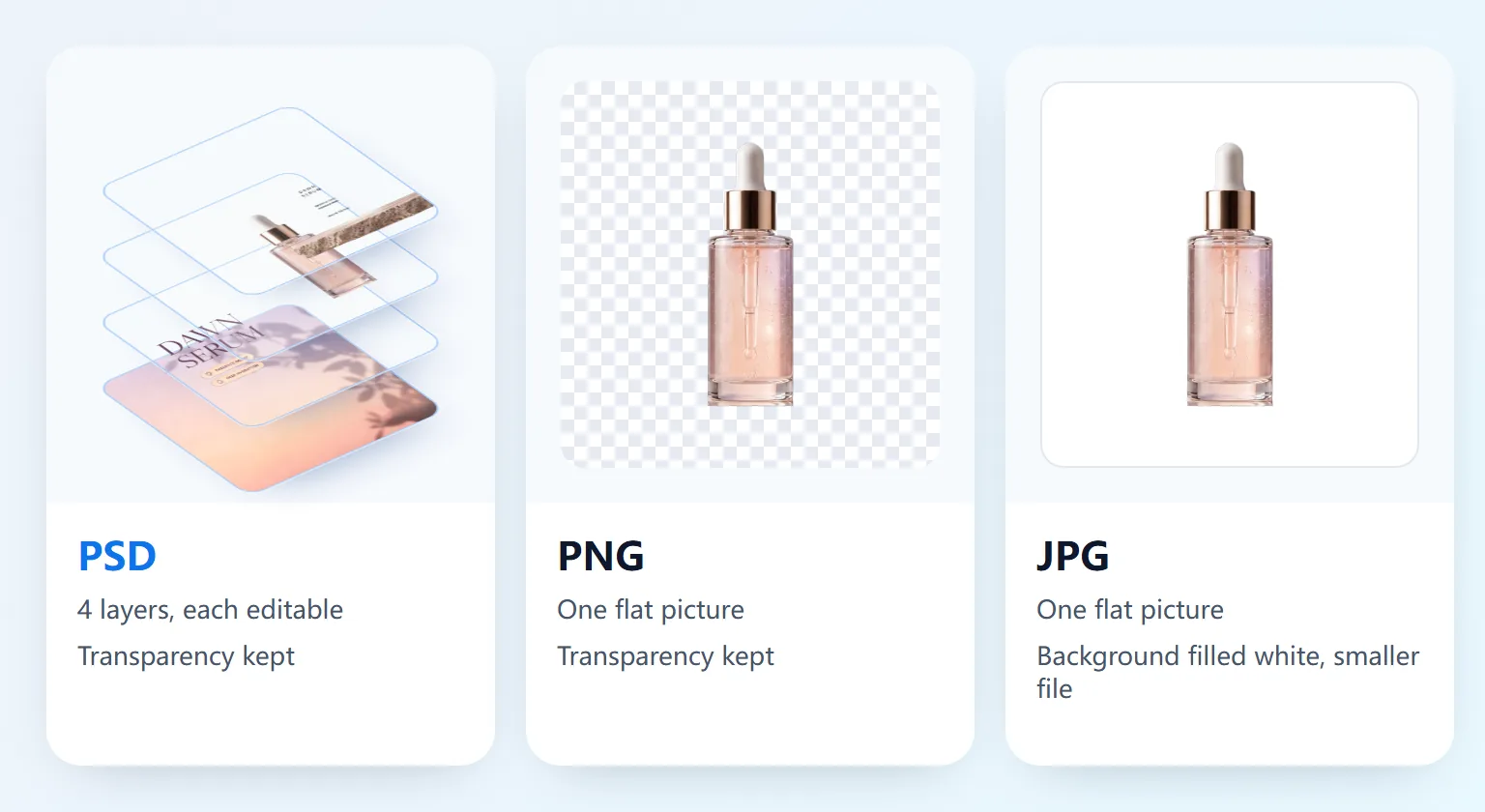
The difference between a PSD and other image files is the layers. PNG and JPG save one flat picture; a PSD saves the parts that make it.
| Format | Layers | Transparency | Compression | Best for |
|---|---|---|---|---|
| PSD | Yes, fully editable | Yes | Lossless | The editable original of a design |
| PNG | No, one flat picture | Yes | Lossless | Web graphics, logos, cut-outs, screenshots |
| JPG | No, one flat picture | No | Lossy (smaller files) | Photos to share and email |
| TIFF | Can keep layers | Yes | Lossless | Print and archives |
- PSD vs PNG: a PNG is the finished picture with transparency kept; the PSD is the editable design behind it. Export a PNG from a PSD when you need a logo or a cut-out on a website.
- PSD vs JPG: a JPG is smaller and opens everywhere, but it is flat, has no transparency and loses a little quality each time it is saved. Send a JPG; keep the PSD.
- PSD vs TIFF: Photoshop can save layers inside a TIFF, and print shops often accept TIFF. PSD keeps every Photoshop feature and is the safer choice while you are still editing.
What is a PSB file?
A PSB file is a Photoshop Large Document: the same layered format as a PSD, built for files that outgrow it. Photoshop asks you to save as PSB when a document is wider or taller than 30,000 pixels or the file would pass 2 GB, common with large prints, panoramas and billboards. Everything inside works like in a PSD: layers, masks, text and effects.
PSB files open in the same places as PSD files, our PSD viewer included (up to 500 MB per file). To turn a PSB file into a PSD, open it in Photoshop and save it as PSD; this works when the document fits the PSD limits.
How to open a PSD file
- In Photoshop: double-click the file. Photoshop opens every layer for editing, and so does Photoshop Elements for most of them.
- Without Photoshop, in a browser: drop the PSD file into our free PSD viewer. It shows the picture and every layer, lets you hide layers and read the fonts, and saves PNG, JPG or every layer as a ZIP. The file is read on your device and never uploaded. Our guide on how to open a PSD file without Photoshop covers Windows, Mac and phones step by step.
- In other image editors: GIMP, Krita and Affinity Photo open PSD files with their layers. Features unique to Photoshop, such as smart objects and some layer styles, may come through simplified.
- On a Mac: Preview and Quick Look show the merged picture of a PSD, without layers.
- In design apps: Illustrator and InDesign place a PSD in a layout and keep its transparency.
If a PSD opens blank or looks different from Photoshop, it was most likely saved without Maximize Compatibility; open it in the PSD viewer, which rebuilds the picture from its layers.
How to convert a PSD file to PNG or JPG
You need a PNG or JPG whenever a PSD has to go online, into an email or into a document. In Photoshop, use File, then Export, then Export As. Without Photoshop, our free converters do it in the browser, up to 50 files at once and without uploading anything:
- PSD to PNG: transparency kept, or every layer as its own PNG.
- PSD to JPG: pick the quality, background color and size.
- PSD to PDF: one page for the picture, or one page per layer.
How to make a PSD file from a picture
Saving a JPG or PNG as a PSD gives you a PSD file with one layer: the same flat picture in a new format. That is what PNG to PSD does in your browser for free, handy when a client or a template asks for a .psd file.
To get a PSD file with real, separate layers from a flat picture, use Image to PSD. Our AI splits the picture into its parts (the subject, the text, the background and the objects around them), fills in the background hidden behind each one and gives you a layered PSD file that opens in Photoshop: 2 to 8 layers from 6 credits, or the Pro tier for 20 credits.
FAQ
What does PSD mean?
PSD means Photoshop Document, the native file format of Adobe Photoshop. A file with the .psd extension is a layered image you can open, edit and save again without losing its layers.
What is the difference between a PSD and a JPEG file?
A PSD file keeps every layer, text and effect editable and saves without losing quality. A JPEG is one flat, compressed picture that opens everywhere and is much smaller. Designers keep the PSD and share the JPEG.
Is a PSD the same as a PNG?
No. Both keep transparency, but a PNG is one flat picture, while a PSD keeps the layers it was built from. You can save a PNG from any PSD in seconds with PSD to PNG.
Can I open a PSD file without Photoshop?
Yes. Open the free PSD viewer in any browser and drop the file in: you see the picture and every layer, with nothing to install and nothing uploaded. GIMP, Krita and Affinity Photo also open PSD files.
Can you turn a JPEG into a PSD?
Yes. PNG to PSD saves a JPG, PNG or WebP as a one-layer PSD for free. To split the picture into separate layers, use Image to PSD.
Is a PSD file a vector file?
A PSD file is a raster image: its picture is made of pixels. It can hold vector parts, such as type layers, shape layers and paths, which stay sharp when you resize them inside Photoshop.
How do I change a PSB file to a PSD?
Open the PSB in Photoshop and save it as PSD. This works when the document is no larger than 30,000 pixels on each side and the file stays under 2 GB; otherwise it has to stay a PSB.
Why can't I upload a PSD to a website or social media?
Browsers cannot display the PSD file format, so websites and social apps ask for JPG or PNG. Convert the PSD first with PSD to JPG or PSD to PNG.
Have a PSD file to look at right now? Open it in the free PSD viewer: every layer, nothing to install, and the file never leaves your device.