AI Poster Generator
Describe your poster, put its words in quotes and pick a type: the AI poster generator spells the title, date and place exactly as you wrote them. GPT Image 2.5 Flare by default.
Try one of these
- Text spelled as you write it
- Event, music, movie, sale and travel types
- 3 credits a poster by default
- No watermark, private history
How to make a poster with the AI poster generator
Three steps and about half a minute from an idea to a finished poster with the AI poster maker.
- 1
Describe it and quote the words
Write what the poster shows, then the exact text in quotes, such as "SUMMER SALE" or "NOV 8 · 8 PM". Add a product photo or a logo as a reference picture if it belongs on the poster.
- 2
Pick a type and a size
Choose Event, Music, Movie, Sale, Vintage travel or Minimal, or keep Any poster. Posters start at 2:3, the shape of a 24 × 36 inch print; 3:4, 4:5, 9:16 and square are one click away.
- 3
Generate, check, download
The poster appears in your history. Check the words, download the full image, or send it on to upscale it for print or to change a single word.
Posters made with this AI poster generator
Every poster below came from the prompt shown with it, made by the AI poster generator on GPT Image 2.5 Flare with the poster type named. Use an example to load its prompt, type and size, then change the words to yours.
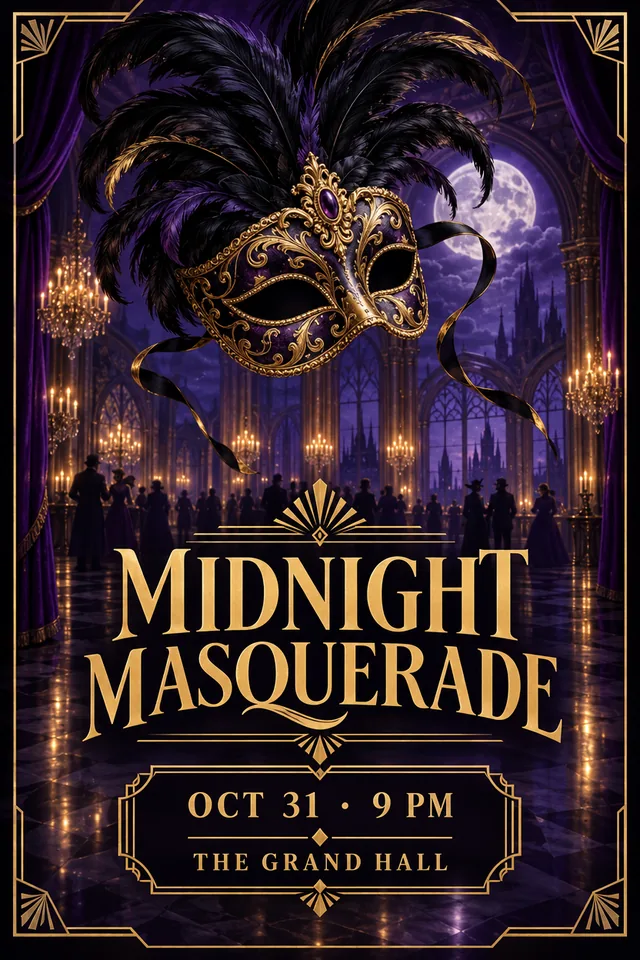 Event
EventHalloween masquerade party
A Halloween masquerade party: an ornate Venetian mask with black feathers floating over a moonlit gothic ballroom, deep purple, black and gold, art deco ornaments. "MIDNIGHT MASQUERADE" "OCT 31 · 9 PM" "THE GRAND HALL"
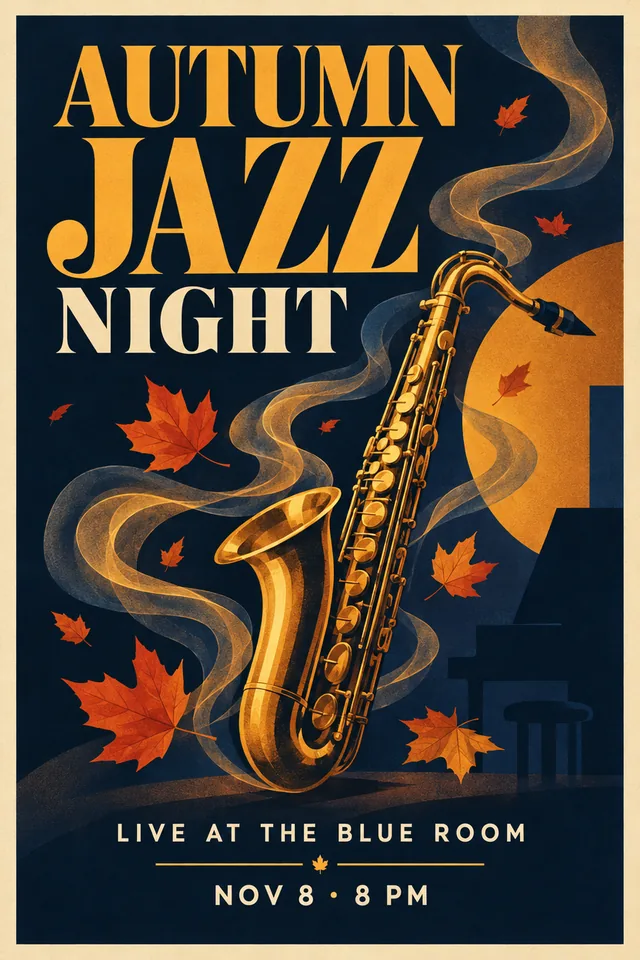 Music
MusicAutumn jazz night
An autumn jazz night: a golden saxophone wrapped in swirling smoke and falling maple leaves, warm amber and navy, mid-century modern style. "AUTUMN JAZZ NIGHT" "LIVE AT THE BLUE ROOM" "NOV 8 · 8 PM"
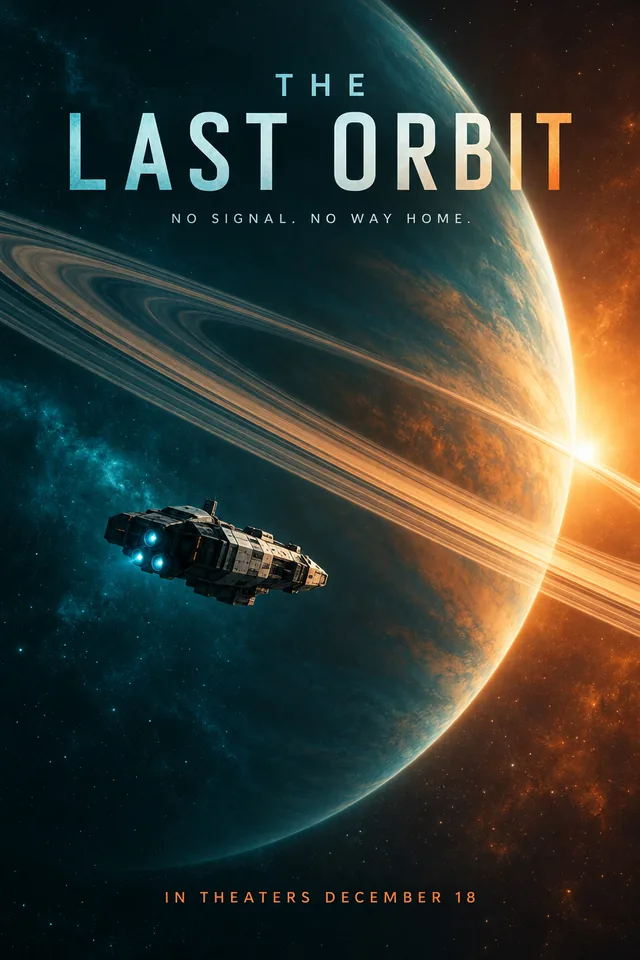 Movie
MovieScience fiction movie poster
A science fiction film: a lone spacecraft drifting past a giant ringed planet, teal and orange light. "THE LAST ORBIT" "NO SIGNAL. NO WAY HOME." "IN THEATERS DECEMBER 18"
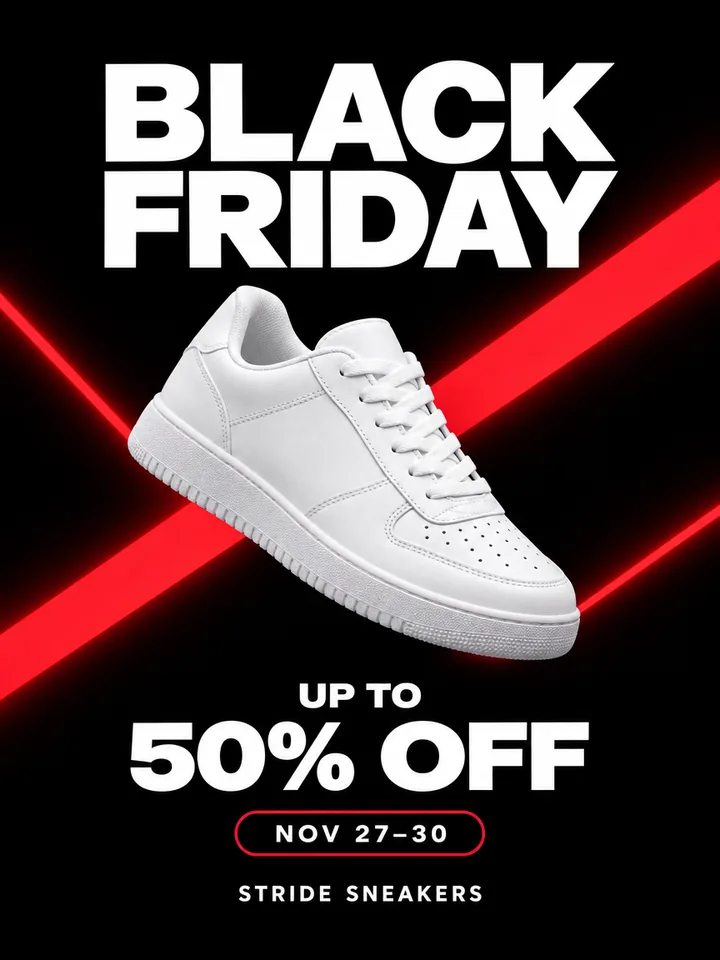 Sale
SaleBlack Friday sneaker sale
Black Friday at a sneaker store: one bold white unbranded sneaker with no logos, on black with neon red diagonal shapes. "BLACK FRIDAY" "UP TO 50% OFF" "NOV 27–30" "STRIDE SNEAKERS"
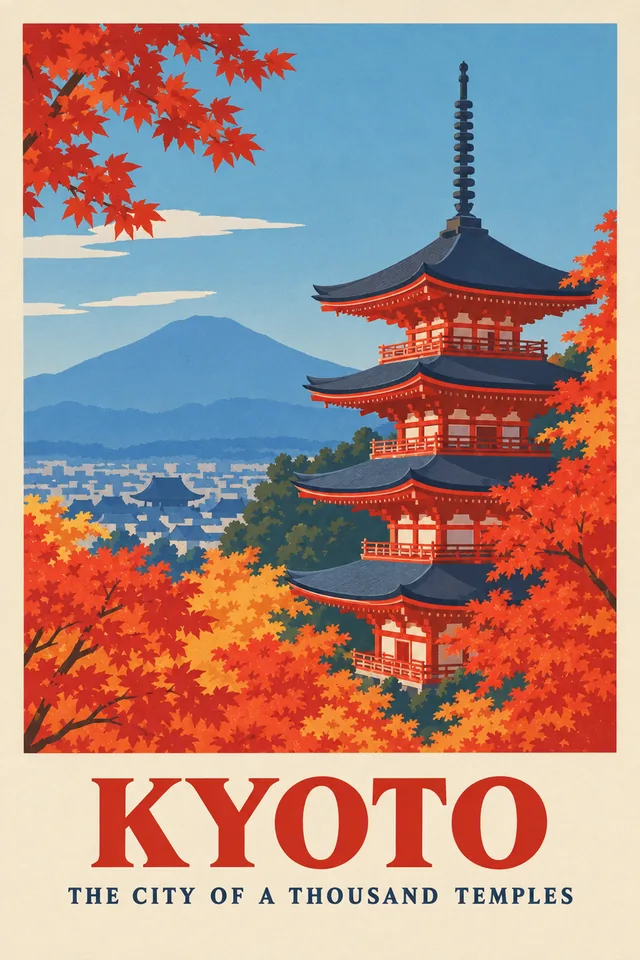 Vintage travel
Vintage Kyoto travel poster
Kyoto in autumn: a red pagoda among maple trees and a distant blue mountain. "KYOTO" "THE CITY OF A THOUSAND TEMPLES"
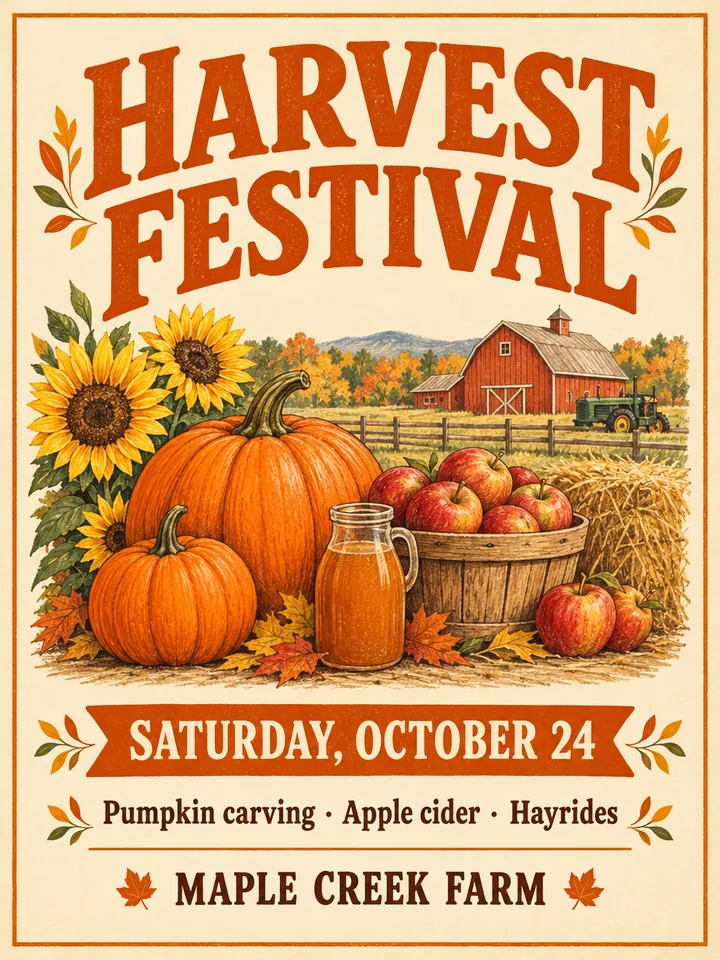 Event
EventFarm harvest festival
A fall harvest festival on a farm: pumpkins, apples and sunflowers, rustic hand-drawn style, warm orange and cream. "HARVEST FESTIVAL" "SATURDAY, OCTOBER 24" "Pumpkin carving · Apple cider · Hayrides" "MAPLE CREEK FARM"
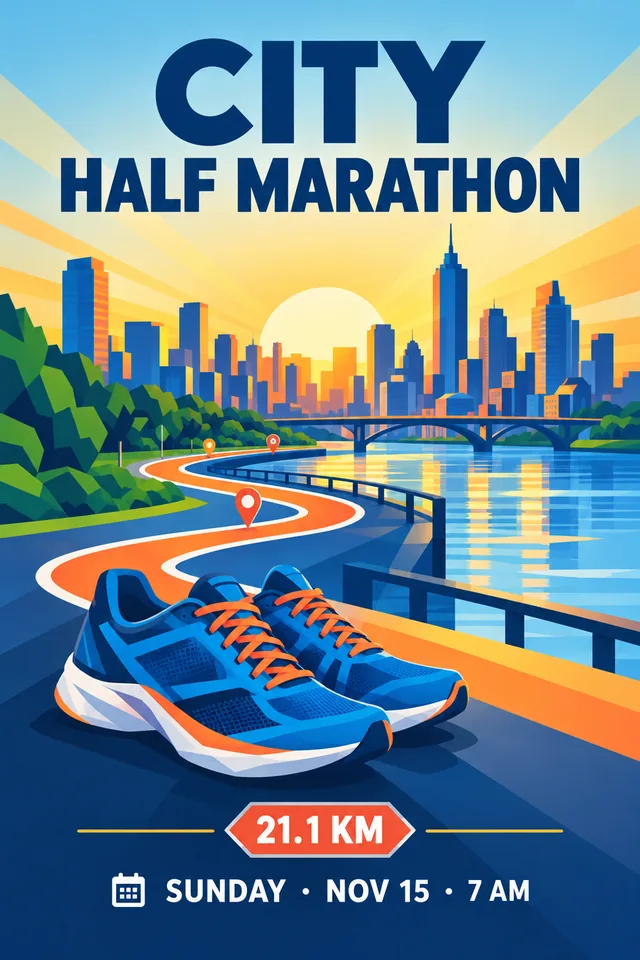 Event
EventCity half marathon
A city half marathon at sunrise: a route line winding through a skyline and a pair of running shoes, energetic geometric style, no people. "CITY HALF MARATHON" "SUNDAY · NOV 15 · 7 AM" "21.1 KM"
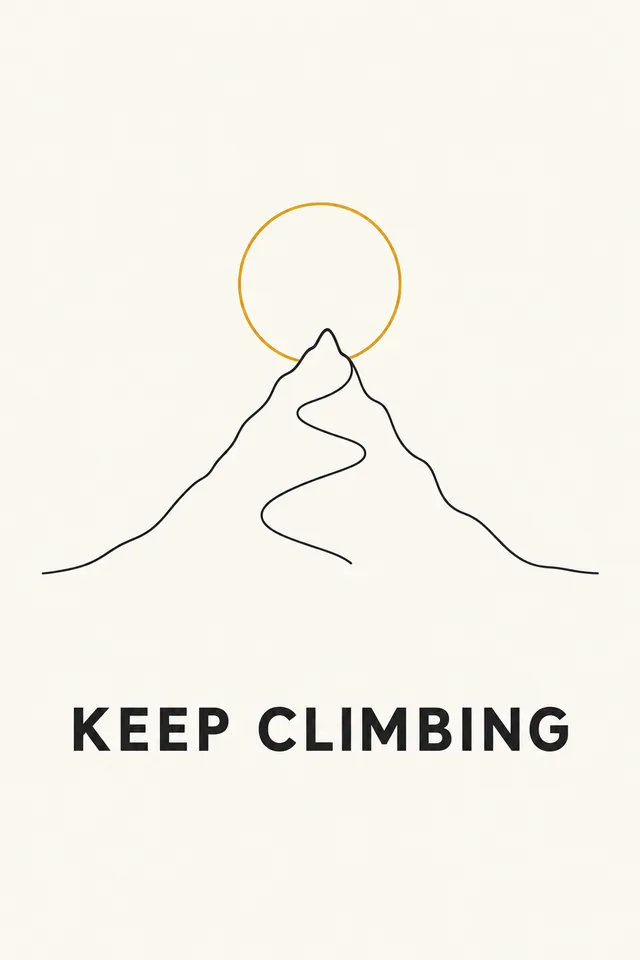 Minimal
Minimal motivational poster
A single mountain peak drawn in one continuous line with a rising sun circle, on off-white paper. "KEEP CLIMBING"
What the AI poster generator does well, and what is still hard
Text in AI images has come a long way, but it helps to know the limits before you print.
Works well
- Titles, dates, places and short lines of a few words each
- Bold layouts for events, music nights, sales and film key art
- Vintage, illustrated, photographic and minimal styles
- Your own product or logo added as a reference picture
Still hard
- Long paragraphs or small print, such as full terms and conditions
- An exact brand font: you get a close match, not the font itself
- Big prints straight from the model: about 1 MP, so upscale first
- Real brands, artwork or people you have no rights to
If one word comes out wrong, fix just that word in Edit text in image instead of making the whole poster again.
Why use this AI poster generator
Made for posters people print and share, not just pretty pictures.
Words spelled the way you wrote them
Quoted text goes to the model word for word with an instruction to add nothing else, and the default model, GPT Image 2.5, is one of the most accurate at lettering.
Poster types that know the layout
Each type adds its own design brief: an event poster makes the date and place easy to find, a sale poster puts the offer up front, a movie poster keeps the release line at the bottom.
Print shapes from the start
Posters start upright at 2:3, the shape of 24 × 36 and 12 × 18 inch prints, with 3:4, 4:5 and 9:16 for flyers, frames and phone stories.
Pick the model for each poster
GPT Image 2.5 is the default; switch to Ideogram 3, Nano Banana Pro or any of the 14 image models for another look. The price shows on the button first.
Your photo on the poster
Add a product shot, a venue photo or a logo as a reference picture and the AI poster maker builds the poster around it.
From poster to print
Send a result to the image upscaler for a bigger print, to Edit text in image to change a word, or to the background remover for a cutout.
Guide: great results from an AI poster generator
Five short notes on prompts, text, sizes and printing.
Write the poster prompt in two parts
First the picture: the subject, the mood and a style, such as "a golden saxophone in swirling smoke, mid-century modern". Then the words, each in its own quotes, in the order they should be read. The AI poster generator treats quoted text as the poster's copy and everything else as art direction.
Keep the words short
Titles of one to four words, a date line and a place come out right almost every time. Split long lines into several quoted pieces, write numbers the way they should appear, and type capitals if you want capitals. Leave out fine print and add it later in a design tool if you need it.
Choose the size before you generate
2:3 matches 24 × 36 and 12 × 18 inch posters, 3:4 fits 18 × 24, 4:5 fits 16 × 20 and 8 × 10 frames, and 9:16 is for phone stories. A4 and A3 paper are a little narrower than 3:4 (1:1.41), so keep some margin around the text and crop when you print.
Printing: upscale first
A poster from the model is about 1 megapixel, around 830 × 1250 pixels at 2:3. That is sharp on screens and fine up to about 4 × 6 inches on paper. For a wall poster, run it through the image upscaler: 4× gives about 3300 × 5000 pixels, enough for 11 × 17 inches at 300 DPI. The files are RGB; a print shop converts the colors.
Pick a model for the job
GPT Image 2.5 is the default because it spells reliably and follows a layout closely. Other models give other looks: Ideogram 3 is known for bold typography and Nano Banana Pro for rich, detailed scenes. Switch any time; each model shows its price before you run.
Who uses the AI poster generator
Anyone who needs a good looking AI poster today rather than next week.
Events and parties
Halloween parties, birthdays, school dances and open days, with the date and place spelled right.
Small business promotions
Sales, openings, new menus and seasonal offers for the window, the counter and social media.
Music, film and fan art
Gig posters, film nights and fan made movie posters: the Movie type works as a movie poster generator.
Classrooms and communities
Club notices, charity runs, farmers markets and community boards.
AI poster generator FAQ
Short answers to the questions people ask most.
Make your first poster with the AI poster generator
Describe it, quote the words, pick a type. Your poster is ready in about half a minute.