How to Open a PSD File Without Photoshop: PC, Mac, Phone
How to open a PSD file without Photoshop on Windows, Mac, iPhone or Android: free ways to see every layer, what each one misses, and why some PSDs open blank.
 ImageToPsd.AIPublished Oct 8, 2026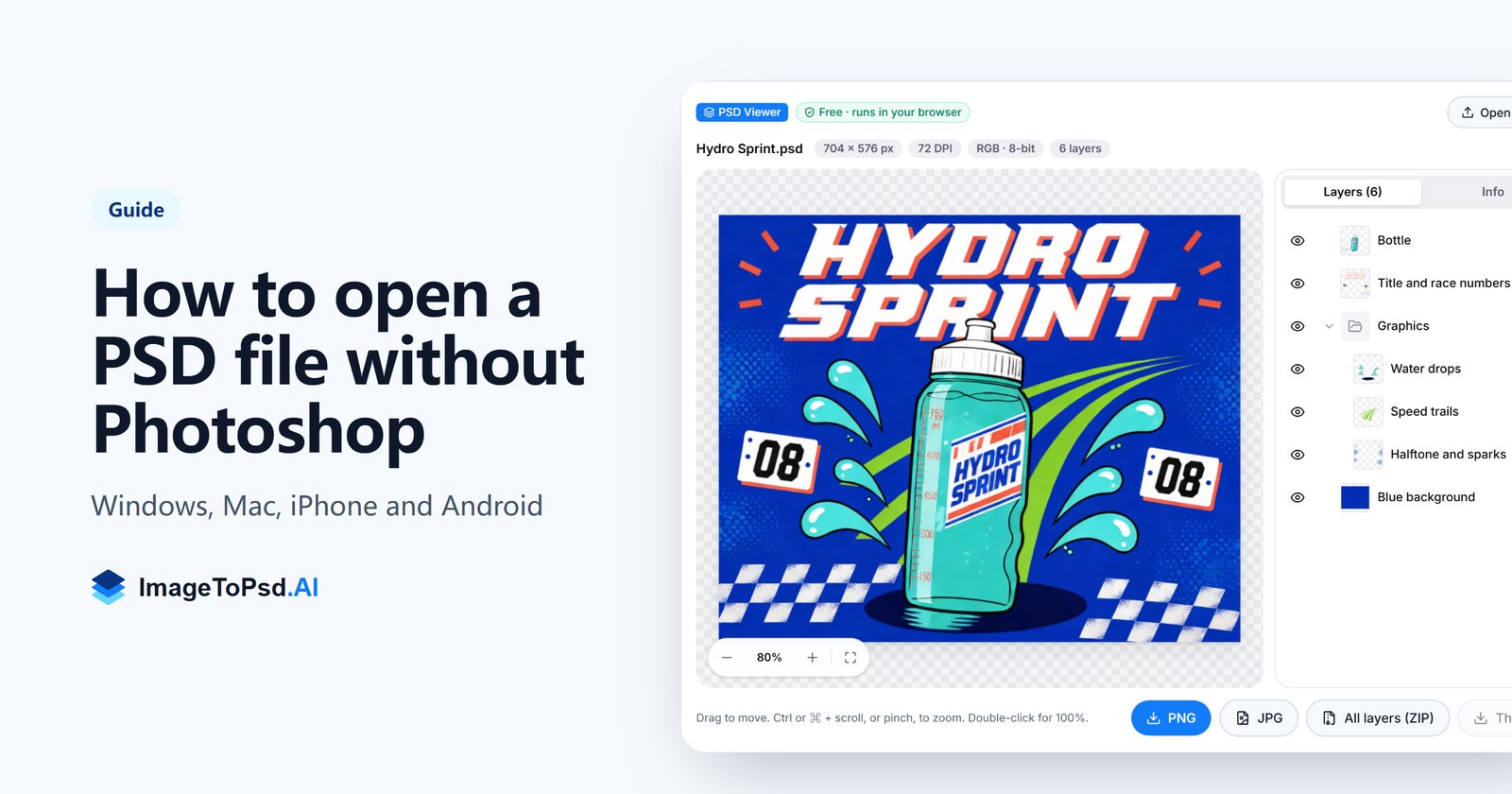
Here is how to open a PSD file without Photoshop on any computer or phone. PSD is Photoshop's own layered format, and many computers and phones can't show it without extra software. We make a free browser PSD viewer, so the first method below comes with the steps and timings from our own tests; the other options are checked against their makers' documentation.
Short answer: to open a PSD file without Photoshop, drop it into a free browser PSD viewer such as our PSD viewer. You see the picture and every layer, with no install, no sign-in and no upload. On a Mac, Preview also opens a PSD, but only as one flat picture. Windows has no built-in PSD support. To edit the layers, use a free editor such as Photopea, GIMP, Krita or Affinity.
Open a PSD file in your browser (any device)
When you open a PSD file in the ImageToPsd.AI PSD viewer, it is read inside your browser, so it works the same way on Windows, macOS, iPhone, Android and Chromebooks. The file is processed on your device and never uploaded. In our tests in a Chromium browser on a desktop PC, a 56 MB PSD opened in 0.33 seconds and a 176 MB file in 0.86 seconds.
Step 1: Drop the PSD into the viewer
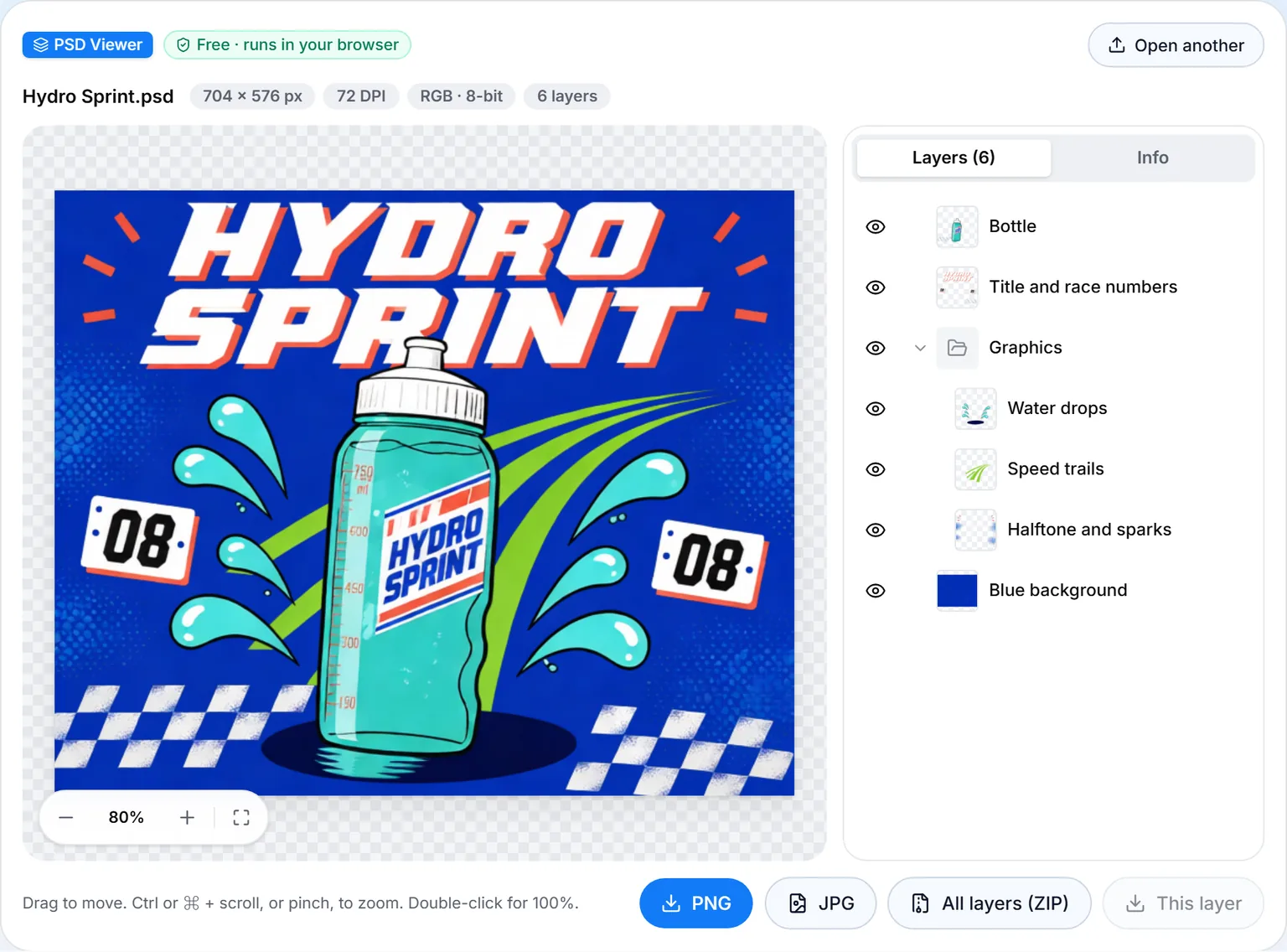
Drag the file onto the page or press Choose file. PSD and PSB files up to 500 MB open. No PSD at hand? Open one of the three samples. The screenshots here use Hydro Sprint, a 704 × 576 px poster with 6 layers.
Step 2: Check the layers
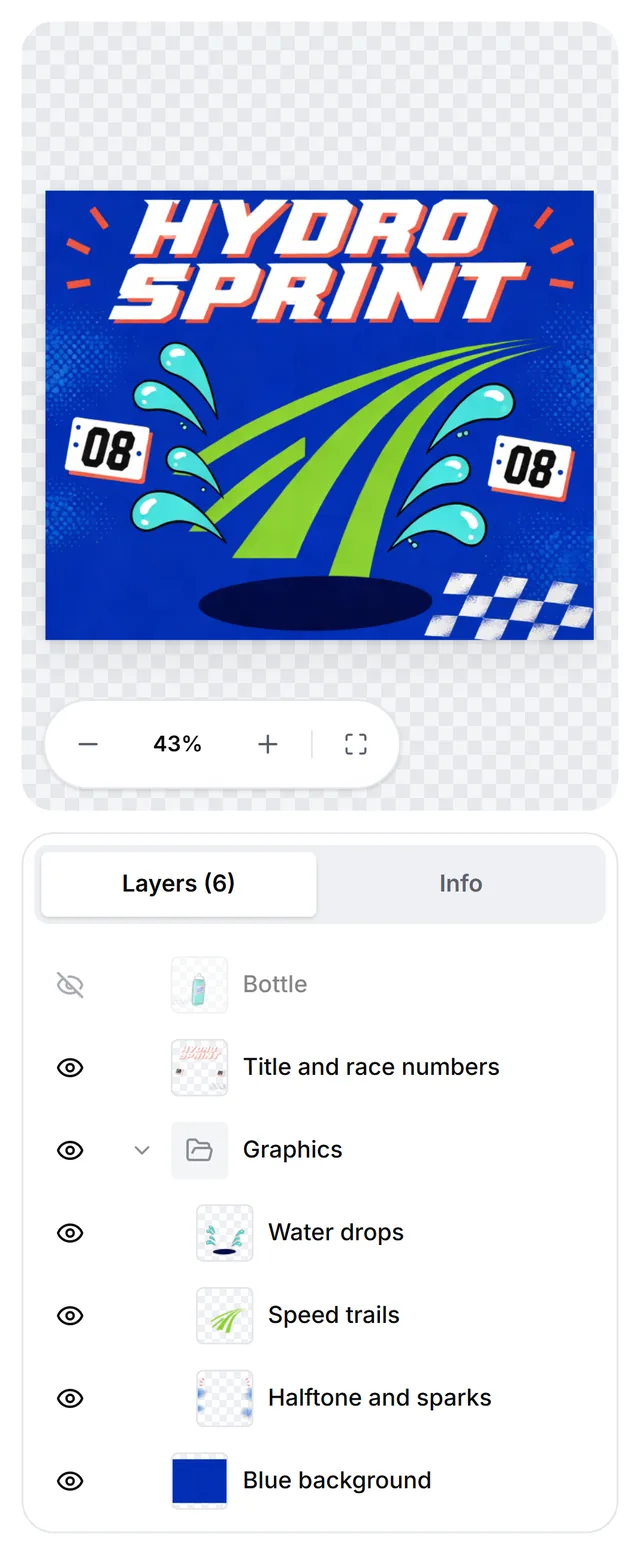
The Layers panel lists the layers from top to bottom, as Photoshop does, with thumbnails and folding groups. Small marks show type layers, smart objects, layer styles, masks and clipping. Click an eye to hide a layer and the picture is rebuilt from the visible layers at once. Zoom goes up to 1600%: hold Ctrl or ⌘ and scroll, pinch on a touch screen, or double click for 100%.
Step 3: Read the file details
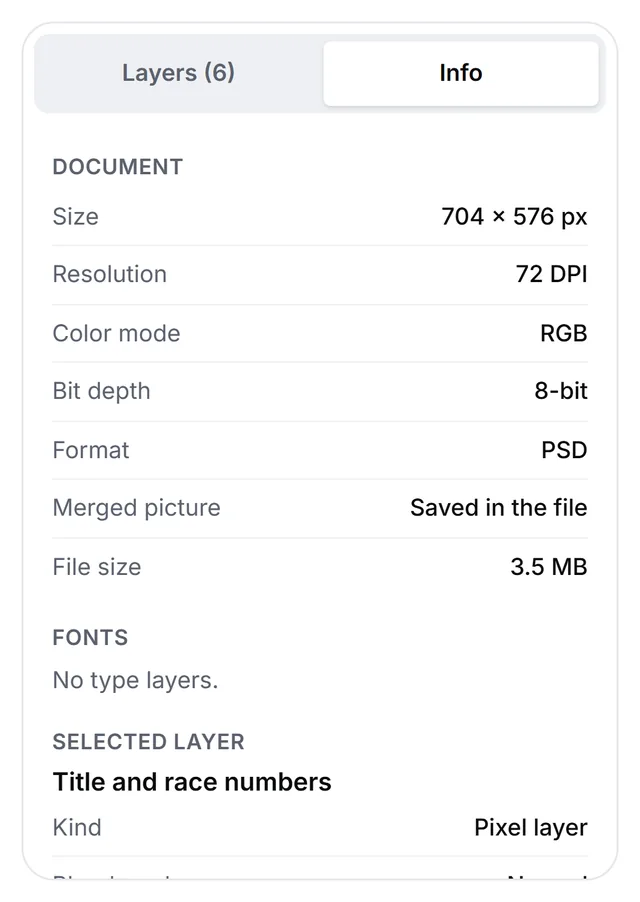
The Info tab shows the document size, resolution, color mode, bit depth and format, and whether Photoshop saved a merged picture in the file. It also lists the file size and every font the type layers use. Select a layer to see its kind, blend mode, opacity, fill, position and size; on a type layer you can copy the text.
Step 4: Save a PNG, a JPG or every layer
PNG keeps transparency. JPG has none, so the background becomes white. This layer saves the selected layer as a trimmed PNG, and All layers (ZIP) saves one canvas-sized PNG per visible layer, in folders by group, so the pieces line up again when stacked.
Ways to open PSD files compared
Every option below can at least preview a PSD; they differ in whether you see the layers and whether you can edit them. Facts about other apps were checked on their makers' pages on October 8, 2026.
| Option | Works on | Shows layers | Edits | What you need |
|---|---|---|---|---|
| ImageToPsd.AI PSD viewer | Any modern browser | Yes, show or hide each one | No, view and export | Nothing: free, no sign-in, file stays on your device |
| Photopea | Any browser | Yes | Yes | Nothing to install; free with ads |
| Preview | Mac | No, the finished picture only | No | Built in |
| Photos and Paint | Windows | No PSD support | No | Built in |
| GIMP 3.2 | Windows, Mac, Linux | Yes, some features change | Yes | Free download |
| Krita 5.3 | Windows, Mac, Linux, Android | Yes, some features change | Yes | Free download |
| Affinity | Windows, Mac | Yes | Yes | Free download and a free Canva account |
| Photoshop app | iPhone, Android phones | Yes | Yes | Adobe account; full PSD support needs a paid plan |
| Google Drive preview | Browser | No, a scaled-down preview | No | Upload to Drive with a Google account |
How to open a PSD file on Windows
Windows 10 and 11 have no built-in PSD support. Microsoft's format lists for the Photos app and for the image codecs built into Windows don't include PSD, and Adobe says Windows needs additional software to open them. What works:
- A browser. The PSD viewer runs in Edge or Chrome with nothing to install and shows every layer.
- A free editor. GIMP, Krita and Affinity all have Windows versions that read PSD layers (more below).
- OneDrive. Microsoft lists PSD among the file types OneDrive.com can preview, for images under 100 MB.
- Photoshop, if you have it: File > Open.
How to open a PSD file on a Mac
Macs can show a PSD out of the box: right click the file and choose Open With > Preview. Adobe confirms that Preview opens and views PSD files but can't edit them. In Finder you can also select the file and press the Space bar for a Quick Look preview. Preview has no Layers panel, so you only see the finished picture: you can't hide a layer, read layer names or check fonts. To save a copy, choose File > Export in Preview and pick PNG or JPEG. To see the layers, open the file in the PSD viewer in Safari or Chrome, or in GIMP, Krita or Affinity.
How to open a PSD file on iPhone, iPad or Android
On a phone, the browser is again the simplest way to open a PSD file. Open the PSD viewer in Safari or Chrome, tap Choose file and pick the PSD from your files, cloud drive or downloads. Pinch to zoom, drag to move, and tap an eye to hide a layer. Phones have less memory than computers, so the viewer warns you before it opens a file over 100 MB.
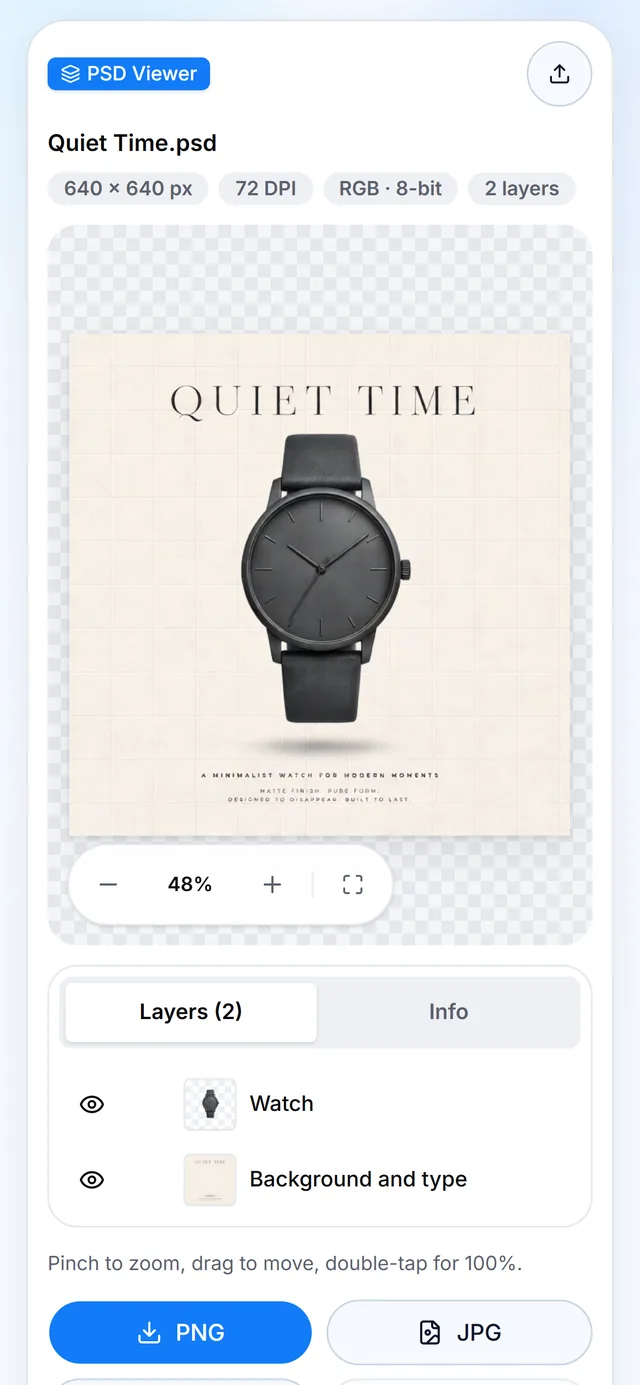
Other options on a phone:
- Photoshop for iPhone and Android. Adobe's Photoshop app is a free download that works with layers and the PSD format. You sign in with an Adobe account, and full support for opening and editing any Photoshop document is part of a paid plan. The Android version launched as a beta in June 2025 and, according to Adobe, isn't available on Android tablets or Chromebooks.
- Google Drive. Drive previews Photoshop files once they are uploaded, as a scaled-down flat picture.
Two apps that older guides suggest won't help: Photoshop Express lists only JPEG, PNG, TIFF and camera raw photos as supported files, and Adobe shut down Photoshop Mix after June 4, 2024.
How to edit a PSD file without Photoshop
A viewer is for looking and exporting. To change the layers without Photoshop, you need an editor that reads PSD. None of them handles every Photoshop feature, so keep the original file.
- Photopea runs in the browser and opens and saves PSD files with layers. Photopea says files open on your device and are never uploaded. The free version shows ads; a paid account removes them.
- GIMP 3.2 is free and open source for Windows, Mac and Linux. It imports PSD layers and, since 3.2, more layer styles such as drop shadows. Its manual warns that some PSD features are not loaded or look slightly different, and editable PSD text is still in development builds.
- Krita 5.3 is free and open source too. It loads raster layers, blend modes, layer styles, vector shapes, text, groups and transparency masks from PSD, and its documentation says no program outside Photoshop can support PSD 100%.
- Affinity has been free since October 29, 2025, on Mac and Windows, with a free Canva account. It opens PSD layers ready to edit; smart objects are rasterized by default, and a setting keeps text as text.
- Canva and Adobe Express import a PSD into their own editors. Canva takes files up to 300 MB and 300 image layers and may rasterize some elements; Adobe Express takes up to 500 MB, RGB only, and its layers may not match the original exactly.
Why a PSD file opens blank or looks different
A PSD holds the layers and, optionally, one finished picture of the whole document. Photoshop saves that picture when Maximize Compatibility is on; Adobe describes it as a composite version for apps that can't read layered images. Thumbnails, quick previews and many converters show only that picture, so when a file was saved without it, they show a blank or white image. In the public ag-psd test set we use, 18 of the 73 sample files have no merged picture, and 17 of them come out blank when only that picture is read.
Our viewer spots these files and rebuilds the picture from the layers, with a Rebuilt from layers label and a note under the picture. We checked the rebuild against Photoshop's own pictures on nearly 200 test files. Some effects may still look different from Photoshop: layer styles, adjustment layers, smart filters and feathered masks. The note under the picture names the ones the file uses.
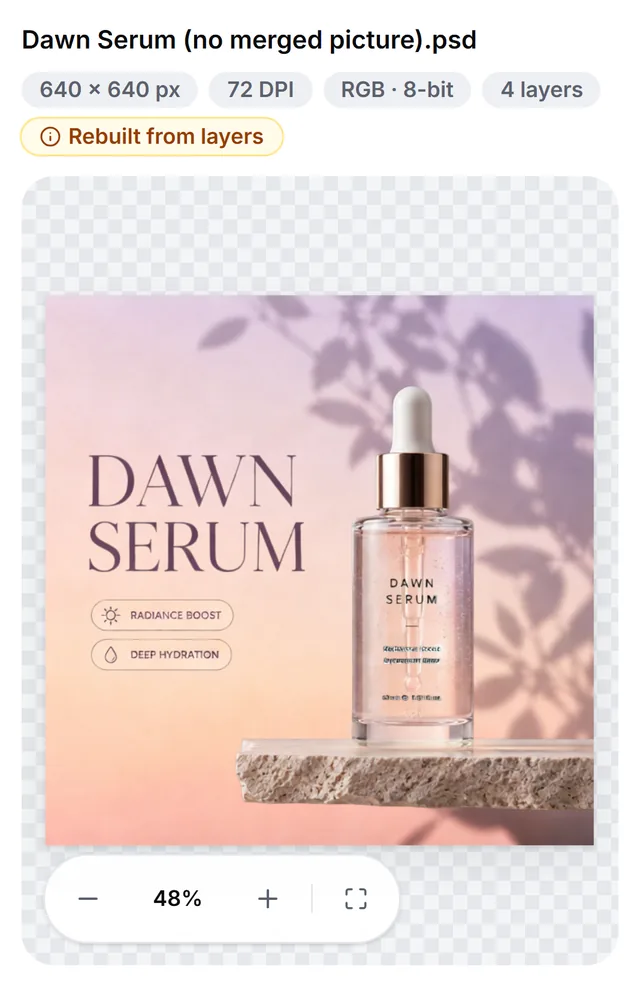
To fix the file for every app, open it in Photoshop, go to Edit > Preferences > File Handling (Photoshop > Preferences > File Handling on a Mac), set Maximize PSD and PSB File Compatibility to Always, and save it again.
Other reasons you can't open a PSD file, or it looks wrong:
- Different fonts. A PSD names its fonts, and the computer that opens it needs them; even Photoshop activates missing fonts from Adobe Fonts or asks you to replace them. Editors that redraw the text may pick another font. Our viewer shows the text as it was rendered in the file.
- Odd colors. CMYK files open in our viewer with approximate colors, converted by formula: fine for checking, not for print proofing. Lab, Duotone and Multichannel files don't open yet; convert them to RGB in Photoshop first. Exports are 8-bit.
- Very large files. A PSD can be up to 30,000 pixels a side and 2 GB; bigger documents use PSB, Photoshop's Large Document Format, up to 300,000 pixels. Our viewer opens PSD and PSB files up to 500 MB.
Save a PSD as PNG, JPG or PDF without Photoshop
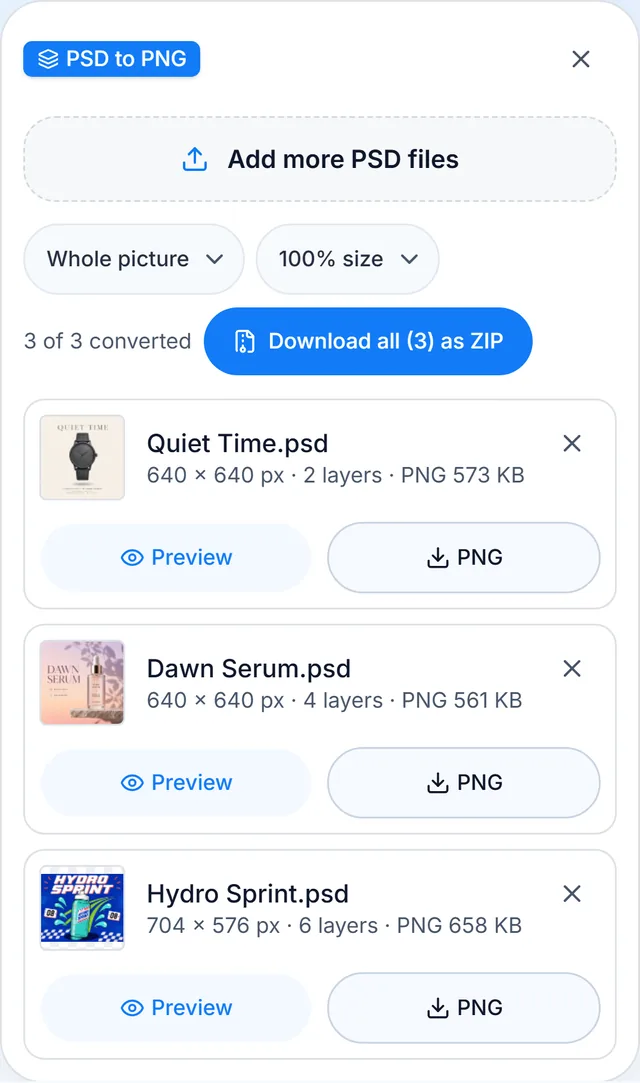
Often you only need the picture itself, in a format everyone can open. The same engine runs three free converters in your browser, with nothing uploaded:
- PSD to PNG: up to 50 files at once, transparency kept, the whole picture or one PNG per layer, all in one ZIP if you like.
- PSD to JPG: choose the quality and the background color that fills transparent areas.
- PSD to PDF: one page for the picture, one page per layer, or both, at original size, A4 or Letter.
Need the opposite, a flat picture turned into a layered PSD? The AI image to PSD converter splits it into editable layers. It is an AI feature that uses credits, unlike the free PSD tools above.
FAQ
What program will open a PSD file?
Photoshop and Photoshop Elements open PSD files, and so do four free options: Photopea, GIMP, Krita and Affinity. To only view a PSD, the free PSD viewer opens it in any browser, and Preview on a Mac shows the finished picture.
Can I convert a PSD file to JPG or PDF?
Yes. PSD to JPG and PSD to PDF convert PSD files in your browser, up to 50 at a time, with nothing uploaded. If the file is already open in the PSD viewer, the JPG button saves the current view.
Can I edit PSD files for free?
Yes. Photopea in the browser, and GIMP, Krita and Affinity on a computer, are free and edit PSD layers. Each one converts some Photoshop features differently, so check the text and effects before you send the file back.
Is there a version of Photoshop for Android?
Yes. Adobe released Photoshop for Android phones as a beta in June 2025. It is a free download from Google Play with some features in a paid plan, and Adobe says it isn't available on Android tablets or Chromebooks. To just view a PSD on Android, the browser viewer needs no app and no account.
What is the difference between PSD and TIFF?
PSD is Photoshop's own format and, with PSB, the only one that keeps every Photoshop feature. TIFF is an exchange format that nearly all image and layout apps read. Photoshop can keep layers in a TIFF too, but Adobe notes that many apps can't read that layer data and skip it.
How do I turn a picture into a PSD?
In Photoshop, open the picture and save it as PSD; you get a single layer. To split a flat picture into separate, editable layers, use our AI image to PSD converter. It runs on AI and uses credits, unlike the free PSD tools.
Have a PSD to check right now? Open a PSD file in the free PSD viewer: drop it in and see every layer, without Photoshop and without uploading anything.