AI Flyer Generator
Describe the flyer, put the date, place and phone number in quotes and pick one of 9 types: the AI flyer generator spells every detail exactly as you wrote it, on letter, A4 or half letter paper.
Try one of these
- Dates, places and phone numbers as written
- Letter, A4 and half letter, with a PDF
- From 3 credits a flyer
- No watermark, private history
How to make a flyer with the AI flyer generator
Three steps and about half a minute from the details you have to a flyer ready to print or post with the AI flyer maker.
- 1
Describe it and quote the details
Write what the flyer shows, then every detail in quotes, in reading order: the headline, the date and time, the place, the contact. Pick a type and an example draft fills in that you can change.
- 2
Pick a paper size
Letter (8.5 × 11 in), A4 or half letter (5.5 × 8.5 in): the flyer is drawn at that paper's own shape, not cropped from a square. For social posts, pick square, 4:5 or 9:16 instead.
- 3
Generate, check, download
The flyer appears in your history. Read every number once, download the PNG or the PDF at paper size, or send it on to change one detail or translate it.
Flyers made with this AI flyer generator
Every flyer below came from the prompt shown with it, its type and its paper, made by the AI flyer generator at High quality and read back word for word. The names, places and numbers are invented. Use an example to load it, then write in your own details.
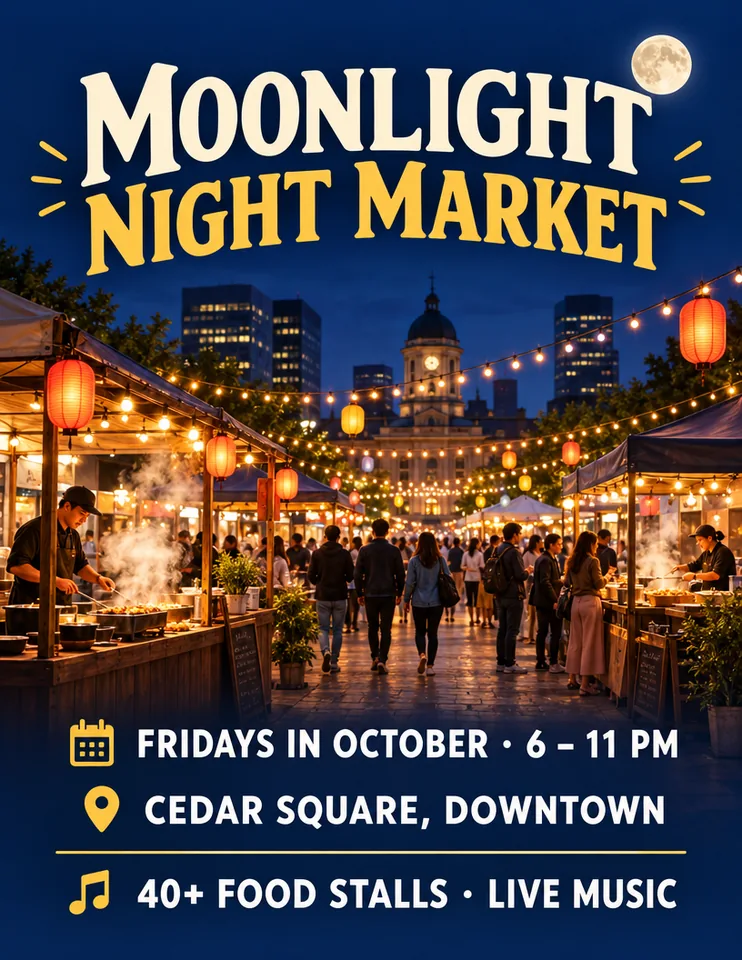 Event · Letter
Night market in October
A lantern-lit night food market in a city square, steaming food stalls under warm string lights. "MOONLIGHT NIGHT MARKET" "FRIDAYS IN OCTOBER · 6 – 11 PM" "CEDAR SQUARE, DOWNTOWN" "40+ FOOD STALLS · LIVE MUSIC"
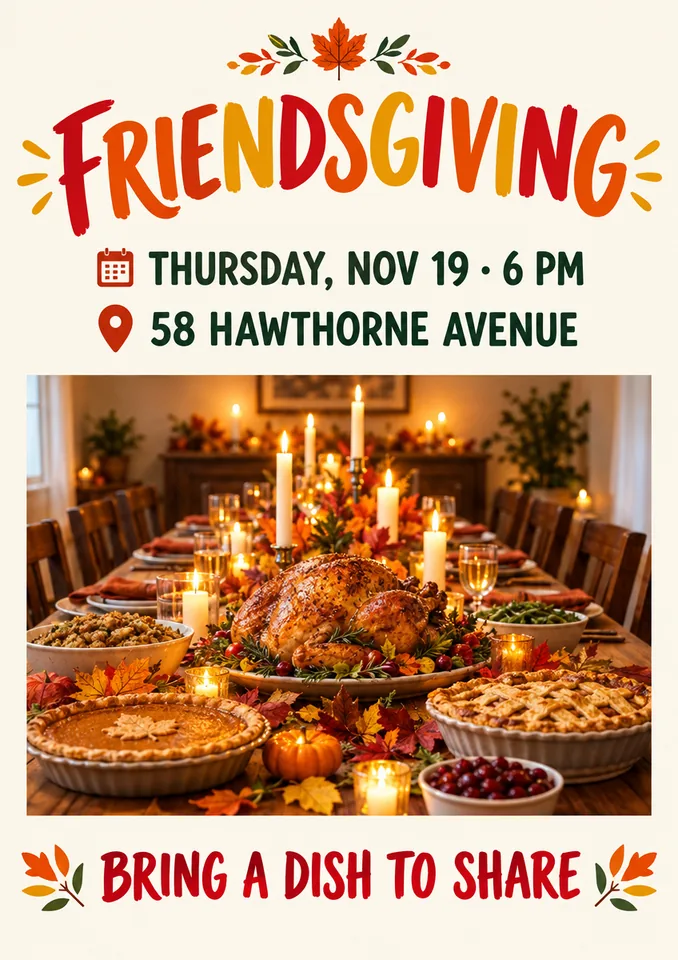 Party · A4
Friendsgiving dinner invitation
A cozy Friendsgiving dinner, a long candlelit table with autumn leaves, pies and a roast. "FRIENDSGIVING" "THURSDAY, NOV 19 · 6 PM" "58 HAWTHORNE AVENUE" "BRING A DISH TO SHARE"
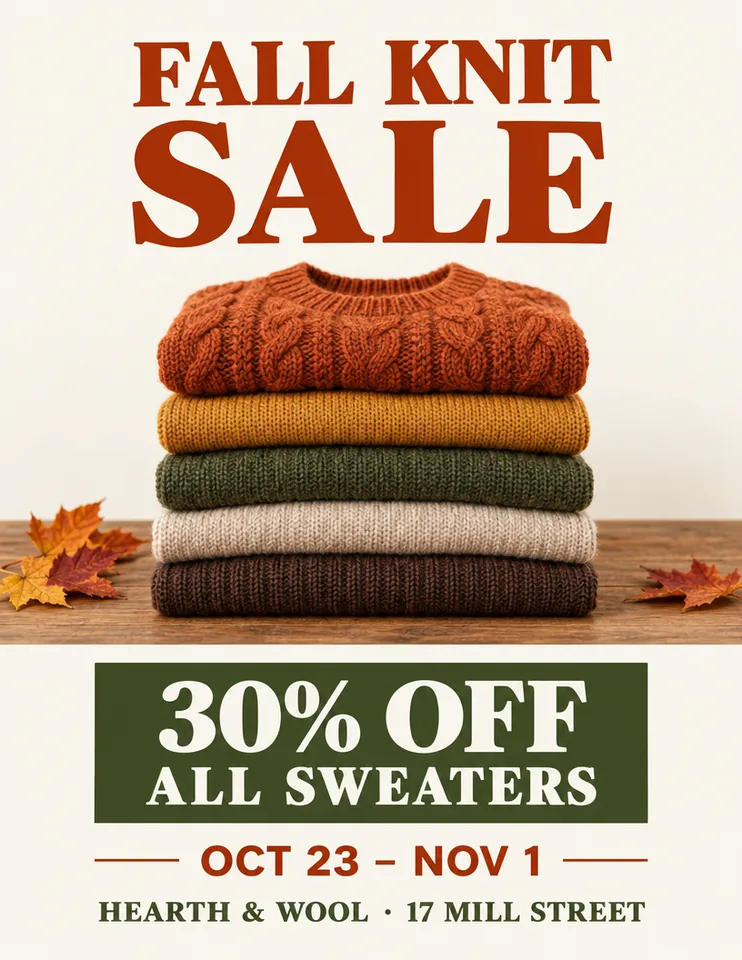 Sale · Letter
Fall knitwear sale
A knitwear shop sale, folded wool sweaters in warm autumn colours on a wooden table. "FALL KNIT SALE" "30% OFF ALL SWEATERS" "OCT 23 – NOV 1" "HEARTH & WOOL · 17 MILL STREET"
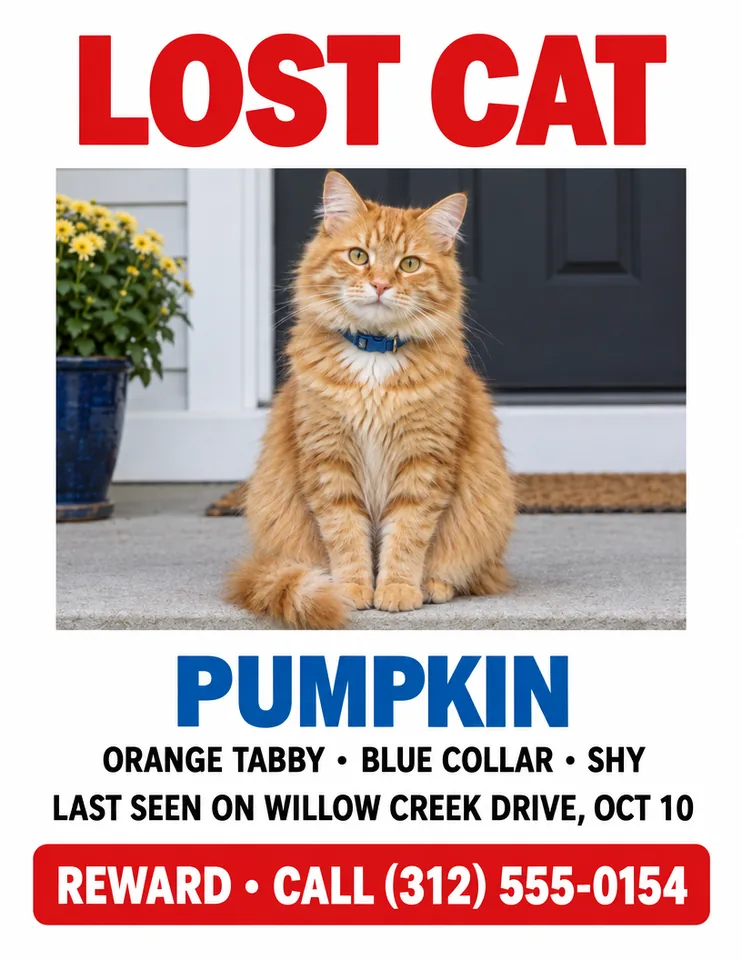 Lost pet · Letter
Lost cat with a reward
A clear photo of a fluffy orange tabby cat with a blue collar sitting on a porch step. "LOST CAT" "PUMPKIN" "ORANGE TABBY · BLUE COLLAR · SHY" "LAST SEEN ON WILLOW CREEK DRIVE, OCT 10" "REWARD · CALL (312) 555-0154"
 Yard sale · Half letter
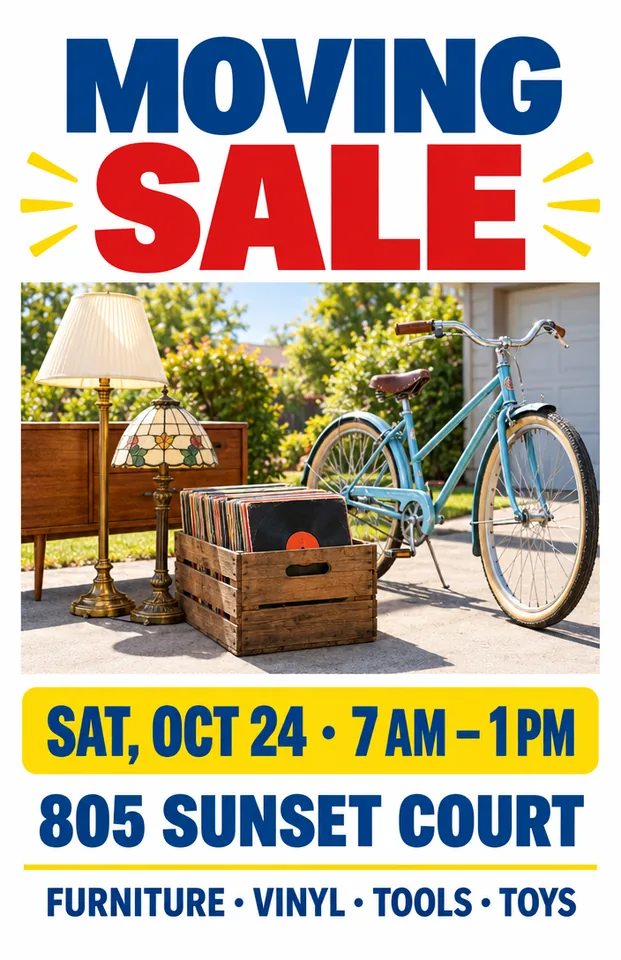
Moving sale on a driveway
A driveway sale in morning sun with vintage lamps, a crate of records and a bicycle. "MOVING SALE" "SAT, OCT 24 · 7 AM – 1 PM" "805 SUNSET COURT" "FURNITURE · VINYL · TOOLS · TOYS"
 Open house · Letter
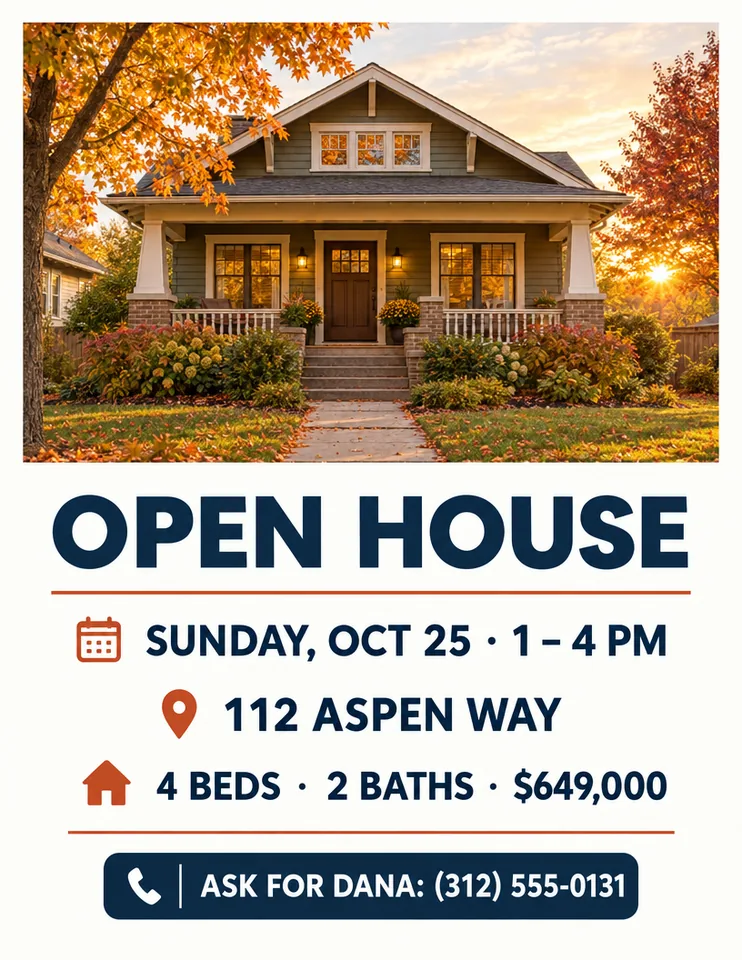
Open house for a bungalow
A charming craftsman bungalow with a deep front porch and autumn trees at golden hour. "OPEN HOUSE" "SUNDAY, OCT 25 · 1 – 4 PM" "112 ASPEN WAY" "4 BEDS · 2 BATHS · $649,000" "ASK FOR DANA: (312) 555-0131"
 Fundraiser · A4
Winter coat drive
A winter coat drive, warm colourful coats on a rack in a bright community hall. "WINTER COAT DRIVE" "DROP OFF NOV 2 – 20" "ELMWOOD COMMUNITY CENTER" "NEW OR GENTLY USED · ALL SIZES"
 Menu · Half letter
Ramen shop menu
A ramen shop menu, a steaming bowl of ramen on a dark wooden counter. "NOODLE HOUSE KAI" "TONKOTSU RAMEN $14" "SPICY MISO RAMEN $15" "GYOZA (6) $7" "OPEN 11 AM – 10 PM · CLOSED MON"
What the AI flyer generator does well, and what is still hard
A flyer lives or dies by its small details, so here is where AI is reliable today and where to look twice.
Works well
- Headlines, dates, times and addresses of a few words each
- Phone numbers and prices written in quotes
- A clear hierarchy with one strong picture
- Your own photo, such as the lost pet or the house
Still hard
- Long paragraphs or a full page of small print
- Working QR codes and tear-off tabs: add them afterwards
- Sharp shop prints straight from the generator: upscale first
- Your exact brand font or logo colours
Read every date and phone number before you print. If one detail is wrong, fix just that line in Edit text in image instead of making the flyer again.
Why use this AI flyer generator
Made for flyers that go on a door, a fridge or a counter, not only for a screen.
Every detail as you wrote it
Quoted text is sent word for word, with every date, time, price, address and phone number character for character and an instruction never to invent one. Every example here was read back and matched its quotes.
Real paper sizes and a PDF
Letter, A4 and half letter flyers are drawn at the paper's own shape, and the PDF button gives you a page of exactly that size, ready for a home printer.
9 flyer types that know the layout
Event, party, sale, business, lost pet, yard sale, open house, fundraiser and menu flyers each add their own design brief, and a ready draft to change.
Three quality levels
High suits most flyers and is the starting choice. Extra high and Max draw finer detail and crisper small print, such as an address line or a menu, at a higher price. Each flyer in a run is priced on its own, and the total shows on the button first.
Your photo on the flyer
Add a photo of the lost pet, the house for sale, your dish or your logo as a reference picture and the AI flyer maker builds the flyer around it.
One flyer, every language
Send a result to Translate text in image for a second language, to Edit text in image to change a date, or to the image upscaler for a bigger print.
Guide: great results from an AI flyer generator
Five short notes on prompts, details, design, paper and changes.
Write the flyer prompt in two parts
First the picture: one subject and a mood, such as "a fluffy orange cat on a porch step". Then every detail in its own quotes, in the order people should read them: the headline, when, where, the contact. The AI flyer generator treats quoted text as the flyer's words and everything else as art direction.
Write the details the way they should print
Type dates, times and phone numbers exactly as they should appear, with the punctuation, such as "SAT, OCT 24 · 7 AM" and "(312) 555‑0154". Keep each line short; split a long one into two quotes. Leave out anything you are not sure of: the flyer will not make it up.
Make it not look AI-made
People spot the busy AI flyer at once. Use one strong picture, four or five lines of text and plenty of white space. Your own photo beats a generated one for a lost pet, a house or a dish, and a plain type name in the prompt, such as "clean modern layout", keeps the design calm.
Paper sizes and printing
Letter flyers come out at 816 × 1056 pixels, A4 at 848 × 1200 and half letter at 704 × 1088: about 96, 103 and 128 DPI at full size, fine for a home printer and a notice board. For a sharp print shop job, upscale 2× or 4× first and send that PNG at the paper size (the upscaled picture has no PDF button). The PDF has no bleed, so keep important text away from the edges.
Change one detail without starting over
Dates move and prices change. Open the flyer in Edit text in image and replace just that line in the same lettering, or in Translate text in image to make a second language version for your neighbourhood. Both keep the rest of the flyer as it was.
Who uses the AI flyer generator
Anyone who needs a flyer on the wall today, not after an evening with a template.
Shops, cafés and small businesses
Sales, new menus, openings and services for the window, the counter and the mailbox.
Schools, clubs and churches
Bake sales, fundraisers, game nights and services with the date and place spelled right.
Neighbours
Lost pet flyers, yard sales, block parties and lost and found notices in minutes.
Real estate agents
Open house and just listed flyers built around a photo of the home.
AI flyer generator FAQ
Short answers to the questions people ask most.
Make your first flyer with the AI flyer generator
Describe it, quote the details, pick a paper size. Your flyer is ready in about half a minute.