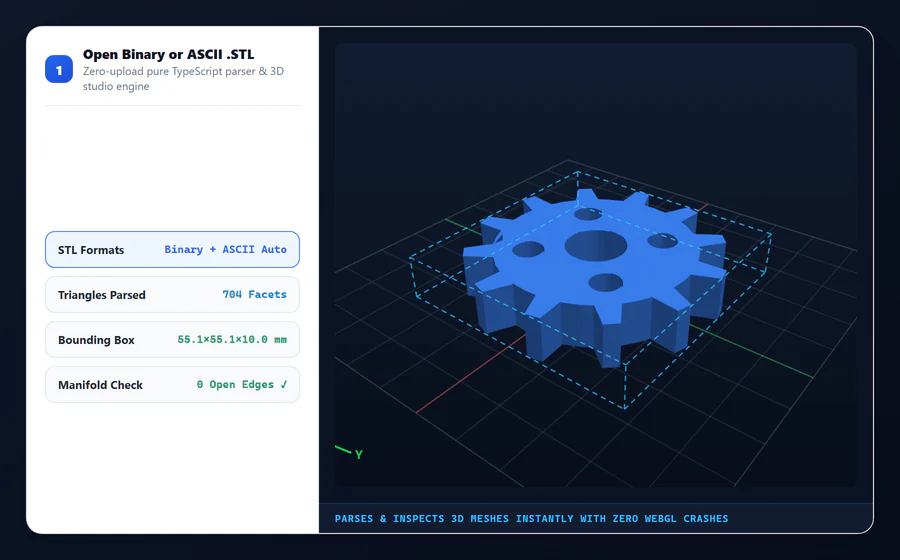
12-tooth mechanical spur gear
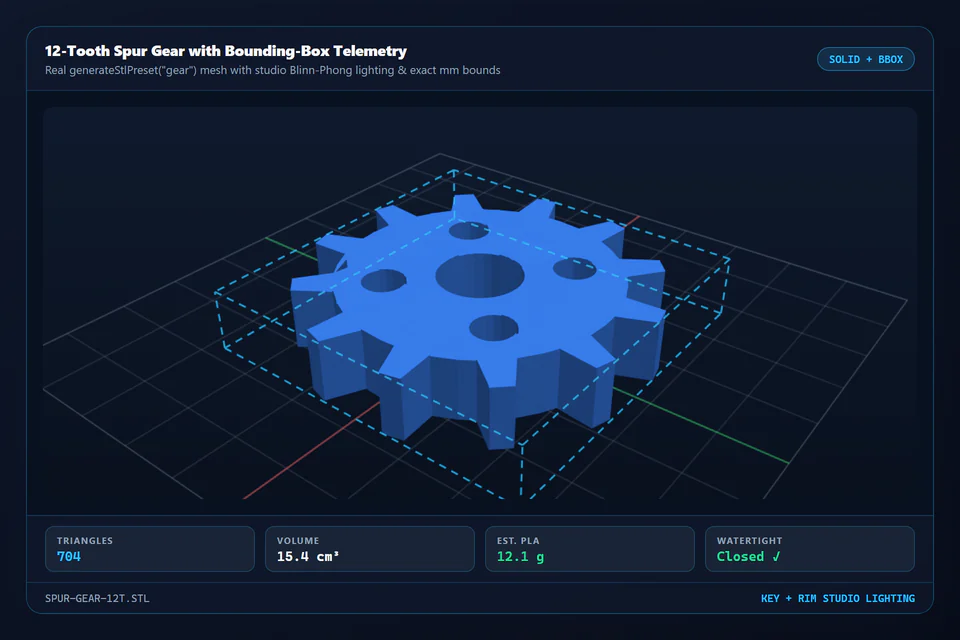
Watertight precision spur gear with central shaft bore and circular lightening holes demonstrating crisp facet lighting and bounding box measurements inside our stl file viewer.
Open, orbit, and inspect 3D printable Binary and ASCII STL meshes right inside your browser with zero software installs or file uploads. This fast stl viewer online analyzes bounding box dimensions in millimeters, enclosed volume, estimated PLA filament mass, triangle counts, and watertight manifold integrity so you can view stl file geometry locally.
spur-gear.stl
Sample Mesh · 34.5 KBDrop Binary or ASCII .stl files anywhere here
Dimensions
55.1 × 55.1 × 10.0 mm
Triangles
704
Volume
15.36 cm³
Est. PLA
~12.1 g
Load any built-in procedural 3D STL model inside this interactive viewport to test smooth orbit controls, orthographic camera presets, wireframe overlays, and watertight manifold analysis before inspecting your own file.
Watertight precision spur gear with central shaft bore and circular lightening holes demonstrating crisp facet lighting and bounding box measurements inside our stl file viewer.
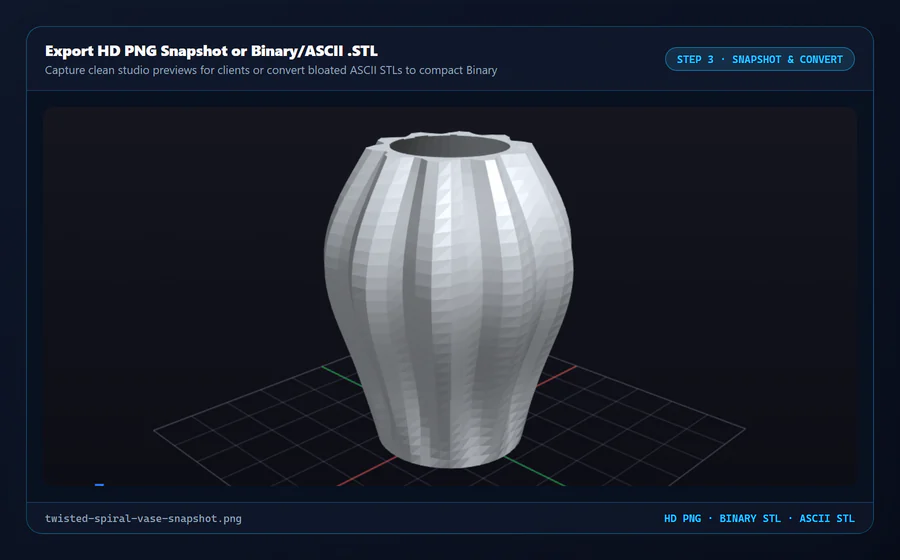
Fluted architectural vessel with uniform printable walls and flat Z equals zero base showcasing smooth surface normals and enclosed volume calculation.
Compact multi-level keyring tag with through-hole cutout ready to demonstrate camera presets, wireframe inspection, and estimated PLA filament weight.
Inspect 3D printing models, verify manifold health, and measure exact physical dimensions straight inside your browser tab.
Drag any .stl mesh onto the canvas to load it into this online stl viewer immediately. The client parser detects binary triangle counts and ASCII solid blocks automatically, centers the model on the Z equals zero print bed, and computes unit facet normals locally.
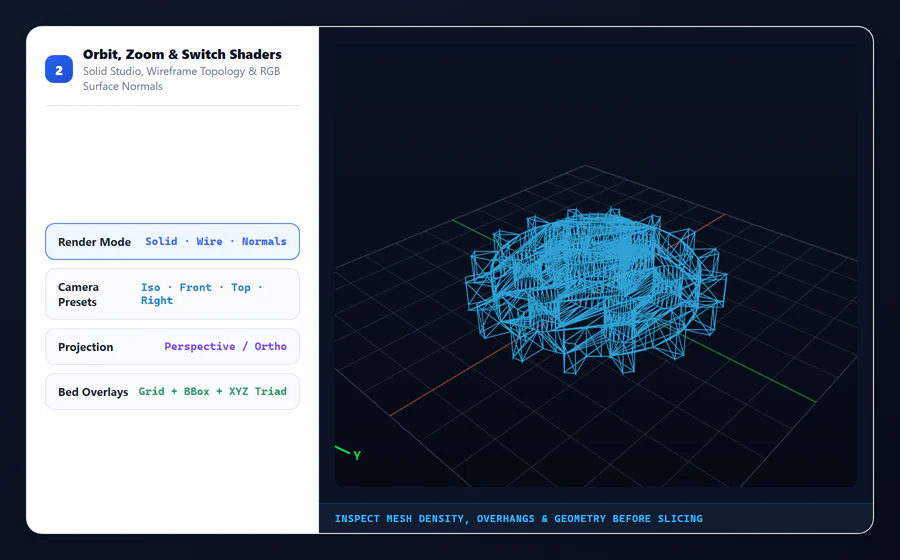
Drag to rotate smoothly in 3D, snap to Isometric, Front, Back, Left, Right, or Top views, toggle perspective versus orthographic projection, and switch between Solid, Wireframe, and Normals shading to inspect mesh topology.
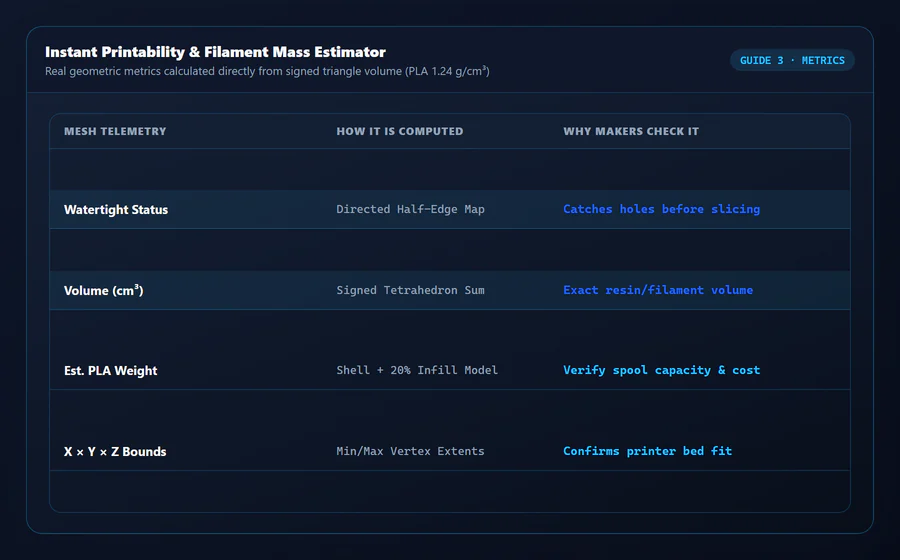
Review exact X, Y, and Z bounding dimensions, surface area, signed volume, PLA filament grams, and boundary or non-manifold edge counts, then capture a clean PNG preview snapshot when you view stl file designs.
Built around a zero-dependency client-side geometry engine so engineers and makers can verify 3D print readiness without launching heavy CAD suites.
Reads standard 80-byte binary STL headers and plain-text ASCII STL definitions cleanly in browser memory, automatically grounding models on the virtual Z equals zero print bed.
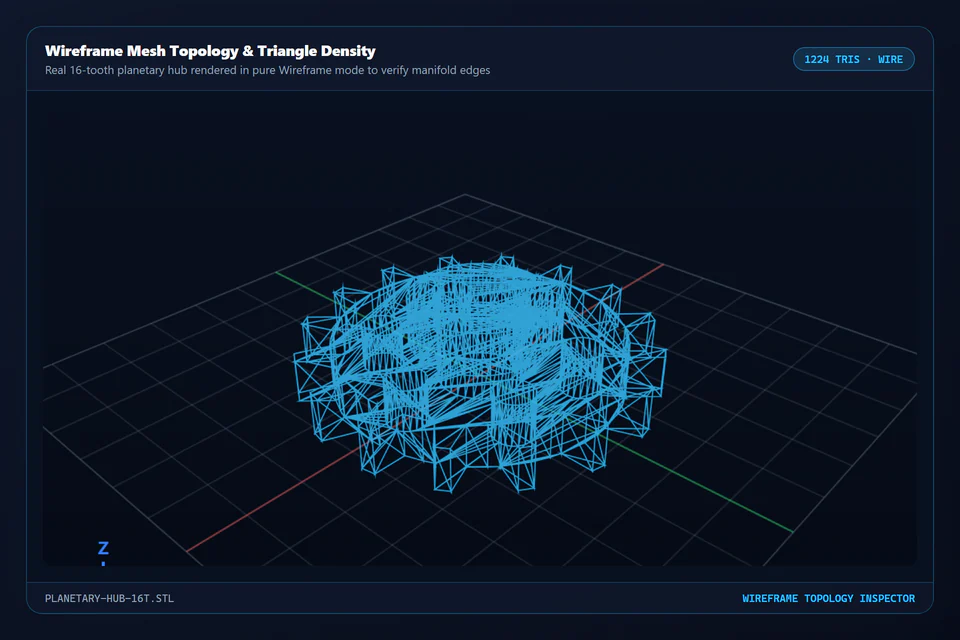
Switch instantly between lit solid shading, triangle wireframe overlay, and RGB normal-direction mapping inside this stl viewer online to spot inverted facets and dense mesh zones.
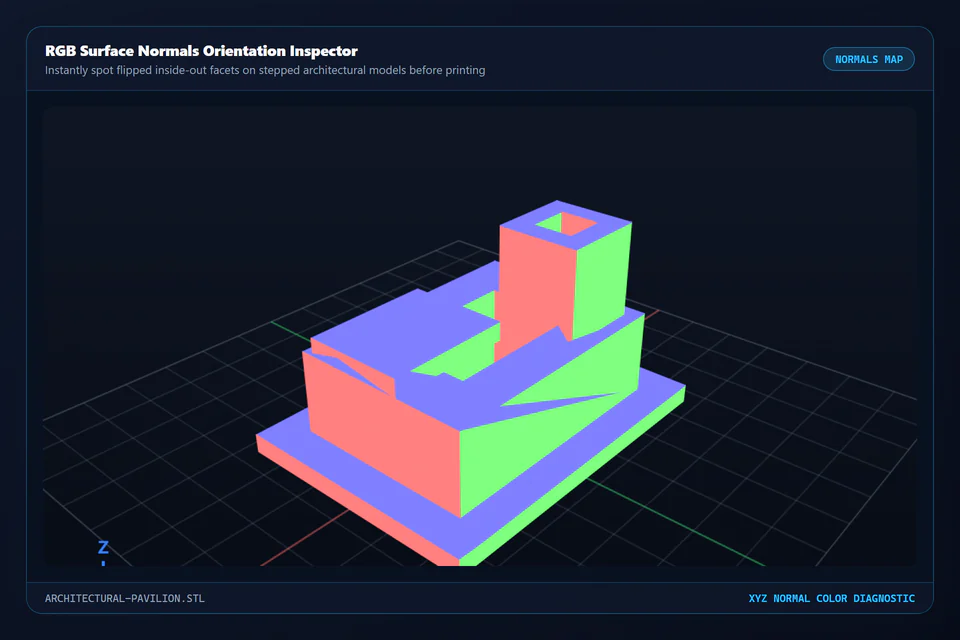
Audits every directed half-edge across the triangle mesh to report unpaired boundary gaps and non-manifold shared edges, confirming whether your model is watertight before slicing.
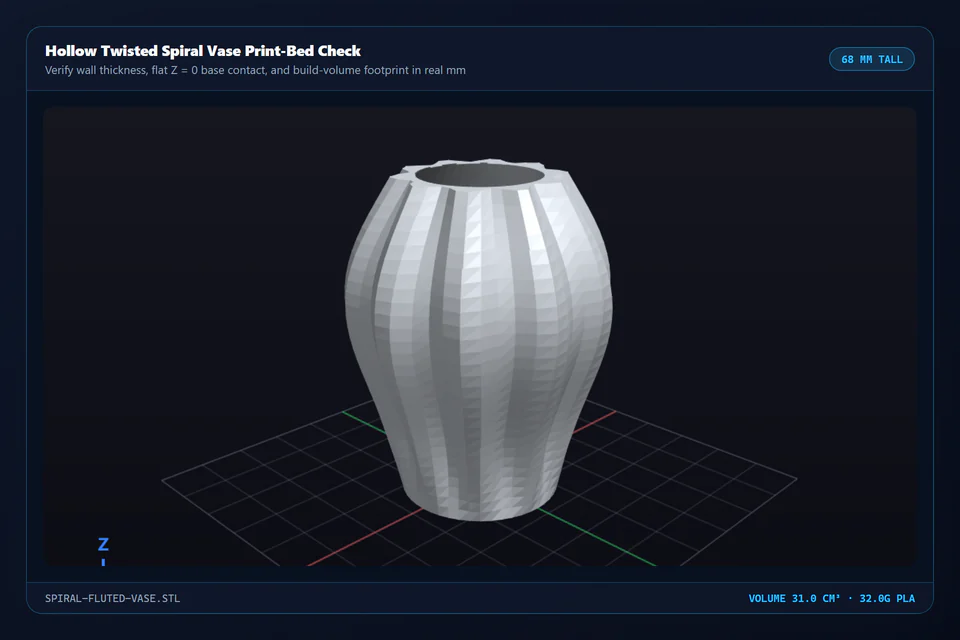
Calculates exact X, Y, and Z millimeter bounds, total surface area in square millimeters, enclosed volume in cubic centimeters, and estimated PLA print mass in grams.
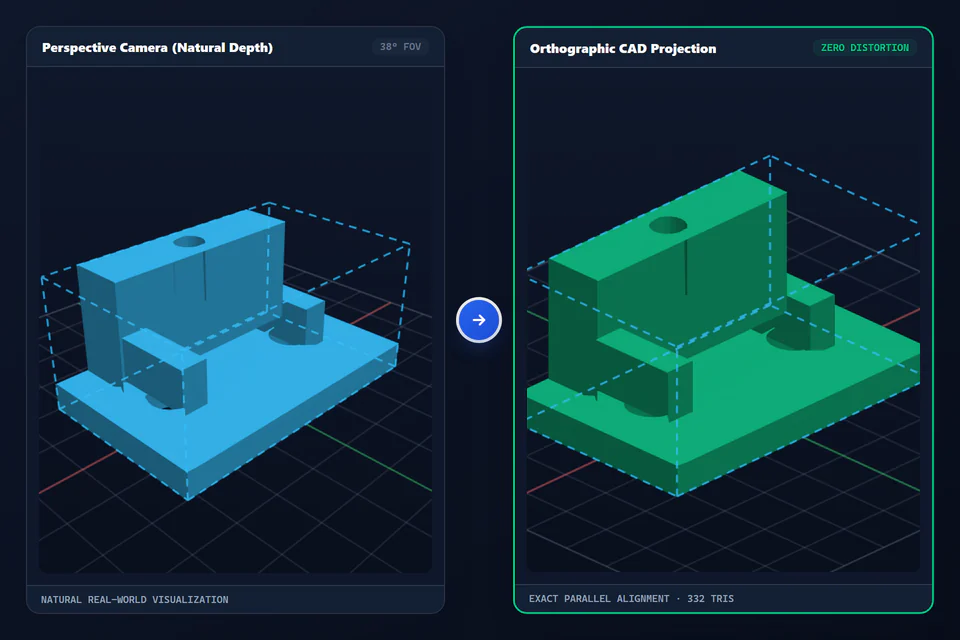
Jump to true Isometric, Front, Back, Left, Right, and Top orthographic projections with optional bounding box frames and XYZ axis triads for clean engineering reviews.
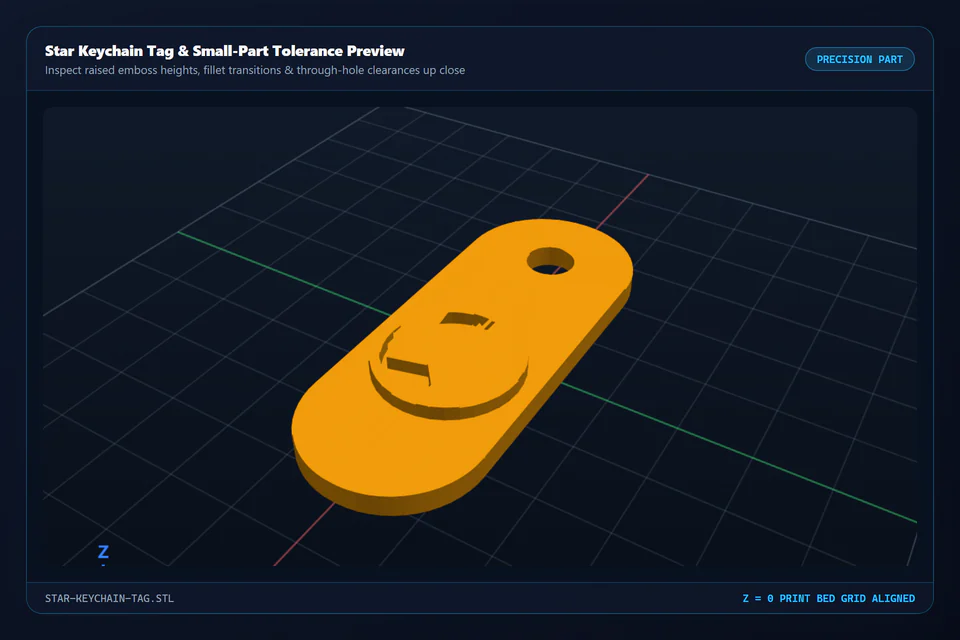
Keeps frame rates fluid even on detailed multi-hundred-thousand-triangle meshes while letting you capture crisp high-DPI PNG renders for clients, quotes, or documentation.
Learn how Binary and ASCII STL formats store triangles, why watertight checks prevent failed 3D prints, and how to read mesh volume and scale metrics.
STL, short for Stereolithography, describes the outer surface of a 3D object purely as an unordered list of triangular facets, each defined by three XYZ vertices and a unit normal vector. Binary STL packs every triangle into exactly 50 bytes after an 80-byte header, making it compact and fast to load, whereas ASCII STL writes coordinates as human-readable text. Opening models in a reliable stl viewer lets you verify both formats instantly without launching desktop CAD tools.
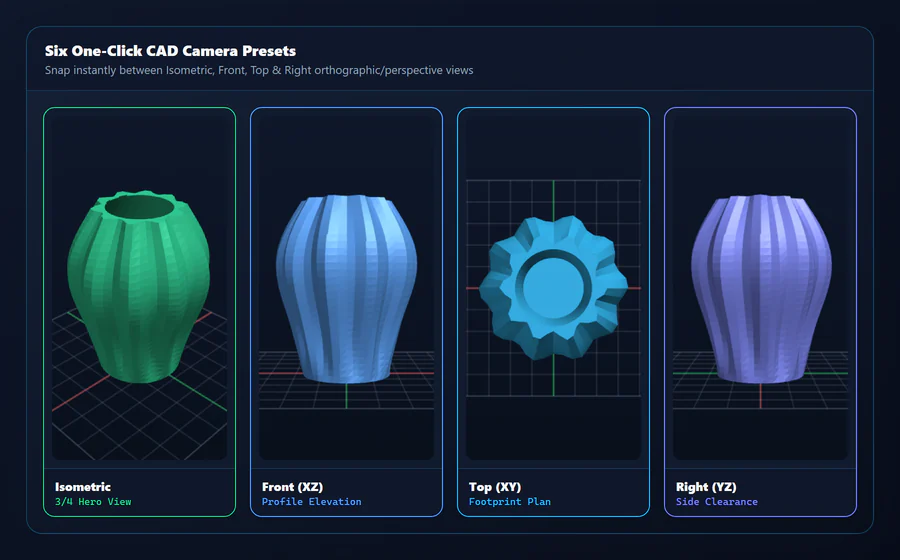
A 3D slicer must distinguish cleanly between solid interior material and empty outside air on every horizontal layer. In a watertight closed mesh, every triangle edge is shared by exactly two triangles running in opposite directions, yielding zero open boundary edges. Running a pre-slice check in our stl file viewer highlights unpaired gaps, non-manifold edges, and negative signed volume right away so you catch broken geometry before wasting filament.
Because STL files store raw unitless numbers rather than explicit millimeter or inch metadata, parts exported in inches can appear 25.4 times too small when opened in a millimeter-based slicer. Inspecting the X, Y, and Z bounding dimensions inside an online stl viewer confirms right away whether a bracket measures 80 mm or 3.15 mm and whether it fits inside your printer build volume.
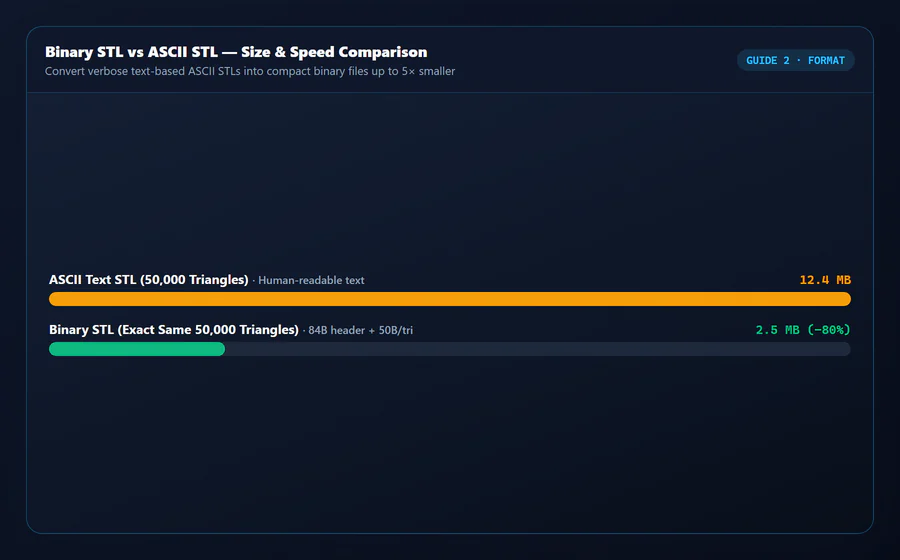
Quoting a 3D print job or planning spool inventory starts with accurate geometry math. By integrating signed tetrahedron volumes across every triangle, this browser workspace computes exact enclosed volume in cubic millimeters alongside solid 100-percent mass and a realistic shell-plus-20-percent-infill PLA estimate at 1.24 grams per cubic centimeter. Inspecting those specs when you view stl file deliveries streamlines prototyping quotes.
Inspecting models inside our stl viewer online pairs seamlessly with browser-local 3D creation tools. Need to extrude a clean vector logo or cookie cutter into a printable mesh? Try SVG to STL. Want to build backlit photo lithophanes or tactile heightmaps from pictures? Launch PNG to STL. For 2D CAD and vector inspection, check DXF Viewer and SVG Viewer.
Built for 3D printing makers, mechanical engineers, prototyping shops, and buyers inspecting STL parts without desktop CAD software.

Audit downloaded or customer-submitted STL parts for watertight manifold integrity, bounding box fit, and estimated PLA filament weight before slicing.

Inspect prototype enclosures, gears, and machined brackets in orthographic Top and Front projections on any laptop without installing SolidWorks or Fusion 360.

Capture crisp shaded or wireframe PNG snapshots directly inside this stl file viewer for design reviews, vendor RFQs, and project documentation.
Preview miniature figurines, terrain tiles, and classroom CAD projects safely on Chromebooks and tablets with zero file uploads or installs.
Answers on Binary vs ASCII STL parsing, watertight manifold checks, millimeter measurements, filament estimates, and local privacy.
Drag your .stl file onto this stl viewer online workspace. The browser parses the triangles locally, grounds the mesh on the print bed, and lets you orbit, zoom, and measure dimensions immediately.
Yes. The parser automatically detects Binary STL files and plain-text ASCII STL files, recomputing unit facet normals whenever stored normals are missing or zeroed.
A watertight mesh has zero unpaired open boundary edges and positive enclosed volume, confirming the 3D shell is completely sealed and ready for clean slicing without holes.
The tool computes exact enclosed volume and surface area in millimeters, then estimates PLA mass using 1.24 g/cm3 density with a standard 1.2 mm shell plus 20 percent infill heuristic alongside solid 100 percent mass.
STL coordinates do not store unit tags. This browser 3D workspace interprets coordinates in standard 3D printing millimeters, so an inch-exported CAD part will read 25.4 times smaller.
Yes. Switch shading modes in the toolbar between Solid, Wireframe, and Normals to check triangle density, bevel smoothness, and outward face orientation.
Never. All STL parsing, geometry analysis, 3D rendering, and PNG snapshot exports execute 100% locally inside your browser tab.
Yes. You can view stl file geometry, audit watertight stats, and save PNG previews completely free inside your browser with no signup.
Drop any Binary or ASCII 3D mesh into this free stl viewer to orbit smoothly, verify watertight manifold status, and check mm dimensions right in your browser.
Open STL file now