
Shipping carton label (alphanumeric ID)
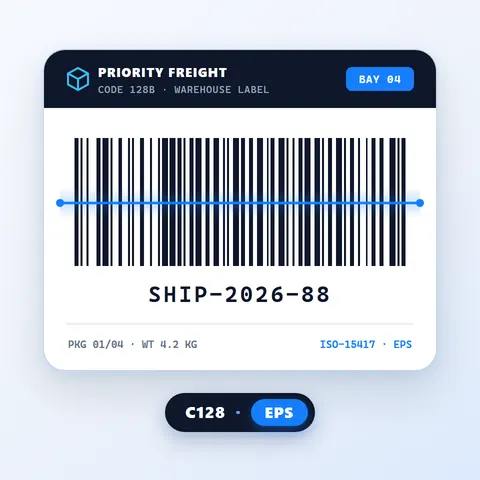
High-contrast Code 128 symbol pairing carrier prefixes with numeric shipment digits for 4x6 thermal shipping labels.
Build high-density logistics, inventory, and asset tags with our browser-based Code 128 barcode generator and zero server uploads. Encode full ASCII text or multi-line SKU lists with automatic A, B, and C compression, then download SVG, EPS, 300 DPI PNG, or a batch ZIP archive.

Load a logistics preset below to create Code 128 barcode layouts with realistic carton IDs, aisle markers, and IT asset tags before pasting your SKU list.
High-contrast Code 128 symbol pairing carrier prefixes with numeric shipment digits for 4x6 thermal shipping labels.

Short zone-aisle-rack identifier with clear caption text underneath for medium-range fulfillment RF scanners.

Compact alphanumeric equipment tag formatted for laptops, AV gear cases, and polyester inventory stickers.
Generate one shipping label or hundreds of sequential serial codes locally without installing fonts or spreadsheet macros.
Enter a single SKU or tracking string, or switch to batch mode and paste one code per line from Excel, CSV, or your warehouse sheet.
Leave Auto enabled for compact width or force Code 128A, 128B, or 128C manually. Customize bar width, height, quiet zones, and readable text.
Download single SVG, PostScript EPS, or 300 DPI PNG files right away, or save an entire multi-line SKU list inside one neatly named ZIP bundle.
Engineered for logistics teams, warehouses, and packaging designers who need compact, checksum-verified linear barcodes.
Subset C packs paired digits twice as tightly while subsets A and B handle letters and symbols. Automatic encoding switches mid-symbol whenever four or more digits appear, keeping labels compact.
Every barcode embeds the official start code, weighted modulo-103 check character, and 13-module stop pattern so conveyor and handheld scanners catch read errors instantly.
Stop making inventory tags one SKU at a time. Switch this batch barcode generator into bulk mode, paste hundreds of part numbers line by line, and download every file inside one ZIP archive.
Encode uppercase prefixes, lowercase batch IDs, digits, hyphens, and slashes cleanly for internal SKUs, work orders, lab samples, and pallet labels.
Download pure Code 128 barcode svg vectors for Illustrator, InDesign, and web apps, EPS for press workflows, or sharp 300 DPI PNG files for thermal printers.
Internal SKU formats, shipment tracking numbers, and equipment serial lists stay strictly inside browser memory with zero remote API uploads.
Five practical encoding and thermal-printing rules for compact, first-pass scannable shipping and warehouse labels.
Subset A covers uppercase letters, digits, and ASCII control codes. Subset B covers uppercase, lowercase, numbers, and punctuation for mixed SKUs. Subset C pairs two digits (00 to 99) per symbol character, cutting label width nearly in half for long numeric tracking IDs.
Raw desktop fonts cannot calculate start codes, mid-string subset shifts, or the required modulo-103 check symbol. Using our Code 128 barcode generator handles every transition automatically so Zebra, Honeywell, Datalogic, and phone scanners read each label on the first pass.
Thermal label printers output discrete dots at 203 DPI or 300 DPI. Fractional bar widths cause dithering that lowers scan grades. Keep quiet zones at least ten module widths on both ends, export vector SVG or crisp 300 DPI PNG, and orient bars perpendicular to printhead feed whenever possible.
Shipping cartons encounter tape creases, scuffs, and rain in transit. Always show the readable string below the bars in clean sans-serif or monospace type so receiving staff can type damaged labels accurately without confusing zero and uppercase O.
Use Code 128 for master cartons, tracking labels, internal SKUs, and asset tags. For 12-digit or 13-digit supermarket shelf codes, switch to UPC Barcode Generator. Build complete shipping stickers in Label Maker, export PostScript files with SVG to EPS, or print lobby signs with WiFi QR Code Generator.
Trusted across fulfillment warehouses, factory floors, IT departments, and retail stockrooms.
Print carton IDs, pallet sheets, and bin labels using crisp Code 128 barcode svg and 300 DPI PNG files built for long-range warehouse scanners.
Generate FNSKU-style stock codes, shelf markers, and batch sticker sets straight from copied spreadsheet columns.
Produce durable serial asset tags for laptops, monitors, lab tools, and rental gear with clear readable captions.
Drop clean work-order barcodes into job tickets, batch travelers, and commercial packaging sheets in pure SVG or EPS.
Answers on Code 128 A/B/C switching, batch ZIP export, ASCII support, and thermal label sizing.
Type your SKU, carton ID, or serial string in the Code 128 barcode generator above, leave Auto subset switching on, set bar width and height, and download SVG, EPS, or 300 DPI PNG free in your browser.
Yes. Open Batch mode, paste one value per line from any spreadsheet, choose SVG, EPS, or PNG, and download all generated files inside one ZIP archive.
Code 128 encodes all 128 standard ASCII characters, including uppercase and lowercase letters, digits 0 through 9, hyphens, slashes, spaces, and punctuation.
Keep Auto selected for almost all tasks because it compresses numeric runs with subset C and text with subset B. Force a single subset only when a legacy scanner profile requires one fixed start code.
Yes. Every output embeds the official ISO/IEC 15417 start code, weighted modulo-103 checksum symbol, and stop pattern automatically.
Code 128 fits much more data per inch than Code 39, supports full lowercase and punctuation ASCII, and includes a mandatory checksum for far better scan reliability.
Keep at least ten module widths of clear white quiet zone on both sides and make bars at least 15% of symbol width (usually 12 mm to 20 mm tall).
No. Single rendering, multi-line batch processing, vector export, and ZIP packaging run strictly inside your local browser tab.
Encode a single carton ID or paste a batch SKU sheet, preview crisp bars live, and export SVG, EPS, PNG, or ZIP free in your browser.
Create Code 128 barcode