
Office lobby guest network card
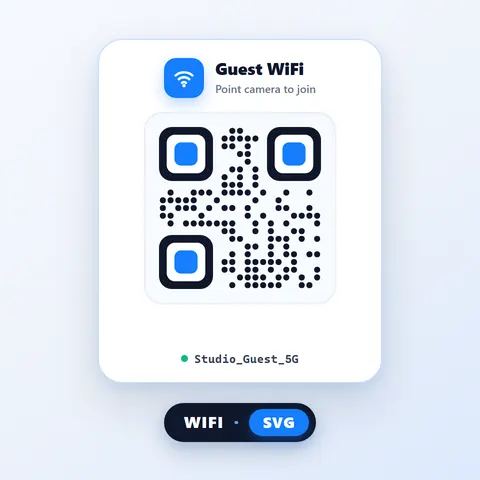
Clean reception desk card pairing a crisp QR matrix with the guest SSID name and border frame for acrylic tabletop stands.
Let guests join your wireless network in one camera scan with our private browser-based WiFi QR code generator. Enter your SSID, WPA2 or WPA3 password, and card title locally, then download scalable SVG, PostScript EPS, or a ready-to-print 300 DPI PNG sign.

Click any venue preset below to open a printable WiFi QR card layout with balanced quiet margins, clear scan text, and clean network headers before entering your SSID.
Clean reception desk card pairing a crisp QR matrix with the guest SSID name and border frame for acrylic tabletop stands.

High-legibility hospitality card sized for table tents, menu corners, and coworking desks where visitors connect in seconds.

Bold meeting-room sign with spacious modules and high error correction so attendees scan smoothly across a conference table.
Turn long router passphrases into crisp scannable desk signs and print-ready vector files in under a minute.
Type your exact network name, pick WPA/WPA2/WPA3, WEP, or Open security, enter your password, and enable Hidden SSID if your router hides broadcasts.
Keep a bare QR graphic or enable the framed desk card with headline text, WiFi icon, and optional printed SSID. Keep dark modules over a light background.
Aim any iPhone or Android camera at the preview to confirm instant joining, then export scalable SVG, PostScript EPS, or sharp 300 DPI PNG.
Built for strict local password privacy and clean vector print layouts across offices, rentals, and hospitality venues.
Wireless credentials should never touch remote forms or server logs. Every URI calculation and vector render executes purely inside local browser memory on your device.
Strong passphrases often include semicolons, colons, commas, quotes, or backslashes that break basic tools. When making a QR code for WiFi access, our encoder escapes every reserved delimiter so iOS and Android parse the exact key.
Skip extra layout apps just to add a border and title. Switch on card mode to frame your code with balanced padding, crisp headings, and clean 4x6 or A5 print proportions.
Download crisp WiFi QR code svg graphics built from pure geometric paths with zero blurry pixels, ready for posters, hotel welcome guides, acrylic laser engraving, and EPS press files.
Select Medium, Quartile, or High Reed-Solomon recovery so signs stay scannable through glare, scuffs, or lamination, backed by clean quiet-zone borders.
Standard WIFI:T:WPA;S:...;P:...;; payloads work natively in Apple iPhone, iPad, Google Pixel, and Samsung Galaxy cameras without installing any third-party app.
Five networking and print standards for safe guest access, accurate special-character escaping, and glare-free lobby signs.
Before displaying a placard in a lobby, cafe, or rental unit, make sure the credentials entered into this WiFi QR code generator belong to an isolated guest SSID rather than your core office LAN. Guest networks protect shared printers and internal servers while keeping visitor onboarding effortless.
Both WPA2-Personal and WPA3-SAE networks share the T:WPA token in standard QR syntax, and phones negotiate WPA3 automatically when offered by the access point. For non-broadcasting networks, check Hidden SSID so the payload adds H:true and tells mobile devices to probe that exact name.
In WIFI QR formatting, semicolons divide fields and colons split keys from values. An unescaped semicolon or backslash inside a password truncates the string mid-key and triggers false password errors. Automatic backslash escaping keeps complex symbols accurate on both iOS and Android.
Print the QR square at least 35 mm wide on tabletop stands and 80 mm or wider on conference room walls. Use dark matte ink on white stock and pick matte lamination over glossy sleeves so overhead lights do not wash out finder corners.
Send vector SVG or EPS files to sign shops and laser engravers for sharp square modules at any poster scale. Outfitting a reception desk or event booth? Share team contacts via vCard QR Code Generator, encode web links with QR Code Generator, lay out lobby notices in Sign Maker, or convert vectors using SVG to EPS.
Practical office, hospitality, and event settings where one-scan network cards save front-desk time.
Display a framed printable WiFi QR card at reception desks and boardrooms so guests and candidates join instantly without asking staff for passphrases.
Print tidy table tents, counter placards, or menu corner codes matched to your brand palette in crisp SVG.
Frame entryway or bedside welcome cards in 300 DPI PNG so travelers connect the moment they arrive.
Share booth demo networks or home guest access cleanly with a sharp printed sheet or framed desk card.
Clear answers on iPhone and Android scanning, WPA3 compatibility, password privacy, and vector print formats.
Type your SSID, security mode, and password into the WiFi QR code generator above, choose bare QR or framed card mode, scan the live preview with your phone, and download SVG, EPS, or 300 DPI PNG free in your browser.
No. Encoding, URI escaping, card styling, and SVG, EPS, or PNG export run strictly inside local browser memory so credentials stay on your device.
Yes. Apple iOS (iOS 11+) and Android (Android 10+) read standard WIFI QR codes right inside the default Camera app and prompt to join in one tap.
Yes. Choose the WPA/WPA2/WPA3 option. Standard mobile QR payloads use the WPA security flag for both protocols and phones negotiate WPA3 automatically.
The formatter backslash-escapes reserved delimiters like semicolons, colons, commas, quotes, and backslashes automatically so complex passwords connect cleanly.
Yes. Enable the Hidden SSID checkbox to add H:true to the payload so phones probe and join non-broadcasting networks.
Static WiFi QR codes hold credentials directly with no expiry or redirect servers, so rotating your router password simply means generating and printing an updated card.
Pick 300 DPI PNG to print straight onto office paper right away, or choose SVG and EPS for Illustrator, InDesign, acrylic engraving, and commercial sign shops.
Enter your guest network details privately on your device, preview your framed card live, and export SVG, EPS, or 300 DPI PNG free in your browser.
Create WiFi QR card