
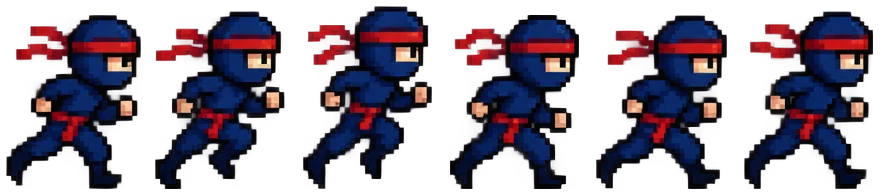
Pixel ninja run
Six frames found on transparency and played at 200% with crisp pixels.
Drop a sprite sheet to see it move: every frame is found by background or by grid, each row plays as its own animation, and you save it as a GIF or an APNG with smooth edges. This free sprite sheet to GIF converter runs in your browser, so nothing is uploaded.
Drop a sprite sheet to animate
PNG, JPG, WebP or GIF. Everything stays in your browser.
Eight sprite sheets made for these examples, each animated by this page's own sprite sheet to GIF converter. Open one to try every setting.
Six frames found on transparency and played at 200% with crisp pixels.

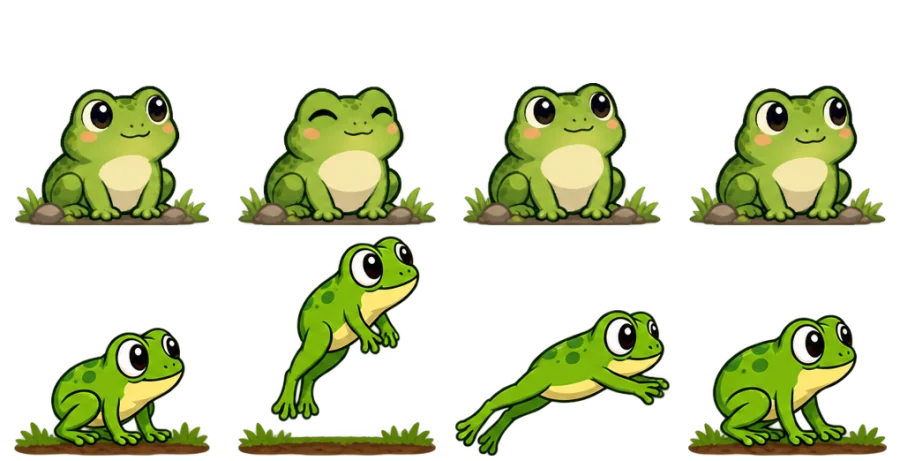
A two-row sheet: the second row plays as the jump animation.


The classic magenta background becomes transparent in the GIF.


Ping-pong flames on a night-blue background colour, so the glow stays smooth.


Played in reverse with a pause on the open eyes, like a real blink.


The last frame holds for over a second before the loop starts again.


An effect with a short pause between bursts, as it plays in a game.


Frames found on a sky-blue background, which stays in the GIF.
Three steps, and nothing is uploaded.
Drop, paste or choose a PNG, WebP, JPG or GIF sheet. Frames are found on a transparent or one-colour background, or by a grid of columns and rows.
Choose which row plays, tick the frames you want, and set the frame rate, ping-pong, reverse, a pause at the end and the number of loops.
Save the animation as a GIF, or as an APNG that keeps every soft edge. Pixel art can be enlarged 2×, 3× or 4× with crisp pixels.
Six things it does well, from a pixel run cycle to a game effect.
Sprite sheetFrames are found on a transparent or one-colour background, magenta included, or cut by a grid of columns and rows, cell size, offset and spacing.
Sheets with idle, walk and jump rows play one row at a time; click a frame on the sheet to switch rows or leave a frame out.
Set 1 to 50 frames a second, play back and forth or in reverse, hold the last frame and choose how many times it loops.
The GIF works everywhere; the APNG keeps full transparency, so glows and soft edges stay smooth. A background colour gives the GIF clean edges too.
Enlarge frames 2×, 3× or 4× with every pixel kept sharp, and keep each sprite standing on one ground line.
This sprite sheet to GIF tool runs entirely in your browser: no upload, no account, no watermark, and it works offline once the page has loaded.
Five short tips for a smooth animation from any sheet.
Use By background for sprites on transparency or one colour. For sheets drawn on an exact grid, By grid keeps every frame in its cell, so nothing jumps.
Each row of the sheet is listed as its own animation. Pick a row, then click any frame to leave it out of the loop.
Most walk and run cycles look right at 8 to 12 frames a second; effects and flames often look best at 12 to 15. Ping-pong smooths loops that would jump back to the start.
A GIF has one transparent colour. Set a background colour that matches where the GIF will sit, or save an APNG to keep every soft edge.
Enlarge pixel art 2× to 4× so it reads well in chats and posts. The size, frame count and loop length show under the animation.
Common reasons to animate a sprite sheet.
Check an animation's timing before it goes into the engine, and share a preview with the team.
Post animated sprites on social media and portfolios as crisp, enlarged GIFs.
Turn sprite rips and mod sheets into GIFs for wikis, forums and chats.
Make loading icons, stickers and small animations as GIF or APNG files.
Answers about animating sprite sheets, files and privacy.
Open the sheet, check that every frame is outlined, pick the row and the speed, then download the GIF.
Yes. It runs entirely in your browser, needs no account and adds no watermark.
No. Your sheet is read and animated on your device; nothing is sent to a server.
Yes. Each row is listed on its own; pick one, or click a frame on the sheet to play its row.
Both are animated pictures. A GIF opens everywhere; an APNG keeps full transparency, so glows and soft edges stay smooth, and modern browsers play it.
Use By grid for sheets drawn on a grid, so each frame keeps its place, or keep Bottom as the place in the cell so every sprite stands on one line.
Yes. Set Loops to 1× for an effect that plays once, or to 2×, 3× or 5×; Forever loops without end.
Yes. GIF to sprite sheet lays every frame of a GIF on one sheet with a JSON atlas.
Open a sheet and watch it move in seconds, free with this sprite sheet to GIF converter in your browser.
Open a sprite sheet