CI/CD deployment flowchart
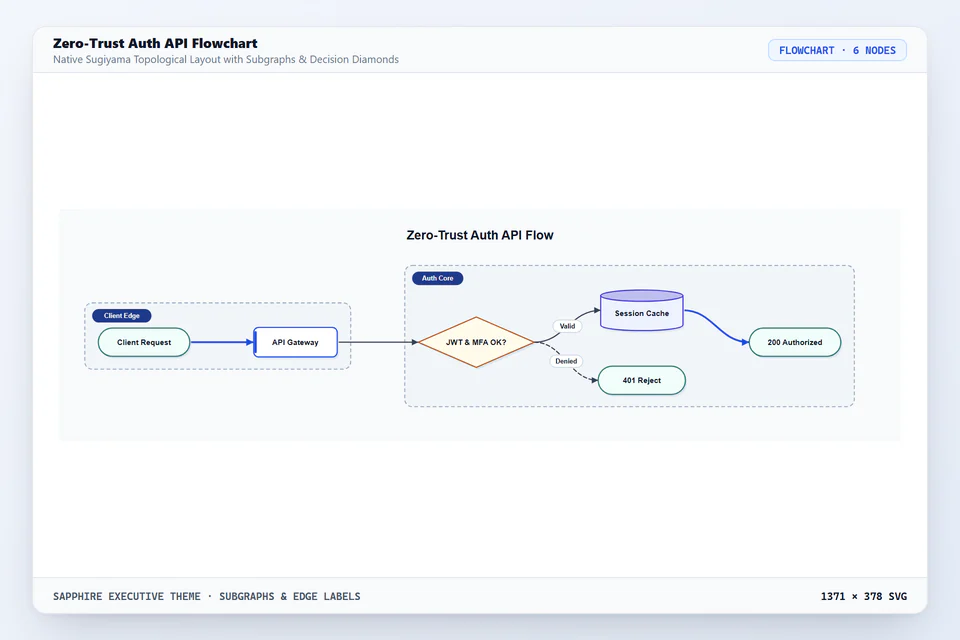
Demonstrates branching build stages, approval gates, and grouped subgraphs rendered live for crisp vector SVG output.
Write clean Markdown diagram code and render crisp vector visuals live in your browser with zero installs or server uploads. This fast mermaid renderer online supports flowcharts, sequence diagrams, class trees, ER schemas, state machines, Gantt timelines, and pie charts with custom themes and one-click crisp SVG, 2x or 4x PNG, and PostScript EPS export.
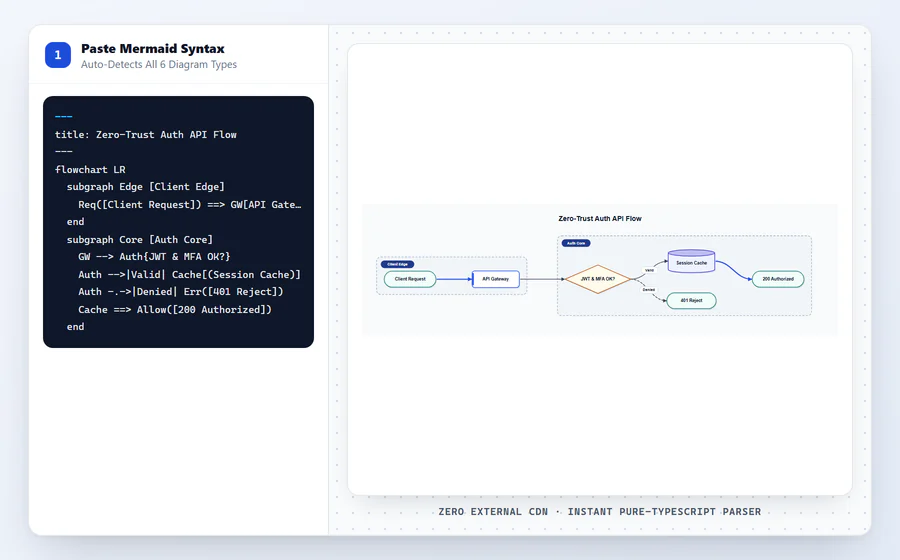
Auto-detects flowchart, sequence, ER, class, pie, and gantt diagrams live as you type.
Load any starter diagram template inside this live editor to test instant syntax previewing, theme switching, and crisp SVG or high-DPI PNG exports.
Demonstrates branching build stages, approval gates, and grouped subgraphs rendered live for crisp vector SVG output.

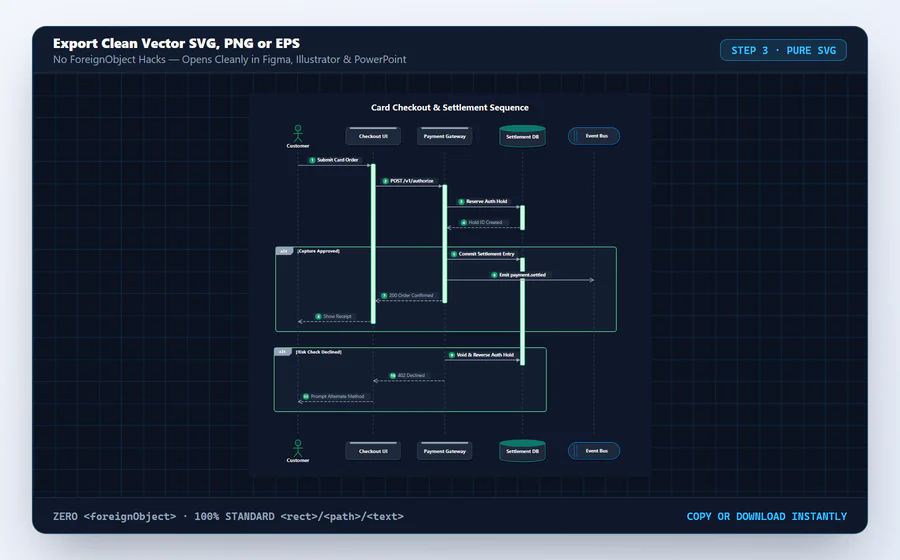
Showcases multi-actor lifelines, numbered API calls, and clean alt blocks ideal for crisp mermaid to png architecture documentation.

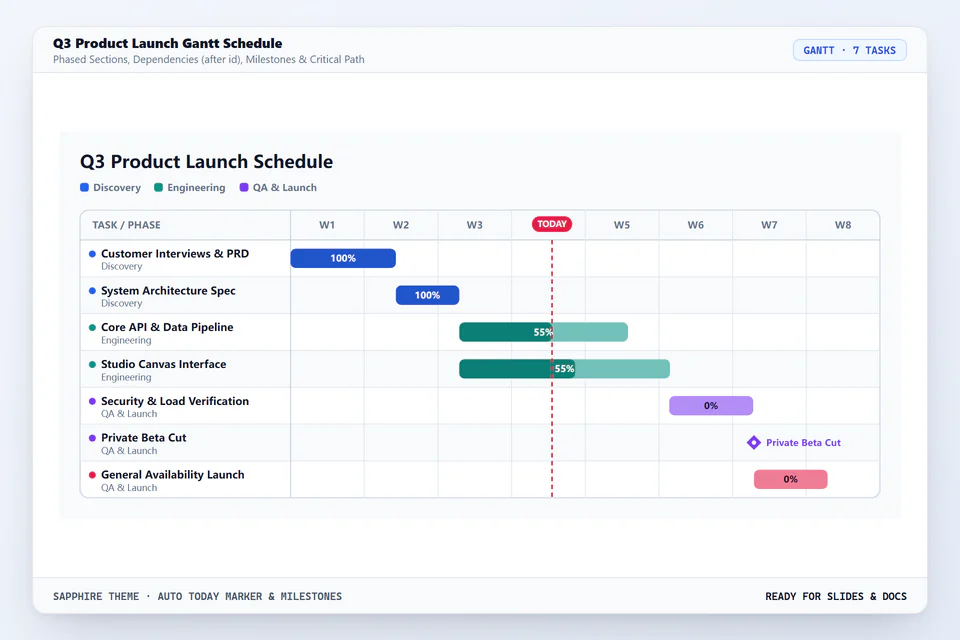
Highlights milestone bars, parallel sprint tracks, and clean timeline typography ready to drop into engineering specs and slides.
Go from plain-text Markdown Mermaid syntax to publication-ready vector graphics and high-DPI slides locally in seconds.
Type or paste any Mermaid flowchart, sequence, class, ER, state, Gantt, or pie block into the split editor. The mermaid renderer online validates syntax immediately and redraws the canvas on every keystroke.
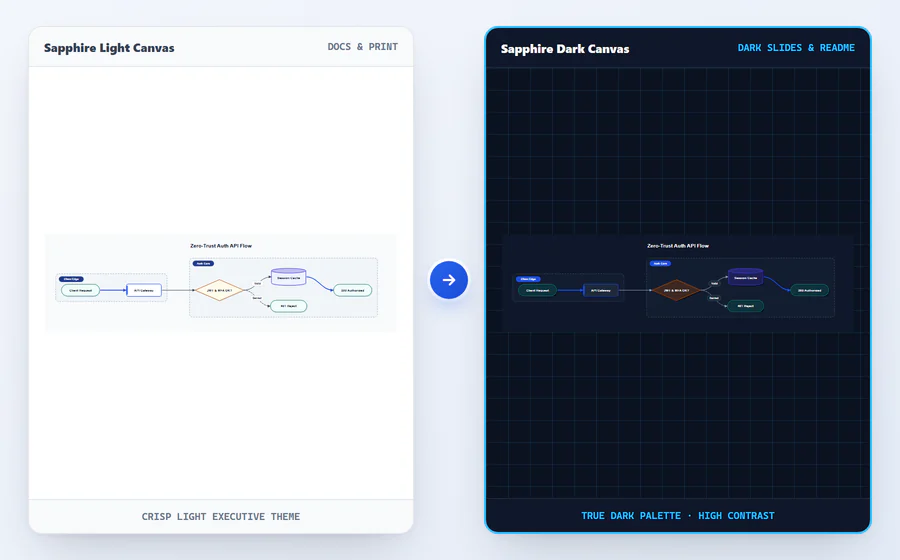
Switch between clean light, dark, neutral, and forest themes, adjust canvas padding and typography, and toggle transparent or solid backgrounds to match your docs or presentation deck.
Click once to save editable vector SVG for crisp web docs and tweaking, download sharp 2x or 4x PNG images for slides and tickets, or output PostScript EPS for print manuals.
Designed for engineering teams and technical writers who need instant live rendering, clean themes, and reliable vector exports locally.
Render flowcharts, sequence diagrams, class hierarchies, entity-relationship models, state transitions, Gantt schedules, and pie charts from standard Markdown syntax.
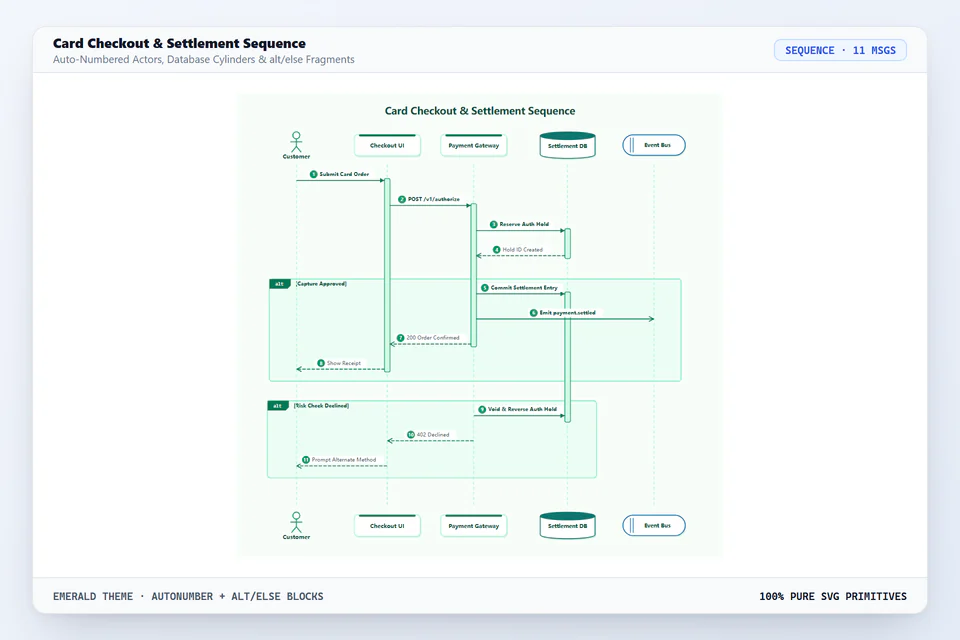
Spot typos or unclosed arrows immediately while typing; the last valid diagram stays visible alongside helpful line-level error hints.
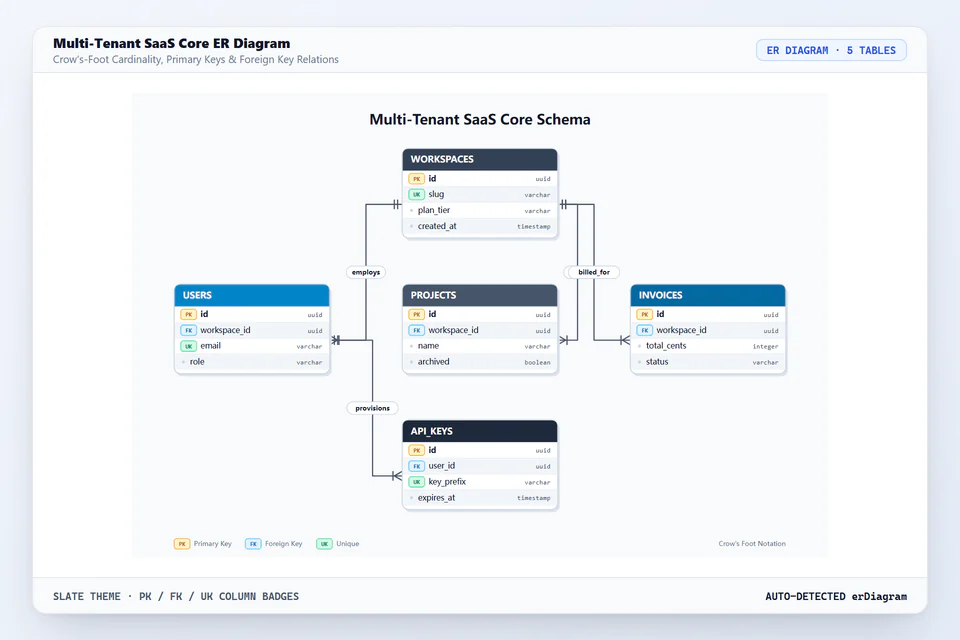
Produces self-contained vector SVG files with explicit viewBox dimensions and embedded style rules so arrows, labels, and rounded boxes look identical everywhere.
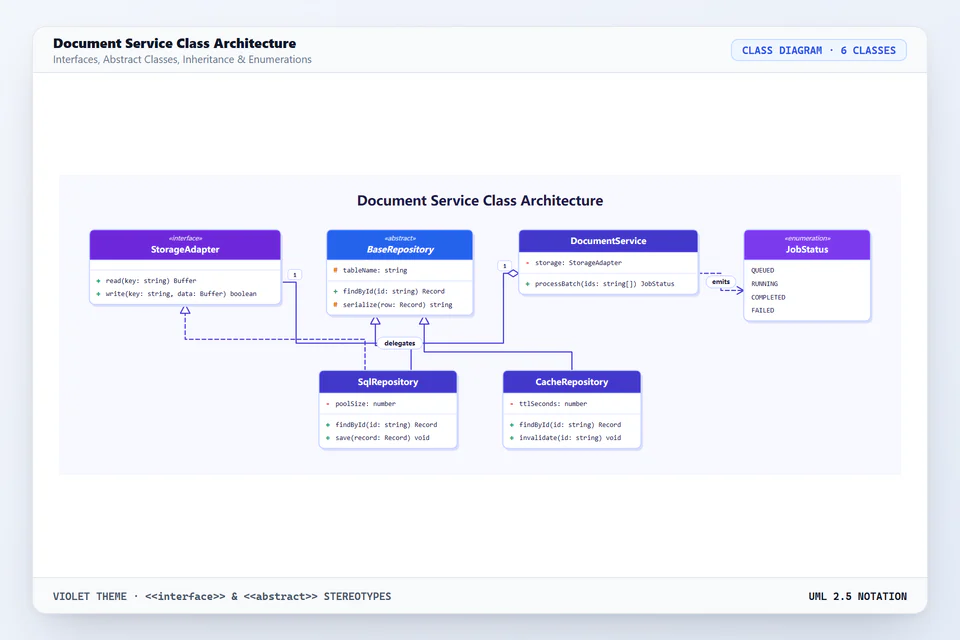
Export crisp retina PNG graphics at high pixel density with transparent or solid backdrops so diagrams look razor-sharp inside slide decks, emails, and issue trackers.
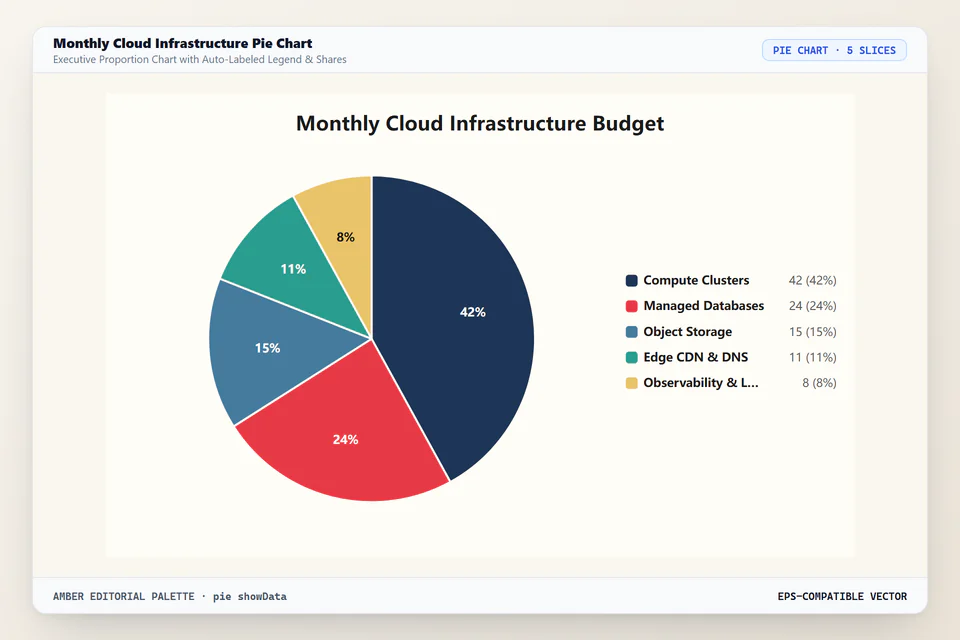
Match dark-mode developer portals, clean white technical papers, or commercial print layouts using built-in visual themes and direct EPS export.
Keep private service topologies, database schemas, and security flows 100% inside your browser tab with our local browser engine.
Learn why diagram-as-code beats manual box dragging, when to pick SVG over PNG, and how to style Mermaid charts for engineering docs and slides.
Maintaining system architecture visuals inside manual drag-and-drop canvas apps quickly becomes outdated because small code changes force tedious box realignments. Mermaid solves that drift by describing nodes, edges, lifelines, and schedules as plain Markdown text that lives right beside source code in version control. Using a browser mermaid diagram generator lets engineers preview layout changes instantly and ship polished visuals without leaving their text-first workflow.
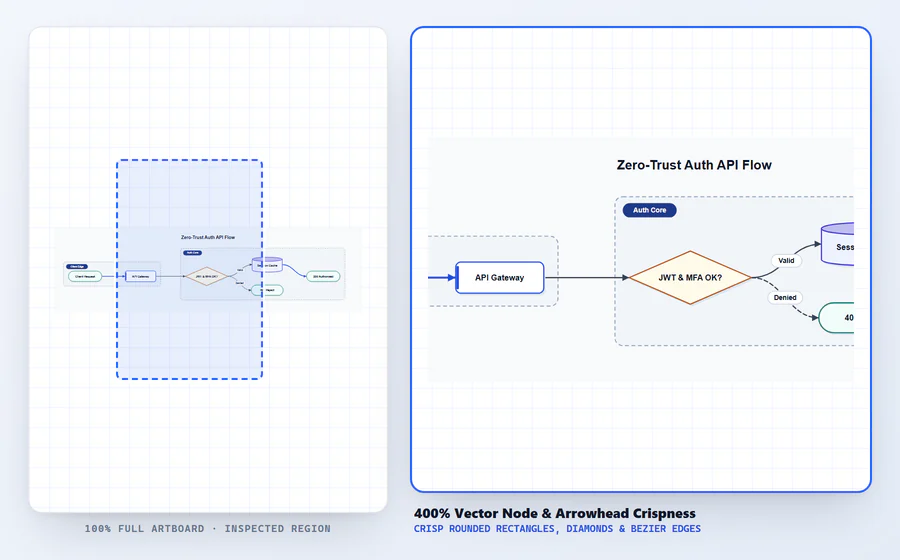
Each output format shines in a distinct publishing channel. When you export mermaid to svg, every arrow, box border, and text label remains crisp mathematical XML that scales cleanly across documentation websites, engineering blogs, and high-resolution monitors. When pasting visuals into slide presentations, chat threads, issue tickets, or email updates that restrict inline SVG, exporting 2x or 4x PNG graphics delivers guaranteed visual consistency with zero missing fonts.
Large system graphs become tangled when too many cross-links crowd a single frame. Grouping related microservices inside subgraphs, using concise two-to-four-word node labels, and choosing top-down or left-to-right flow direction deliberately keeps diagrams scannable at a glance. Inside this mermaid renderer online, previewing your chart at different padding and theme presets makes readability issues obvious before you commit the asset to documentation.
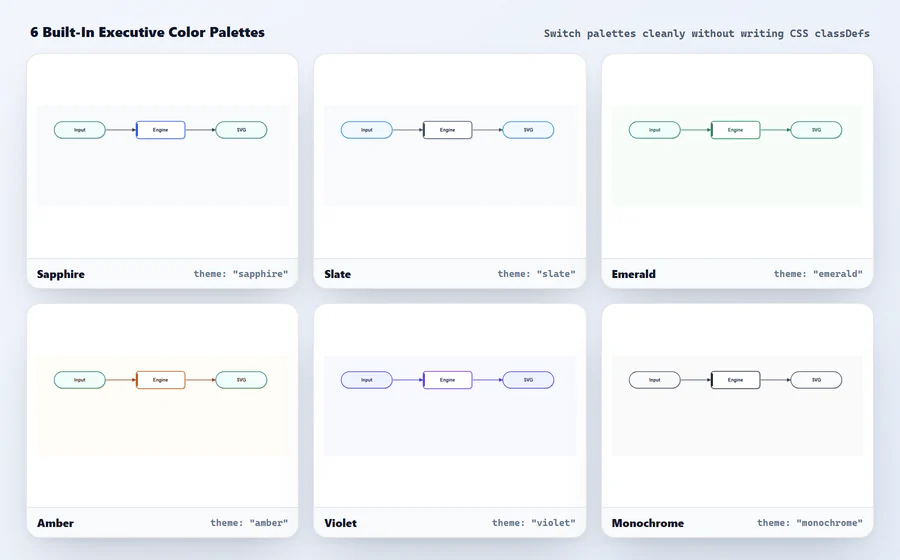
A diagram designed exclusively for a white paper often loses edge contrast on a dark developer documentation portal. Toggling between clean light, dark, and neutral visual themes in seconds ensures consistent contrast across every reading surface. For printed technical books, RFC handouts, or academic publications, exporting directly to vector SVG or PostScript EPS guarantees crisp hairline connectors at full press resolution.
Different documentation tasks benefit from specialized editors. Alongside this text-driven diagram workspace, you can craft detailed interaction flows with Sequence Diagram Maker, design SQL database tables in ER Diagram Maker, model object structures with UML Diagram Maker, or minify your exported diagram XML using SVG Optimizer.
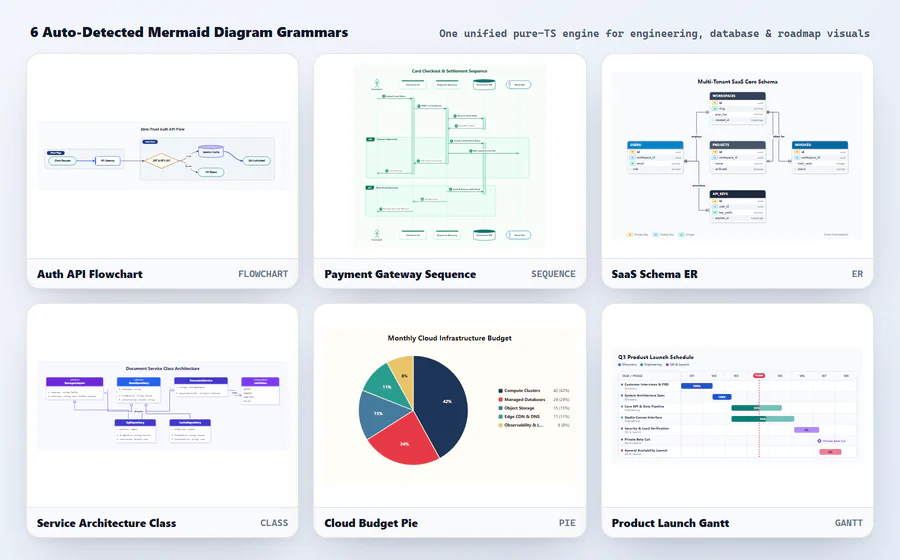
Built for software engineers, architects, technical writers, and product managers turning plain-text Mermaid blocks into polished visuals.

Turn Markdown sequence flows, state machines, and microservice diagrams into clean vector SVG files for design docs and pull requests.

Use this mermaid diagram generator to maintain consistent themed SVG and 2x PNG charts across API guides, tutorials, and release blogs.

Export crisp 4x mermaid to png architecture diagrams on transparent or white backgrounds ready to drop directly into executive slide decks.

Author clear Gantt roadmaps, decision trees, and teaching flowcharts in plain Markdown and download print-ready SVG or EPS handouts.
Answers on supported Mermaid syntax, SVG versus high-DPI PNG exports, themes, error feedback, and local browser privacy.
You can author and export flowcharts, sequence diagrams, class diagrams, entity-relationship schemas, state diagrams, Gantt timelines, and pie charts directly in this browser editor.
Yes. With one click you can export mermaid to svg for scalable vector editing, download 2x or 4x PNG images for slides and chat apps, or save PostScript EPS for print.
No. Parsing, layout calculation, SVG rendering, and PNG rasterization run 100% locally in your browser so internal system diagrams stay strictly confidential.
Yes. Choose the transparent backdrop option before downloading so your mermaid to png export blends seamlessly onto any slide theme or web page.
The editor highlights syntax errors inline with clear line feedback while keeping your last valid preview intact so you can fix the typo without losing visual context.
Yes. Every mermaid to svg export includes an explicit viewBox, clean group structure, and embedded style definitions so connectors and node labels display reliably.
Yes. Pick from multiple built-in light, dark, neutral, and forest themes and adjust canvas padding directly inside this browser workspace.
Yes. You can write Mermaid syntax, preview live diagrams, and download clean SVG, 2x/4x PNG, and EPS exports completely free online without signing up.
Paste any Mermaid Markdown snippet to preview live themes and export mermaid to svg, 2x/4x PNG, or EPS free right in your browser.
Render Mermaid diagram now