Payment gateway Strategy pattern
Illustrates an interface contract implemented by multiple concrete payment processors alongside a checkout context using crisp implements and aggregation arrows.
Design authentic object-oriented architectures in seconds with our browser-local uml diagram maker. Build 3-compartment Class, Interface, Abstract, and Enum cards with +, -, #, and ~ visibility modifiers, connect authentic UML arrows for extends, implements, composition, aggregation, and association, parse quick text syntax, and export vector SVG, press-ready EPS, or crisp 2x PNG.
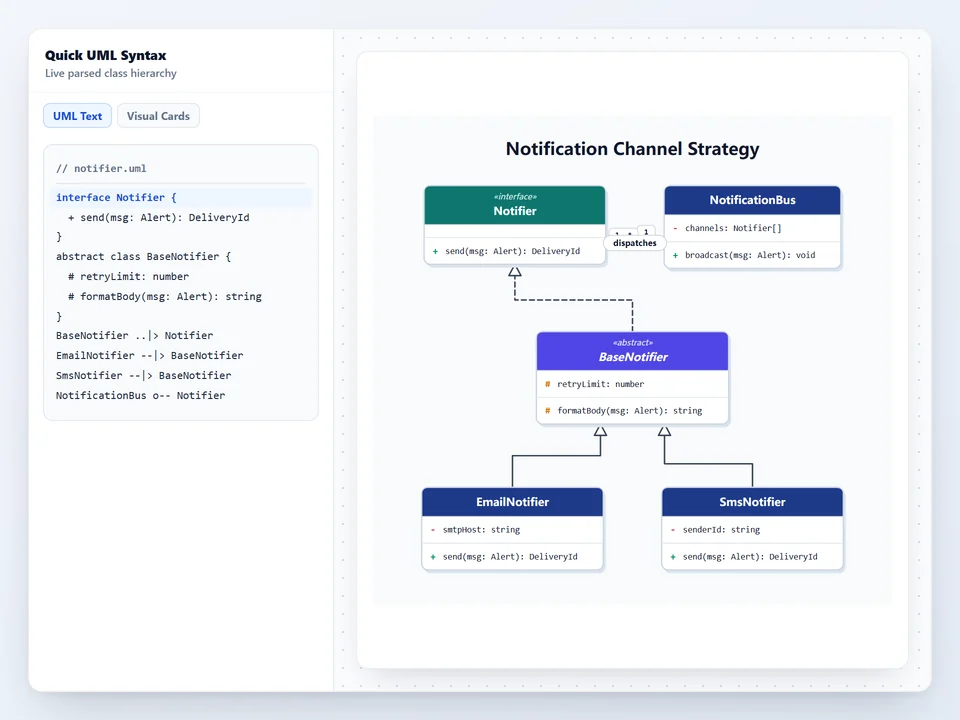
Supports class, interface, abstract, enum blocks and arrows: --|>, ..|>, *--, o--, -->, ..>
Open any classic software architecture preset in our uml class diagram maker to inspect 3-compartment cards, visibility markers, and topological inheritance flow before modeling your own codebase.
Illustrates an interface contract implemented by multiple concrete payment processors alongside a checkout context using crisp implements and aggregation arrows.

Connects Order, LineItem, Customer, and OrderStatus Enum cards with composition diamonds, typed attributes, and clean public and private method signatures.

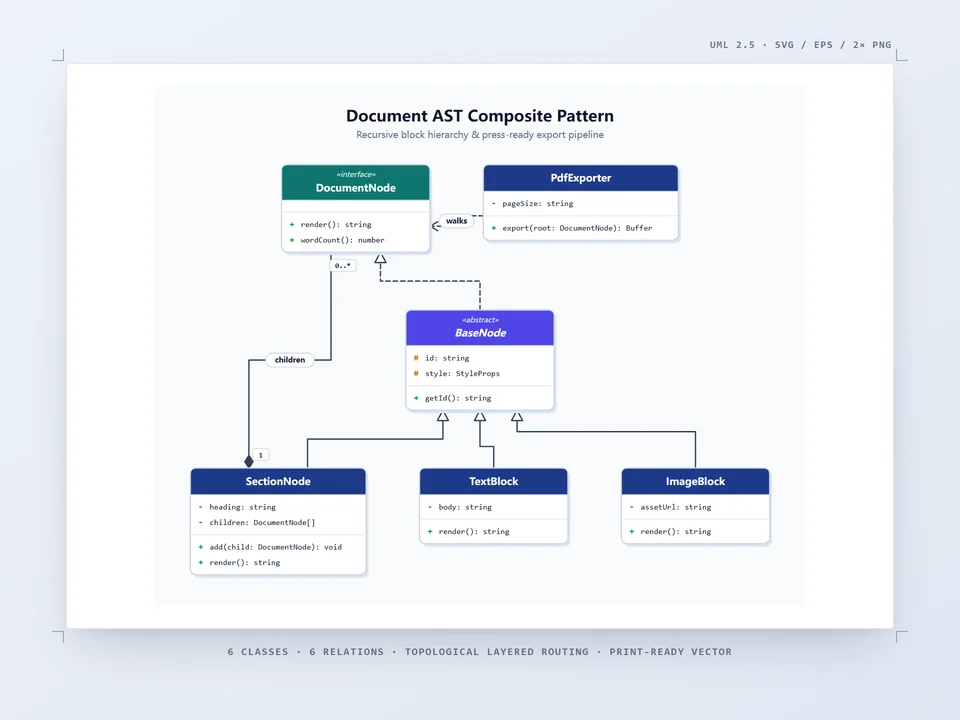
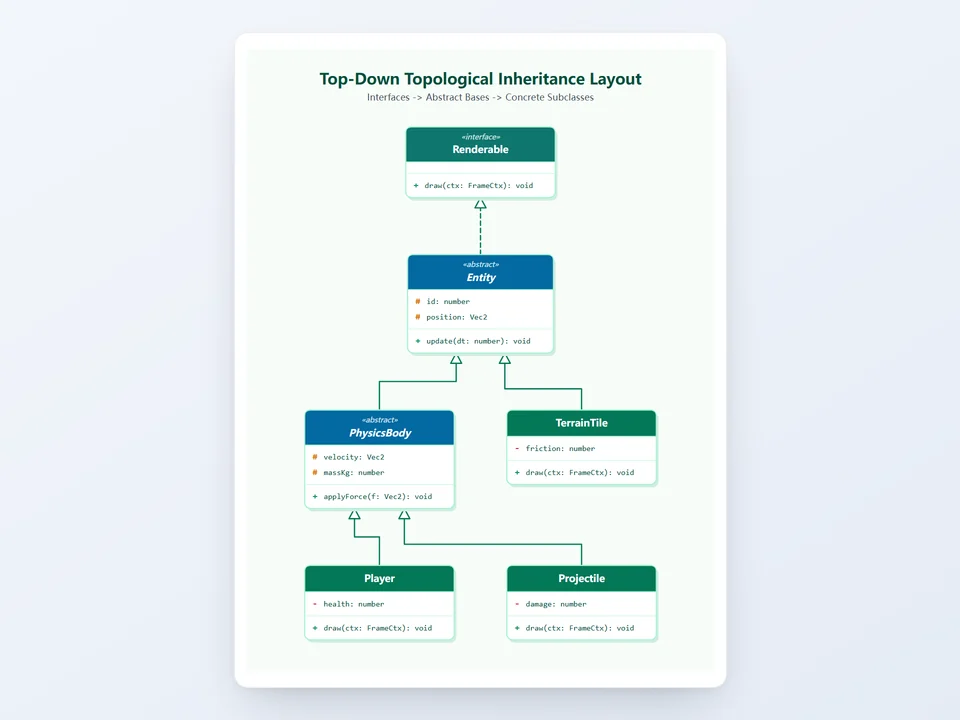
Models an abstract DocumentNode superclass extended by Section containers and TextLeaf elements with automatic top-down topological inheritance layout.
Turn domain classes, design patterns, or compact text definitions into aligned vector UML class diagrams with zero manual routing.
Create Class, Interface, Abstract, or Enum cards interactively, or type concise class, attribute, method, and relationship lines into the quick text parser to generate your diagram instantly.
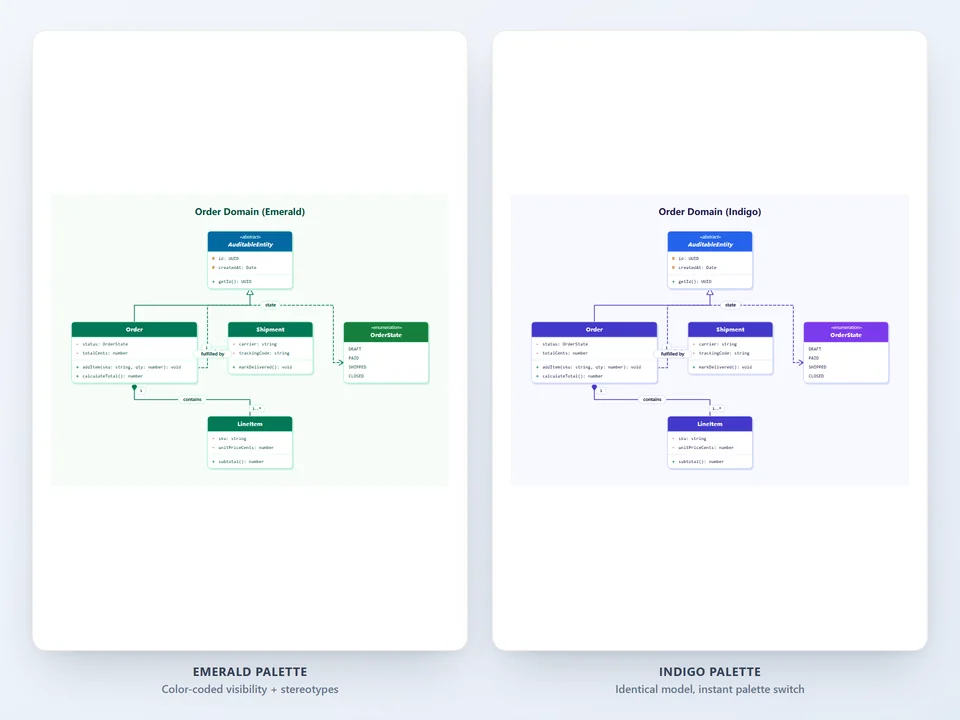
Tag fields and methods with +, -, #, or ~ access modifiers inside this uml diagram maker, choose extends, implements, composition, aggregation, or association connectors, and select one of six themes.
Let the topological engine arrange inheritance tiers cleanly, then export vector SVG for docs and IDEs, PostScript EPS for books, or sharp 2x PNG for PR reviews.
Crafted for authentic UML 2 notation so stereotypes, visibility symbols, and relationship arrowheads stay technically accurate.
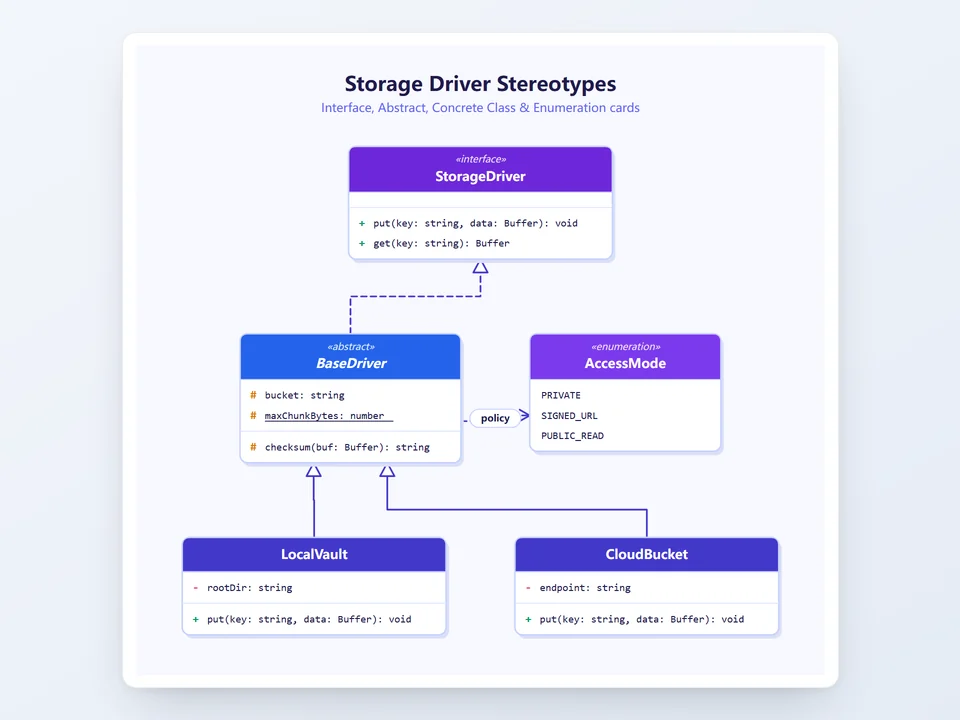
Renders classic three-section UML boxes with header stereotypes (interface, abstract, enum), typed attributes in the middle compartment, and method signatures below.
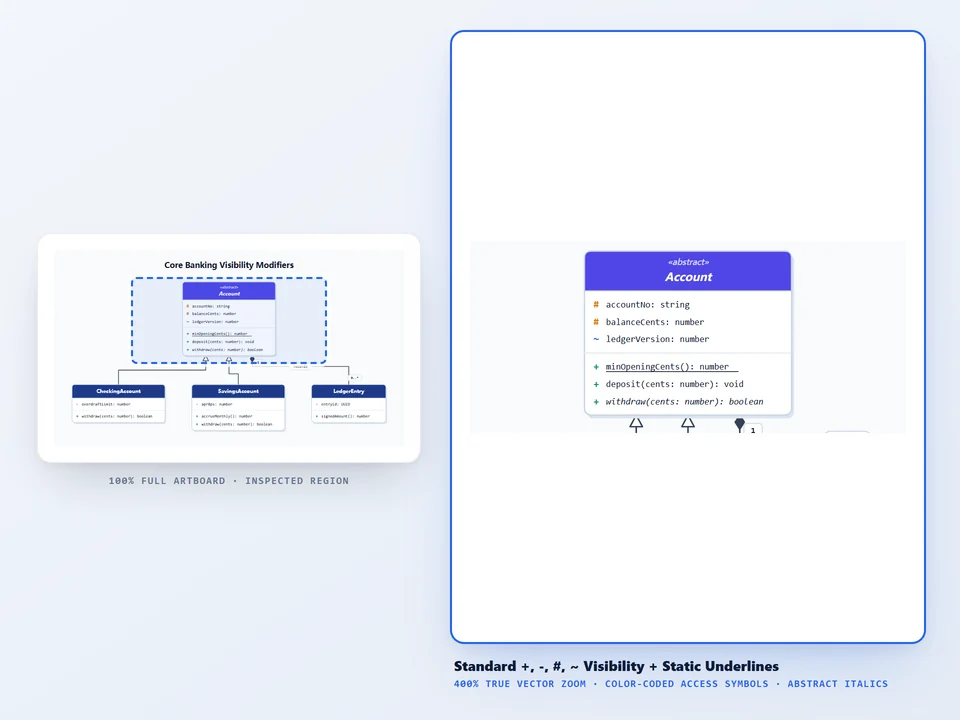
Format public (+), private (-), protected (#), and package (~) fields and operations clearly so reviewers verify encapsulation boundaries at a glance.
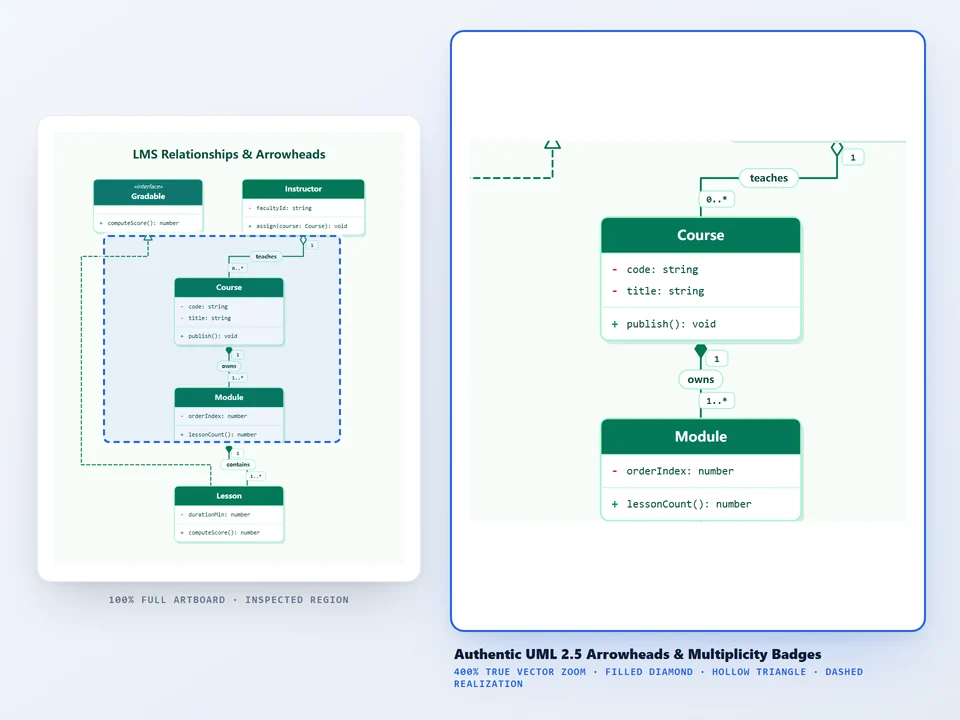
Distinguish hollow-triangle inheritance (extends), dashed realization (implements), filled-diamond composition, hollow-diamond aggregation, and open association connectors cleanly.
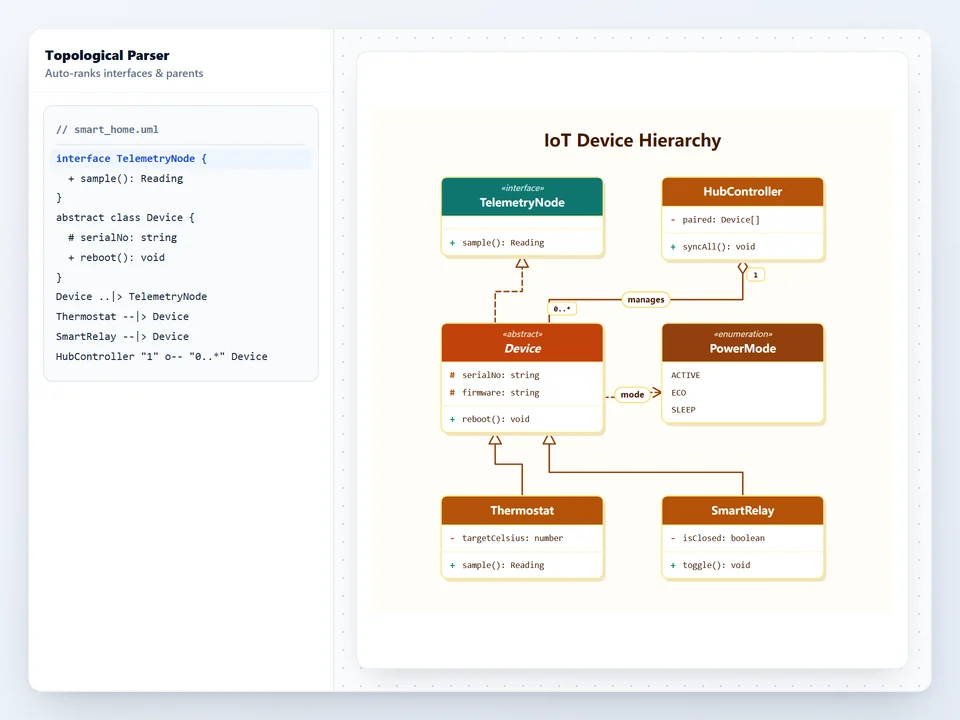
Write rapid text specs or edit cards in this uml diagram maker while the topological ranker automatically places base interfaces above subclasses with tidy spacing.
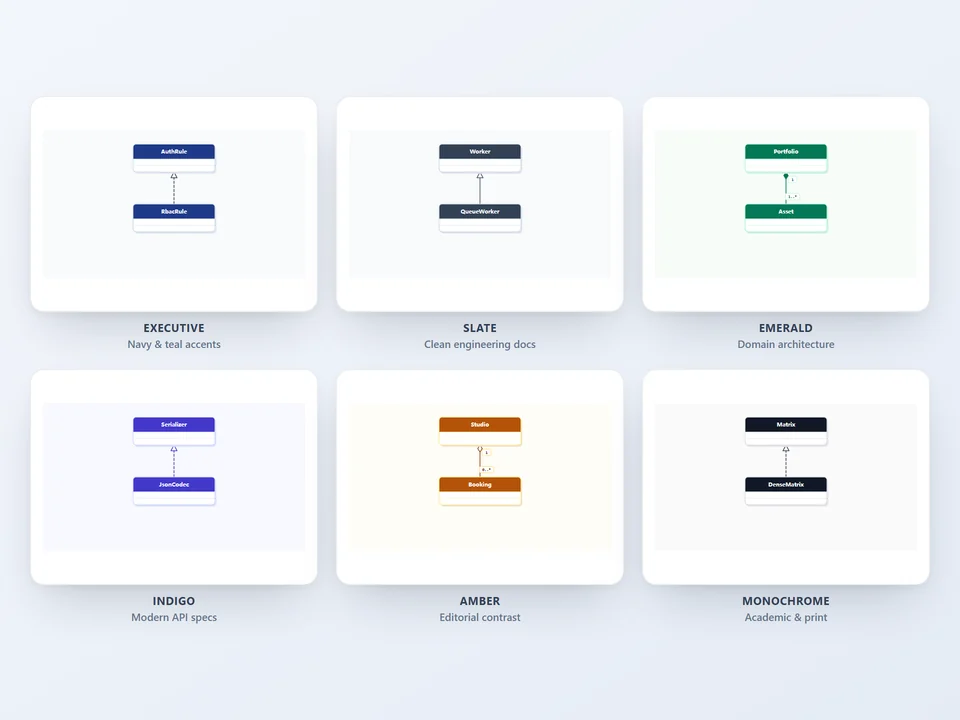
Switch palettes across six cohesive themes, then export standard vector SVG for Figma, VS Code, or docs, PostScript EPS for commercial publishing, or 2x PNG for slides.

Internal service interfaces, unpublished SDK designs, and architecture RFCs render strictly in your local browser memory with zero remote uploads.
Five object-oriented diagramming practices that keep engineering RFCs, design-pattern references, and codebase documentation sharp.
Authentic UML notation communicates architecture intent without paragraphs of prose because every arrowhead carries a precise meaning. Use a solid line with a hollow triangle for class inheritance (extends) and a dashed line with a hollow triangle for interface realization (implements). Reserve a filled diamond for composition when child parts share the parent's lifecycle, such as Order owning LineItems, and use a hollow diamond for aggregation when referenced objects exist independently. Plain associations capture collaborating services without ownership. Using a dedicated uml diagram maker with native UML arrowheads keeps design reviews exact and prevents ambiguous arrows across engineering teams.
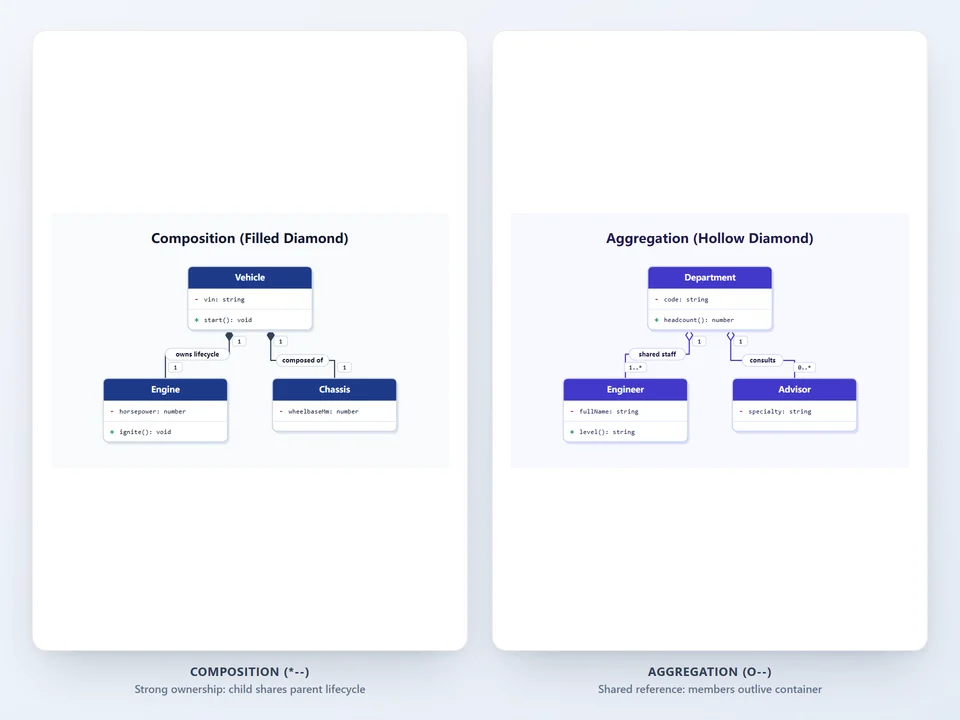
Listing every private helper variable in a massive class box turns a helpful diagram into clutter. Focus each 3-compartment card on the state and operations that define the class's contract, tagging public APIs with +, internal encapsulated fields with -, subclass hooks with #, and package-scoped members with ~. Inside a clean uml diagram maker, stereotypes like interface, abstract, and enum immediately signal which nodes define contracts, which supply shared base behavior, and which restrict allowed states. Concise signatures such as +authorize(amount: Money): Receipt communicate intent cleanly across TypeScript, Java, C#, Python, and C++ teams.
Human eyes naturally trace hierarchies downward from abstractions to concrete implementations. Placing interfaces and abstract base classes on upper tiers with concrete subclasses arranged below creates instant visual order without crossing lines unnecessarily. Our uml diagram generator computes topological ranks automatically from extends and implements relationships, keeping parent abstractions anchored near the top and collaborating components aligned cleanly across horizontal rows. Whenever you refactor a pattern or insert an intermediate abstract class via the quick text parser, the layout recalculates automatically so you spend zero time nudging boxes pixel by pixel.
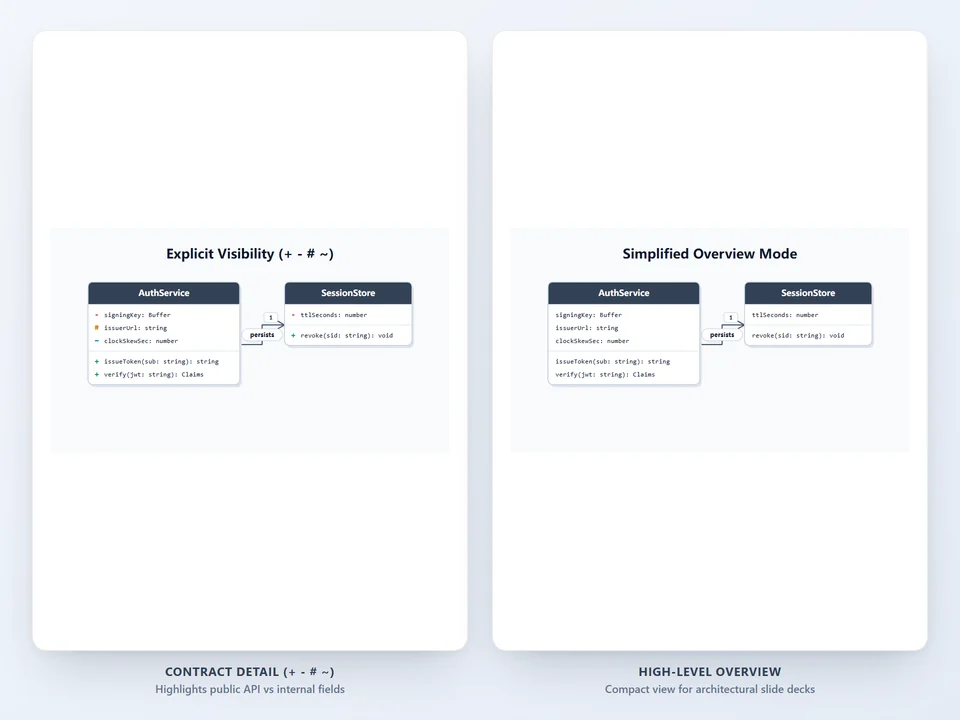
During live architecture brainstorming, peer code reviews, or university coursework exercises, typing concise class blocks and relationship lines is far faster than clicking through nested modal dialogs for every property. The integrated quick text parser lets you draft clean class hierarchies in seconds, test alternate decompositions such as Strategy versus Composite, and immediately inspect the updated 3-compartment cards and UML arrowheads on the canvas. Once your core object boundaries stabilize, switch between the six built-in visual themes to match your team wiki, slide deck, or monochrome technical handbook before exporting final vector files.
Great architecture diagrams live inside README files, engineering RFCs, university textbooks, and executive presentations. Export standard vector SVG from our class diagram generator whenever you need crisp text at any zoom level inside Markdown portals, Figma boards, Illustrator layouts, or VS Code previews. Choose PostScript EPS when delivering technical figures for printed books, papers, or wall charts, and download 2x PNG for effortless pasting into pull requests and chat reviews. Pair your object models with relational schemas in ER Diagram Maker, map control logic in Decision Tree Maker, document team ownership in Org Chart Maker, or convert graphics in SVG to EPS.
Built for software architects, engineering teams, computer science classrooms, and technical authors modeling clean systems.

Draft domain models, SDK interfaces, and design-pattern RFCs with this uml diagram maker and drop crisp SVG diagrams straight into technical specs.

Demonstrate inheritance, interfaces, polymorphism, and Gang of Four patterns clearly using authentic 3-compartment UML class cards and visibility signs.

Create UML diagram online maps of core modules, service contracts, and enums so new hires grasp codebase boundaries in minutes.

Produce consistent, publication-grade vector SVG and PostScript EPS class diagrams matched to clean monochrome or editorial palettes.
Answers on 3-compartment class cards, UML relationship arrows, visibility modifiers, quick text parsing, vector exports, and privacy.
You can create Class, Interface, Abstract, and Enum cards, each rendered with authentic UML stereotypes and tidy 3-compartment sections for name, attributes, and methods.
Five authentic UML connectors are supported: inheritance (extends), interface realization (implements), composition (filled diamond), aggregation (hollow diamond), and plain association.
Prefix any attribute or method with + for public, - for private, # for protected, or ~ for package visibility. The renderer styles each modifier cleanly inside the card compartments.
Yes. Use the built-in quick text parser inside this browser studio to write compact class definitions and relationship links, then sync directly to the visual canvas.
The layout engine analyzes extends and implements edges to place parent interfaces and abstract classes on upper tiers with concrete implementations neatly aligned below.
Yes. Exported SVG and PostScript EPS files contain crisp vector shapes, arrowheads, and clean text elements that open cleanly in Figma, Illustrator, Inkscape, PowerPoint, and VS Code.
No. Text parsing, topological layout, SVG rendering, EPS generation, and 2x PNG export execute 100% locally inside your browser tab with zero network uploads.
Yes. You can build UML class models, switch all six themes, and export vector SVG, EPS, and 2x PNG completely free in your browser.
Compose Class, Interface, Abstract, and Enum cards visually or via quick text syntax, arrange with topological layout, and export SVG, EPS, or 2x PNG locally.
Start creating a UML diagram