SaaS subscription and billing schema
Models Organizations, Users, Subscriptions, Plans, and Invoices with typed UUID keys, FK relationships, and 1:N Crow's Foot connectors for cloud teams.
Design relational database schemas faster with our browser-local er diagram generator. Define typed table columns with PK, FK, and UK constraint badges, connect entities using Crow's Foot cardinality (1:1, 1:N, N:1, M:N), paste SQL CREATE TABLE DDL to auto-generate diagrams, and export vector SVG, press-ready EPS, or crisp 2x PNG.
Supports CREATE TABLE / FOREIGN KEY SQL or shorthand: CREATE TABLE users (id uuid PK)
Load a real-world relational schema into our er diagram maker to inspect clean table cards, foreign key wiring, and Crow's Foot markers before modeling your own database.
Models Organizations, Users, Subscriptions, Plans, and Invoices with typed UUID keys, FK relationships, and 1:N Crow's Foot connectors for cloud teams.

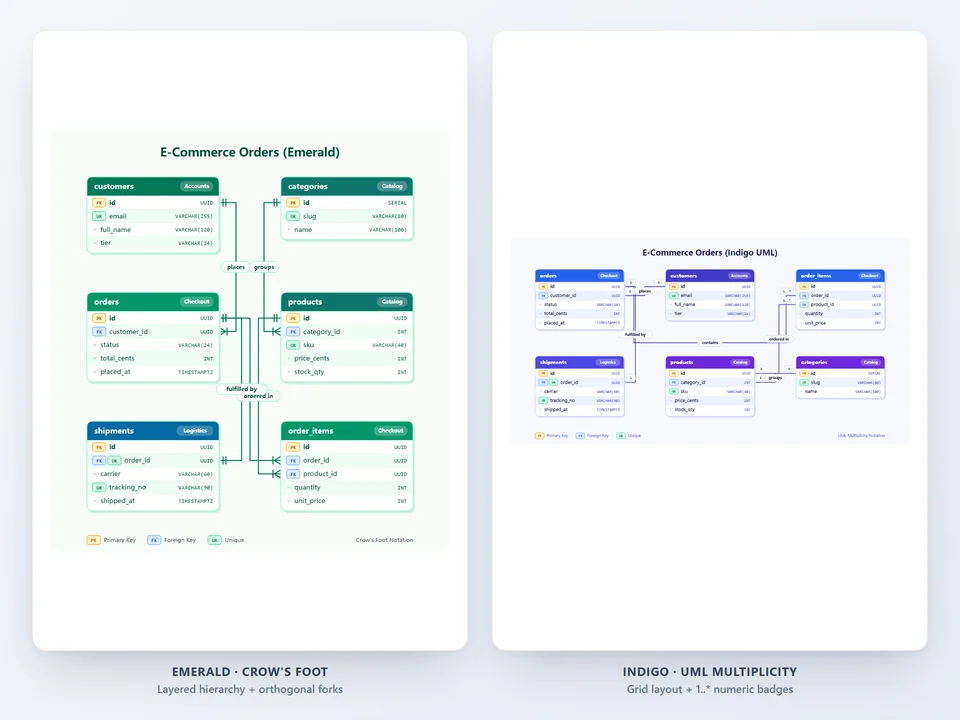
Connects Customers, Orders, OrderItems, Products, and Shipments with composite keys, UK constraints, and clear join-table cardinality for storefront architectures.

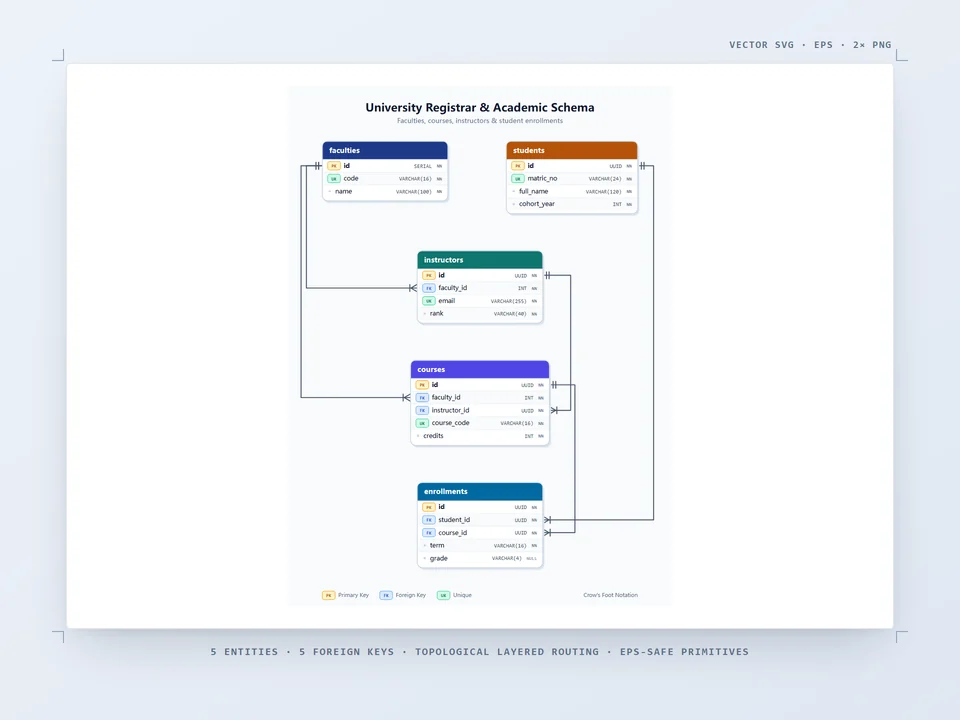
Maps Patients, Practitioners, Appointments, Rooms, and Prescriptions in a balanced schema built for engineering reviews and compliance documentation.
Go from raw SQL DDL statements or fresh entity ideas to publication-ready vector database diagrams in minutes.
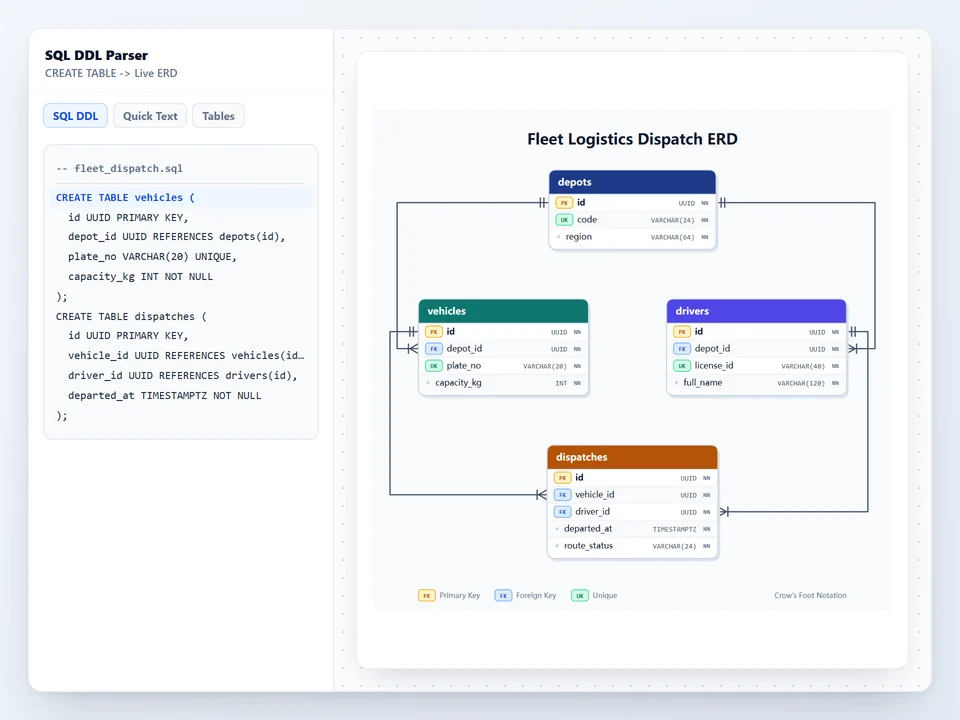
Paste PostgreSQL, MySQL, or SQLite CREATE TABLE scripts into the built-in SQL parser, or create entities interactively with typed columns and PK, FK, and UK key badges.
Link primary and foreign keys with 1:1, 1:N, N:1, or M:N Crow's Foot notation inside this database diagram maker, adjust layout spacing, and pick from six executive color palettes.
Download crisp vector SVG for engineering docs and wikis, PostScript EPS for technical books and printed posters, or sharp 2x PNG for pull requests and slides.
Purpose-built for software engineers, data architects, and CS students who want clean Crow's Foot diagrams without fighting manual box alignment.
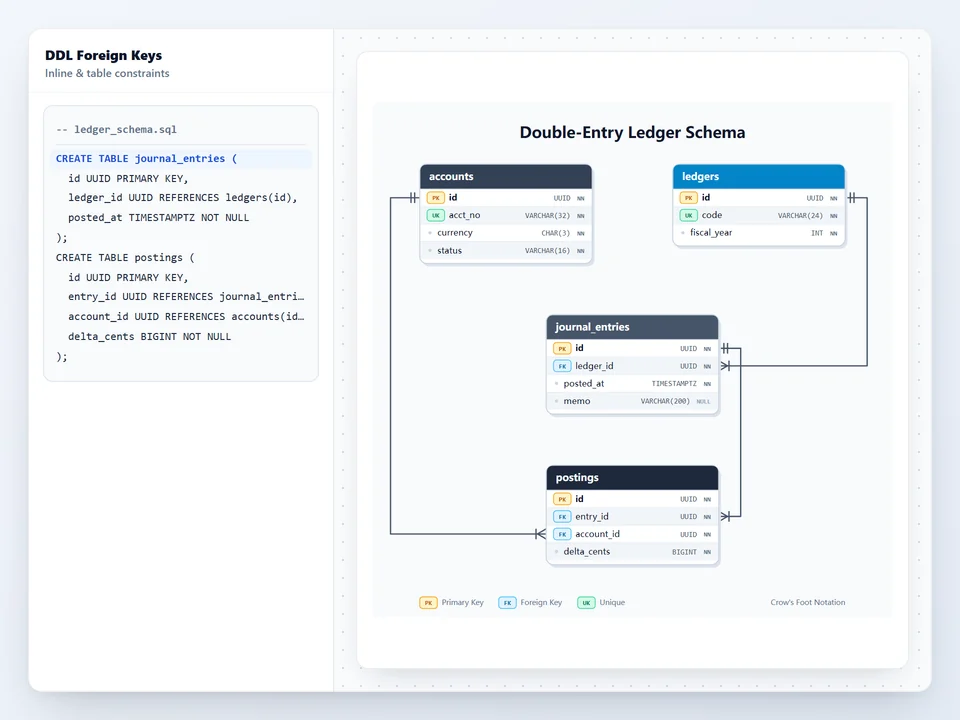
Paste existing SQL schema scripts with PRIMARY KEY, FOREIGN KEY, REFERENCES, and UNIQUE clauses and watch this er diagram generator build entities, columns, and relationships automatically.
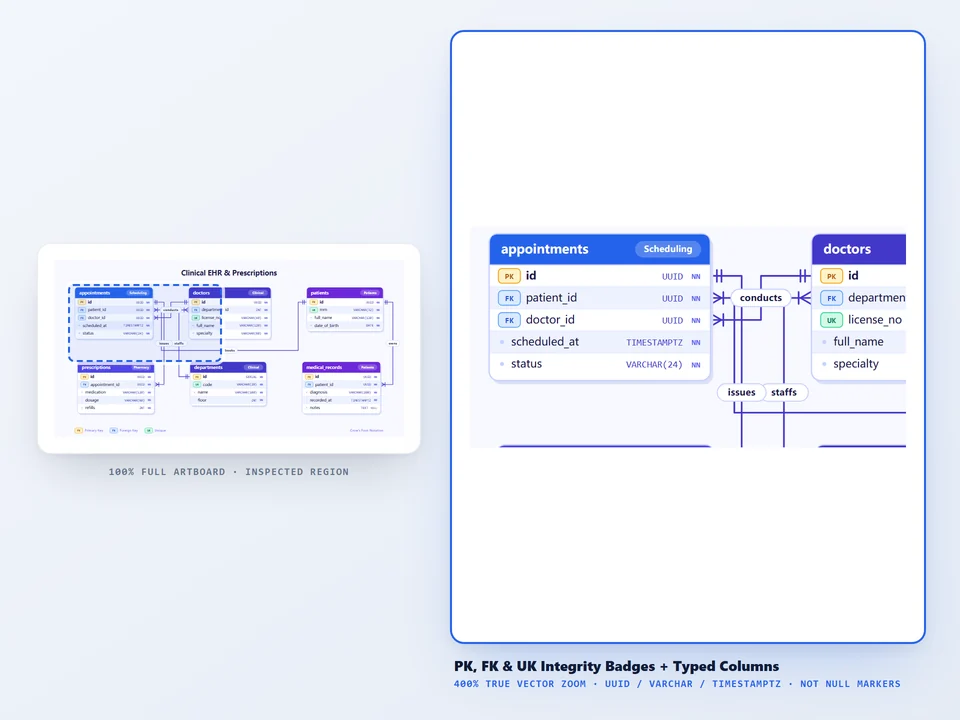
Every table card clearly displays column names, SQL data types (uuid, varchar, bigint, timestamp), and crisp color-coded PK, FK, and UK constraint badges for rapid review.
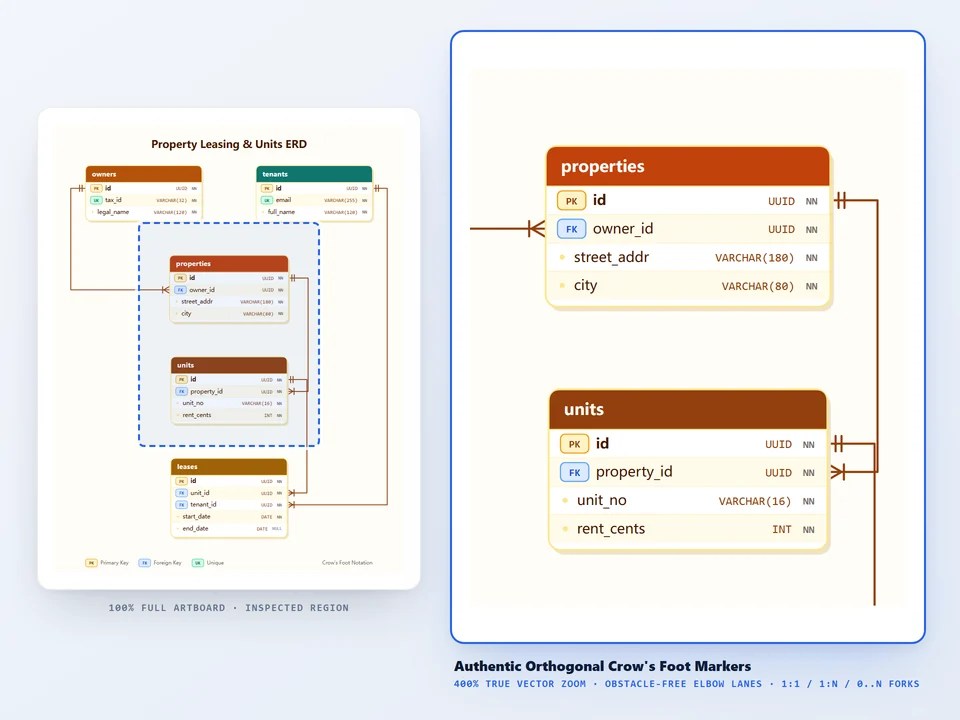
Draw unambiguous 1:1, 1:N, N:1, and M:N relational connectors with clean orthogonal routing and standard Crow's Foot endpoints that stay legible across multi-table schemas.
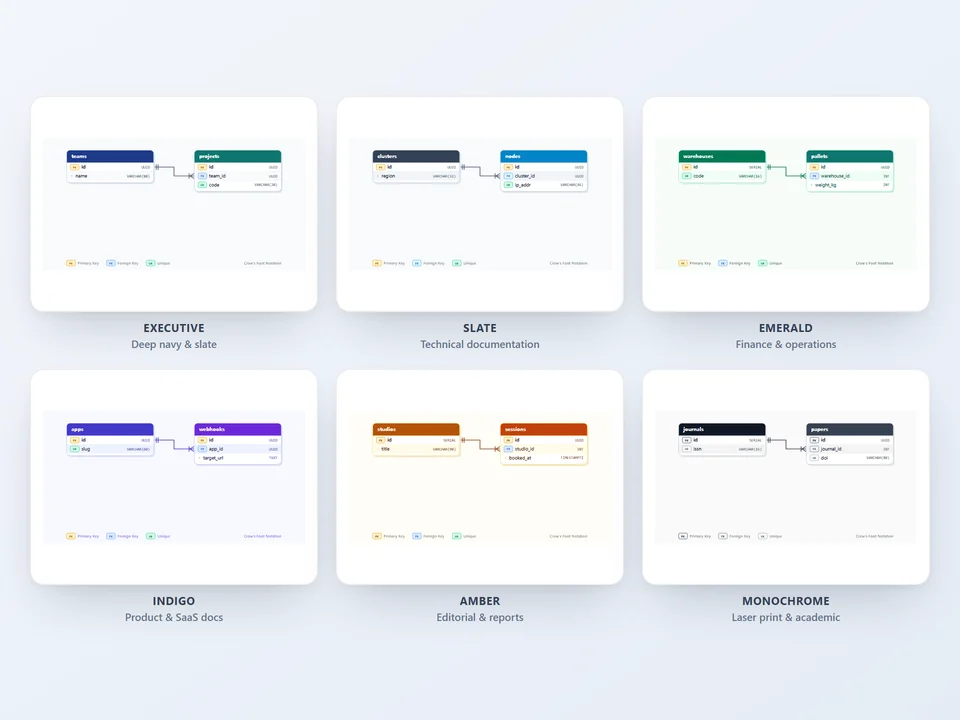
Switch this er diagram generator between six curated palettes tailored for engineering handbooks, board decks, monochrome printouts, and high-contrast architecture reviews.
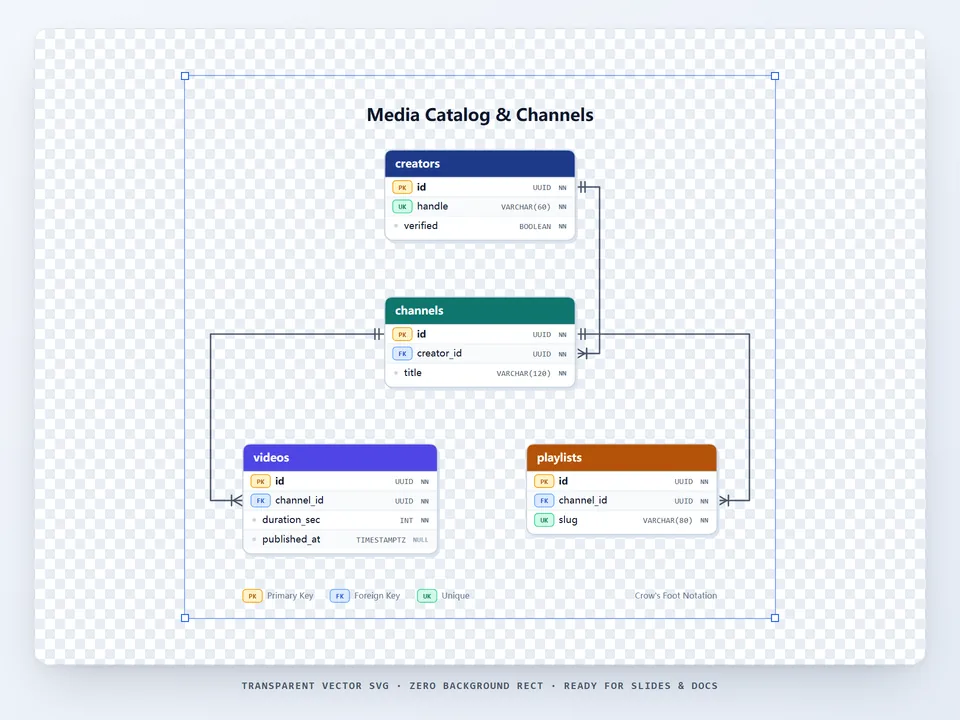
Export genuine scalable SVG markup for Figma, VS Code, and documentation sites, clean PostScript EPS for commercial print, or retina 2x PNG images ready for wikis.
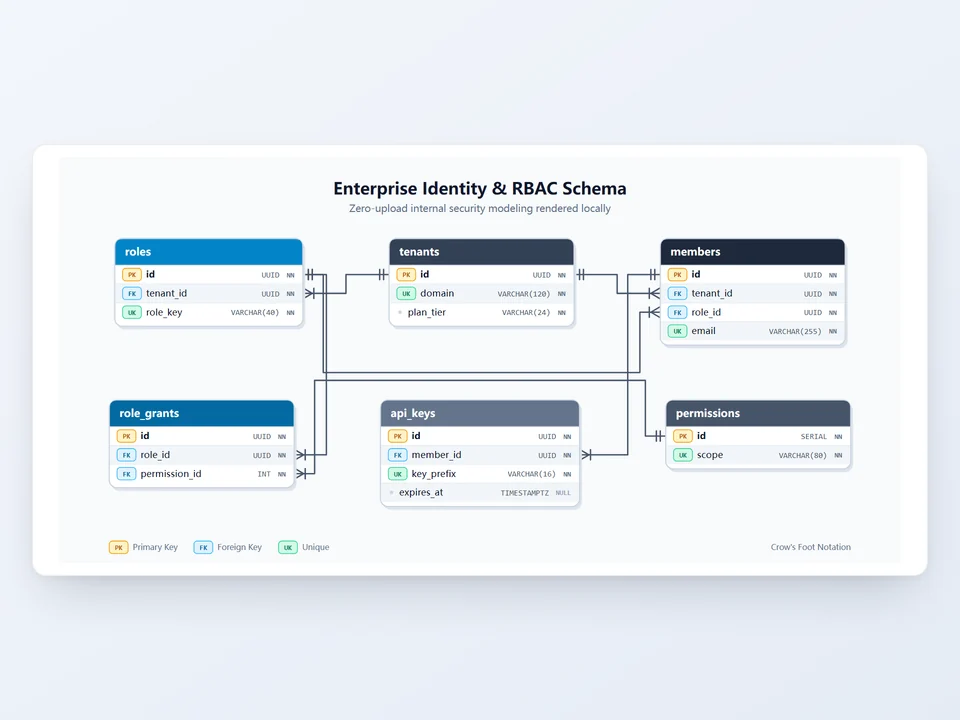
Production table names, billing models, and unreleased database migrations stay strictly inside your browser session with zero external server uploads.
Five data modeling and layout habits that keep database ERDs accurate during architecture reviews, migrations, and onboarding.
Hand-drawn schema diagrams drift out of sync with production databases within weeks. Starting inside an er diagram generator that parses standard SQL CREATE TABLE statements ensures your visual diagram mirrors actual column names, data types, primary keys, unique indexes, and foreign-key REFERENCES directly from your migration files. Even when designing a brand-new microservice from scratch, drafting tables visually and validating key types early prevents mismatched integer versus UUID foreign keys before writing a single ORM migration. Keeping diagram generation closely tied to DDL lets teams refresh architecture docs in seconds after every schema change.
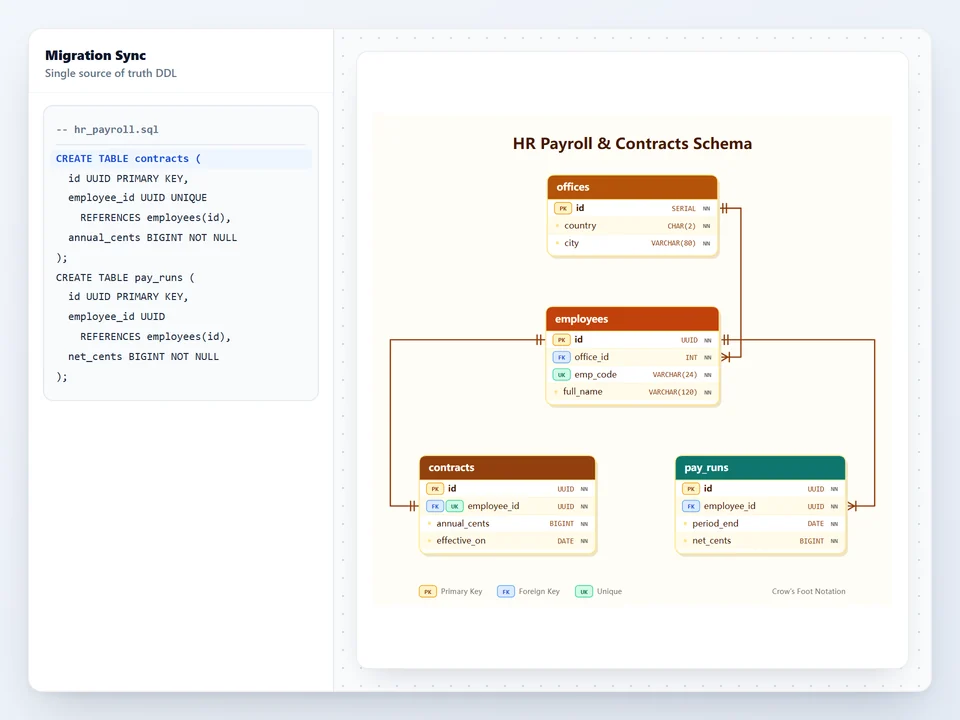
Readers scanning a complex database diagram look immediately for how rows are identified and joined. Highlighting primary keys with PK pills, relational pointers with FK tags, and natural uniqueness constraints like customer emails or order numbers with UK badges makes table semantics obvious at a glance. A disciplined er diagram generator also pairs each column name with concise SQL types such as uuid, timestamptz, numeric(10,2), or text. That level of clarity allows backend engineers, analytics teams, and product managers to spot missing unique constraints or nullable foreign keys during design review instead of debugging data integrity issues in production.
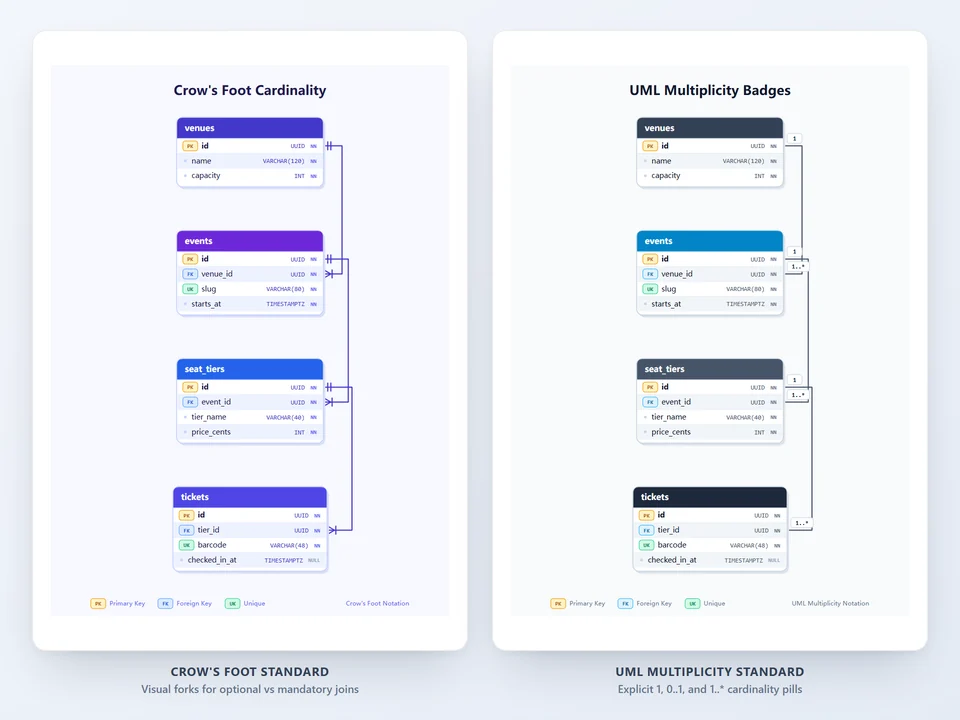
Standard Crow's Foot notation communicates relational multiplicity far faster than unlabeled arrows. Reserve 1:1 relationships for tightly coupled extension tables such as user security profiles, use 1:N or N:1 for classic parent-child links like organizations owning invoices, and resolve M:N concepts cleanly whenever join tables carry extra attributes like quantity or timestamps. Modeling an OrderItems bridge table between Orders and Products inside our database diagram maker clarifies immediately where unit prices and line discounts belong. Consistent cardinality conventions also help new engineers write accurate SQL joins without duplicating revenue metrics.
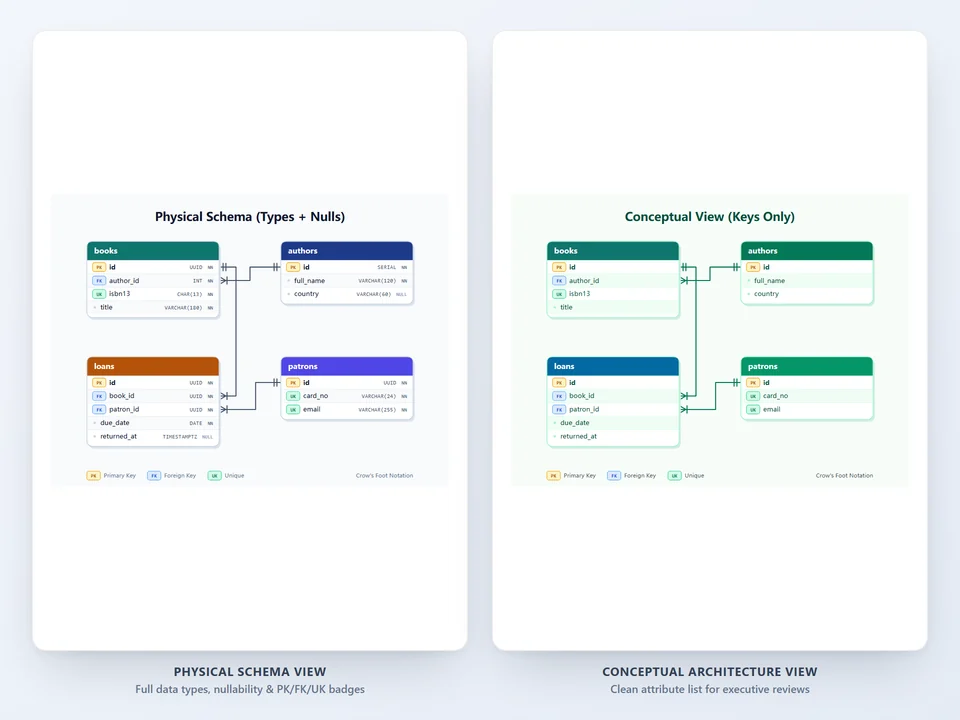
Enterprise databases often exceed fifty tables, and squeezing every audit log and lookup table onto one giant diagram overwhelms reviewers during technical meetings. Instead, use this erd maker online to craft focused domain diagrams of five to twelve tables each, such as Billing, Identity, Fulfillment, or Scheduling. Pick a consistent executive palette across your engineering wiki so every backend squad shares a unified visual language. Keeping individual ERDs centered on one bounded context makes every table header, SQL data type, and Crow's Foot line readable without zooming in during architecture walkthroughs or onboarding presentations.
Technical diagrams travel across pull requests, Markdown docs, slide decks, and printed reference posters. Download vector SVG from our entity relationship diagram maker whenever you embed schemas into web documentation, Figma boards, Illustrator files, or Git repositories where infinite zoom matters. Select PostScript EPS when preparing figures for technical books, academic theses, or print-shop posters, and grab 2x PNG for fast pasting into pull-request descriptions and team chat. Pair your database schemas with object models in UML Diagram Maker, map logic flows in Decision Tree Maker, chart squads in Org Chart Maker, or convert graphics in SVG to EPS.
Built for backend engineers, data architects, educators, and technical consultants documenting relational databases.

Paste migration SQL into this er diagram generator to visualize new tables, review foreign keys in pull requests, and keep repository docs current.

Document star schemas, normalized staging tables, and PK or FK lineage in clean vector SVG diagrams shared across analytics teams.

Practice database normalization, Crow's Foot cardinality, and SQL DDL mapping with clean visual modeling right inside any modern browser.

Deliver polished vector SVG and print EPS system architecture appendices to clients without uploading confidential schemas to third-party clouds.
Quick answers on SQL CREATE TABLE parsing, Crow's Foot notation, PK/FK/UK badges, vector export formats, and local privacy.
Yes. Paste standard SQL CREATE TABLE DDL statements containing column types, PRIMARY KEY, UNIQUE, and FOREIGN KEY REFERENCES clauses, and the built-in parser instantly generates tables, badges, and Crow's Foot connectors.
You can connect any two entities using 1:1 (one-to-one), 1:N (one-to-many), N:1 (many-to-one), and M:N (many-to-many) Crow's Foot notation with clean labeled relationship lines.
Yes. Every column supports crisp PK, FK, and UK constraint badges alongside custom SQL data types so key roles stand out immediately on every table card.
Six curated executive palettes are built in, allowing you to switch table header tones, accent badges, and connector styling with one click for light docs, presentations, or monochrome printouts.
Yes. Exports use clean standard SVG XML and vector PostScript EPS paths with crisp text and geometric table frames that open smoothly in Figma, Illustrator, Inkscape, PowerPoint, and VS Code.
Choose 2x PNG for instant pasting into pull requests, issue trackers, emails, and chat threads. Choose SVG for scalable wikis and design tools, and EPS for commercial print layouts.
No. SQL DDL parsing, automatic table layout, SVG rendering, EPS conversion, and 2x PNG rasterization run 100% locally inside your browser with zero external data transfer.
Yes. You can build tables, parse SQL DDL, style diagrams with all six palettes, and download SVG, EPS, and 2x PNG completely free online right in your browser.
Paste SQL CREATE TABLE DDL or compose tables visually with PK/FK/UK badges and Crow's Foot lines, then export vector SVG, EPS, or 2x PNG locally.
Start creating an ER diagram