OAuth 2.0 PKCE login handshake
Traces browser redirects, authorization server codes, token exchange verification, and secure API calls across Client, Auth Server, and Resource API lifelines.
Document API handshakes, microservice calls, and auth flows cleanly with our browser-local sequence diagram generator. Combine Actor, Service, Database, and Queue lifelines with activation bars, sync/async/return/self-call arrows, numbered steps, and tabbed alt, loop, or opt frames, then export crisp vector SVG, EPS, or 2x PNG.
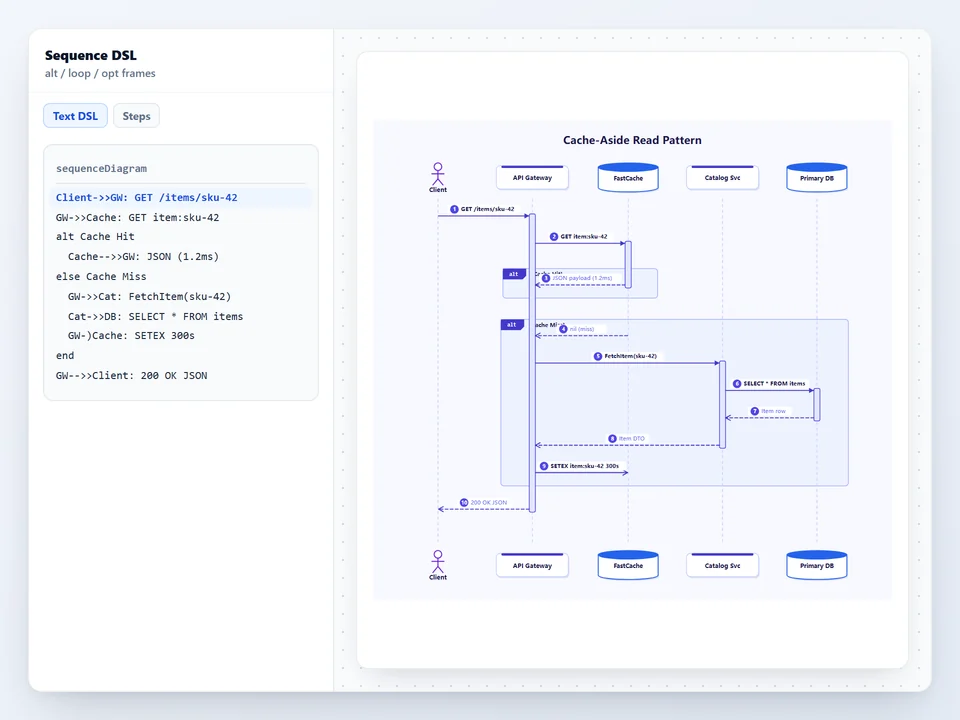
Supports actor, participant, database, queue and arrows: ->> (sync), -) (async), -->> (return)
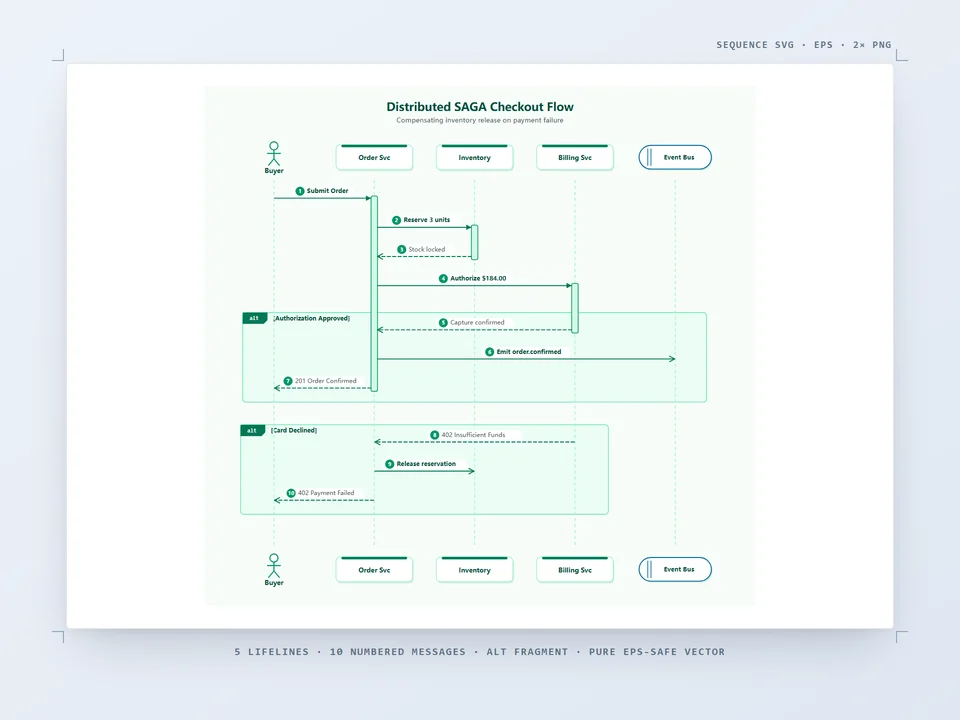
Load a real architecture template into our sequence diagram maker to inspect activation bars, numbered steps, and combined interaction frames before mapping your own system.
Traces browser redirects, authorization server codes, token exchange verification, and secure API calls across Client, Auth Server, and Resource API lifelines.

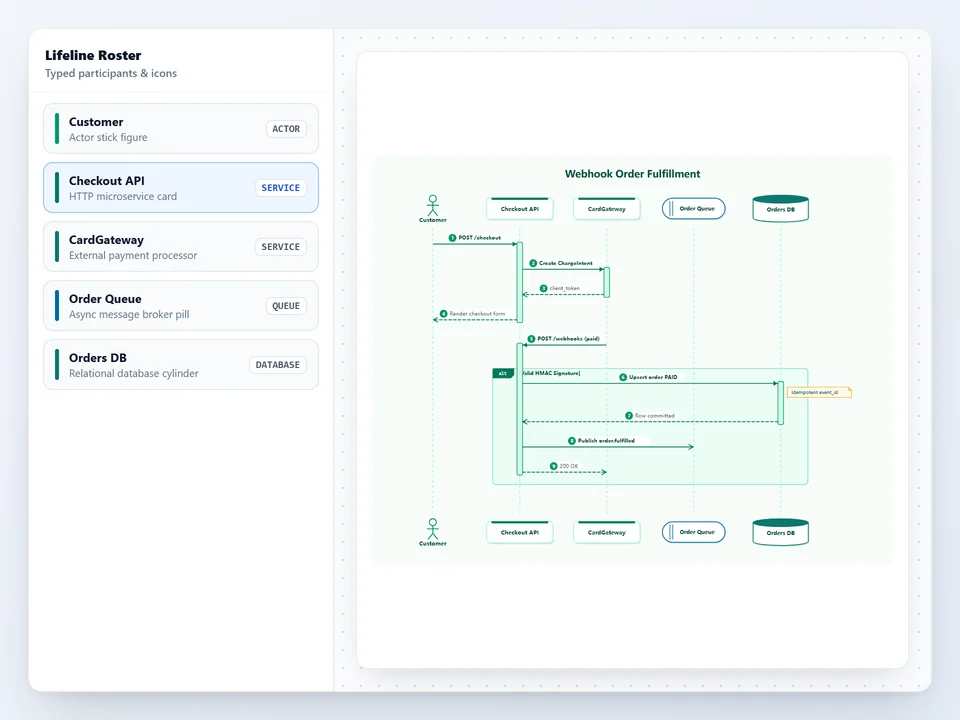
Illustrates payment gateway webhooks, signature self-checks, asynchronous message queue publishing, and worker retry loops inside a crisp tabbed loop frame.

Models an API Gateway checking Redis cache with a clean UML alt frame branching between instant cache hits and primary database fallback writes.
Turn API call sequences into publication-ready UML visuals without manually aligning dashed lifelines or colliding arrow labels.
Load a starter template or declare participants inside this sequence diagram generator, tagging each column as Actor, Service, Database, or Queue so headers and dashed lifelines align automatically.
Author interactions either in the quick text editor or via visual row controls. Pick synchronous, asynchronous, dashed return, or self-call arrows, enable automatic step numbering, and wrap conditional branches inside alt, loop, or opt frames.
Pick from six executive palettes built for RFCs and slide decks, then download crisp vector SVG for Markdown docs, PostScript EPS for technical books, or sharp 2x PNG.
Engineered around clean UML 2.5 layout rules so lifelines, activation bars, arrows, and tabbed interaction fragments stay readable as systems scale.
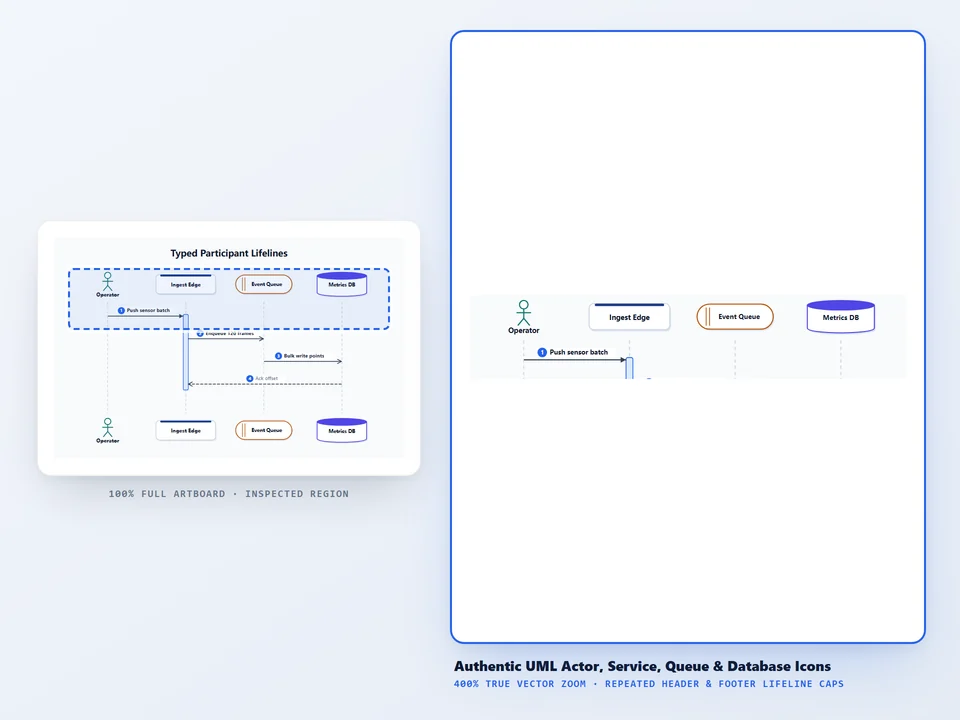
Distinguish human users, API services, relational or cache stores, and async message brokers at a glance with dedicated header silhouettes and evenly spaced vertical dashed lifelines.
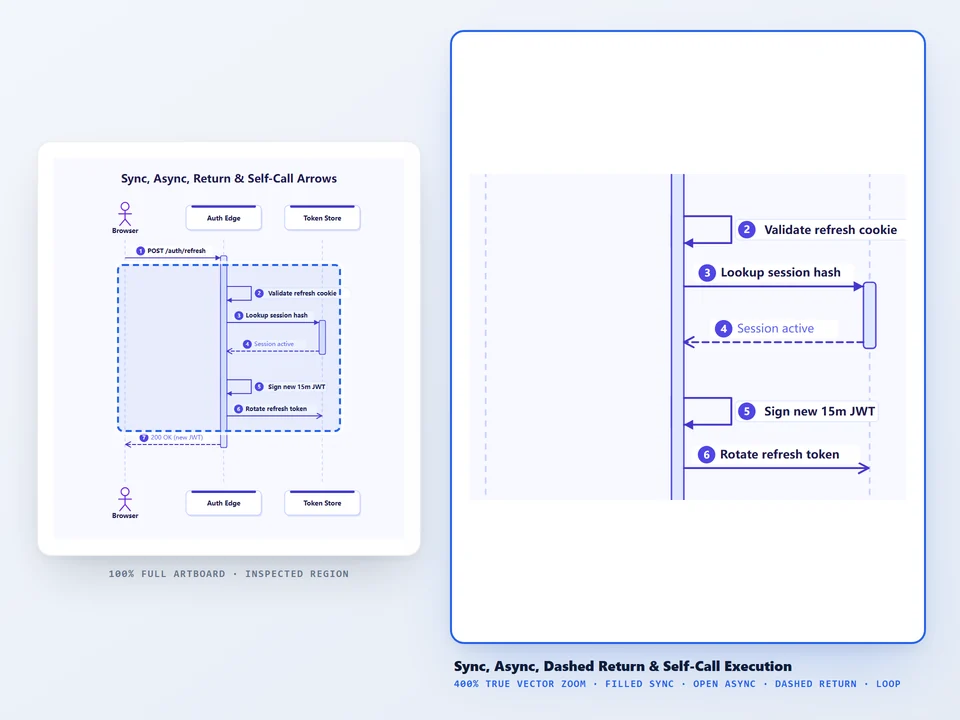
Express exact protocol semantics inside our api sequence diagram maker using filled arrowheads for synchronous requests, open tips for async events, dashed arrows for responses, and neat loopbacks for internal checks.
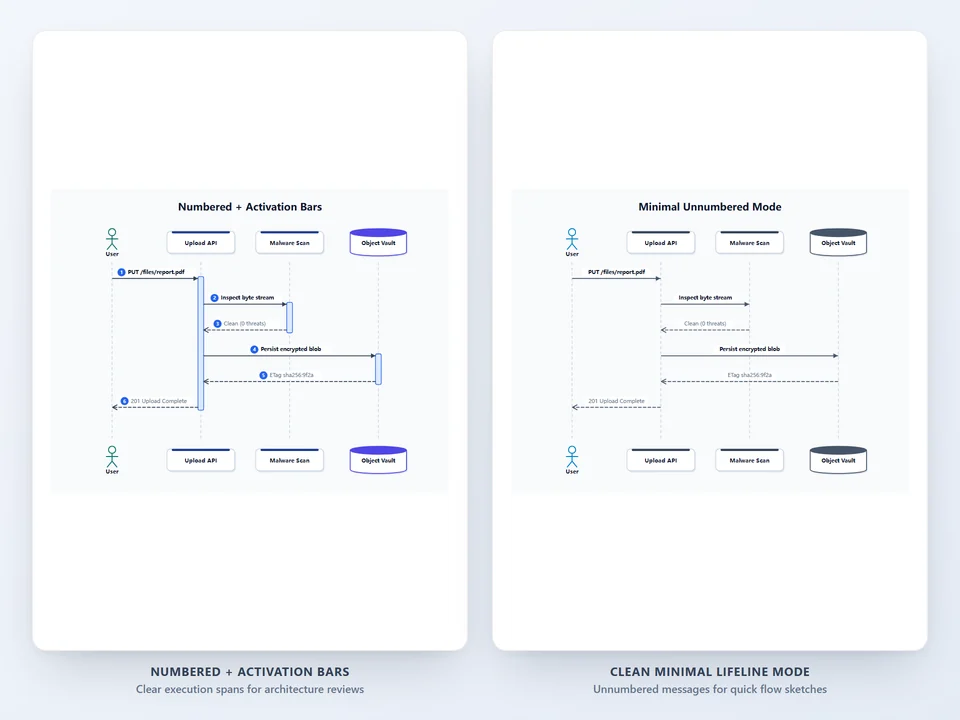
Highlight active execution windows along target lifelines with crisp activation rectangles and toggle sequential step badges so engineers can reference step 4 or step 7 cleanly during design reviews.
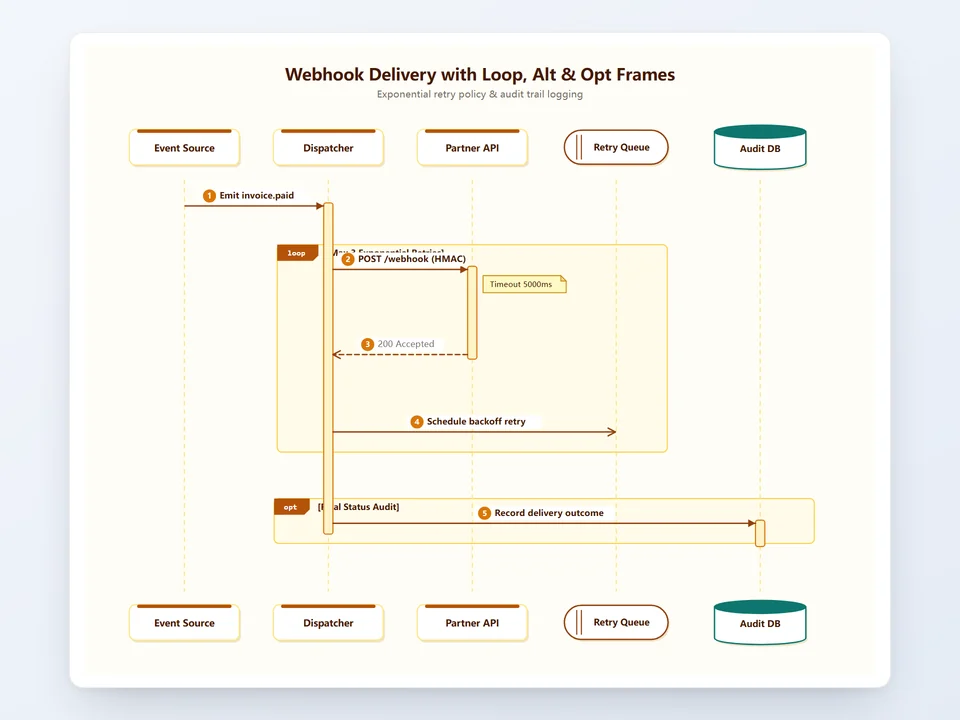
Wrap cache misses, retry policies, and optional middleware checks inside authentic corner-tabbed UML combined fragments with clear guard conditions and shaded frame boundaries.
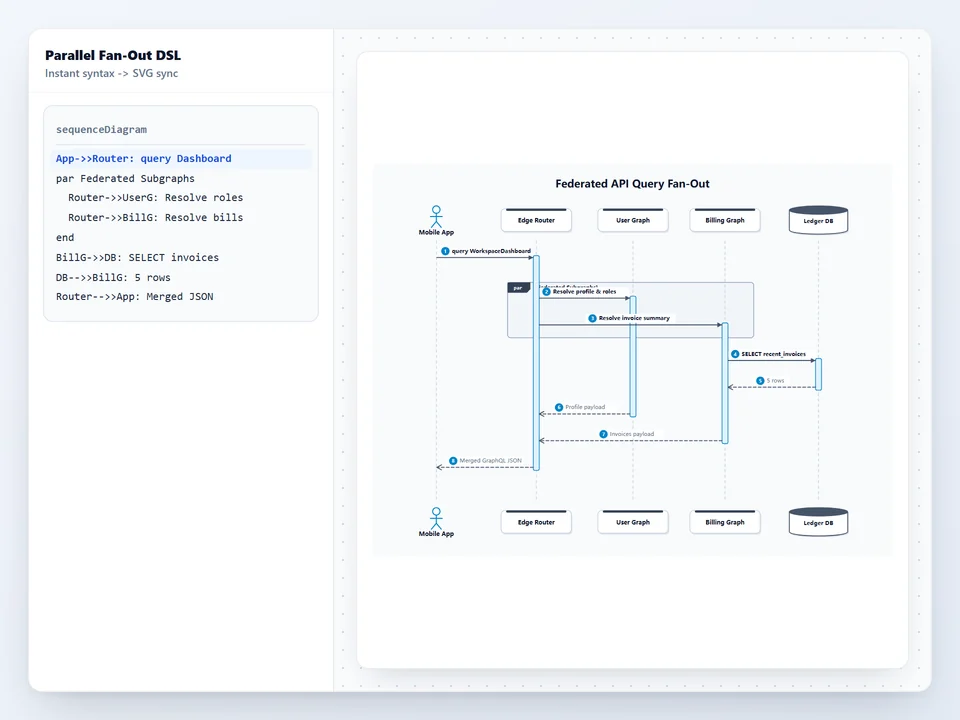
Draft flows rapidly in clean shorthand syntax or reorder rows, switch arrow types, and edit labels visually in the same synced panel before exporting SVG, EPS, or 2x PNG.
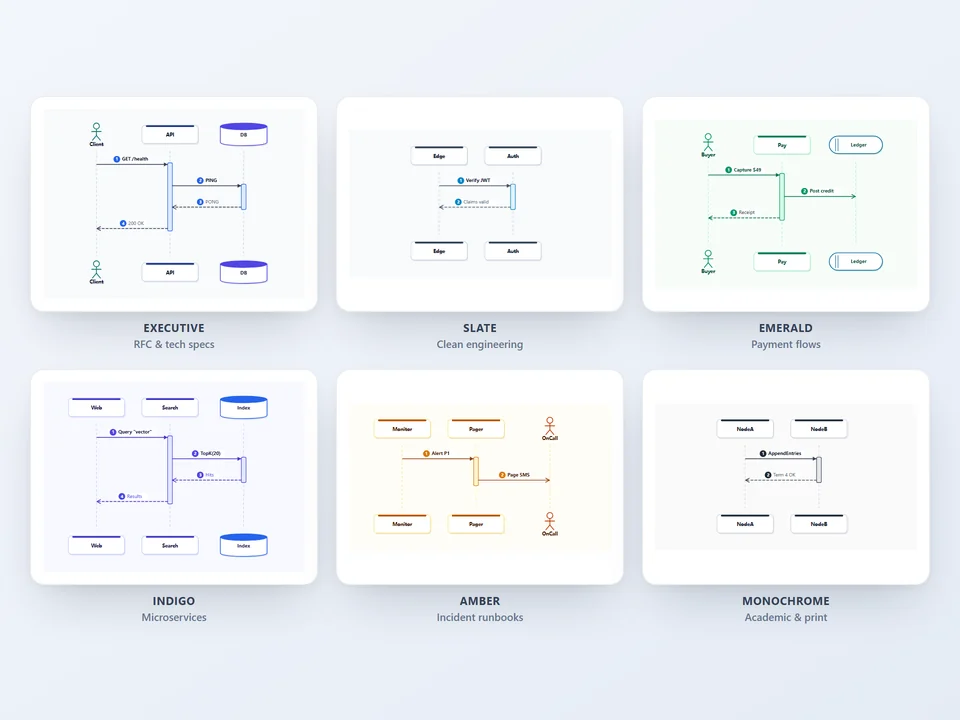
Proprietary API endpoints, auth token exchanges, and incident postmortems render purely inside local browser memory with zero remote server transmission.
Five architectural documentation practices that keep API specs, RFC reviews, and onboarding docs readable for engineers and stakeholders alike.
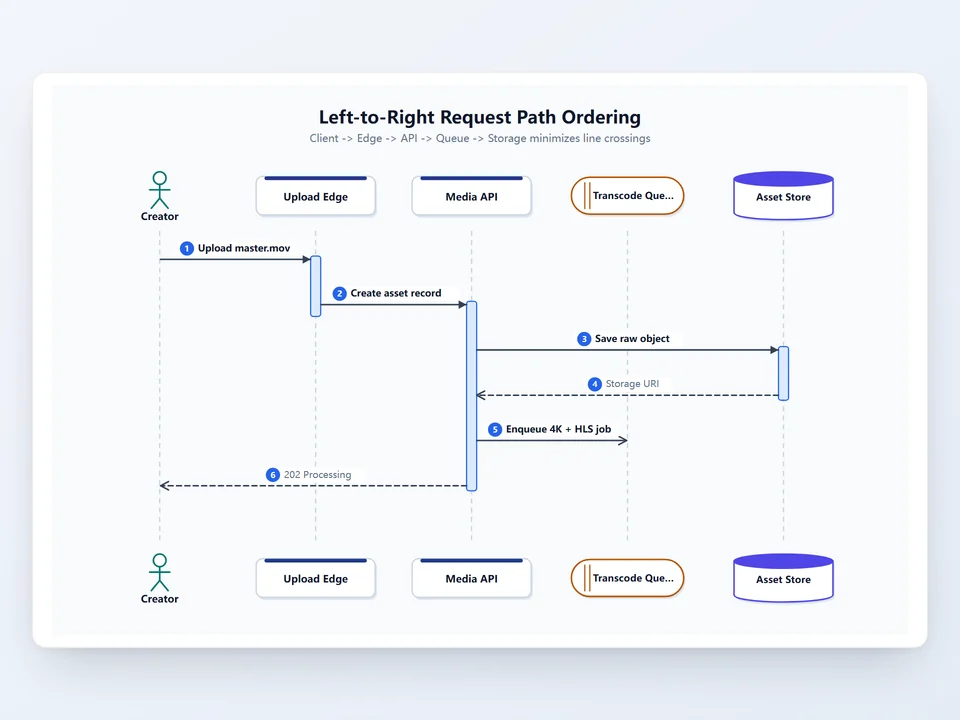
Readers scan technical sequence charts like prose from left to right and top to bottom. Placing the initiating Actor or Client on the far left, followed by edge gateways, core application Services, asynchronous Queues, and backing Databases on the right lets primary calls travel steadily rightward while responses sweep cleanly back left. Using a sequence diagram generator that lets you reorder participants cleanly eliminates tangled crossing arrows, reduces visual noise across wide microservice stacks, and makes complex distributed requests effortless to trace during live architecture reviews or on-call incident handoffs.
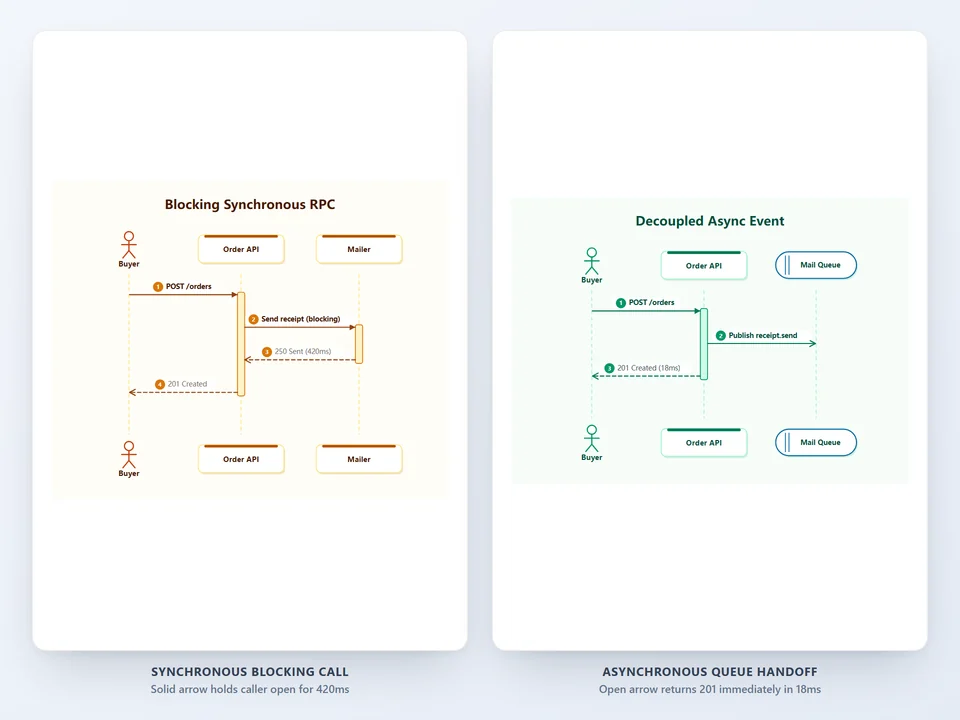
Using identical arrows for every network hop hides latency risks and tight service coupling across distributed backends. Follow standard UML conventions inside our uml sequence diagram online studio: solid lines with filled arrowheads represent blocking synchronous calls where the caller waits for a result, open arrowheads communicate fire-and-forget asynchronous events or message queue publishes, and dashed arrows mark explicit responses carrying payloads or HTTP status codes. Add compact self-call loops for internal steps such as JWT signature verification or payload hashing so reviewers immediately see where compute happens without inventing extra columns.
Activation rectangles resting directly on vertical lifelines clarify exactly when a service holds an open socket, database transaction, or active worker thread, immediately exposing nested blocking calls, cascaded retries, and long-lived resource locks. Turning on numbered steps inside this api sequence diagram maker transforms static architecture drawings into shared conversation anchors across distributed engineering teams. Reviewers can cite step 3 timeout handling, step 5 retry headers, or step 7 idempotency keys directly inside pull requests and RFC threads instead of pointing vaguely at the middle of a static screenshot.
Real production services rarely follow a single straight-line happy path across every request. Grouping conditional branches inside tabbed UML interaction frames keeps exception handling transparent without drawing three separate charts. Use an alt frame for mutually exclusive paths such as cache hit versus cache miss or valid versus expired tokens, wrap polling or webhook backoff inside a loop frame with a crisp guard condition, and enclose feature-flagged notifications inside an opt frame. Keeping guard labels concise prevents horizontal text collisions across neighboring lifelines and preserves clean reading rhythm from top to bottom.
Download clean vector SVG whenever you embed architecture diagrams into Markdown repositories, engineering wikis, Figma design specs, or HTML developer portals so every lifeline label and arrow caption stays razor-sharp at any screen zoom level. Choose PostScript EPS for printed technical manuals, enterprise whitepapers, and wall architecture posters, or export crisp 2x PNG images for executive slide decks and incident postmortem reports in PowerPoint or Word. Pair this sequence diagram generator with our Decision Tree Maker, Org Chart Maker, Gantt Chart Maker, or visualize system throughput in Sankey Diagram Maker.
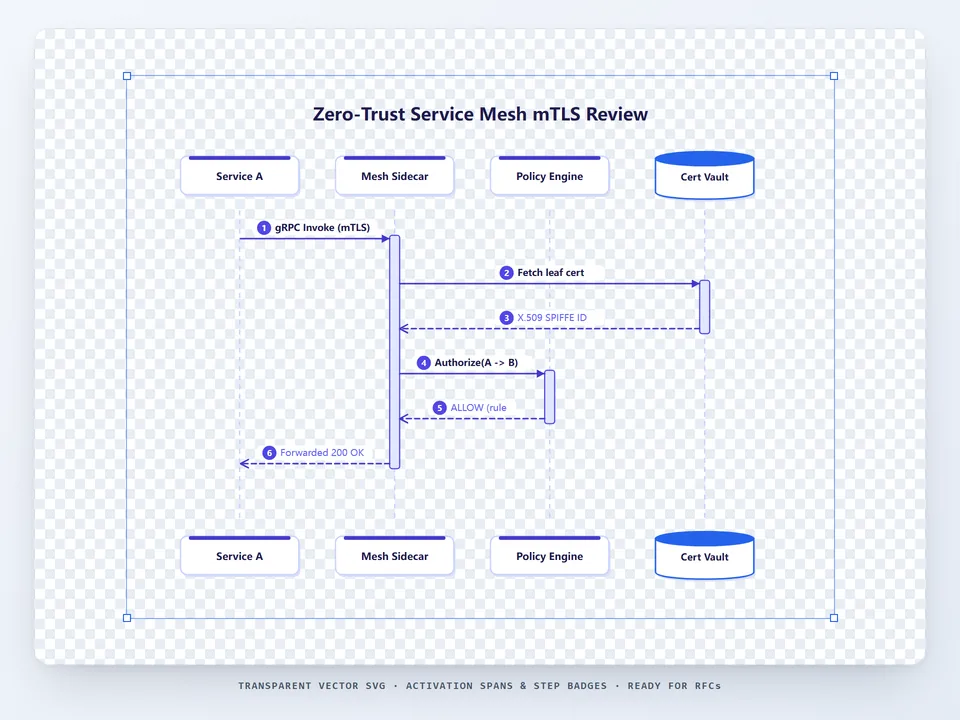
Precision UML interaction charts for backend engineers, solution architects, security reviewers, and technical writers.

Draft crisp REST, gRPC, webhook, and microservice call flows with this sequence diagram generator for RFCs, pull requests, and onboarding guides.

Walk enterprise buyers and executive stakeholders through clean integration timelines using six polished executive palettes in vector SVG and EPS.

Document OAuth 2.0 PKCE handshakes, SAML assertions, and zero-trust token rotations locally inside this sequence diagram maker with zero cloud data leakage.

Produce sharp, consistently numbered UML illustrations for developer portals, API handbooks, textbooks, and computer science course slides.
Clear answers on UML lifelines, arrow semantics, alt/loop/opt frames, text vs visual editing, and vector export privacy.
Load a starter preset or type steps in the quick text editor, or add lifelines and message rows visually. The sequence diagram generator updates activation bars, arrows, and spacing live in your browser.
You can assign each lifeline as an Actor, Service, Database, or Queue, giving every column an instantly recognizable UML header icon and neatly aligned vertical dashed timeline.
Choose solid filled synchronous call arrows, open-tip asynchronous message arrows, dashed return arrows, and tidy self-call loops for internal processing steps.
Group any contiguous range of messages inside a corner-tabbed UML combined fragment labeled alt for branching conditions, loop for retries or iterations, or opt for optional steps with custom guard labels.
Yes. Both editors stay synchronized inside this sequence diagram maker, so you can sketch rapidly with text shorthand and then polish arrow types, frame bounds, or step labels with visual controls.
Yes. Toggle numbered sequence steps for clear RFC review citations and render vertical activation bars along lifelines to visualize active execution windows.
Yes. Every export generates clean self-contained SVG vectors, PostScript EPS files, or crisp 2x PNG images ready for Figma, Illustrator, Inkscape, PowerPoint, and developer documentation.
No. Every layout calculation, UML SVG render, EPS conversion, and PNG export executes 100% locally in your browser with zero external requests.
Build Actor, Service, Database, and Queue lifelines with arrows and alt/loop frames, then export vector SVG, EPS, or 2x PNG locally.
Generate a sequence diagram