Google· Image model

Nano Banana AI Image Editor and Generator

Nano Banana is Google's original Gemini 2.5 Flash Image model, built for quick edits you describe in plain words. Write a prompt or add up to 3 photos and get a 1K image in about 15 seconds, for 2 credits and with no visible watermark.

Made with these models

  • 2 credits per image
  • Up to 1K output
  • Edit with up to 3 reference images
  • About 15 s per image
Made with Nano Banana

Nano Banana Examples with Full Prompts

Original images made on this page, each with its full prompt. Press Use this example to load it into the generator, change a detail and run your own version.

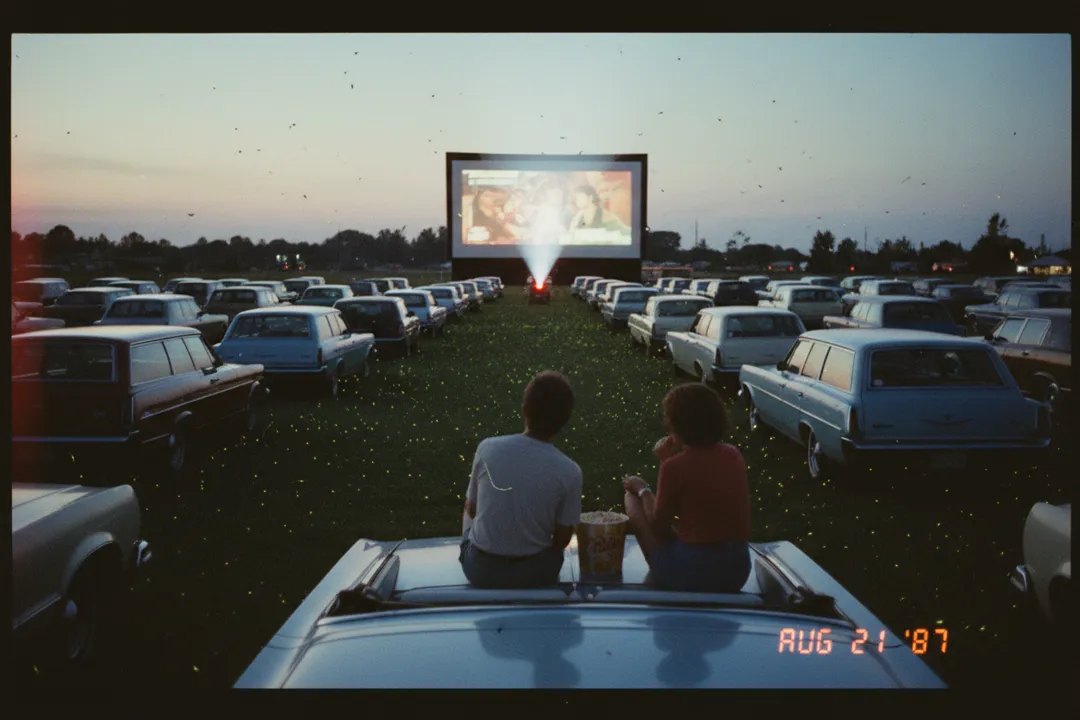
Drive-in, summer 1987Nano Banana

Drive-in, summer 1987

2 credits

A 35mm color snapshot from a summer night in 1987: a vast drive-in movie lot at dusk, rows of unbranded vintage convertibles and station wagons facing a giant glowing screen, the projector beam cutting through warm haze and drifting moths, fireflies over the grass, two adults sitting on a car hood sharing popcorn, seen from behind. Warm drugstore-print color, soft grain, a faint light leak at the left edge, gentle motion blur. An orange digital date stamp in the lower right corner reads exactly "AUG 21 '87". Nostalgic, cinematic, film-grade light, no other text, no logos.
Stained-glass phoenixNano Banana

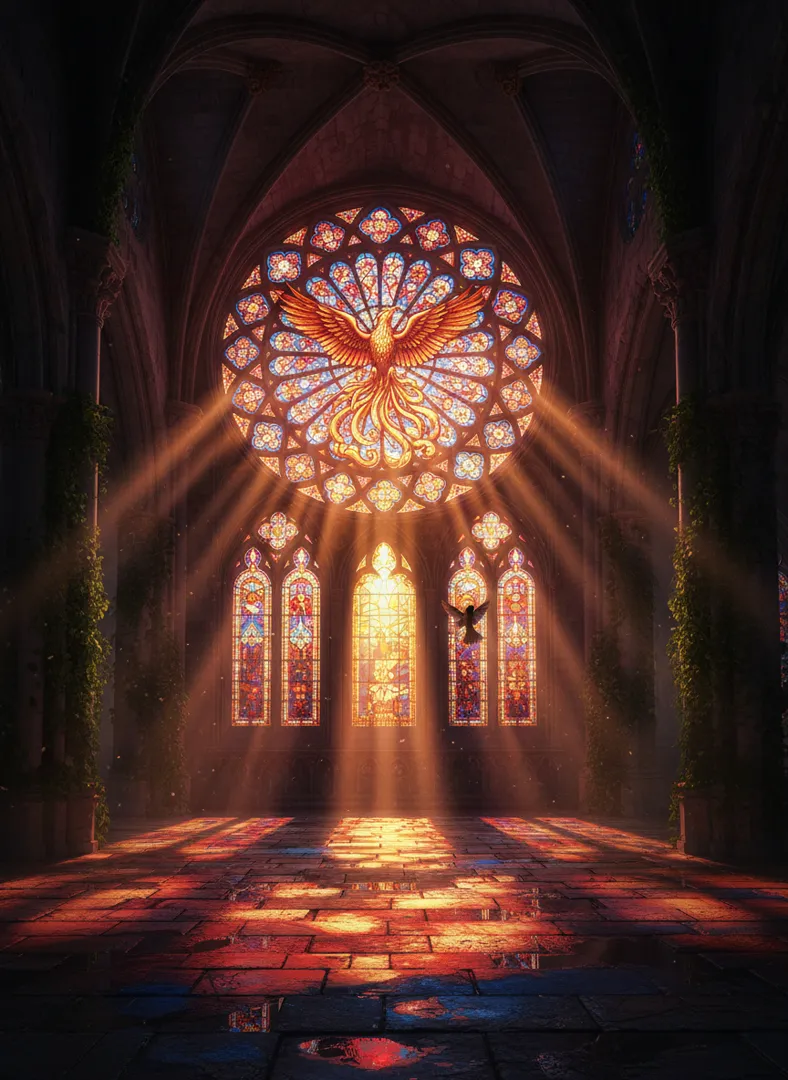
Stained-glass phoenix

2 credits

Inside a vast ruined Gothic cathedral at sunrise, an enormous stained-glass rose window depicts a phoenix rising from flames in ruby, amber and cobalt glass. Low sun pours through it, throwing long beams of colored light across floating dust and onto wet flagstones, where the phoenix's colors pool like spilled paint. Ivy climbs broken columns and a single sparrow crosses one of the beams. Photoreal, ultra-detailed leaded glass, deep shadows, cinematic volumetric lighting, epic sense of scale, no people, no text.

Jack-o'-lantern balloonsNano Banana

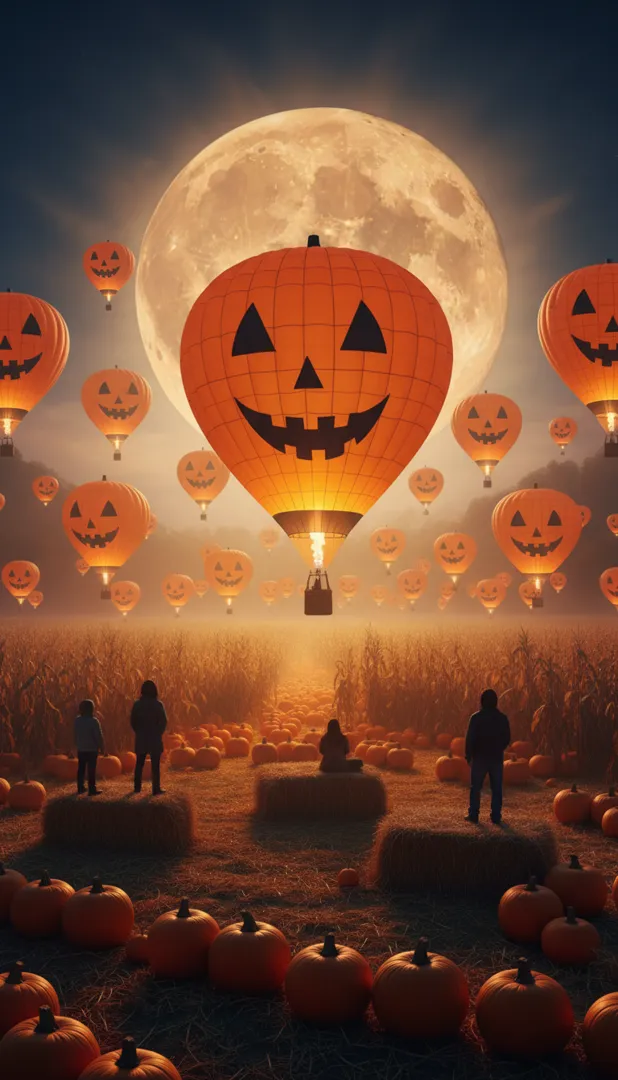
Jack-o'-lantern balloons

2 credits

A vertical cinematic photograph of an autumn night festival in a misty valley: dozens of hot-air balloons shaped and painted like giant carved jack-o'-lanterns lift off from a harvest field, each glowing orange from its burner flame, their carved faces cheerful rather than scary. A huge low harvest moon rises behind them, rows of pumpkins and corn shocks fill the foreground, adult spectators stand on hay bales as dark silhouettes. Rich orange and indigo palette, volumetric haze, telephoto compression, epic scale, photoreal, no text, no logos.

What Makes It Good for Quick Edits

Google built the model around four abilities; here is what each one does for you on ImageToPsd.AI.

01

Edit a photo with one sentence

Add a photo and say what to change: blur the background, remove a person, change a pose or color an old black and white shot. Only that part changes.

02

Same character, new scenes

Keep a person, a pet or a product looking the same in new settings and angles: a mascot, a series of posts, one product in several rooms.

03

Blend up to 3 pictures

Drop an object into a scene, restyle a room with the colors of another photo, or merge separate shots into one image, from up to 3 pictures.

04

Fast and light on credits

About 15 seconds and 2 credits per image, the quickest and lowest-cost version here. Try ten ideas, then finish the winner on a bigger model.

Compare the Three Nano Banana Versions

The original is the quick one: 2 credits, about 1K, up to 3 pictures. Nano Banana 2 costs 4 credits, adds 2K and up to 6 pictures, and is our default. Nano Banana Pro costs 7 credits, or 13 at 4K, for long text and crowded scenes.

ModelThis pageNano BananaNano Banana 2Nano Banana Pro
Credits per image247 to 13
Largest output1K2K4K
Aspect ratios10 shapes10 shapes10 shapes
Reference images (edit)Up to 3Up to 6Up to 6
Typical waitAbout 15 s per imageAbout 20 s per imageAbout 25 s per image

Credits per new image; a range covers the resolution or quality options. Editing a picture can cost a little more. The button shows the exact credits before you run.

How to Use Nano Banana in 3 Steps

It all happens in the composer above, with the model already selected.

  1. 1

    Write a prompt or add photos

    Describe the picture, or upload up to 3 photos to edit or combine. Pick one of 10 aspect ratios, from square to 21:9.

  2. 2

    Check the credits and run

    The button shows 2 credits per image before you start. Most results appear on your canvas in about 15 seconds.

  3. 3

    Download or keep editing

    Download it, press Edit this image to change one more detail, reuse the prompt elsewhere, or split it into PSD layers.

Nano Banana Prompt Guide

Four habits drawn from Google's own prompting advice for this model.

Describe a scene, not a list of tags

Google's main tip for this model is to write a short paragraph instead of loose keywords, because it reads language well. Name the subject, the action, the place, the light and the style, for example: a ginger cat in a tiny wizard hat reads a spell book by candlelight, warm storybook illustration. One clear sentence beats twenty scattered words.

Say what stays the same

When you edit, name the one thing that changes and say that everything else stays. Try: change only the sofa to dark green velvet, and keep the room, the light and the camera angle exactly the same. Short, targeted instructions like this are where Nano Banana is strongest, and the parts you liked stay untouched.

Number your pictures

With two or three photos, refer to them by number: put the sneaker from image 2 on the table in image 1, in the colors of image 3. Upload the main picture first and pick the aspect ratio of the result. Three pictures is the limit on this model; the newer versions take six.

Ask for what you want, not what you don't

Write an empty street with no traffic instead of no cars; positive descriptions work better than bans. Keep words inside the picture short, like a name or a two-word sign in quotes. Google lists long text as something it is still improving in this version, so use the Pro version for posters, menus and labels.

What to Make with Nano Banana

Quick, low in credits and good at edits, it suits work that needs many versions fast.

  • Photo fixes

    Remove a stranger, blur a busy background or bring color back to an old photo.

  • Products in new settings

    One product on a kitchen counter, on a beach and in a studio, keeping its shape.

  • Characters and stickers

    Keep a mascot or a pet recognizable across posts, stickers or comic panels.

  • Drafts and mood boards

    Test layouts, moods and colors at 2 credits each, then finish your favorite on a bigger model.

Nano Banana FAQ

Quick answers about credits, speed, inputs, rights and the other versions.


Try Nano Banana Now

Describe a picture or upload a photo to edit, and see the 2 credits on the button before you run.