Ideogram· Image model

Ideogram 3.0 AI Image Generator

Ideogram 3.0 is a text to image model built for legible text in posters, logos and headlines. This page runs it on ImageToPsd.AI, an independent site, not the official Ideogram app. Each image is 3 or 4 credits and takes about 25 seconds.

Made with these models

  • 3 to 4 credits per image
  • Up to 1K output
  • Text to image
  • About 25 s per image
Made with Ideogram 3.0

Ideogram 3.0 Examples: Posters, Logos and Type

Original images made with this model on our site, each with its full prompt. Press Use this example to load the prompt, then swap in your own words.

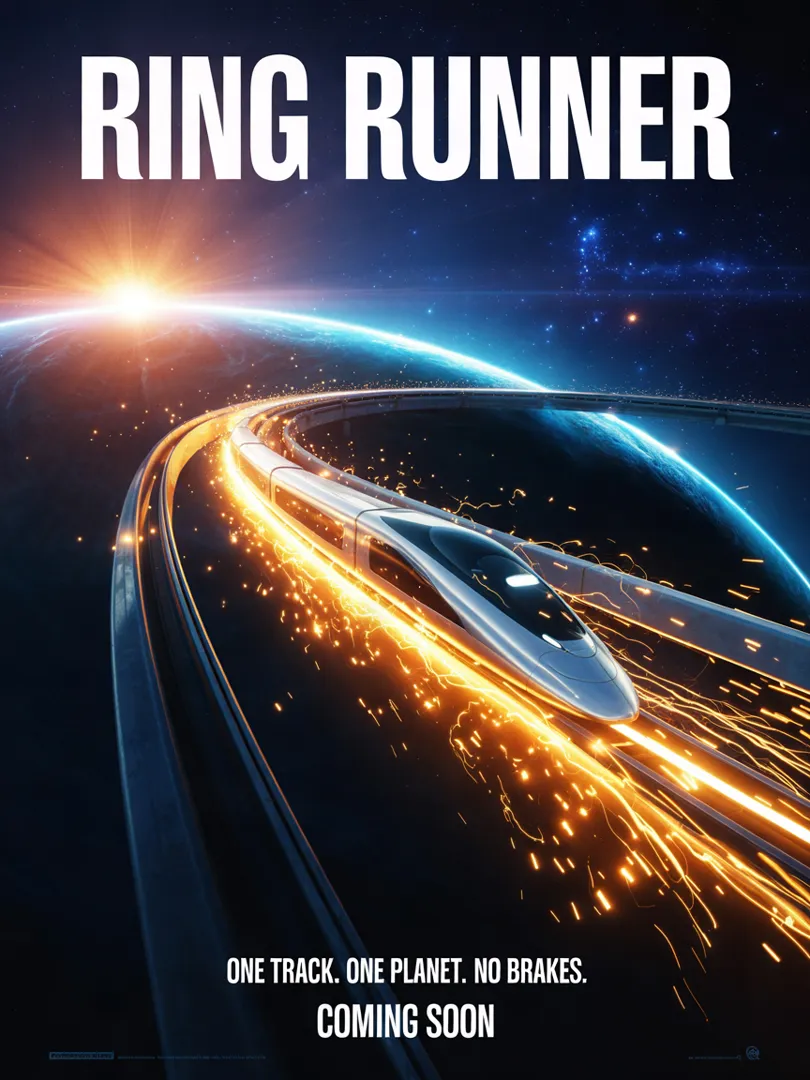
Ring Runner movie posterIdeogram 3.0

Ring Runner movie poster

4 credits

A cinematic sci-fi movie poster: a sleek silver bullet train races along a glowing track that loops around a giant ringed planet, sparks and light trails streaming behind it, stars and a distant sun flare, deep blue and electric orange palette. A large bold condensed title at the top reads "RING RUNNER". Below the image, a tagline in clean small caps reads "ONE TRACK. ONE PLANET. NO BRAKES." and the bottom line reads "COMING SOON". Professional poster layout, sharp typography, dramatic lighting, no other text.
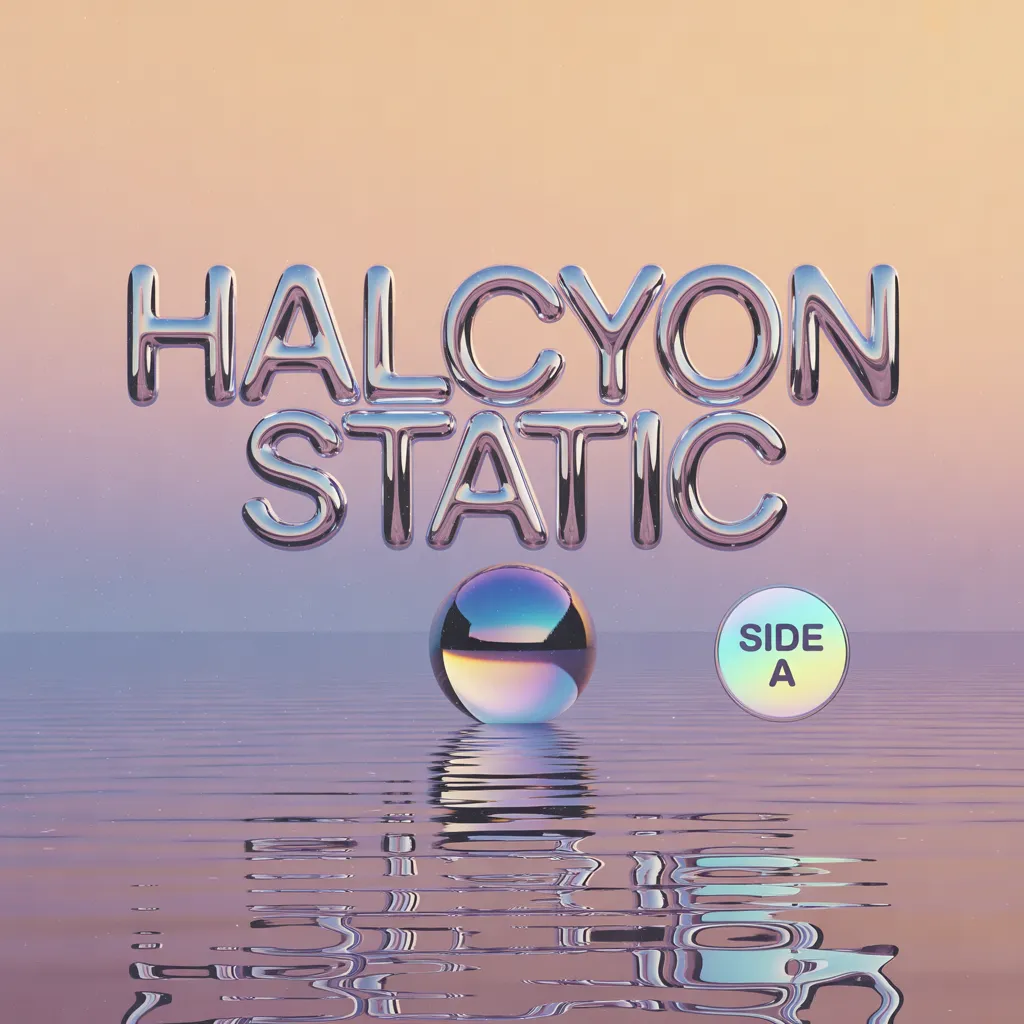
Chrome album coverIdeogram 3.0

Chrome album cover

4 credits

A Y2K-revival album cover: liquid chrome 3D lettering spelling "HALCYON STATIC" floats above a calm lilac sea at dusk, a mirror-polished chrome sphere hovers over the water and reflects the letters, iridescent holographic highlights, a soft peach and lavender sky, subtle film grain. A tiny round sticker in the lower right corner reads "SIDE A". Centered composition, glossy reflections, clean negative space, premium music artwork, no other text.

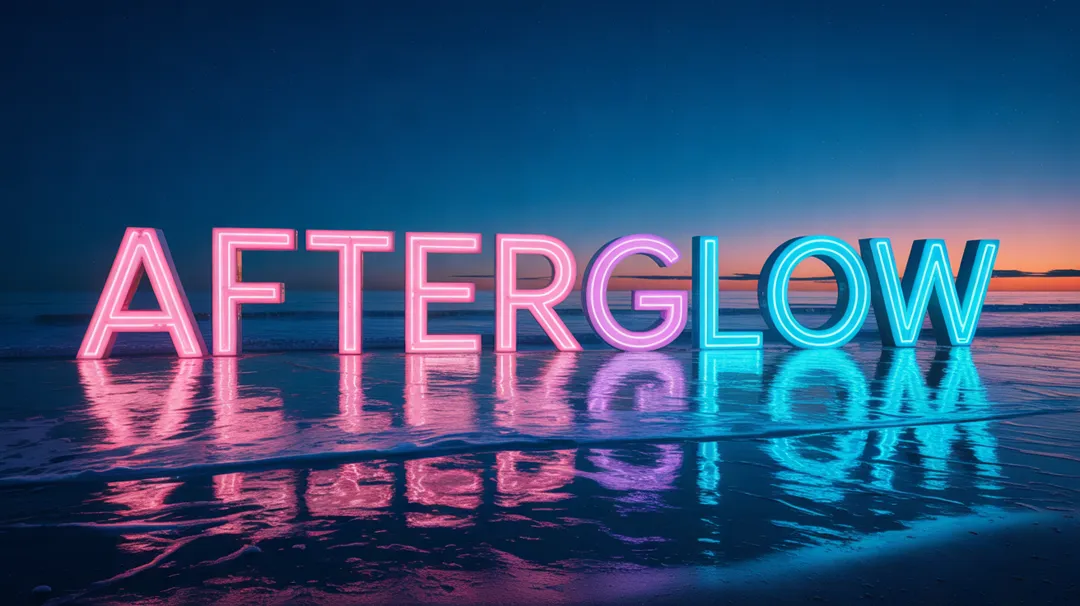
Neon letters at seaIdeogram 3.0

Neon letters at sea

4 credits

Monumental neon-tube letters spelling "AFTERGLOW", each one taller than a house, stand in the shallow turquoise sea just off a black-sand beach at blue hour. The pink and electric-blue neon glows and reflects in long ripples across the wet sand and the water, gentle waves wash around the bases of the letters, and a last band of orange sunset lingers on the horizon. Photoreal, long-exposure smooth water, cinematic wide shot, every letter perfectly spelled, no other text.

Why Use Ideogram for Text in Images

Four strengths the model maker describes, and what they mean on this page.

01

Words that read correctly

Ideogram describes stylized, accurate text, even in longer compositions that other models struggle with. Quote the exact words, and headlines, slogans and labels usually come back spelled as typed.

02

Made for design layouts

The model is aimed at graphic design, advertising and marketing: posters, logos, book covers, landing page art and promotional graphics, where the lettering and the picture work as one layout.

03

Realistic photos as well

It is not only for type. The maker points to natural skin tones, accurate reflections and believable light, so a product shot can share the frame with a clean headline.

04

Quick, with your words as written

An image takes about 25 seconds for 3 or 4 credits. The automatic Magic Prompt rewrite is switched off here, so the model receives the exact wording you typed, quotes included.

Ideogram 3.0 Specs and Credits

On ImageToPsd.AI the model is text to image only, with no reference pictures, and makes one 1K-class image per run in five shapes. High quality is 4 credits; Standard is 3 and uses the faster balanced setting. Draft on Standard, then use High for the final poster or logo.

ModelThis pageIdeogram 3.0GPT Image 2Nano Banana Pro
Credits per image3 to 43 to 97 to 13
Largest output1K1K4K
Aspect ratios5 shapes5 shapes10 shapes
Reference images (edit)NoUp to 4Up to 6
Typical waitAbout 25 s per imageAbout 2 min per imageAbout 25 s per image

Credits per new image; a range covers the resolution or quality options. Editing a picture can cost a little more. The button shows the exact credits before you run.

How to Make a Text Image in 3 Steps

The composer at the top already has Ideogram 3.0 selected.

  1. 1

    Write the prompt

    Say what kind of image it is, then put the exact words in quotes near the start, such as a poster with the headline "NIGHT MARKET".

  2. 2

    Pick shape and quality

    Choose 1:1, 3:4, 4:3, 9:16 or 16:9, then High or Standard. The button shows the credits before you run.

  3. 3

    Download or split into layers

    Ready in about 25 seconds. Download it, run it again for another take on the lettering, or split it into editable PSD layers.

Ideogram Prompt Guide for Clean Text

Four tips from the official prompting guide that suit this model.

Quote the words, early

Anything inside quotation marks is text to render, so type it with the spelling and capitals you want. Put it near the start of the prompt, where text comes out more reliably, and say where it sits: "FRESH BREAD" painted on the shop window, or a title curving along the bottom.

Short text, simple scene

Each extra word raises the odds of a typo or a dropped letter, so titles, slogans and short labels work best; add body copy later in a design tool. A busy background leaves less room for clean lettering, so give the words space, and generate again if one letter slips.

Describe lettering, not font names

Ideogram 3.0 does not load real fonts, so a name like Helvetica will not be matched exactly. Describe weight, shape and mood instead: heavy bold sans serif, thin formal script with flourishes, rounded 1970s letters. With more than one block of text, describe each in reading order, from the top of the image down.

Plain sentences, in English

The model reads plain sentences literally and treats weights or flags such as --ar as ordinary words, so set the shape in the composer instead. Say what you want rather than what you do not want. English gives the most reliable lettering; other scripts and accented letters can come out wrong.

What to Make with Ideogram

It fits any picture where a few words carry the message.

  • Posters and flyers

    Event posters, sale flyers and menus with a bold headline and a date.

  • Logos and wordmarks

    Wordmarks, badges and emblems to explore ideas before a designer draws the final version.

  • Social graphics

    Quote cards, thumbnails and ad tests with the hook written into the picture.

  • Covers, labels and merch

    Book covers, album art, packaging labels and T-shirt designs with type built into the art.

Ideogram 3.0 FAQ

Credits, speed, inputs, commercial use and how this page relates to Ideogram.


Put Your Words in a Picture

Write the headline in quotes, pick a shape and see the credits before you run.