
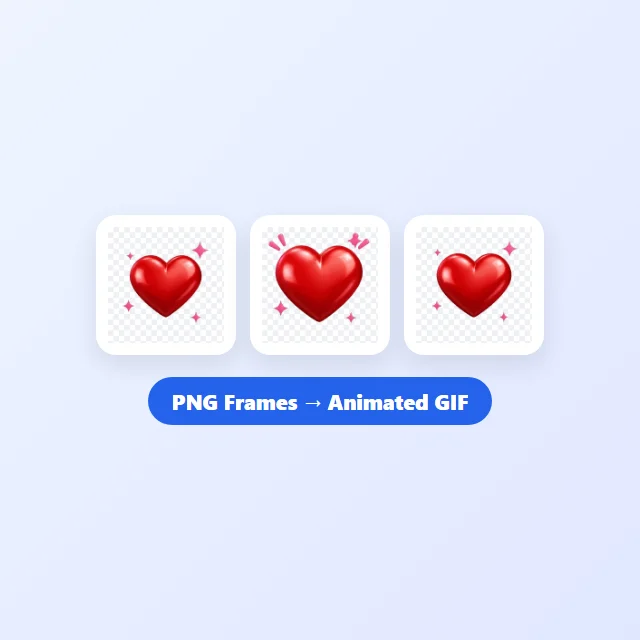
Heart Pop Emote Frames
Four transparent PNG frames combined into a snappy looping sticker with clear background preservation and zero ghost trails.
Combine PNG into GIF free right in your browser with zero server uploads. Drop up to 80 PNG frames, reorder or duplicate beats, tune frame delay from 40 to 1000 ms with live FPS readout, choose Contain, Cover, or Stretch fit, and keep crisp transparent backgrounds.
Drop PNG images here to animate into a GIF
Upload up to 80 PNG, JPG, or WebP frames. Reorder frames, set speed, and loop count.
Runs locally in your browser. Files never leave your device.
Or try a sample animation
Load any four-frame sample set below to test frame ordering, delay timing, transparent backgrounds, and loop modes right inside the browser workspace.
Four transparent PNG frames combined into a snappy looping sticker with clear background preservation and zero ghost trails.
Four crisp vector-rendered PNG states paced into a clean infinite UI loading spinner with uniform canvas sizing.
Four sequential infographic frames animated with slower slide timing so readers absorb every data step cleanly.
Build PNG to GIF image sequences directly in your browser with live animated preview and zero waiting.
Select multiple PNG files at once, or mix in JPG and WebP frames. Images decode locally in memory and line up immediately in a numbered frame strip on a transparency grid.
Shift frames earlier or later, duplicate key frames for dramatic pauses, drag the 40 to 1000 ms delay slider, choose Forever, Once, or 3 loops, and pick Clear, White, or a custom fill.
Press Update preview to check motion rhythm, canvas dimensions, and exact byte size, then download your finished animated GIF instantly with zero watermarks.
Flexible frame sequencing, accurate alpha transparency, and clean canvas fitting packed into a private client-side workflow.
Select a whole folder of exported illustrations, sprite poses, UI mockups, or stop-motion stills at once. Everything decodes and encodes right inside your browser so private designs never leave your device.
Move any frame earlier or later with one tap, remove misfires cleanly, or duplicate a frame in place whenever you want a headline, final slide, or character pose to hold longer before looping.
Slide smoothly between brisk 40 ms motion (25.0 fps) for lively sprites and relaxed 1000 ms pacing (1.0 fps) for product comparison slides. The live readout displays exact milliseconds and frames per second as you adjust.
When you combine PNG into GIF from files of different shapes, canvas size anchors cleanly to frame one while Contain preserves full artwork, Cover fills edge to edge without bars, and Stretch matches bounds using premultiplied-alpha resampling.

Leave Background on Clear to keep PNG alpha channels intact with visible-only palette quantization and dispose-2 frame clearing so moving sprites never leave trails. Switch to White or pick any custom color to blend semi-transparent edges smoothly.

Choose Forever for endless reactions and loaders, Once for single-play reveals, or 3 times for calm email banners. A shared 255-color global palette with Floyd-Steinberg dithering keeps tones consistent across every frame.
Five practical workflow tips on frame sizing, delay math, transparent edges, pause beats, and clean color palettes.
The animation studio sets output width and height directly from the first frame in the strip. Placing your cleanest, properly sized master frame first ensures every subsequent image scales consistently under Contain or Cover without unexpected cropping or wasted pixels.
Character cycles and micro-interactions feel lively between 60 ms and 120 ms (about 8 to 16 fps). Step-by-step UI explainers and feature cards read far better between 400 ms and 800 ms, giving viewers time to read labels before the animation advances to the next frame.
A fast animation that resets abruptly after its final pose can feel rushed. Clicking the duplicate icon once or twice on your opening or closing frame inside the frame strip adds a clean hold beat automatically while keeping uniform timing across the moving middle frames.
GIF supports 1-bit binary transparency (fully visible or fully clear), whereas PNG supports soft semi-transparent shadows. Keep Background on Clear for crisp stickers, icons, and hard-edged sprites, or pick White or your page's exact hex color so soft drop shadows composite cleanly without jagged edges.
Infinite loops work best for loaders, reactions, and subtle product spins. For hero banners, onboarding tips, or newsletter announcements, setting Loop count to Once or 3 times lets the motion catch attention cleanly before settling calmly on the closing frame.
Built for sprite animators, UI designers, marketers, and educators turning still exports into smooth browser-ready loops.
Convert PNG to GIF from sequential sprite drawings or cel exports with crisp transparent backgrounds and fast 60 to 120 ms pacing.
Sequence three to ten UI states, colorways, or step-by-step diagrams into one auto-playing showcase for landing pages, docs, and slide decks.
Assemble transparent sticker frames with Clear background enabled, then drop the result into GIF Resizer or Compress GIF if you need exact 128px or 128 KB specs.
Sequence up to 80 photos or rendered frames into a lightweight looping story for newsletters, portfolios, and social updates.
Clear answers on frame limits, mixed image sizes, transparency, frame speed, loop counts, and privacy.
Yes. You can build and download animations completely free with zero watermarks, no sign-up, and no upload limits. Every export encodes locally inside your browser tab.
You can add up to 80 frames in a single animated GIF, including PNG, JPG, and WebP images. Add extra frames anytime, reorder them in the strip, or duplicate key frames for hold pauses.
Yes. Keep Background set to Clear and our encoder preserves transparency using visible-only color quantization and dispose-2 frame clearing so moving artwork never leaves ghost trails.
The GIF canvas automatically adopts the first frame's width and height. Use Contain to fit all later frames cleanly inside without cropping, Cover to fill edge to edge, or Stretch to match canvas dimensions directly.
Yes. Dropping a single PNG file into the workspace exports a valid single-frame GIF cleanly, preserving transparency whenever Clear background is selected.
The delay slider spans 40 ms (25.0 fps) up to 1000 ms (1.0 fps) in 20 ms increments, respecting standard browser GIF timing limits so your animation plays smoothly everywhere.
Yes. Switch Loop count between Forever, Once, and 3 times. The encoder writes standard NETSCAPE loop metadata respected across modern browsers, chat apps, and email clients.
No. When you make GIF from PNG files on ImageToPsd.AI, every image decodes, fits, quantizes, and encodes strictly in local browser memory with zero network uploads.
Drop up to 80 images into our free PNG to GIF converter on ImageToPsd.AI to sequence frames, dial exact timing, preserve alpha, and download locally.
Create a GIF from PNGs