
Orbit Brand Logo
Trim extra outer margin around a spinning icon into a centered 1:1 square with crisp transparent corners preserved.
Crop GIF frames free right on your device with an interactive box drawn directly over the live playing animation. Lock 1:1, 16:9, 4:3, or 9:16 ratios, type exact X, Y, width, and height pixels, and trim GIF dimensions while honoring every disposal mode and alpha channel.
Drop an animated GIF here
Processed locally in your browser with full frame timing and transparency preserved.
Runs locally in your browser. Files never leave your device.
Or try a sample animation
Open any sample below to drag the interactive crop rectangle directly across the live loop and see how cleanly our GIF cropper isolates subjects without dropping frames or breaking transparency.
Trim extra outer margin around a spinning icon into a centered 1:1 square with crisp transparent corners preserved.

Reframe a full canvas into a tight vertical 9:16 or centered 1:1 crop that keeps the rising rocket framed through every frame.

Isolate a small animated sticker using exact pixel coordinates while keeping alpha backgrounds and playback timing intact.
Reframe any animated GIF right inside your browser with live motion verification and pixel-exact controls.
Load any GIF up to 50 MB from your device. Our decoder renders full composited frames locally while honoring disposal methods 0, 1, 2, and 3 so every frame slices cleanly.
Watch the full loop play inside the highlighted box as you drag edges or corners, choose Free, 1:1, 16:9, 4:3, or 9:16, or enter exact Left (X), Top (Y), Width, and Height pixels.
Click Update preview to verify the trimmed animation, output dimensions, frame count, and duration, then save your crisp cropped GIF with zero watermarks.
True multi-frame compositing, live playback framing, and pixel-accurate geometry in a private client-side studio.
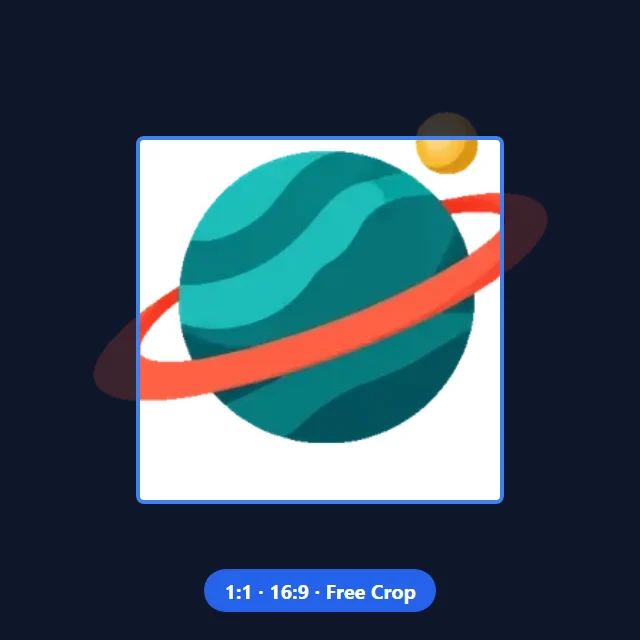
Cropping a still thumbnail often cuts off hands, text, or motion three seconds into a loop. This GIF cropper overlays a draggable, resizable rectangle right on the live playing GIF with a dimmed outer mask so you verify every movement stays inside frame.
Switch instantly between Free cropping, 1:1 square avatars and emotes, 16:9 widescreen headers, 4:3 classic slides, and 9:16 vertical stories. Selecting any locked ratio centers the largest matching box and keeps corner dragging locked to exact proportion.
When you need to trim GIF dimensions to remove a 40 px screen-recording toolbar or match an exact UI card slot, type numeric coordinates straight into the panel. Built-in clamping keeps every value safely inside source bounds.
Animated GIFs frequently store partial sub-rectangles and rely on disposal instructions to retain, clear, or restore earlier frames. Our engine composites every full RGBA frame first before cropping, preventing flicker, artifacts, or shifted slices when you crop animated GIF files.
Original per-frame centisecond delays and loop headers transfer straight to the output without alteration. Transparent animations automatically encode with visible-only palettes and dispose-2 clearing so cropped stickers never smear.
Reframe animations with confidence that internal screen recordings, private chats, and unreleased artwork never touch remote servers. Everything runs locally in your browser memory for instant turnaround.
Five practical techniques for framing moving subjects, removing black bars, matching aspect ratios, and cutting megabytes cleanly.
Because subjects drift across the canvas during a loop, always watch the entire playback inside this GIF cropper before clicking Update preview. Drag the interior of the crop rectangle to pan smoothly as you crop animated GIF frames so hands, captions, or animated cursors stay comfortably centered from the first frame to the last.
Removing black cinema bars, browser tabs, or empty desktop margins does more than sharpen visual focus. When you trim GIF dimensions tightly around the actual action, every frame stores fewer pixels and cuts final file weight immediately with zero loss in pixel sharpness.
Resizing a rectangular clip directly into a square stretches faces and logos unnaturally. Instead, use the 1:1 preset here to isolate the hero subject cleanly as a true square, then pass the cropped file to our GIF Resizer to hit exact 128 x 128 px emote specs.
Product writers recording multiple feature walkthroughs often want identical framing across every help article. Typing fixed Left (X), Top (Y), Width, and Height values lets you crop animated GIF captures consistently so dialogs, menus, and buttons align cleanly down the page.
Many optimized GIFs update only tiny moving regions on each frame using disposal codes 1, 2, or 3. Slicing raw sub-frames blindly causes corrupted edges and stuck pixels. By decoding each full screen state before slicing, our tool lets you crop GIF online cleanly even on heavily optimized web animations.
Built for community admins, technical writers, marketers, and motion designers focusing attention where it counts.
Crop GIF reactions tightly around a face or character in a 1:1 square so tiny chat icons stay expressive and readable.
Trim GIF dimensions to cut away browser chrome, desktop clutter, and sensitive notification bars from screen-captured GIFs before adding them to docs or tickets.
Repurpose widescreen animations into vertical mobile clips or crisp 4:3 presentation embeds without re-exporting from heavy video editors.
Slice away unused transparent padding around icons and character loops using exact pixel coordinates while keeping alpha channels clean.
Clear answers on live framing, pixel accuracy, disposal modes, transparency, quality, and browser privacy.
Yes. You can crop GIF online completely free with no watermarks, no sign-up, and no file limits. Everything runs in your browser and downloads directly to your device.
Yes. Every frame in the source file is cropped identically, and each frame's original millisecond delay and loop setting carry straight into your cropped GIF.
No. Our engine detects transparent pixels across frames, composites every disposal method accurately before slicing, and writes dispose-2 clear frames so transparent sprites stay sharp without trails.
Click 1:1, 16:9, 4:3, or 9:16 under Aspect ratio. The crop box snaps to the largest centered region of that ratio, and dragging the corner handles preserves the exact proportion automatically.
Yes. Type exact numbers into Left (X), Top (Y), Width, and Height to trim GIF dimensions down to the single pixel, with automatic clamping inside the original canvas size.
No unnecessary blur or dithering noise is injected. Each cropped frame keeps crisp pixel alignment and encodes with a full 255-color global palette matched cleanly to the visible crop region.
Removing outer margins, black bars, and noisy edges shrinks the total pixel count encoded per frame, trimming file weight naturally while keeping your subject at full crisp resolution.
Never. When you crop GIF online here, decoding, interactive previewing, pixel slicing, and re-encoding happen strictly inside your browser memory, keeping sensitive screenshots and personal clips completely private.
Drop any animation into our free GIF cropper on ImageToPsd.AI to frame live motion, trim GIF dimensions to exact pixels, and download with zero uploads.
Crop a GIF now