Describe one moment
A GIF is short, so one motion reads best: "rain sliding down a window" or "a corgi bobbing to the beat". Name the subject, what moves and the look you want, such as a soft illustration or a golden-hour photo.
Describe a moment or add a picture to bring to life, pick 8 or 16 frames and a shape: the AI GIF generator draws a smooth looping GIF, as a full scene or on a transparent background.
Try one of these
Eight looping GIFs, each made here from one short prompt, the frame count tagged on it; two of them bring a picture to life. Every scene and character is original.
Rainy-day cat · 16 frames
Golden-hour waves · 16 frames
Hair in the breeze · 8 frames
Good morning coffee · 8 frames
Pixel knight run · 8 frames · Transparent
Birthday cake · 16 frames
Dancing corgi · 8 frames
Floating headphones · 8 frames
Three steps and about half a minute from an idea to a looping GIF.
Write what happens, such as steam curling from a coffee cup. Or add one picture and say what should move; with no words it gets a gentle, natural motion.
Choose 8 frames for a quick loop or 16 frames for smoother, longer motion, a shape from square to vertical, then Scene or Transparent.
Play it at 0.5×, 1× or 2× and save the GIF, a lighter 320 px copy for chats, or every frame with the GIF splitter.
Six things this AI GIF maker does best, for GIFs people really post, send and sell with.
Every AI generated GIF is one seamless loop: the motion flows and the last frame leads straight back into the first, with the subject, light and camera the same in every frame. Pick 16 frames for the smoothest motion.
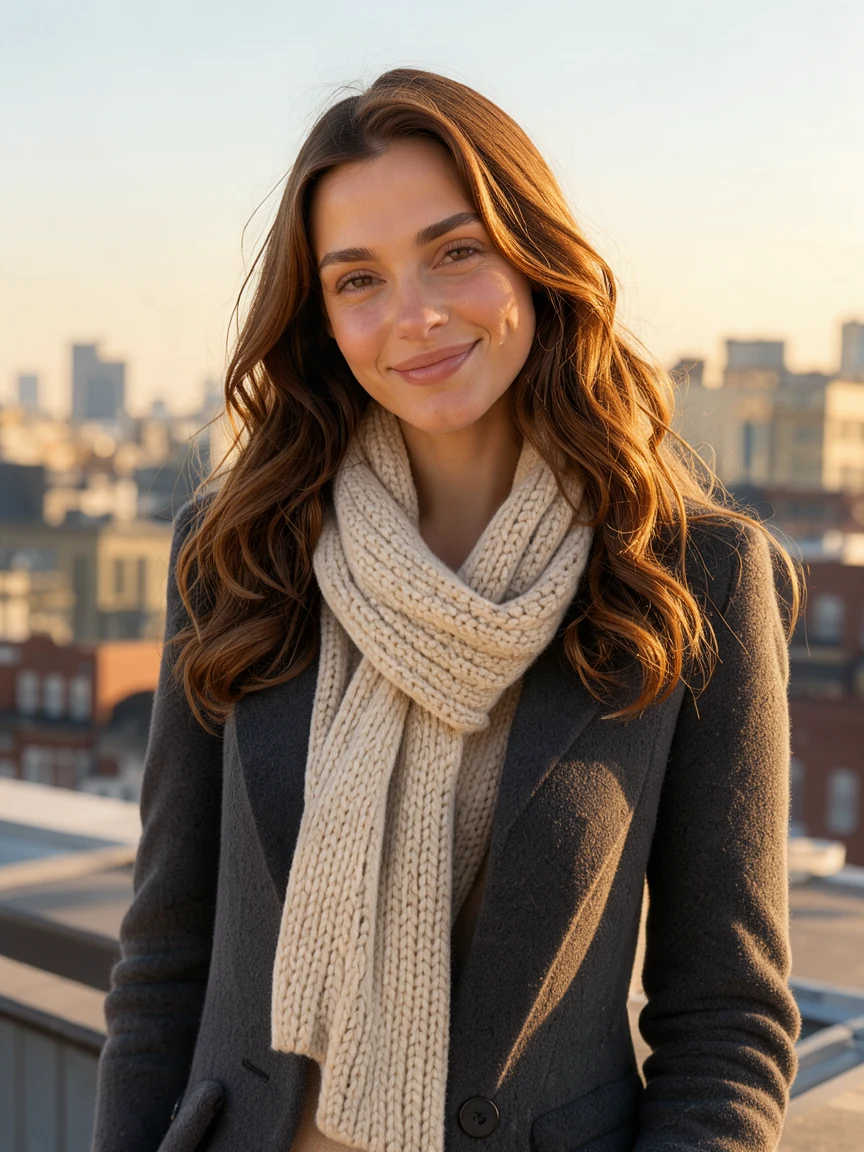 Original
Add a photo, a product shot or an illustration and say what moves: hair in the breeze, rising steam, a light sweeping across. The framing, faces and colours stay exactly as in your picture.
Square for chats, 4:3 and 3:4 for posts, 16:9 for websites and slides, 9:16 for stories and reels. Each frame is 512 px on its shorter side.
Put a greeting in quotes, such as "Good morning" or "Happy Birthday", and the AI GIF generator letters it exactly, steady in every frame. Without quotes it adds no text.
Pick Transparent and the subject comes alone, with no scenery, ready for stickers, overlays, game sprites and websites of any colour.
Change the speed after the GIF is made, 0.5×, 1× or 2×, without losing a pixel, save a lighter 320 px copy, or open every frame in the GIF splitter.
Five short notes on prompts, text, frames, pictures and rights.
A GIF is short, so one motion reads best: "rain sliding down a window" or "a corgi bobbing to the beat". Name the subject, what moves and the look you want, such as a soft illustration or a golden-hour photo.
Write the words in straight quotes and keep them short: a greeting, a sale or a name. The lettering is copied exactly and holds still while everything around it moves.
8 frames make a quick loop of about a second, right for reactions and chats. 16 frames give smoother motion over about two seconds; use them for scenes such as waves or falling confetti.
A sharp picture with a clear subject works best. Say what should move and what should stay still. Photos of people need their agreement: tick the box when you add one.
Describe your own scenes and characters, or use pictures you have the right to use, as every example here does. The GIFs you make with the AI GIF generator are yours to post, send and use in your projects.
Anyone who needs a GIF that does not exist yet: the AI GIF generator makes it in about half a minute.
Reactions, greetings and inside jokes nobody else has.
Product GIFs for listings, emails and ads that catch the eye.
Looping sprites and effects on transparent backgrounds.
Birthday, good morning and holiday GIFs with your own words.
Short answers to the questions people ask most.
A GIF of 8 frames costs 3 credits; 16 frames cost 5, or 6 with a picture. The button shows the total before you run, and every GIF stays in your history.
Yes. Add one picture and say what should move. The AI GIF generator keeps the framing and colours and animates only what you describe.
Describe the scene and the motion in a sentence. Every frame of one seamless loop is drawn for you, and the GIF is ready in about half a minute.
Yes. Pick Transparent and the subject is drawn alone with no scenery, ready for stickers, overlays and game sprites.
Square, 4:3, 3:4, 16:9 and 9:16, each frame 512 px on its shorter side. The 320 px button saves a lighter copy for chats with a file size limit.
Yes, for free. In the result, play it at 0.5×, 1× or 2× and download it at that speed. Only the timing changes, never a pixel.
Yes. Write them in quotes, such as "Happy Birthday". They are lettered exactly and stay steady in every frame; without quotes no text is added.
Yes, under our terms of service, with no watermark: in chats, posts, ads, websites and games. Use your own ideas and pictures, or ones you have the rights to.
Describe a moment or add a picture, then pick the frames and the shape. Your looping GIF is ready in about half a minute.
Make a GIF