
Rocket Launch Animation
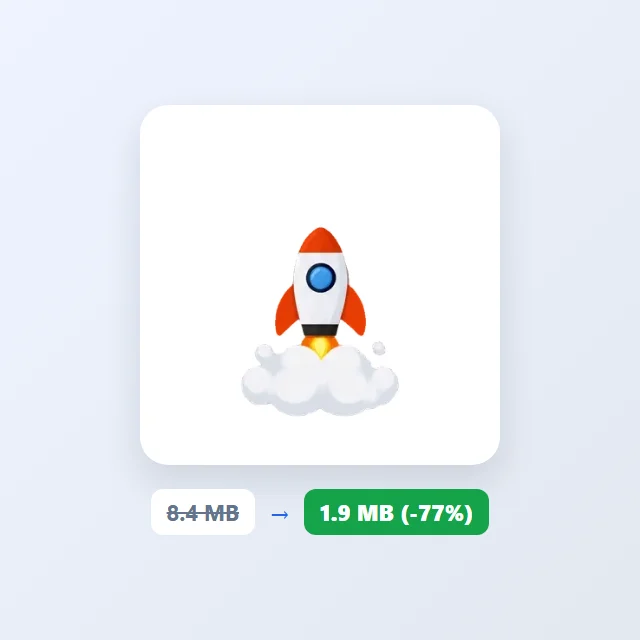
Rich exhaust gradients and bright flames show how 128 colors plus Balanced delta tolerance cut file weight while preserving smooth motion.
Shrink heavy animations free right on your device with our local GIF compressor and GIF size reducer. Reduce palette colors, tune delta-frame tolerance, drop frames without changing playback speed, or auto-fit Discord 10 MB, Slack 128 KB, and under-2-MB limits.
Drop an animated GIF here
Processed locally in your browser with full frame timing and transparency preserved.
Runs locally in your browser. Files never leave your device.
Or try a sample animation
Click any sample below to load it directly into the workspace and compare how palette limits, delta-frame tolerance, and dithering reduce GIF size across gradients, transparent sprites, and flat UI graphics.
Rich exhaust gradients and bright flames show how 128 colors plus Balanced delta tolerance cut file weight while preserving smooth motion.
A moving transparent character proves how dispose-2 frame clearing and duration-preserving frame dropping shrink weight without ghost trails.
Flat brand colors and clean geometric bars collapse drastically when dropping to 64 colors with dithering switched off.
Cut animated GIF megabytes safely inside your browser with instant visual preview and byte-savings readout.
Choose any GIF from your computer or phone. The decoder unpacks every frame locally while honoring disposal modes 0, 1, 2, and 3 plus original timing and loop count.
Click Discord 10 MB, Slack 128 KB, or Under 2 MB for automatic progressive fitting, or stay in Manual mode to adjust max colors, compression tolerance, frame drop, scale, and dithering.
Press Update preview to inspect the live animation alongside original versus output bytes and percentage saved, then save your smaller GIF instantly with zero watermarks.
Five targeted optimization levers work together so you compress GIF animations sharply without wrecking motion or alpha channels.
Skip guesswork when a chat server rejects your upload. Picking a size goal runs a deterministic seven-step ladder inside the engine, tightening colors, tolerance, frame cadence, and scale progressively until your file drops cleanly below the byte limit.
GIF uses LZW dictionary compression over color indices, so fewer distinct tones yield longer repeated runs. Step between 256, 128, 64, and 32 shared colors to reduce GIF size dramatically on flat illustrations, UI captures, and bold memes.
Choose Light, Balanced, Strong, or Max compression tolerance to control how much minor RGB drift is treated as static between frames. Subtle compression noise in unchanging backgrounds turns into transparent delta spans that LZW crushes down.

Select Keep all, Drop 1/3, or Keep half to shed redundant frames cleanly. Every time a frame is removed, the optimizer adds its exact millisecond delay to the preceding kept frame so total loop length and real-world speed stay identical.

Trim oversized pixel canvases from 100% down to 30% using premultiplied-alpha area-averaged downscaling with zero dark fringes. Toggle Floyd-Steinberg dithering on for soft photographic gradients or off to strip speckle noise from clean vector-style graphics.
Naive compressors break transparent stickers by leaving behind trails of previous frames. Our engine automatically detects alpha pixels, builds a visible-only palette, and writes dispose-2 clear frames so transparent animations stay razor clean.
Five practical rules for picking the right combination of color count, delta tolerance, frame drop, and scale whenever you compress GIF files.
When you compress GIF animations from screen recordings or video clips, dropping the shared palette from 256 to 128 colors and picking Balanced tolerance routinely cuts 25% to 45% of file size with barely visible change. Save aggressive dimension scaling for when you still need to cross a strict platform threshold.
Floyd-Steinberg dithering hides color steps on skin tones and film footage, yet those fine speckled dots make LZW compression work much harder. On dashboards, icons, and flat illustrations, switching dithering off in this GIF compressor helps reduce GIF size by an extra 15% to 30% while making solid panels look cleaner.
Many exported reaction clips carry 24 or 30 frames per second, far more than viewers need to read the motion. Dropping every third frame or keeping half in our GIF size reducer immediately trims 33% to 50% of frame data, and because each removed delay folds into the previous frame, the animation finishes in the exact same number of seconds.
Slack custom emoji caps sit at a tight 128 KB, while standard Discord uploads cap at 10 MB. Choosing those presets lets our GIF size reducer test progressive combinations automatically, combining palette cuts, frame thinning, and gentle scaling so you spend zero time cycling through exports.
Transparent GIFs cannot rely on dispose-1 pixel reuse whenever silhouettes shift across an empty backdrop, which naturally keeps each frame slightly heavier than an opaque clip. To compress GIF online while preserving crisp alpha edges, combine 64 or 128 colors with modest scaling and Keep half on fast emotes.
Built for community admins, developers, email marketers, and designers working under strict upload budgets.
Fit animations under Slack 128 KB or Discord 10 MB limits in one click while keeping transparent edges crisp and timing intact.
Reduce GIF size on product walkthroughs and bug captures so documentation pages load swiftly and stay friendly to mobile visitors.
Keep animated hero visuals well under 1 MB to 2 MB so newsletters render instantly across inbox apps without clipping or stalled frames.
Fit oversized exports from video tools or screen recorders under tight CMS, forum, and messaging platform ceilings right before publishing.
Key answers on browser privacy, lossy delta compression, frame timing, transparency, and platform file limits.
Yes. You can compress GIF online completely free with no watermarks, no account requirement, and no queue limits. All processing runs directly inside your browser tab.
Never. When you compress GIF online here, decoding, frame optimization, scaling, and LZW encoding execute locally in JavaScript inside your browser memory, so private UI demos and internal graphics stay on your device.
No. When you choose Drop 1/3 or Keep half, every dropped frame's display delay is added onto the preceding kept frame. Motion becomes slightly sparser, while total duration and playback speed remain 100% identical.
When you select a size goal, our engine walks through a seven-step optimization ladder that gradually lowers palette colors, raises delta tolerance, thins frames, and scales dimensions until the encoded file fits below your chosen cap.
No. The engine automatically detects transparent pixels, quantizes colors strictly from visible pixels, scales with premultiplied alpha to avoid dark halos, and writes dispose-2 frames so moving shapes never smear.
Some source GIFs are already heavily optimized with small palettes and low frame counts. To cut file weight further on an already tight animation, lower Max colors to 64 or 32, switch dithering off, drop frames, or trim pixel scale.
You can drop animated GIFs up to 50 MB directly into the browser studio. Very large high-resolution files take a few extra seconds on older phones while frames decode in local memory.
Yes. Pair this GIF size reducer with our browser Crop GIF and GIF Resizer tools below to remove dead borders first or lock exact emote dimensions like 128 x 128 px.
Drop any animation into our free GIF compressor on ImageToPsd.AI to compress GIF files for Discord, Slack, web docs, and email with zero uploads.
Compress a GIF now