Editorial exhibition poster layout
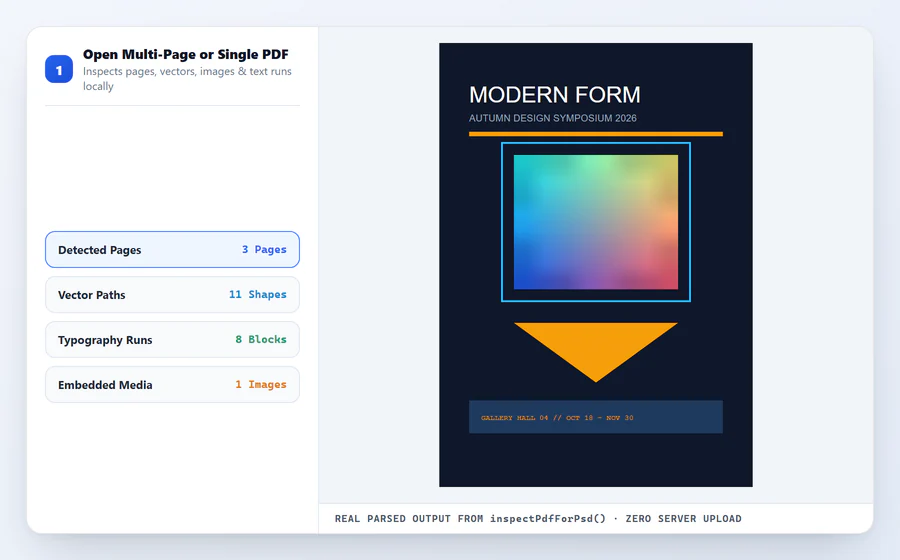
Single-page graphic poster demonstrating semantic split mode into clean Background, Images, Vector Shapes, and Text layers when you convert pdf to psd.
Turn single-page graphics and multipage PDF decks into genuinely layered Photoshop PSD files right inside your browser with zero uploads. This browser-local pdf to psd converter lets you stack every PDF page onto its own named layer or split a page into separate Background, Images, Vector Shapes, and Text layers at 72, 150, or 300 DPI.
Drop a PDF file to convert into a layered PSD
Split a page into separate Background, Images, Vector Shapes, and Text Photoshop layers, or stack multi-page PDFs with one layer per page.
Parsed & assembled into real 8BPS .psd locally in your browser.
Or try an instant sample PDF with zero upload:
Load any built-in sample PDF inside this workspace to test semantic layer separation, multipage stacking, transparent background rendering, and DPI resolution scaling before converting your own document.
Single-page graphic poster demonstrating semantic split mode into clean Background, Images, Vector Shapes, and Text layers when you convert pdf to psd.

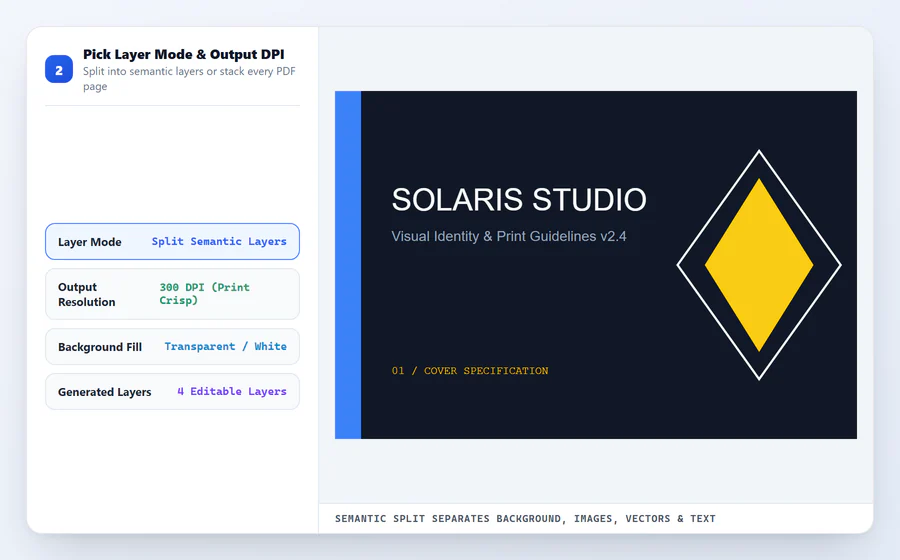
Multipage identity manual converting cover emblem, swatch grids, and typographic layouts into ordered Photoshop layers ready for immediate editing.

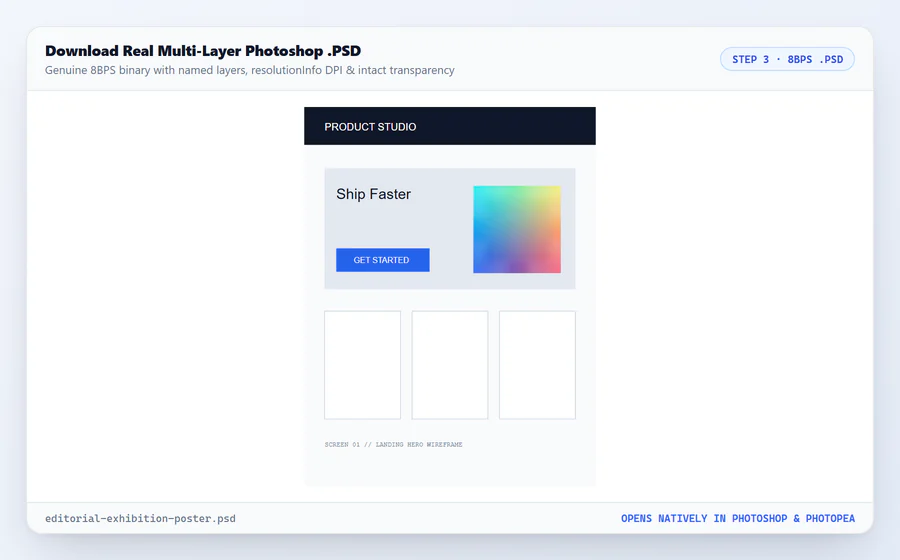
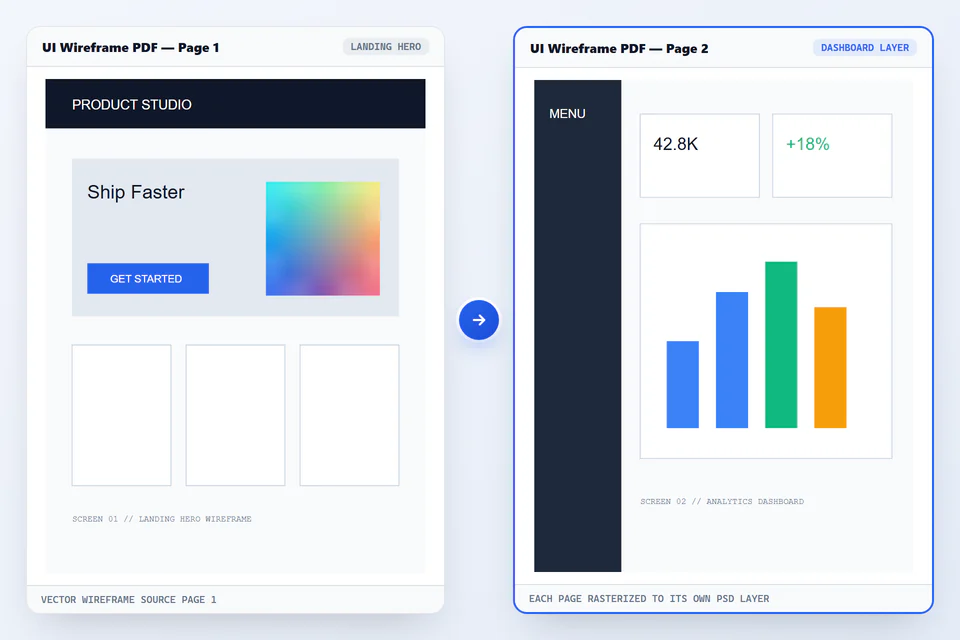
Two-page interface mockup pack showcasing crisp 300 DPI rendering and clean page selection when bringing pdf to photoshop for visual polish.
Transform PDF brochures, wireframes, and decks into structured multi-layer PSD documents directly in your browser.
Drag any single-page or multipage PDF into the drop zone to begin your pdf to psd workflow locally. The client parser inspects every page MediaBox, vector path count, embedded image stream, and text run without uploading bytes to a server.
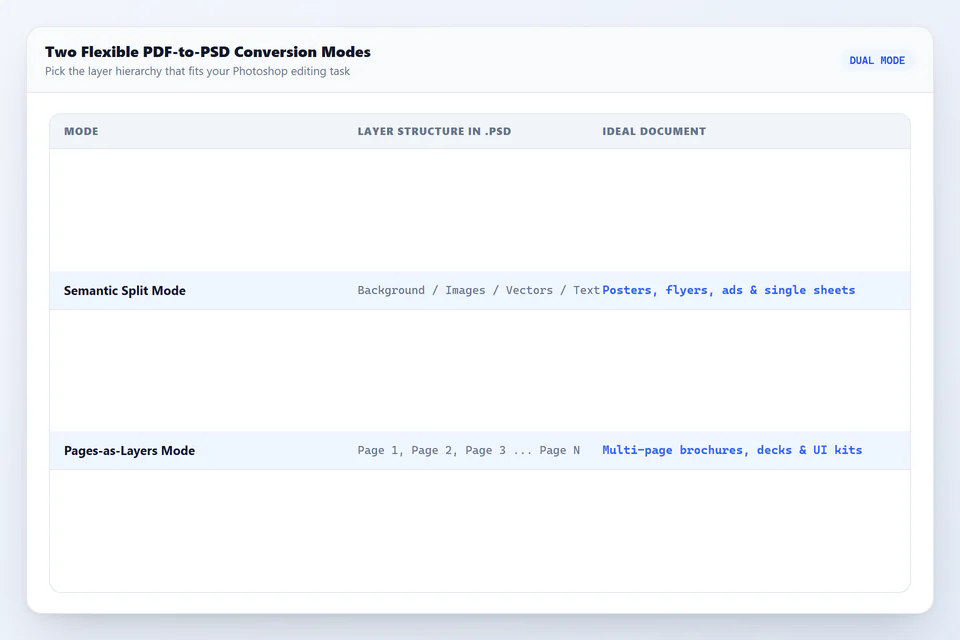
Choose Pages mode to place each selected PDF page on its own named Photoshop layer, or choose Split mode to separate one page into Background, Images, Vector Shapes, and Text layers at 72, 150, or 300 DPI with white or transparent backing.
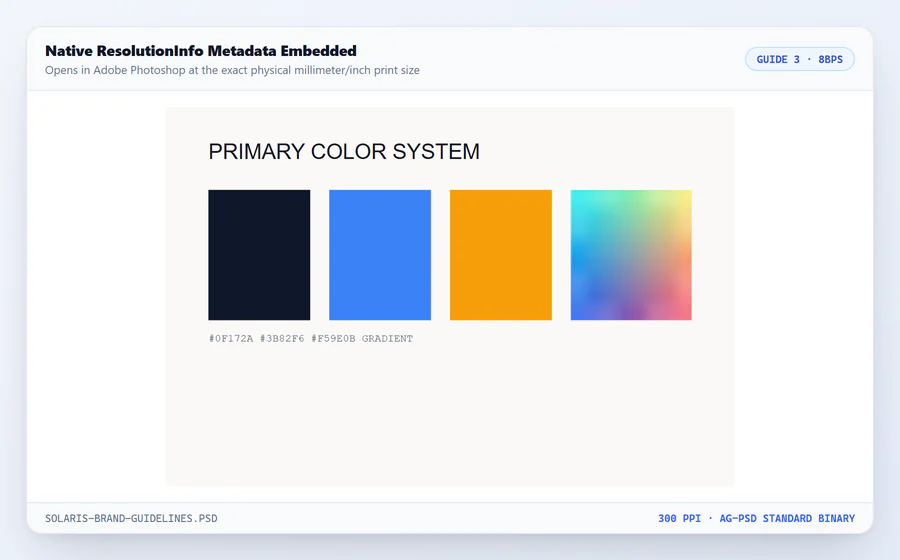
The browser rasterizes every layer with straight-alpha fidelity, embeds official resolutionInfo DPI tags, and writes a real 8BPS binary ready to open cleanly in Adobe Photoshop or compatible editors.
Built around a pure TypeScript PDF content parser and native PSD binary writer so layered exports open cleanly across Photoshop workflows.
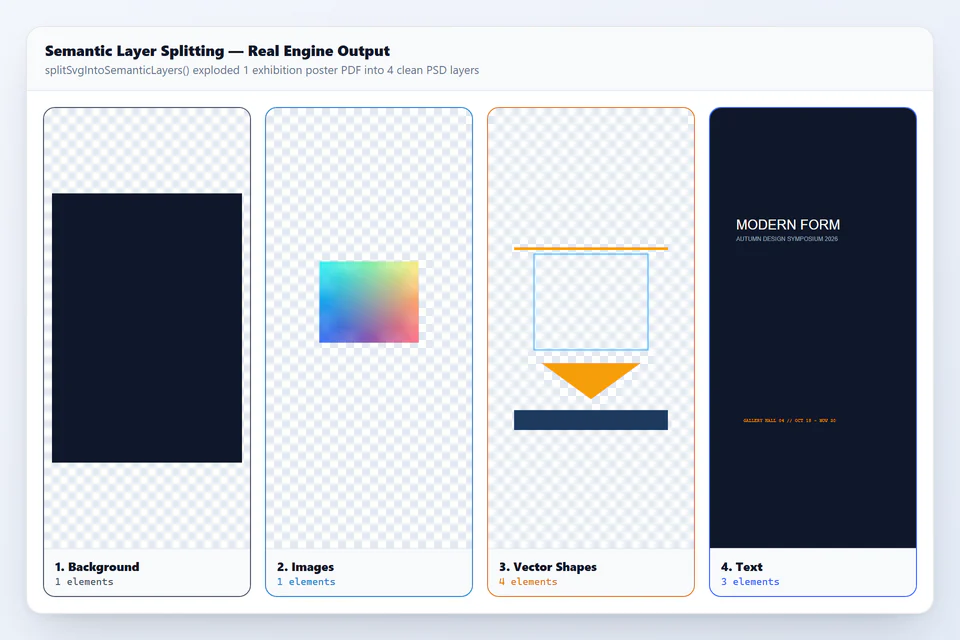
Automatically separates a PDF page into distinct Background, Images, Vector Shapes, and Text layers so you can swap headlines, recolor shapes, or mask photography quickly after you convert pdf to psd.
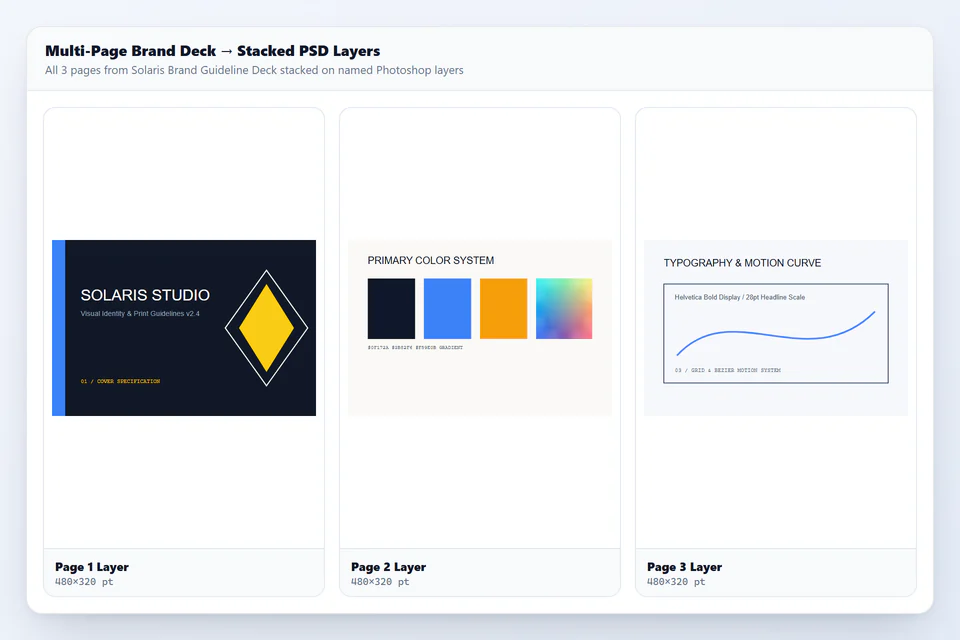
Pick all pages or any custom subset of a catalog or presentation deck and stack each page onto an individually named layer inside one tidy PSD canvas.
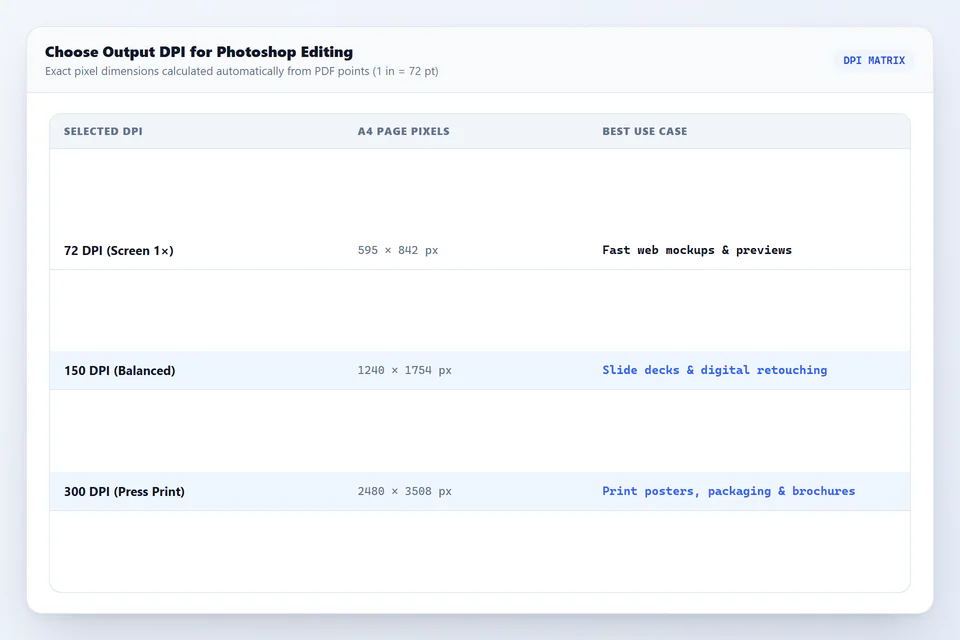
Computes exact pixel dimensions from PDF point coordinates (1/72 inch) and embeds official Photoshop resolutionInfo PPI metadata so print scale matches physical inches automatically.
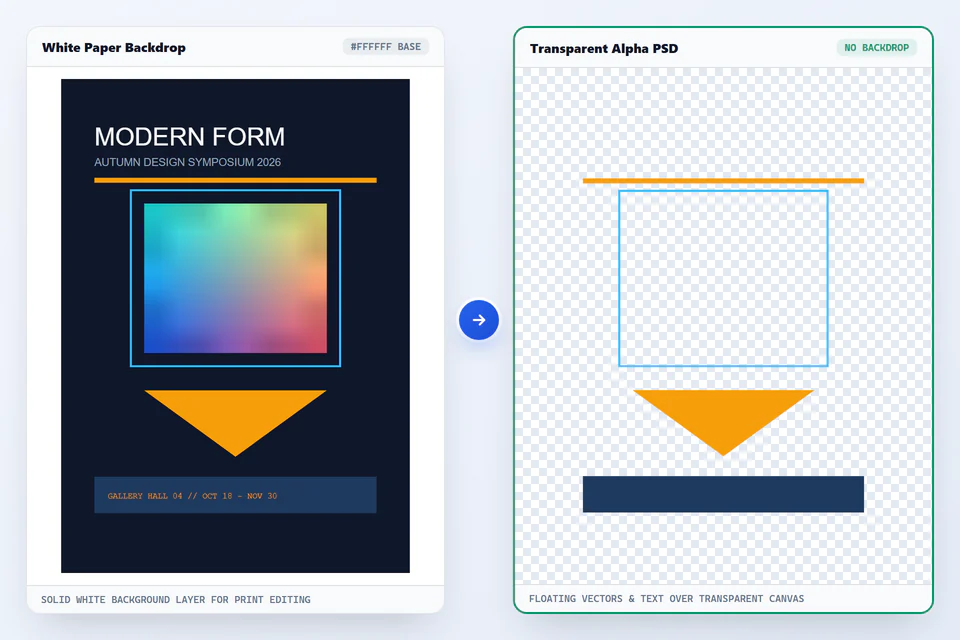
Keep full alpha transparency behind vector icons and floating typography for instant compositing, or lay down a solid paper-white or brand-tinted background layer.
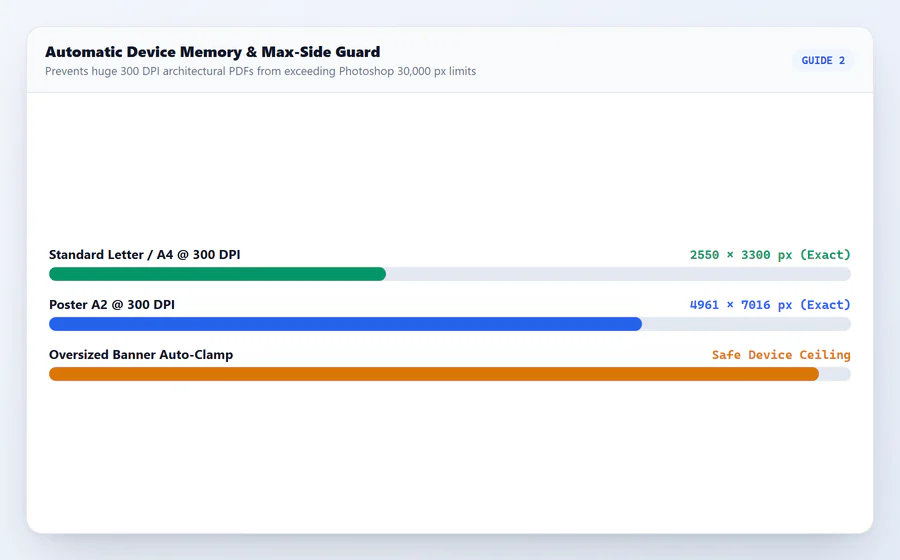
Writes both individual RGBA layer buffers and a pre-composited preview image inside the 8BPS binary while respecting the 30,000-pixel PSD ceiling and device memory limits.
Converts confidential marketing brochures, contracts, and unreleased product catalogs completely offline inside your browser tab without touching cloud conversion queues.
Learn when to use semantic layer split versus page stacking, how DPI translates PDF points to pixels, and how to prep PDFs for Photoshop retouching.
Clients, print agencies, and product managers regularly hand over finished flyers, packaging mockups, and UI specs as PDF files when original source artwork is unavailable. Opening a PDF directly as a single flattened raster forces tedious manual masking just to change a backdrop or move a graphic element. Using a dedicated pdf to psd converter restructures those page elements into clean Photoshop layers so retouching, color grading, and mockup compositing take minutes instead of hours.
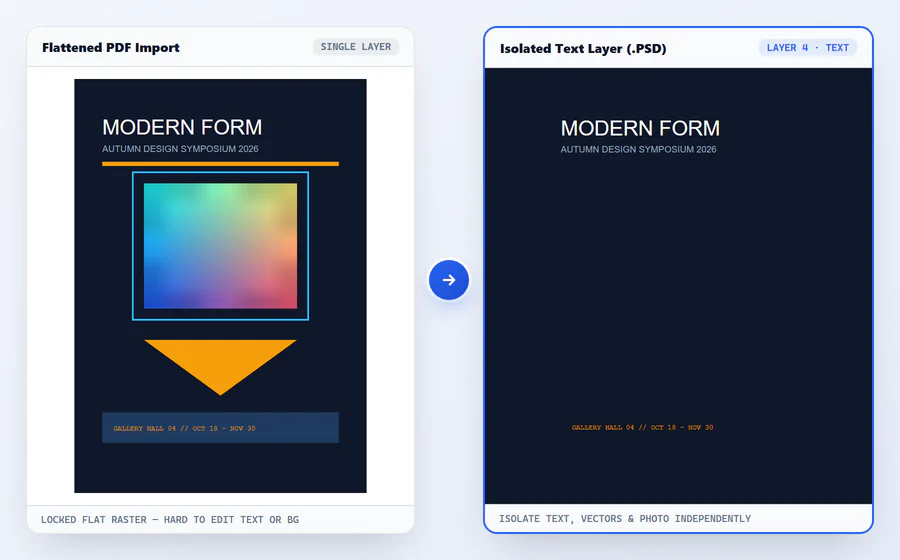
When bringing a single-page poster, flyer, or ad banner from pdf to photoshop, Semantic Split mode inspects the PDF drawing stream and groups full-bleed backdrops, embedded raster photos, vector shapes, and text runs into separate bottom-to-top layers. For multipage pitch decks, product catalogs, or multi-artboard brochures, Page Stack mode places every chosen PDF page on its own labeled layer inside one organized document so you can compare layouts or export slides rapidly.
PDF coordinates are stored in PostScript points where 72 points equal one physical inch. A standard US Letter page measures 612 by 792 points, which renders to 612 by 792 pixels at 72 DPI for screen mockups, 1275 by 1650 pixels at 150 DPI for crisp digital review, and 2550 by 3300 pixels at 300 DPI for commercial print. Our converter embeds that exact PPI value inside the PSD resolutionInfo block so rulers in Photoshop align immediately.
Vector logos, badges, and wireframe kits exported as PDF rarely include an explicit white background rectangle unless one was drawn deliberately. Selecting Transparent background when you convert pdf to photoshop preserves clean alpha channels around every shape and headline so you can drag those layers onto textured mockups or colored banners right away. For scanned raster-only PDFs, the tool detects image-only pages cleanly and preserves full embedded pixel clarity.
Converting pdf to psd locally bridges static print deliverables back into flexible raster design workflows. After generating your layered file, inspect every layer immediately in PSD Viewer, or package edited artwork back into press sheets with PSD to PDF. Need pure scalable vector paths instead of raster layers? Try PDF to SVG, or pull original full-resolution photos directly out of PDFs with Extract Images from PDF.
Designed for graphic designers, marketing teams, prepress operators, and UI mockups creators moving PDF layouts back into Photoshop.
Bring client-supplied brochure and flyer PDFs into structured Photoshop layers to update campaign imagery, apply lighting effects, or adapt sizes for social ads.
Convert flat label and carton PDFs at 300 DPI with transparent backgrounds to wrap directly onto 3D bottles, boxes, and retail shelf renders in Photoshop.

Turn multipage Figma or slide PDF exports into stacked PSD layers for rapid device-frame compositing, perspective mockups, and landing page visuals.
Rasterize stubborn PDF files to verified 300 DPI PSD canvases with embedded resolution metadata when preparing composite proof sheets or photo-lab prints.
Answers on Photoshop layer separation, multipage conversion, 300 DPI print settings, transparency, and browser privacy.
Drop your PDF into this pdf to psd converter, pick Split mode to separate Background, Images, Vector Shapes, and Text onto individual layers (or Pages mode for multipage stacks), choose your DPI, and download the layered PSD locally.
Yes. The converter writes an official 8BPS version 1 Photoshop binary complete with named RGBA layers, resolutionInfo DPI metadata, and a flattened composite preview compatible with Adobe Photoshop and PSD editors.
Yes. In Pages mode, select all pages or choose specific page numbers, and each PDF page becomes its own clearly named layer stacked inside one PSD file.
Select 72 DPI for lightweight web mockups, 150 DPI for sharp digital decks and screen review, or 300 DPI for commercial printing, packaging labels, and high-res retouching.
Yes. Choose Transparent in the background selector so empty page areas remain 100% alpha-transparent around vectors, photos, and typography.
The parser detects raster-only PDF pages automatically and converts each scanned page cleanly into a crisp Photoshop layer at your chosen DPI resolution.
No. All PDF parsing, semantic layer splitting, canvas rendering, and PSD binary assembly execute 100% locally inside your browser tab.
Yes. You can convert pdf to psd in your browser completely free with full DPI and layer controls and zero watermarks.
Drop a single or multipage PDF into this free pdf to psd converter to split semantic layers or stack pages at up to 300 DPI right inside your browser.
Export layered PSD