How to Open an EPS File Without Illustrator: PC, Mac, Phone
How to open an EPS file without Illustrator on Windows, Mac or mobile: browser EPS viewer, BoundingBox and binary headers, CMYK colors, and EPS to SVG or PNG.
 ImageToPsd.AIPublished Nov 25, 2026
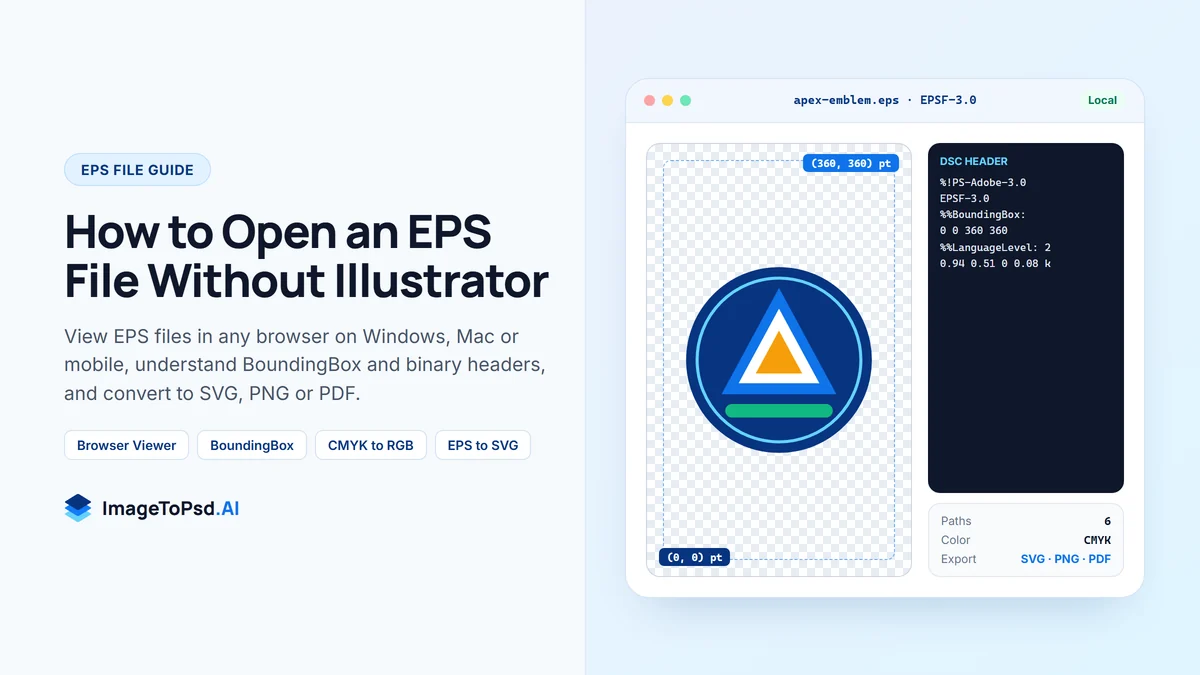
Learning how to open an EPS file without Illustrator is a common headache whenever a designer, print vendor, or stock library sends a .eps logo. Windows has never shipped a built-in EPS viewer, iPhones and Android phones cannot preview EPS files natively, and macOS Preview dropped PostScript and EPS rendering starting with macOS Sonoma. This guide shows how to open EPS file downloads in your browser on any device, explains PostScript BoundingBox coordinates, DOS binary headers, and CMYK colors, and compares the best ways to convert EPS to SVG, PNG, or PDF.
Short answer: to open EPS file without Illustrator, drag it into a browser EPS viewer online. You can zoom smoothly, inspect the %%BoundingBox dimensions and vector paths, and save an editable SVG, transparent PNG, or vector PDF without installing desktop software or uploading private artwork. Need to edit shapes on a computer offline? Free desktop apps such as Inkscape (paired with Ghostscript) or GIMP open EPS files as well.
What an EPS file actually holds (PostScript, BoundingBox, binary headers)
EPS stands for Encapsulated PostScript (application/postscript, cataloged in the Library of Congress Digital Formats specification FDD000246 and registered at IANA). Unlike PNG or JPG, an EPS file is a small single-page PostScript program that draws vector paths (moveto, lineto, curveto, fill, stroke) inside a declared bounding box measured in typographic points (1 pt = 1/72 inch).
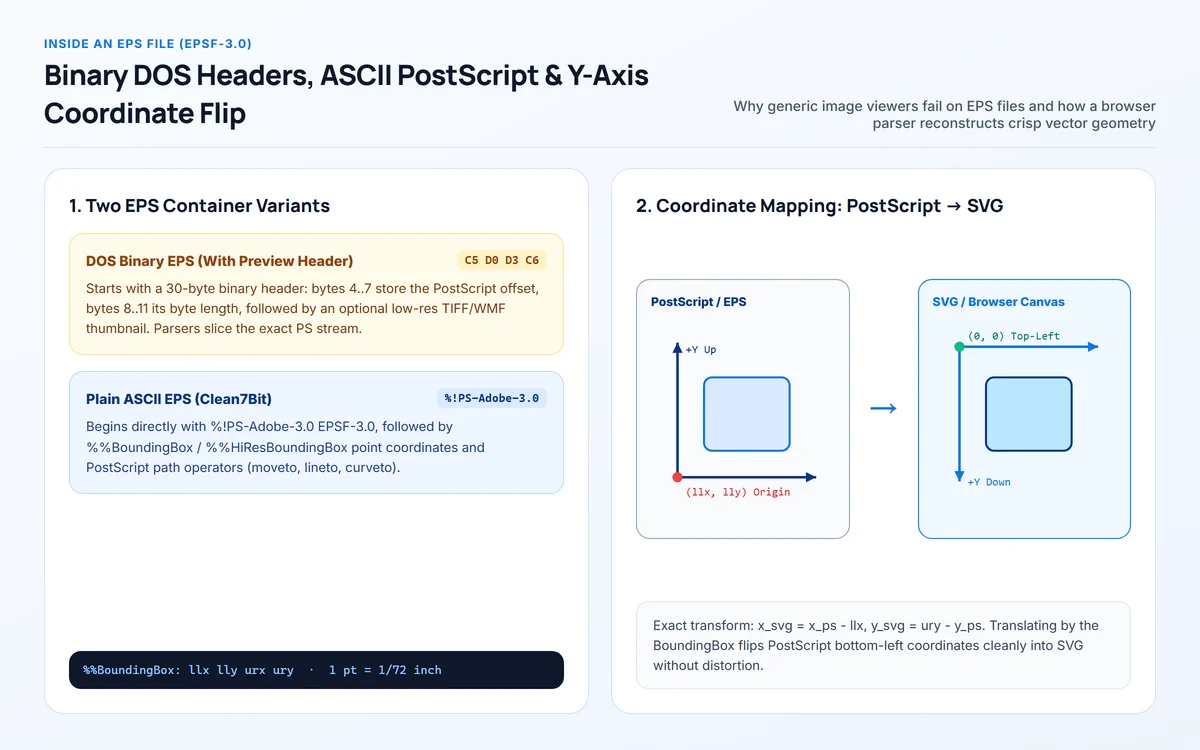
When you figure out how to open an EPS file and an app refuses to display it, one of three internal format details is usually the reason:
- ASCII EPSF-3.0 vs DOS Binary EPS headers. Clean 7-bit ASCII EPS files start immediately with
%!PS-Adobe-3.0 EPSF-3.0. Legacy Windows and desktop-publishing exports often wrap that PostScript program inside a 30-byte DOS binary EPS header beginning with the four hex bytesC5 D0 D3 C6. Bytes 4 to 7 record the exact byte offset where the PostScript code begins, bytes 8 to 11 store its length, and the remainder may hold a low-resolution TIFF or WMF preview thumbnail. A capable parser reads the 30-byte header and slices out the true vector PostScript stream instead of showing the blocky thumbnail. - The
%%BoundingBoxand coordinate origin. PostScript places(0, 0)at the bottom-left corner with+Ypointing upward, whereas screens, browsers, and SVGs place(0, 0)at the top-left corner with+Ypointing downward. Every valid EPS declares%%BoundingBox: llx lly urx ury(and optionally%%HiResBoundingBoxwith floating-point coordinates). Subtractingllxon X and flippingury - yon Y maps every PostScript curve onto screen coordinates with zero distortion. - CMYK ink operators (
k) vs RGB screen colors (rg). Print-ready EPS logos define fills in four-channel CMYK (setcmykcolor) rather than sRGB (setrgbcolor). Because standard displays emit RGB light, an EPS viewer converts CMYK ink fractions to sRGB on screen so you can verify geometry and layout immediately.
How to open an EPS file in your browser (Windows, Mac, iPhone, Android)
The fastest way to open EPS file attachments on any operating system is directly inside your web browser:
- Open the EPS viewer in Chrome, Edge, Safari, or Firefox on Windows, macOS, Chromebook, iPhone, or Android.
- Drag and drop your
.epsfile (or tap to pick from Files, Downloads, or cloud storage). Parsing happens locally in your browser so client logos and packaging proofs stay on your device. - Inspect dimensions and geometry. Check the declared
%%BoundingBoxsize in points, pan and zoom into vector curves to verify crispness, and toggle checkerboard transparency to confirm whether the artwork includes an opaque background rectangle. - Export to a modern format. Save an editable vector copy with EPS to SVG, a high-resolution transparent image with EPS to PNG, or a universal vector document with EPS to PDF.
Ways to open EPS files compared across platforms
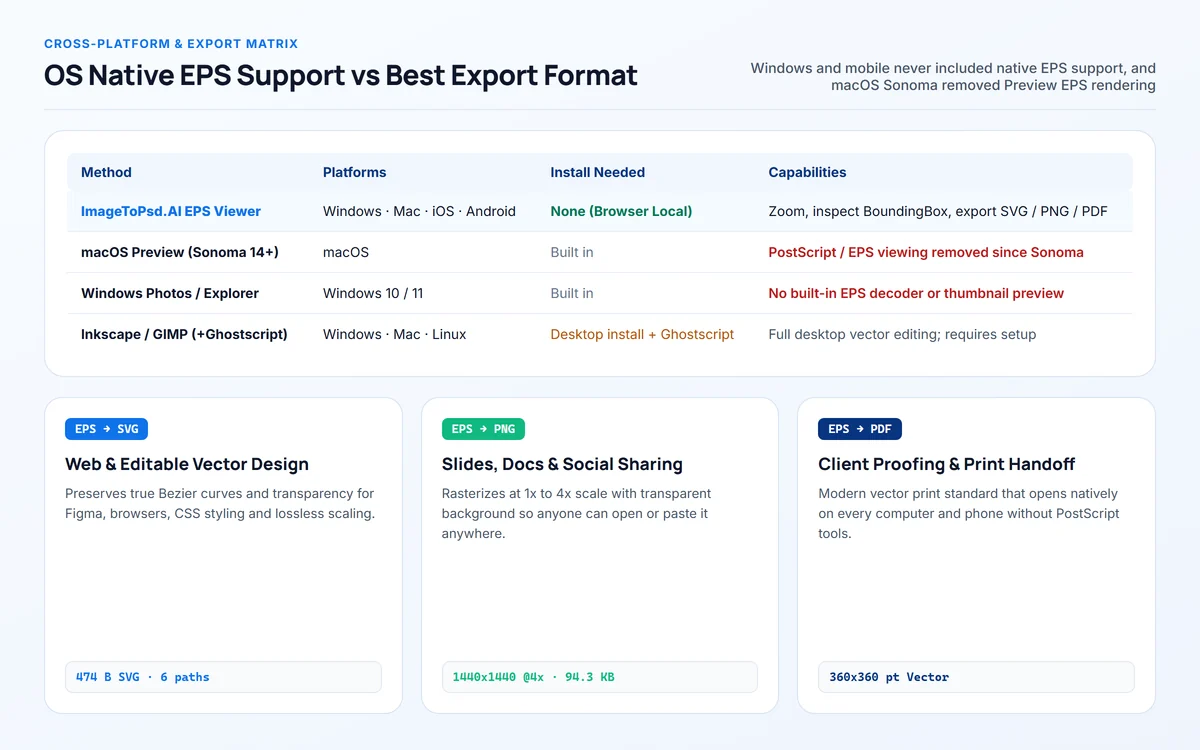
Not every operating system treats EPS the same way. Here is what works out of the box and what requires an extra tool:
| Option | Platforms | Built in or install | Keeps vector curves | Best for |
|---|---|---|---|---|
| ImageToPsd.AI EPS Viewer | Windows, Mac, Linux, iOS, Android | No install (browser local) | Yes (SVG & PDF export) | Instant viewing, inspection, quick conversion |
| macOS Preview (Sonoma 14+) | macOS | Built in | No (EPS support removed) | No longer opens .eps files |
| Windows Photos & File Explorer | Windows 10, 11 | Built in | No (unsupported format) | Cannot open or thumbnail .eps |
| Inkscape + Ghostscript | Windows, Mac, Linux | Free desktop install | Yes | Full offline desktop vector editing |
| GIMP + Ghostscript | Windows, Mac, Linux | Free desktop install | No (rasterizes on import) | Converting EPS into pixel graphics |
| Affinity Designer / CorelDRAW | Windows, Mac | Desktop install | Yes | Commercial print layout and vector editing |
| Adobe Illustrator | Windows, Mac | Paid subscription | Yes | Native PostScript and legacy Illustrator EPS |
Viewing EPS on Windows 10 and 11
Windows File Explorer and the built-in Photos app do not include a PostScript interpreter, so .eps files appear as generic icons. To inspect an .eps attachment on Windows without installing Ghostscript and configuring system PATH variables, drop the file into our EPS viewer online in Edge or Chrome. If you need to edit anchor points offline on Windows, install Inkscape together with Ghostscript.
Viewing EPS on Mac (Sonoma and newer)
Older tutorials still claim you can double-click an EPS on macOS and view it in Preview. Apple removed built-in PostScript and EPS conversion from Preview starting in macOS Sonoma, displaying an unsupported-format alert instead. Today, the quickest Mac workflow is dropping the file into EPS viewer in Safari or Chrome, or converting directly with EPS to PDF so macOS Preview and Quick Look can read it natively again.
Viewing EPS on iPhone, iPad, or Android
Neither iOS Files nor Android Gallery renders PostScript. Open our EPS viewer online in mobile Safari or Chrome, select the .eps file from your downloads or email attachment, pinch to zoom, and export a transparent PNG via EPS to PNG if you want to drop the logo into slides, chat apps, or social posts.
Convert EPS to SVG, PNG, or PDF: real measured outputs
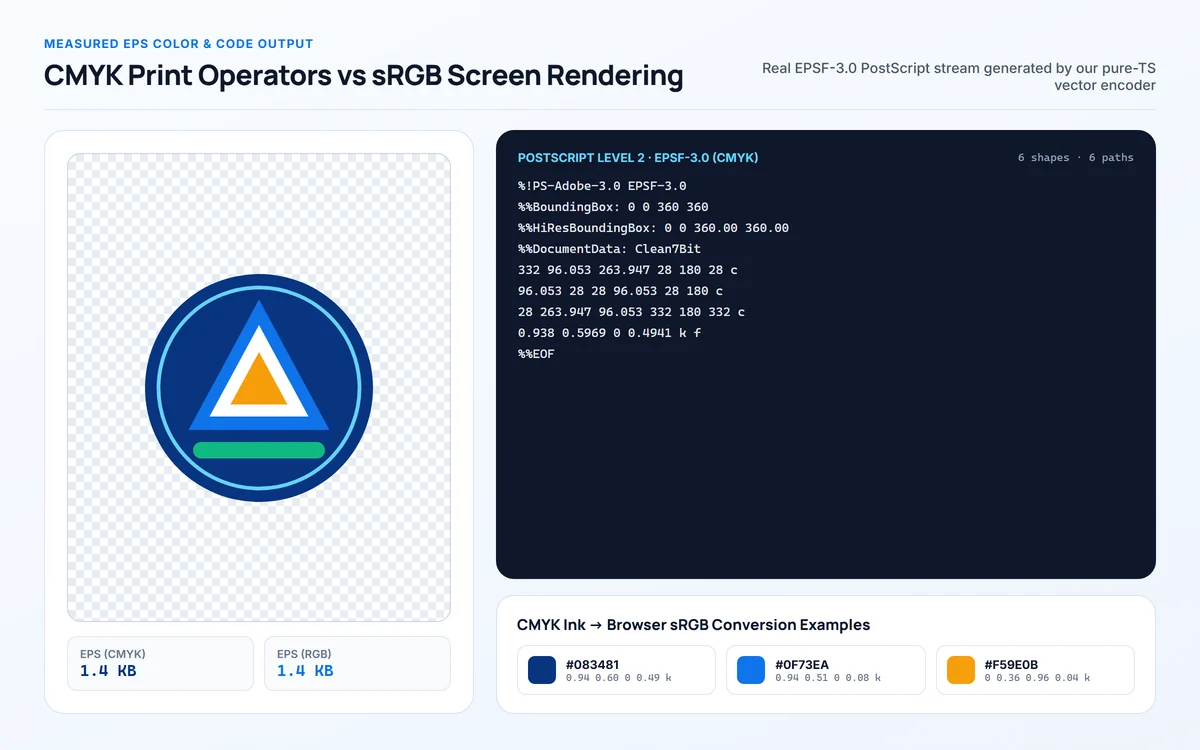
Once you open EPS file artwork, converting it into a modern format prevents the same compatibility snag for your teammates and clients. We encoded a 6-shape, 6-color geometric emblem (360 x 360 pt, 5 inches square at 72 pt/in) with our pure-TypeScript EPS engine to measure exact file sizes across formats:
| Format | Measured file size | Geometry & transparency | When to choose it |
|---|---|---|---|
| EPSF-3.0 (CMYK, 6 paths) | 1.4 KB (1,430 bytes) | True PostScript vector | Legacy print, embroidery, vinyl |
| EPSF-3.0 (RGB, 6 paths) | 1.4 KB (1,428 bytes) | True PostScript vector | Screen-oriented PostScript exchange |
Editable SVG (viewBox 0 0 360 360) |
474 bytes | True Bezier vector + alpha | Websites, Figma, CSS, UI kits |
4x Transparent PNG (1440 x 1440 px) |
94.3 KB (96,602 bytes) | Raster pixels + alpha | PowerPoint, Word, Slack, social media |
Vector PDF (360 x 360 pt) |
Compact vector stream | True vector + universal view | Client proofing, modern print shops |
- Use EPS to SVG whenever you want clean editable vectors for websites, Figma, Sketch, or responsive branding kits. At 474 bytes in our test, the SVG is three times smaller than the EPS and renders natively in every browser.
- Use EPS to PNG when you need a crisp transparent bitmap for presentations, documents, or e-commerce listings. Export at 2x or 4x scale (e.g.,
1440 x 1440 px) so the logo stays sharp on retina displays. - Use EPS to PDF when sending artwork to clients or modern printers. PDF preserves vector geometry while opening cleanly on Windows, macOS Preview, iOS, and Android.
Need to go the other way and create an EPS file for a print vendor or stock submission? Convert clean web vectors with SVG to EPS, turn vector PDF sheets into PostScript with PDF to EPS, or trace and wrap a raster logo with PNG to EPS.
Troubleshooting: why an EPS looks clipped, blurry, or color-shifted
- Clipped edges: If part of the graphic is cut off at the border, the original creator saved a tight or inaccurate
%%BoundingBoxcomment. Checking the file in EPS viewer reveals the exact bounding box dimensions (llx lly urx ury) immediately. - Colors look slightly brighter on screen than in print: Print EPS files use CMYK inks (for example
0.94 0.51 0 0.08 kfor brand blue), which have a narrower gamut than glowing sRGB screens. Formula conversion gives an accurate layout preview, while final press matching still relies on ICC print profiles. - Blurry preview inside Word or older viewers: Some office apps only display the low-resolution 72 DPI TIFF preview embedded inside a DOS binary EPS header instead of executing the PostScript paths. Converting with EPS to SVG or EPS to PNG at 2x to 4x bypasses the blurry thumbnail and renders crisp edges.
- Proprietary Illustrator-only effects: Very old
.epsfiles sometimes pack private Illustrator binary data (%AI9_PrivateData) for live meshes or proprietary blend effects. Pure vector paths, fills, strokes, and shapes transfer cleanly across browsers and open tools; proprietary mesh effects are best flattened or exported to PDF from the source app.
FAQ
How do I open an EPS file for free without Illustrator?
Drag the .eps file into our browser EPS viewer. It works on Windows, macOS, Linux, iPhone, and Android with no software install and no file upload, and lets you export directly to SVG, PNG, or PDF. For offline desktop editing, Inkscape paired with Ghostscript is free and open source.
Why won't my Mac open EPS files in Preview anymore?
Apple removed native PostScript and EPS rendering from macOS Preview starting with macOS Sonoma. Use a browser EPS viewer online to inspect the file immediately, or convert it with EPS to PDF so macOS Preview and Finder Quick Look can display it natively.
Should I convert EPS to SVG or PNG?
Choose EPS to SVG if you need an infinitely scalable, editable vector for websites, Figma, or future recoloring. Choose EPS to PNG if you need to drop a transparent image into Microsoft Word, PowerPoint, email signatures, or social media platforms that reject vector uploads.
Does an EPS file support a transparent background?
Yes. Vector paths in an EPS only paint the shapes they define, so empty areas outside those paths remain transparent when you convert EPS to SVG or export a transparent PNG. Only when the original artwork includes an explicit white backdrop rectangle will the background appear white.
Can I create a CMYK EPS file without Illustrator?
Yes. If you already have a clean SVG or vector PDF, use SVG to EPS or PDF to EPS and select CMYK color mode to generate standard PostScript Level 2 EPSF-3.0 files in your browser. Starting from a raster PNG? Use PNG to EPS.
Next steps
Have an .eps attachment waiting in your inbox? Open EPS file artwork right now with our EPS viewer, or convert EPS to SVG, transparent PNG, or print-ready PDF directly in your browser using EPS to SVG, EPS to PNG, and EPS to PDF.