ImageToPsd.AI vs Photopea: PSD Tools and AI Layers
ImageToPsd.AI, the all-in-one AI image editor: a free PSD viewer and converters, named AI layers from any picture, and text edits in the original lettering.
 ImageToPsd.AIPublished Oct 15, 2026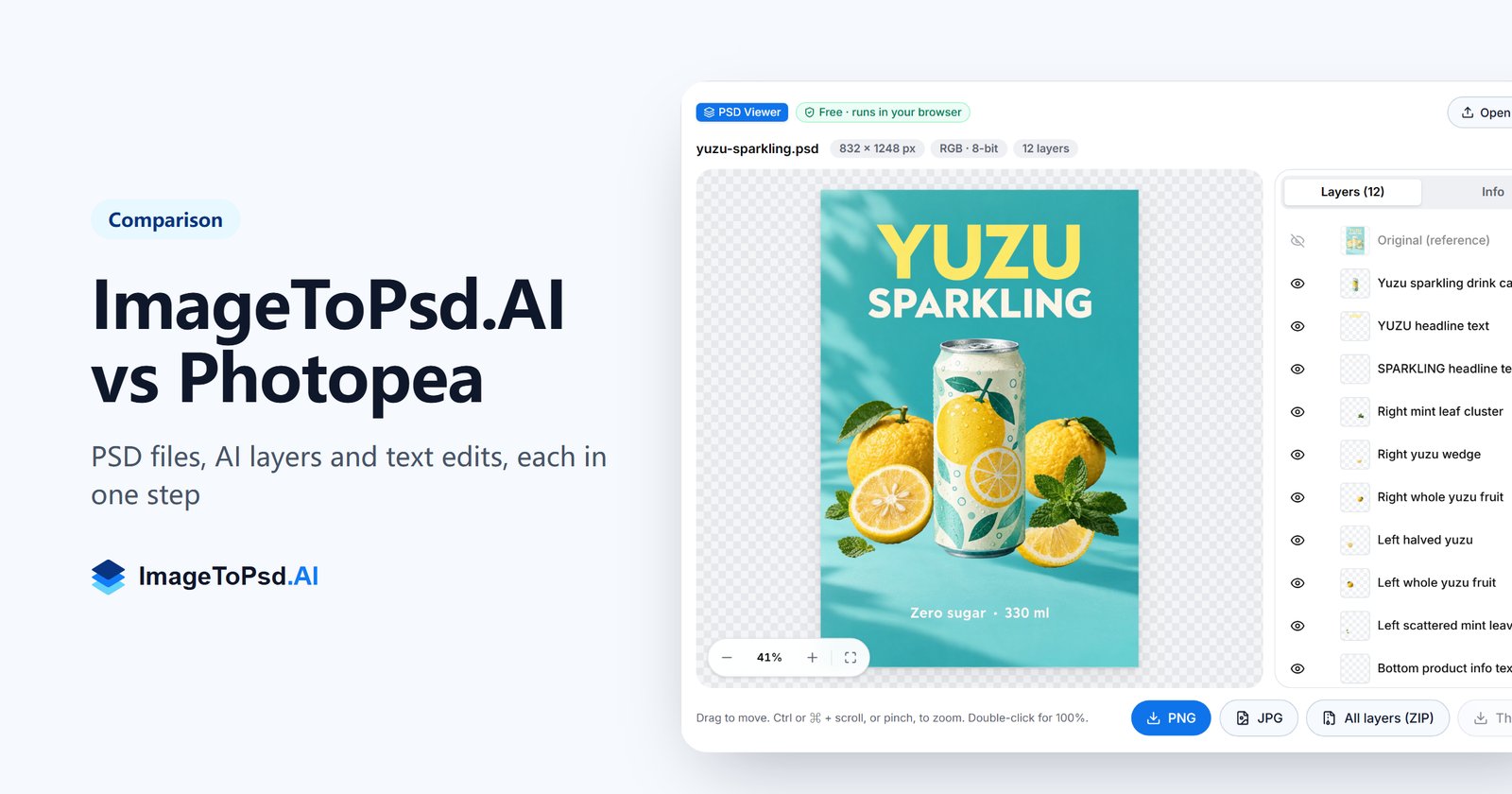
ImageToPsd.AI vs Photopea is a choice between two ways of working with PSD files. ImageToPsd.AI, the all-in-one AI image editor, opens and converts PSD files free in your browser, splits any flat picture into a PSD with every element on its own named layer, and rewrites the words in a picture in their original lettering. Photopea is an online photo editor in the Photoshop style.
ImageToPsd.AI and Photopea at a glance
| What we compare | ImageToPsd.AI | Photopea |
|---|---|---|
| What it is | The all-in-one AI image editor: 32 tools, each made for one job on a picture | An online photo editor in the Photoshop style, with layers, masks and filters |
| Where it runs | In the browser; the 13 free tools run entirely on your device | In the browser, on your device |
| Opening a PSD | A free PSD viewer for PSD and PSB files up to 500 MB, every layer shown | Opens PSD files in its editor |
| Price | Free browser tools; AI tools by credits, with plans from $9.90 a month | Free; Premium from €5 a month (no ads, AI credits) |
AI that turns a flat picture into a layered PSD
Image to PSD takes a JPG, PNG or WebP and gives back a PSD in which the subject, the words, the decorations and the background each sit on their own transparent layer, named after what they hold. What was hidden behind them is painted in, so every layer can move without leaving a hole.
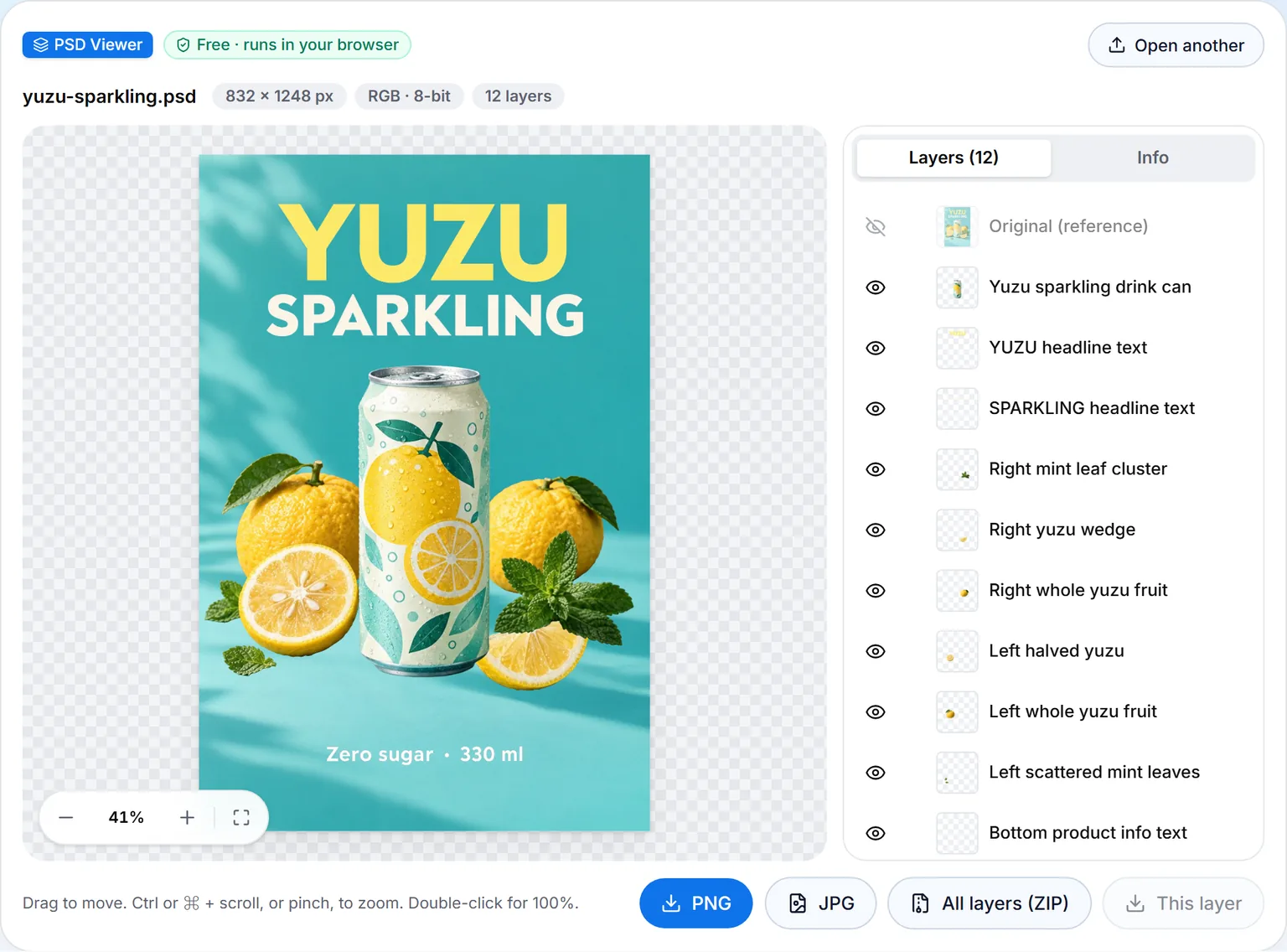
A yuzu soda poster made with our AI poster generator went through it at the default settings and came back in 115 seconds as a PSD with 11 named layers: Background, YUZU headline text, SPARKLING headline text, Bottom product info text, Yuzu sparkling drink can, two whole yuzu fruits, a halved yuzu, a yuzu wedge and two groups of mint leaves. The PSD keeps the poster's own 832 × 1248 px and adds the original as a hidden reference layer on top.
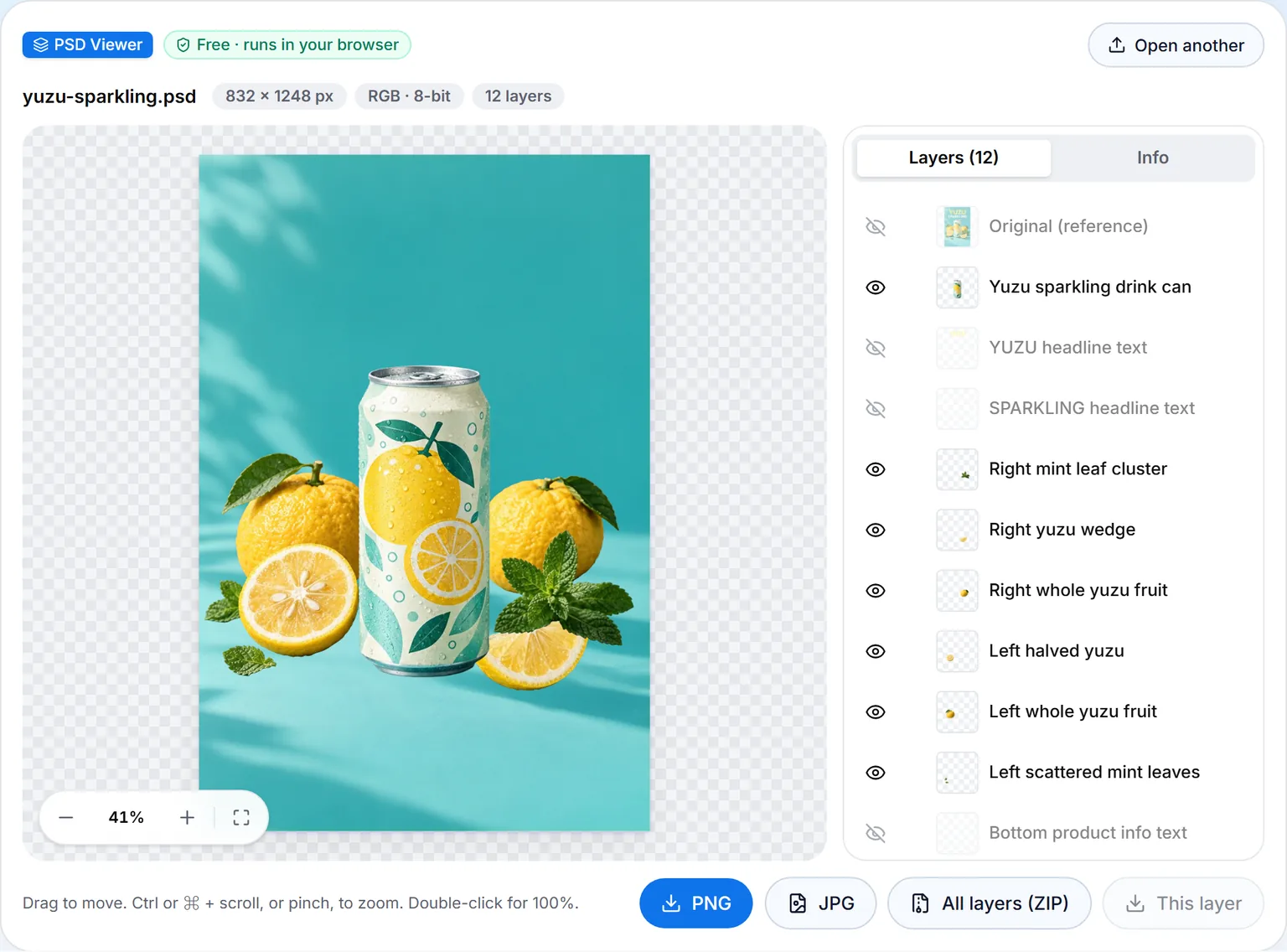
Hide the three text layers and the background behind the words is already there, clean, ready for new words:
Pro finds up to 16 layers by itself for 20 credits a run. Basic gives exactly 2 to 8 layers, from 6 credits. A short caption, or a preset such as Poster or ad, Logo, Character or Product, says what to separate; products, posters, logos and characters with clear shapes give the cleanest layers. Every conversion also downloads as a ZIP of transparent PNG layers, named by depth so they stack in order, and Image to Layers splits a picture straight into PNG layers.
The PSD is a standard layered file: it opens in Photoshop, Affinity Photo, GIMP and Krita, and in Photopea every layer of this poster came through with its name.
Free PSD tools, in seconds, on your device
The PSD viewer reads a PSD inside your browser, with nothing to install, no account and no upload. The poster's 11 MB PSD was on screen with its full layer list in 0.23 seconds; in our guide to opening PSD files, a 176 MB file took 0.86 seconds. Click an eye to show or hide a layer, read every font in the Info tab, and save a PNG, a JPG, one layer, or every layer as its own PNG.
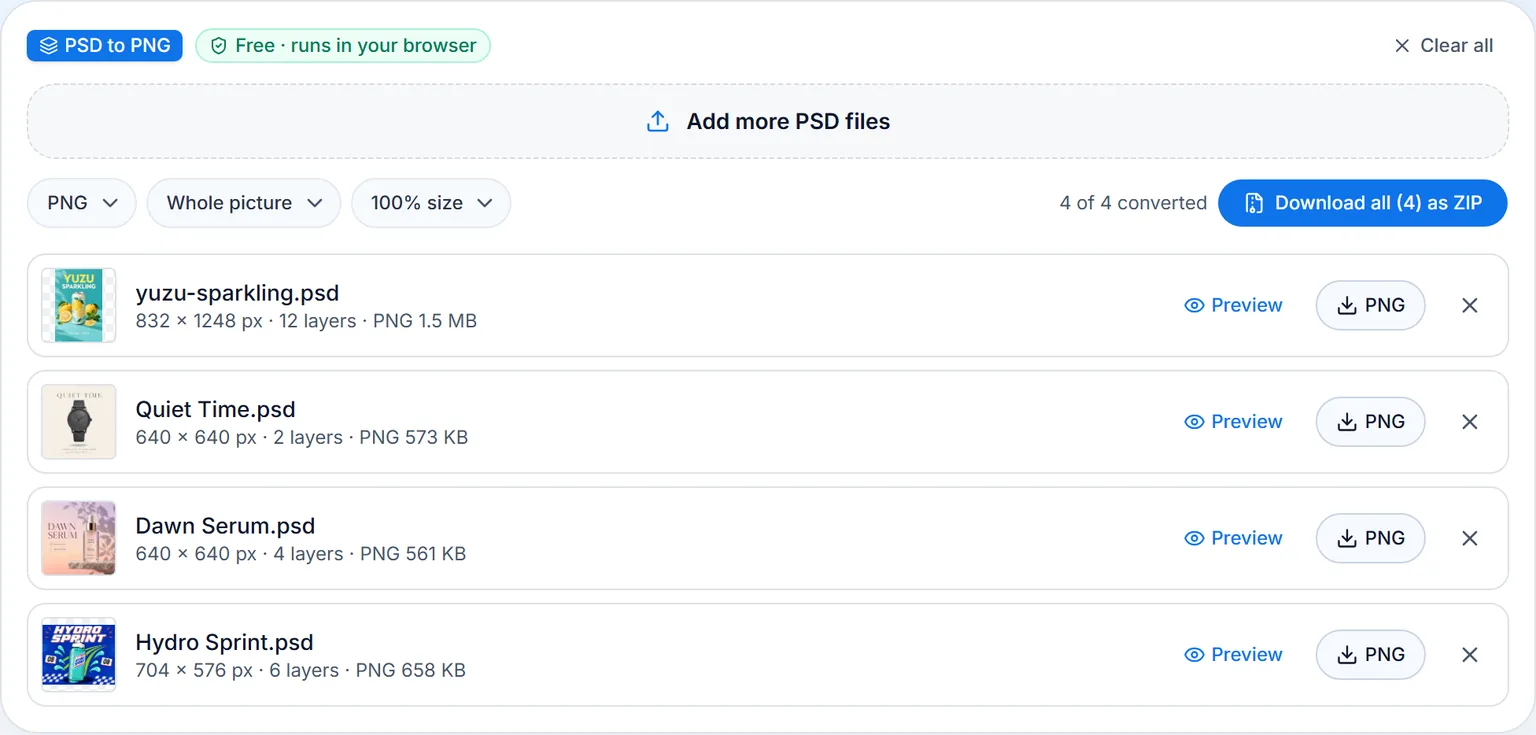
PSD to PNG converts up to 50 PSD files at once. The poster's PSD and the page's three samples were four PNGs in 4.2 seconds, ready one by one or as a single ZIP.
PSD to JPG adds the JPG quality, the background color and the size, and PSD to PDF makes PDFs at A4, Letter or the PSD's own size, with one layer per page when you want it. All of them are free and keep your files on your device.
Words in a picture, rewritten in their own lettering
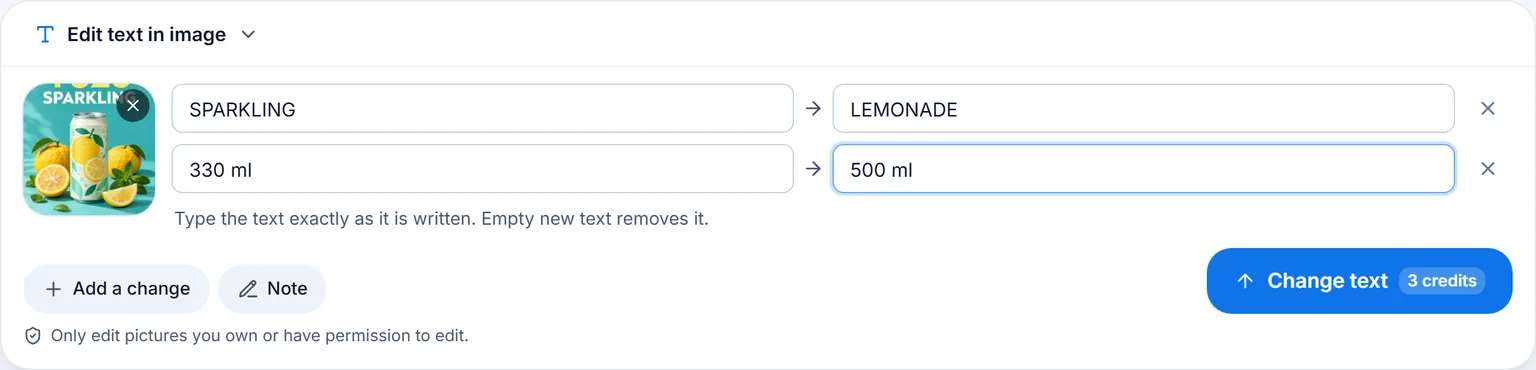
Edit text in image changes words that are part of a picture. You type the text as it is written and the new text beside it, up to 8 changes in one run for 3 credits, and each new word takes the lettering, color and place of the old one.
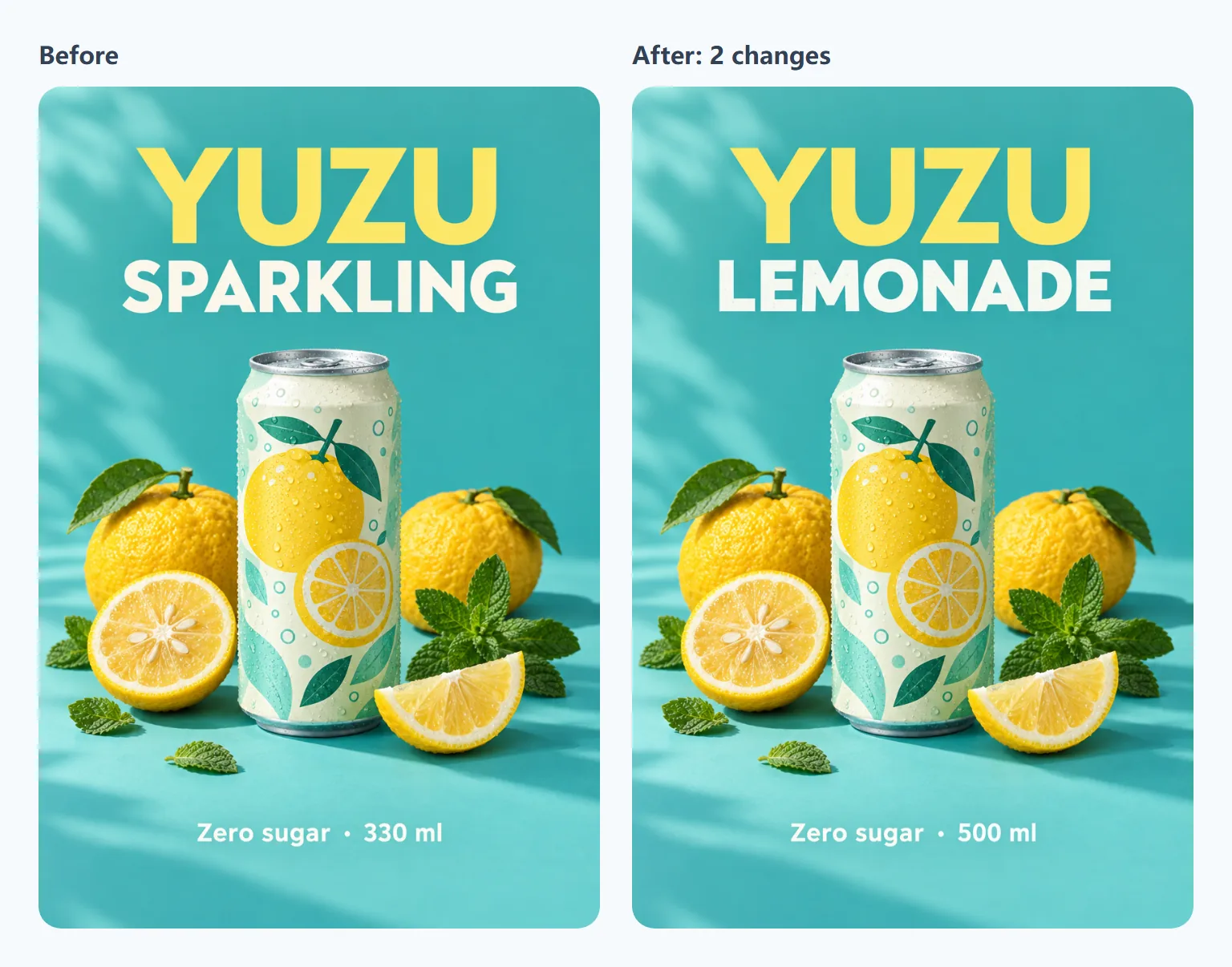
The poster went there with Next → Edit text: SPARKLING became LEMONADE and 330 ml became 500 ml in 34 seconds. Compared pixel by pixel, 93% of the result is identical to the original; only the two changed lines differ.
Translate text in image puts every line into another language in place (4 credits), and Remove text from image clears the words and keeps the background (4 credits for all text, 2 with a brush).
One picture, every next step
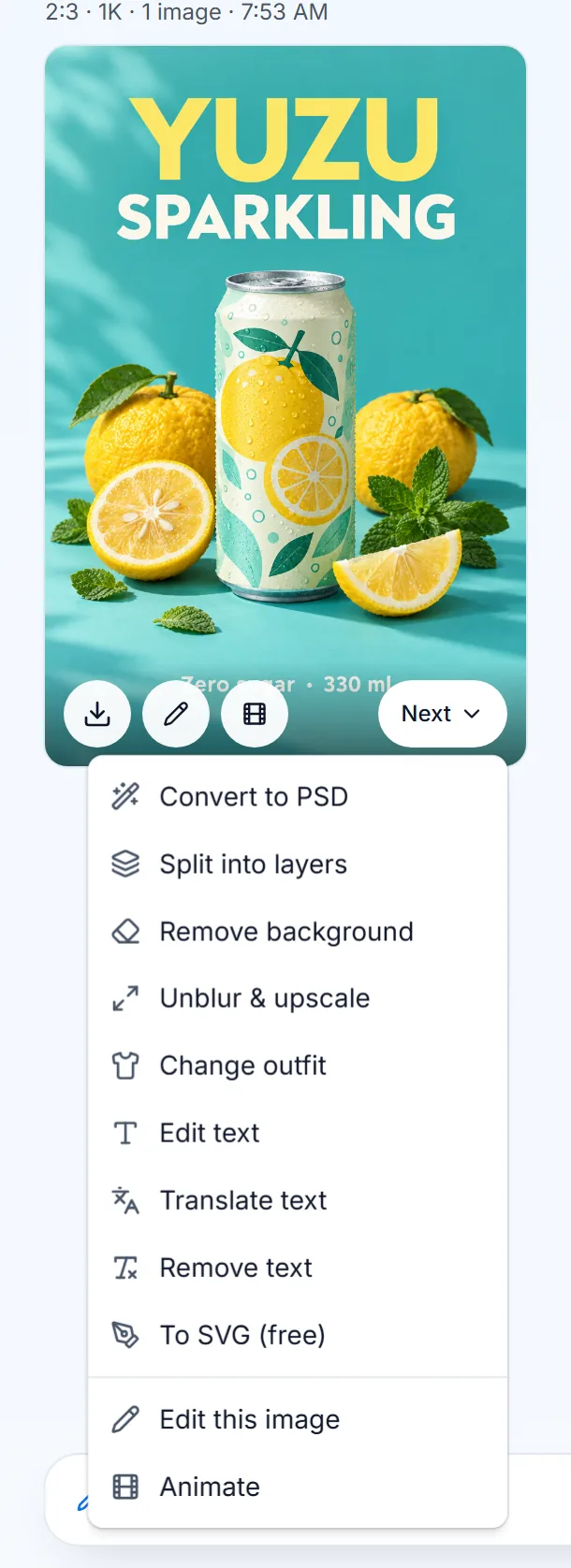
Every result has a Next button that passes the picture straight to another tool, with no download and no upload: Convert to PSD, Split into layers, Remove background, Unblur & upscale, Change outfit, Edit text, Translate text, Remove text and To SVG, plus Edit this image and Animate.
Around the PSD tools sits the rest of the editor: text to image, image to video, posters, flyers and stickers, a background remover, an image extender and an AI clothes changer. We choose and test the AI behind each tool, so you pick a tool, never a model, and every run is kept in your history with its settings.
Built on open file standards
- PSD and PSB. The Library of Congress format description of the Photoshop family sets PSD at up to 30,000 px a side and 2 GB, and PSB, the large document format, at up to 300,000 px. The PSD viewer opens both, up to 500 MB.
- PNG. Exports keep transparency through the alpha channel of the PNG Specification, Third Edition, a W3C Recommendation.
- JPEG. JPGs come from our own encoder as baseline JPEG under ITU-T T.81, with every color channel at full resolution (4:4:4), so colored text stays sharp.
- PDF. PSD to PDF writes files for any PDF reader, in the format standardized as ISO 32000.
Who ImageToPsd.AI is for
- Designers who receive flat files, client JPGs, stock pictures or AI art, and need them as layered PSDs.
- Online sellers and marketers who make product posters and flyers, change a price or a size on a finished picture, or translate it for another market.
- Teams on mixed machines: every tool works in the browser on Windows, Mac, Linux, Chromebooks, iPhone and Android, in 6 languages.
- Any budget: the PSD viewer, the converters and the SVG tools are free; AI runs are paid in credits, shown on the button before you start.
- Any experience: no Photoshop skills needed to get a layered file, and the layers are ready for anyone who keeps working in Photoshop.
Pricing
The 13 browser tools are free, with no account. AI tools use credits, for example 1 for a background removal, 3 for a text edit and 20 for a Pro PSD, shown on the button before you start. Plans start at $9.90 a month for 200 credits. See pricing.
FAQ
Is ImageToPsd.AI free?
The PSD viewer, the PSD converters, PNG to PSD, the SVG tools, video to GIF and photo to pixel art are free and run in your browser with no account. The AI tools use credits, and each button shows the cost of that run before you start.
How long does a picture take to become a layered PSD?
About two minutes on Pro: the yuzu soda poster took 115 seconds for 11 named layers. You can leave the page; the conversion finishes in your history and in My creations.
Which editors open a PSD from ImageToPsd.AI?
Photoshop, Affinity Photo, GIMP and Krita, and Photopea as well. Every layer is a normal pixel layer with its name, lined up on one canvas.
Can I change the words in a picture that has no text layers?
Yes. Edit text in image rewrites the words in the picture itself, in their original lettering, up to 8 changes a run. After Image to PSD, the words also sit on their own layer, with the background behind them painted in.
Does ImageToPsd.AI work on a phone?
Yes. Every tool runs in the mobile browser, iPhone and Android alike, and the PSD viewer zooms with a pinch.
Are my files kept private?
The free tools never upload your files. The AI tools upload the picture to run, keep the result in your account, and never use your pictures to train AI.
Keep going
- Turn a picture into layers: Image to PSD
- Open a PSD for free: PSD viewer
- Change the words in a picture: Edit text in image
- More comparisons and guides on the blog
Convert your first image to PSD, or start with the free browser tools.