
Long hair in a busy street
Loose strands stay sharp as the city behind them goes.
Drop a clip and this AI video background remover takes the background out of every frame, around hair, fur and fast moves. Download a transparent video, or the same clip on white, black, green screen or any color.
Add a video
The background comes out of every frame, around hair and fast moves too. You get a transparent video, and a version on any color.
Eight clips made for this site, each run once through this video background remover. Every result plays here over a checkerboard, where the background used to be.
Loose strands stay sharp as the city behind them goes.

Straw, beams and a spinning wheel removed around every step.

Soft fur kept whole while the cushions and shelves disappear.

Arms, feet and loose clothing followed through every move.

A 3D character lifted out of a forest, cape and bow included.

A furry performer cut cleanly from a low-light stage and its audience.

The robot stays while balloons and falling confetti go.

A turning watch and its stand, ready for any ad or store page.
Three steps, with the price shown before you start.
Drop an MP4, MOV or WebM of up to 60 seconds. You see its length, size and frame rate, and the exact credits.
Every frame is worked through, one by one. A 10-second clip is usually ready in a few minutes.
Save a transparent WebM, or pick white, black, green screen or any color and save the clip on it.
Six things it does well, from a quick transparent video to green-screen footage for your editor.
 Original
Loose strands, curls and fur keep their soft edges in every frame, so a person or a pet looks natural on any new background.
 Original
Dancing, turning and walking stay cut out cleanly from the first frame to the last, without flicker around the edges.
 Original
Streets, rooms, stages and forests come out completely, no green screen needed when you film.

Download a transparent WebM that keeps the cut-out ready to lay over other footage, a slide or a web page.

Lay the clip on white, black, green screen or your brand color and save it as a normal video that plays in any app.
 Original
Presenters, dancers, animals, animated characters and products on a turntable all come out with their own outline.
Five quick tips for the cleanest cut-out.
Clips where the person, pet or product stays clearly in frame give the cleanest result, followed through every move.

You pay for seconds, so cut the clip to the moment you will use before you upload it. Up to 60 seconds and 100 MB per video.
Videos up to 30 frames a second cost 1 credit a second, and up to 60 frames a second 2 credits. Most phone clips are 30.
Use the transparent WebM for web pages and editors that read it. For any other app, save the clip on green screen and key it there, or on the exact color you need.
The result is silent, ready for your own music or voice-over when you place the clip in your edit.
Common reasons to take the background out of a clip.
Put yourself in front of any scene for reels, shorts and reaction videos.
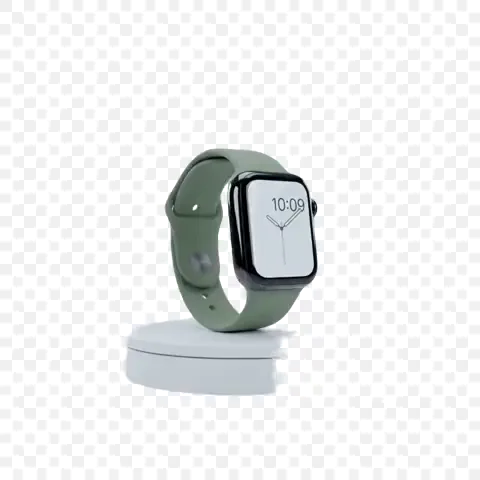
Show a spinning product or a presenter on brand colors for ads and store pages.
Lay yourself over slides and screen recordings without a studio.
Get green-screen footage or a transparent video to layer in motion graphics.
Answers about results, prices and files.
Drop the clip in the box at the top of this page and start it. When it is done, download the transparent WebM or the clip on the color you pick.
1 credit for each second of video up to 30 frames a second, and 2 credits a second up to 60. The exact credits show before you start.
MP4, MOV and WebM clips of up to 60 seconds, 100 MB and 4K.
A WebM with a transparent background, which plays in browsers and goes straight into web pages and editors that read WebM.
Yes. In the result, pick Green screen, or any other color, and save the clip on it. It is made in your browser while the clip plays.
A few minutes for a 10-second clip, a little longer for a full minute. You can leave the page; the result waits in your history.
Your clip is used only for your own result. Uploaded clips are deleted after a week; the results stay in your account until you delete them.
If a run can't be completed, your credits are returned automatically.
Drop a clip into the video background remover and download it in a few minutes, transparent or on any color.
Choose a video