OpenAI· 图片模型新

GPT Image 2.5 图片生成器:Flare 与 Sunburst

GPT Image 2.5 是 OpenAI 在 2026 年 9 月 8 日发布的图片模型,分两个版本:Flare 速度快,Sunburst 细节更精。写一段提示词就能出图,也可以上传最多 4 张图片来改图。高画质每张 3 积分,Flare 约 25 秒出图。

试试这些例子

  • 每张 3~9 积分
  • 最高 1K 输出
  • 改图最多 4 张参考图
  • 每张约 25 秒
GPT Image 2.5 Flare 生成

Flare 示例和完整提示词

每张图都是在本站用 Flare、高画质生成的原图,没有后期修饰。点开卡片能看到提示词,点「使用这个示例」可以直接载入。

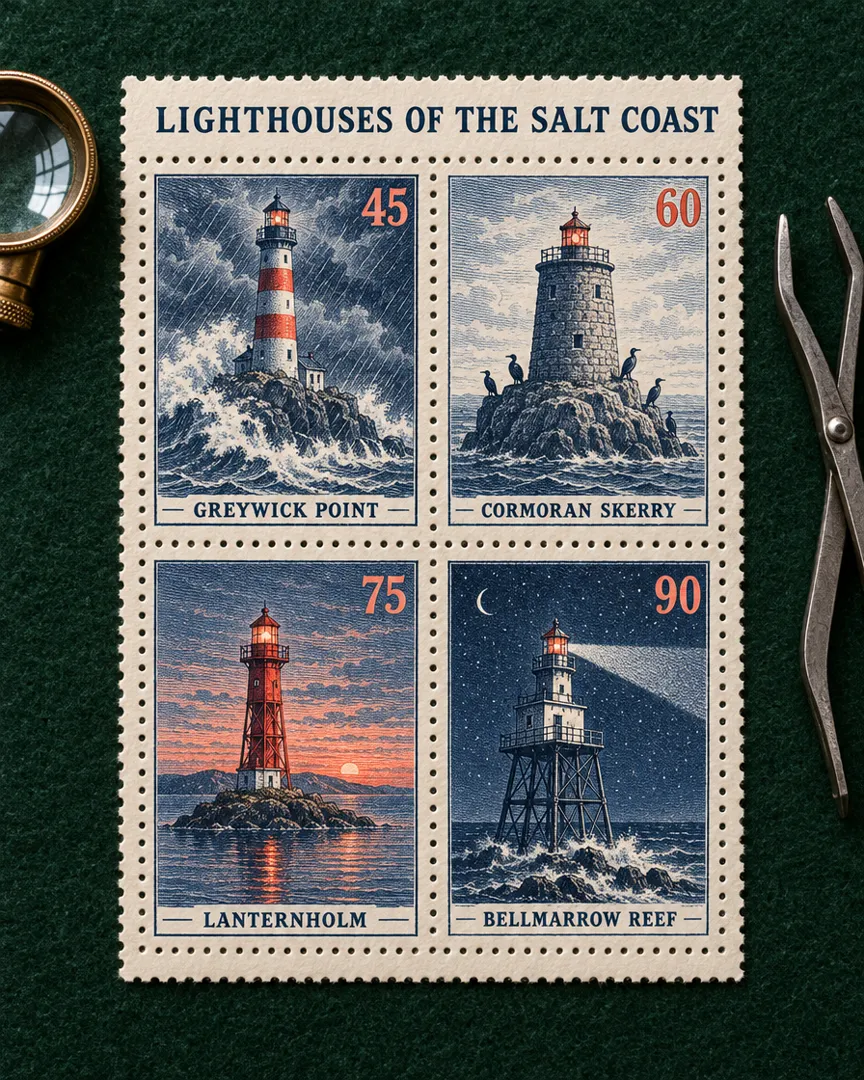
灯塔邮票小全张GPT Image 2.5 Flare

灯塔邮票小全张

3 积分

A philatelic souvenir sheet photographed flat from directly above on dark green felt: a cream perforated sheet holding four vintage engraved postage stamps in a 2 by 2 grid, each showing a different fictional lighthouse in fine intaglio linework printed in deep navy and coral. Top left stamp: a striped lighthouse on a granite point in a storm, with the name "GREYWICK POINT" and the value "45". Top right stamp: a squat stone tower on a sea rock with cormorants, with the name "CORMORAN SKERRY" and the value "60". Bottom left stamp: a red lantern tower on a tiny island at dusk, with the name "LANTERNHOLM" and the value "75". Bottom right stamp: a lighthouse on iron stilts over a reef at night, its beam sweeping the sky, with the name "BELLMARROW REEF" and the value "90". Across the top margin of the sheet, an engraved title reads exactly "LIGHTHOUSES OF THE SALT COAST". Each name and value appears exactly once, inside its own stamp. Crisp perforations, slight ink relief, soft raking window light from the left, a brass magnifying loupe and steel stamp tongs resting beside the sheet. Collector-grade detail, no other text, letters or numbers anywhere.
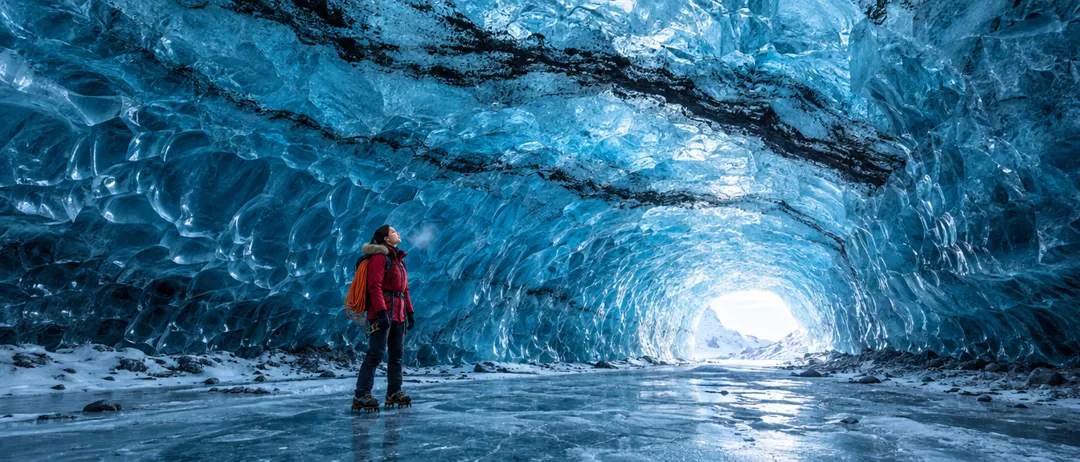
蓝色冰洞GPT Image 2.5 Flare

蓝色冰洞

3 积分

A cinematic ultra-wide real photograph inside a vast glacier ice cave at midday: a soaring tunnel of translucent sapphire-blue ice with rippled, scalloped walls, thin black bands of volcanic ash frozen into the ceiling, and a bright opening at the far end where white daylight pours in and glows through the ice. In the lower third, small against the scale of the cave, an adult woman explorer in her late twenties with the striking features of a professional fashion model, dark hair in a low braid, stands on the frozen floor in a crimson wool parka with a fur-trimmed hood, crampons on her boots and a coil of orange rope over one shoulder, looking up at the ceiling, full body visible, feet included. Her breath shows as a faint mist in the cold air. Natural light only, rich texture in the ice, wool and fur, cool blue palette with the single red accent, crisp detail, epic scale, 24mm wide-angle look. Full-bleed image that fills the whole frame, no letterbox or black bars. No text, no captions, no logos, no watermarks.

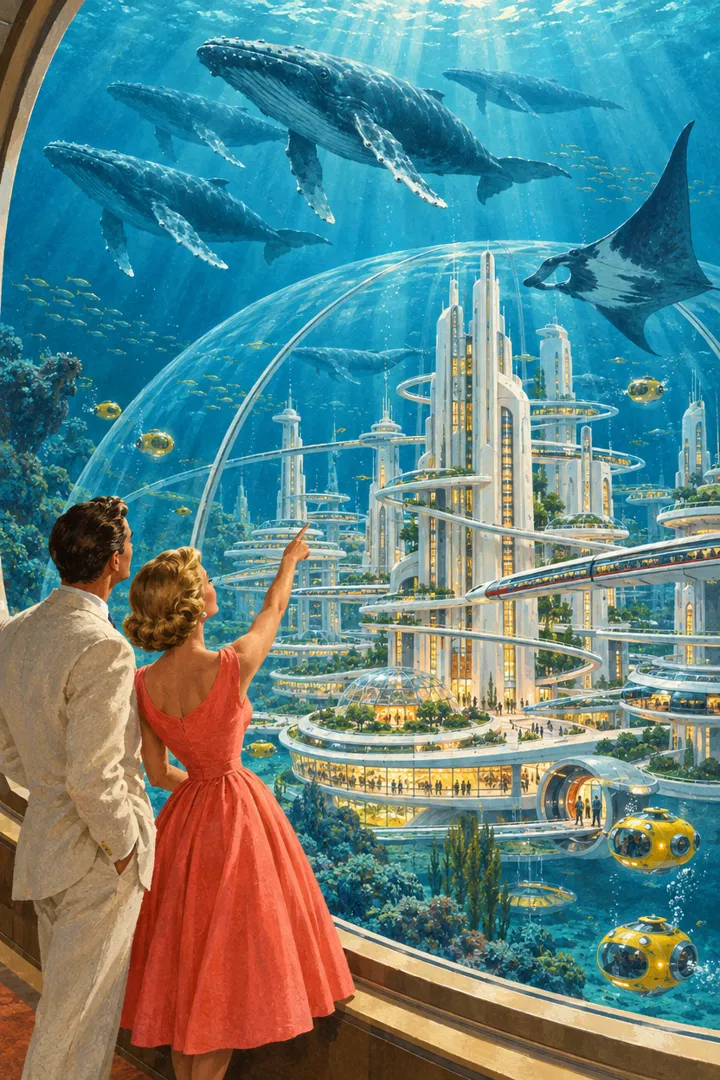
1958 年的海底城市GPT Image 2.5 Flare

1958 年的海底城市

3 积分

A 1950s retro-futurist gouache illustration in the manner of a mid-century science magazine painting: a gleaming city of white streamlined towers and spiral ramps under an enormous glass dome on the sea floor, monorails gliding between the towers, warm amber windows glowing. Outside the dome, deep teal water with shafts of sunlight from far above, a pod of humpback whales and a giant manta ray drifting past, small yellow bubble submarines docking at round airlocks. In the foreground, seen from behind and slightly to the side at a curved observation window, an elegant adult couple with fashion-model looks, she in a tailored coral swing dress and he in a cream linen suit, pointing up at the whales. Visible brush texture, soft airbrushed gradients, an optimistic saturated palette of teal, coral and cream, precise perspective, fine detail. Full-bleed image that fills the whole frame, no letterbox or black bars. No text, no captions, no logos, no watermarks.

相比 GPT Image 2,这版图片模型强在哪

OpenAI 这次更新的 4 个重点,以及在本站意味着什么。

01

快到可以多试几次

OpenAI 表示 Flare 的延迟只有 GPT Image 2 的一半。在本站,一张高画质方图约 25 秒;GPT Image 2 出一张的时间,Flare 大约能出 5 张。

02

改图只改你说的地方

换背景时写明哪些要保留。OpenAI 称 2.5 更能做到只改你要求的部分,连续改几轮,之前改好的地方也更稳,人脸也不容易被重画。

03

参考图里的主体认得出来

上传最多 4 张人物、宠物或商品照片,放进新场景。OpenAI 表示主体更容易认出来,光线更自然,质感更丰富。

04

复杂版式和风格更稳

带标题、分区和指定风格的需求,结果更完整:OpenAI 提到复杂版式、按结构排好的幻灯片,以及更贴近要求的风格。

GPT Image 2.5 规格、积分和画质档位

在本站,Flare 和 Sunburst 价格相同:高画质每张 3 积分,超高 4 积分,最高 9 积分;带参考图改图时分别是 3、5、10 积分。两个版本都输出约 100 万像素的图片,支持 10 种比例。Flare 约 25 秒,Sunburst 约 1 分钟;GPT Image 2 高画质要 9 积分、2 分钟以上,只有 5 种比例。先用 Flare,细节密时换 Sunburst。

模型本页GPT Image 2.5 FlareGPT Image 2.5 SunburstGPT Image 2
每张积分3~93~93~9
最大输出1K1K1K
画面比例10 种10 种5 种
参考图(改图)最多 4 张最多 4 张最多 4 张
大约耗时每张约 25 秒每张约 60 秒每张约 2 分钟

按每次新生成一张图计积分;有区间的是分辨率或质量档位不同。改图可能略贵,生成前按钮上会显示准确积分。

3 步用 GPT Image 2.5 出图

上方创作框默认 Flare,模型菜单里可以切到 Sunburst。

  1. 1

    写提示词或上传图片

    说清楚图片的用途和画面,要出现的文字放进引号。改图就上传最多 4 张,写明要改的那一处。

  2. 2

    选版本、档位和比例

    保留 Flare 或换成 Sunburst,选高、超高或最高画质,再选比例和张数(1~4 张)。按钮上会显示积分。

  3. 3

    下载、再改或拆图层

    保存 PNG,接着再改,或者拆成可编辑的图层。

GPT Image 2.5 提示词技巧

从 OpenAI 的提示词指南里整理出的 4 个习惯。

画质档位按需往上加

每个新想法先用 GPT Image 2.5 Flare 的高画质试,这是默认档,每张 3 积分。细节不够时再试超高,或者用同一段提示词换 Sunburst,每次只改一个变量,方便对比。OpenAI 也提醒,档位更高并不代表每条提示词都会更好,便宜的档位已经够用就不必往上加。

文字加引号,还要说出现几次

必须出现的文字放进引号,写明位置和字体样子,再说出现几次,比如:标题下方用白色手写体写一次“每周五新鲜到”。最后加一句“不要其他文字”。OpenAI 的指南写广告标语时就是这样做的;印刷前仍要检查有没有错字。

一次只改一处

改图要小步走:先写“只把墙改成浅绿色”,再列出要保留的沙发、窗光和机位。每次把上一张结果当作下一次的输入,并把保留清单重写一遍。OpenAI 提醒,连续改图仍可能慢慢跑偏,所以关键细节要重复写,别只写“和上次一样”。

把光线、尺度和姿势写具体

只写氛围词太模糊。想要真实照片就直接写“真实照片”,再写光线、材质和颜色。大场景、夜景和雨景要写清尺度和气氛;画人物要写取景和视线,比如“全身入镜”“低头看着打开的书”。OpenAI 表示,这类描述能让姿势和动作更明确。

GPT Image 2.5 适合做什么

速度快、改图稳,GPT Image 2.5 在这些场景最能发挥作用。

  • 社交内容和封面图

    9:16、4:5、16:9 都能直接出,每个平台一个版本。

  • 商品图和广告素材

    用一张商品照片换场景,需要精修的主视觉交给 Sunburst。

  • 传单、幻灯片和邀请函

    传单、幻灯片和贺卡,标题、日期和分区一次排好。

  • 多轮修图

    换背景、换衣服颜色、换天气,一步一步来。

GPT Image 2.5 常见问题

关于版本、积分、等待时间、输入输出和本站的说明。


用 GPT Image 2.5 做下一张图

默认 Flare,生成前先看积分。